Vscode-cpptools: Unknown Error: 0x800700c1 when Debug
When I debug a .c file.It is follows:

 mazhan465
All 13 comments
@mazhan465 Can you share with me how this was compiled and your launch.json file contents?
 pieandcakes
on 31 Oct 2016
pieandcakes
on 31 Oct 2016
@mazhan465 if you use the Visual C++ debugger on windows, the executable needs to be compiled with Visual C/C++. If you are debugging a gcc/g++ compiled app you need to choose gdb as the debugging option when initially setting up the launch.json file. You can delete the launch.json file and hit the gear button and choose the C++ (GDB\LLDB) option.
pieandcakes
on 31 Oct 2016
Thanks.I have solve this problem for debuging with GDB.I think the error is that I haven't compiled with vcbuildtools.
mazhan465
on 1 Nov 2016
try creating a folder in the same environment of python or cpp and add your code file into it. then open the vs code, it worked for me. I was getting this error while coding in tensorflow python.

 haneeshh
on 16 Sep 2017
haneeshh
on 16 Sep 2017
@haneeshh Is this with debugging C++? Your screenshot doesn't show any error.
 sean-mcmanus
on 18 Sep 2017
sean-mcmanus
on 18 Sep 2017
Its just I wanted to share how I solved this error. @sean-mcmanus ,there are no errors in the screenshot yes.
haneeshh
on 18 Sep 2017
@haneeshh Yeah, I misunderstood. I thought you were reporting a bug :)
sean-mcmanus
on 18 Sep 2017
@sean-mcmanus no worries :)
haneeshh
on 20 Sep 2017
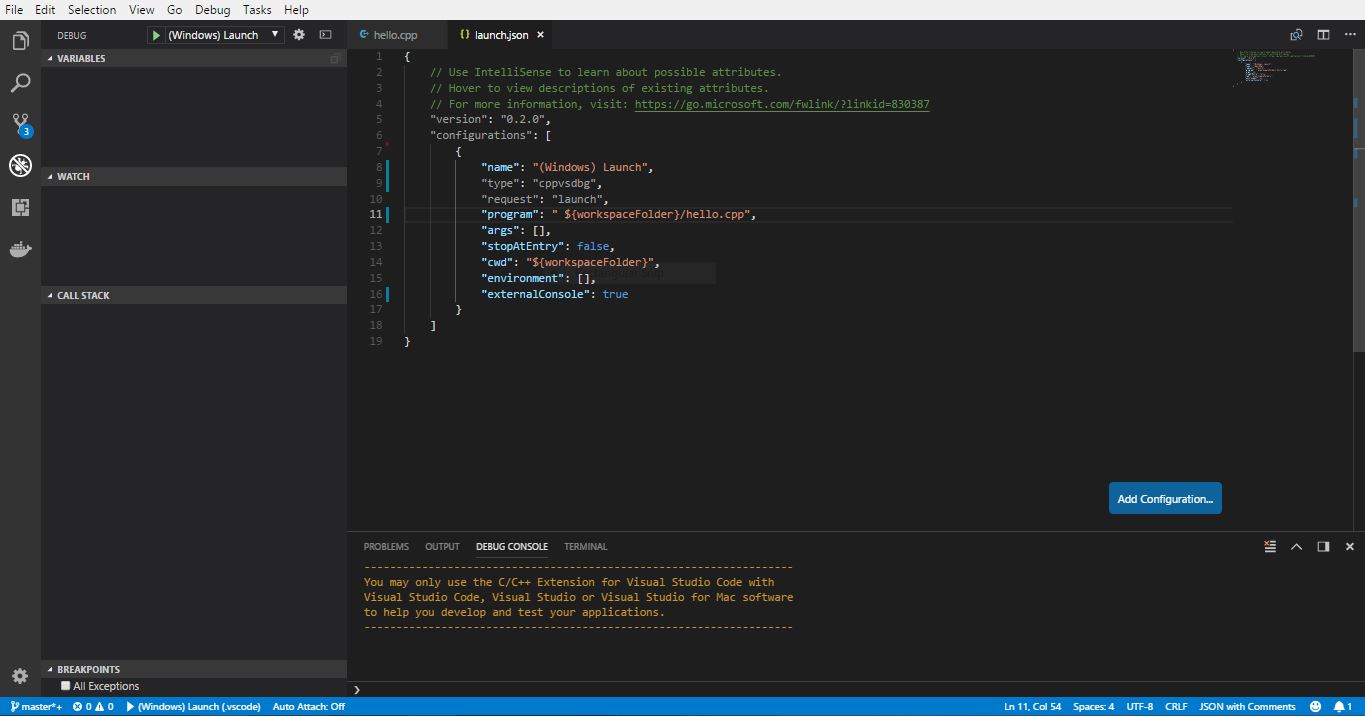
Hi,
Im unable get output using windows. I have installed C++ extension and minGW 64.
I tried using c++(GDB/LLDB) also but it didn't work for me. It shows miDebugerpath error but the path was proper.
 AchalaSB
on 2 Aug 2018
AchalaSB
on 2 Aug 2018
I use python also have this problem!
 BXDM
on 24 May 2019
BXDM
on 24 May 2019

 durga-koppisetti
on 15 Nov 2020
durga-koppisetti
on 15 Nov 2020
can anyone help me to run my first program in c
durga-koppisetti
on 15 Nov 2020
@durga-koppisetti We have some docs at https://code.visualstudio.com/docs/cpp/config-mingw . "helloworld" isn't a valid file -- it seems to be helloworld.exe....there might be other issues too.
sean-mcmanus
on 17 Nov 2020
Related issues
 SkyRiderMike
·
3Comments
SkyRiderMike
·
3Comments
 thndrwrks
·
3Comments
thndrwrks
·
3Comments
 wdc596933938
·
3Comments
wdc596933938
·
3Comments
 lutianqi
·
3Comments
lutianqi
·
3Comments
 BDZNH
·
3Comments
BDZNH
·
3Comments
Most helpful comment
Hi,
Im unable get output using windows. I have installed C++ extension and minGW 64.
I tried using c++(GDB/LLDB) also but it didn't work for me. It shows miDebugerpath error but the path was proper.