Vscode-bookmarks: Sidebar icon dissappears
After the last plugin update, this icon is not shown.
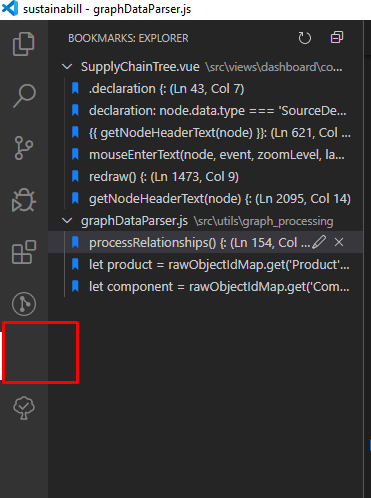
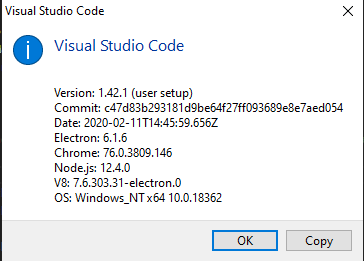
Bookmarks version 11.0.0
 it-sha
All 5 comments
Hi @it-sha ,
It appears a duplicate of #160 .
I have experienced that too sometimes, but not only on my extension, but on Docker, GitLens and PowerShell as well. It seems to be an issue caused by VS Code, not the extension itself. In my case, most of the times the error goes away when I restart VS Code (Close and Open Again). But I remember at least once, I have to uninstall and reinstall the extension
Hope this helps
 alefragnani
on 25 Feb 2020
alefragnani
on 25 Feb 2020
Hi @alefragnani. Thank you for the quick answer.
Probably this is VSCode problem. After the VSCode reloading problem not present.
it-sha
on 26 Feb 2020
I have a similar problem after accidentally moved the sidebar panel to the "terminal" panel.
The sidebar for bookmarks is no longer working, and it appears as "Explorer"
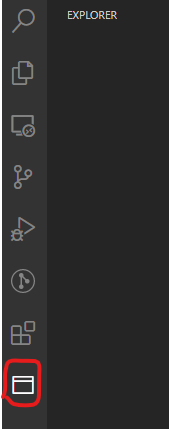
I´ve tried to uninstall and install again the extension but it's not working.
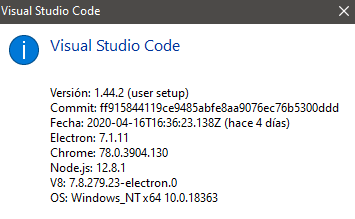
 davidbarredo
on 21 Apr 2020
davidbarredo
on 21 Apr 2020
Hi @davidbarredo ,
I had found it myself right after installing VS Code 1.44, and noted that this is related on VS Code itself, not the extension.
I posted this issue (https://github.com/microsoft/vscode/issues/94733) on VS Code repo, and the VS Code team labeled as _as designed_ as you can see in their comment 😕.
As I discovered myself, you can _reset_ the Side Bar to its original state using the View: Reset View Locations command, but it sill reset _any customization you did_.
Hope this helps
alefragnani
on 21 Apr 2020
Thanks! It worked, but now I need to customize somethings again ;-)
davidbarredo
on 21 Apr 2020
Related issues
 fgarcia
·
6Comments
fgarcia
·
6Comments
 ghost
·
5Comments
ghost
·
5Comments
 GaryFurash
·
5Comments
GaryFurash
·
5Comments
 jbengineer
·
6Comments
jbengineer
·
6Comments
 pakLebah
·
3Comments
pakLebah
·
3Comments