Vscode-arduino: Suddenly can't find arduino IDE
Since yesterday, when i wanna upload the code to board or do others things, it will show
Cannot find Arduino IDE. Please specify the "arduino.path" in the User Settings.
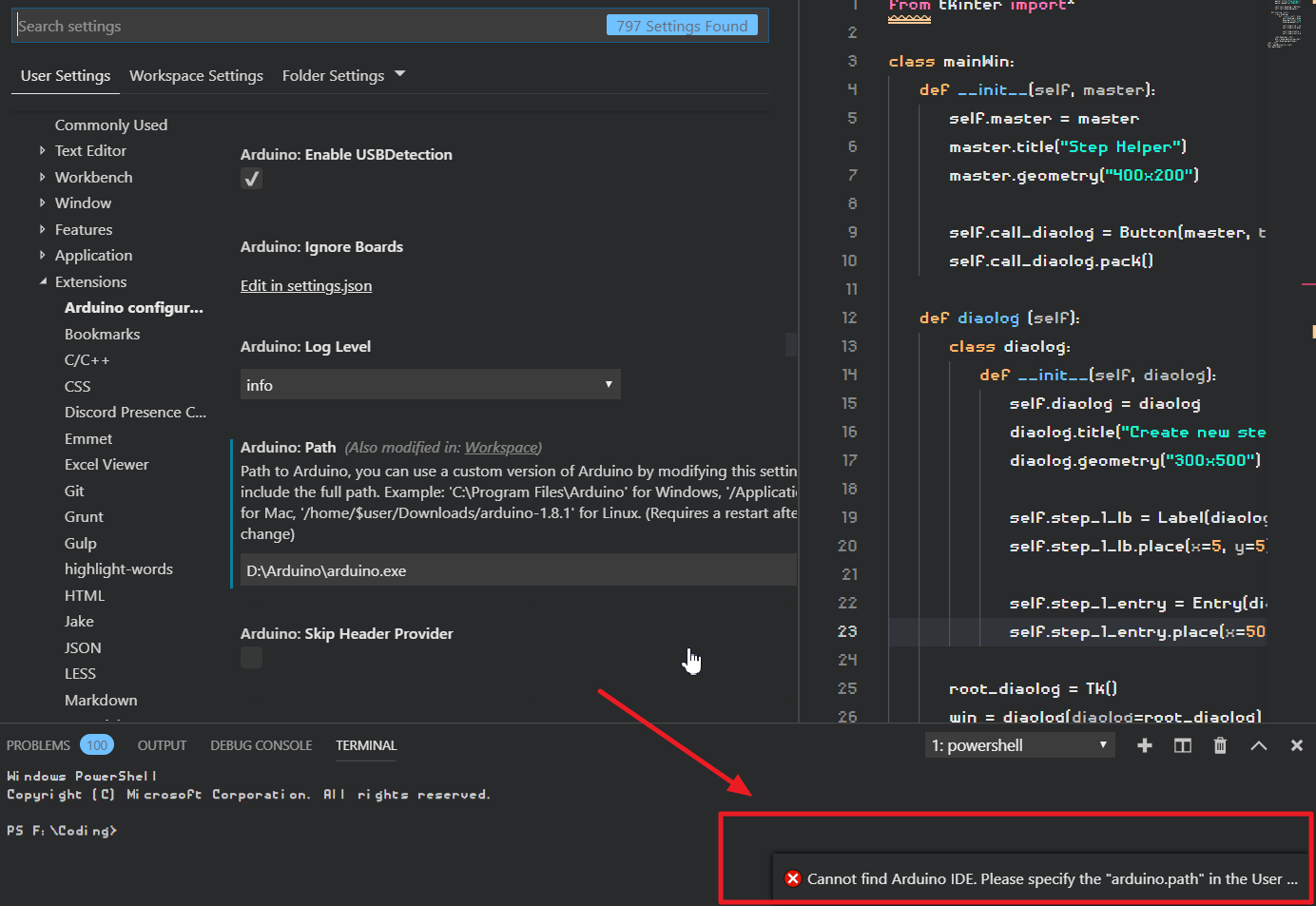
But i have already setting and worked well previously.
I checked everything settings, it's nothing wrong and i didn't change anything...
like user setting 、 worksapce setting、Folder setting 、Extentsions setting...
every "arduino.path": "D:\Arduino\arduino.exe" had set

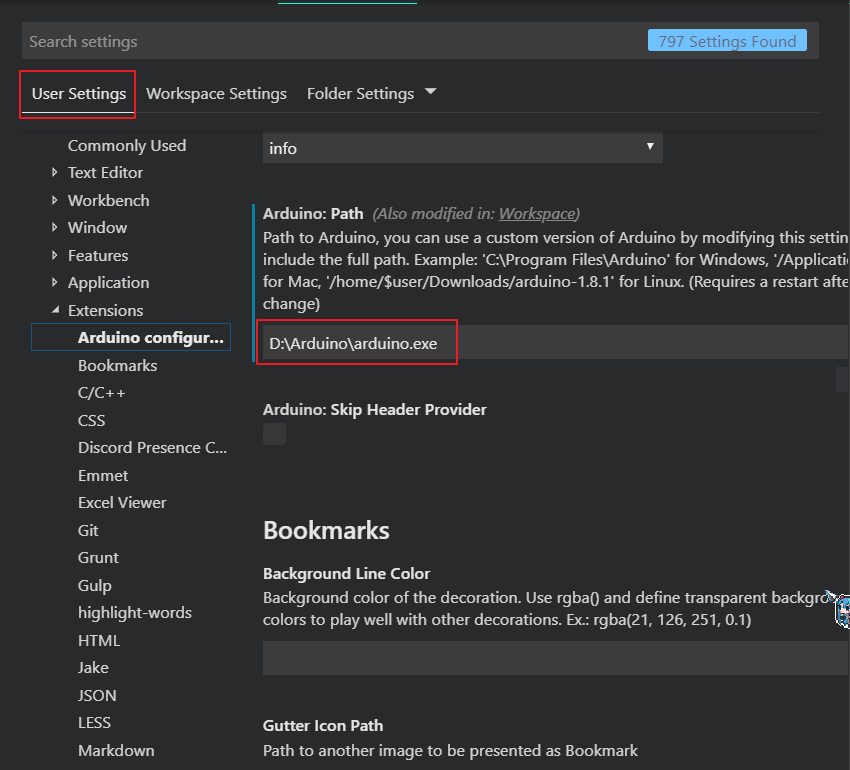
// 2019/3/25
i had tried ::
"D:\\Arduino\\"
"D:\\Arduino"
"D:\\Arduino\\arduino.exe"
maybe u will say the arduino path is not in "C:\"
but it did works well previously
is it could be a bug?
 Proladon
All 16 comments
Hi @Proladon have you tried "arduino.path": "D:\Arduino"?
 Sneezry
on 22 Mar 2019
Sneezry
on 22 Mar 2019
Hi @Proladon have you tried
"arduino.path": "D:\Arduino"?
Yeah....didn't works too...
Proladon
on 25 Mar 2019
Is there a file named arduino_debug.exe in D:\Arduino folder?
Sneezry
on 25 Mar 2019
Is there a file named
arduino_debug.exeinD:\Arduinofolder?
yeah, you can see in the image_2. under the arduino.exe
Proladon
on 25 Mar 2019
Download the zip file attached, unzip it. Open VS Code, then extension tab, click the three dots on top right corner, select Install from VSIX to install the extension, then run Arduino Path Dump command. What result can you get?

Sneezry
on 25 Mar 2019
Download the zip file attached, unzip it. Open VS Code, then extension tab, click the three dots on top right corner, select
Install from VSIXto install the extension, then runArduino Path Dumpcommand. What result can you get?

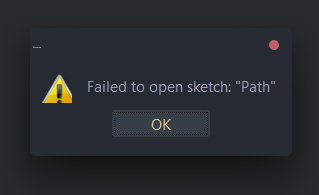
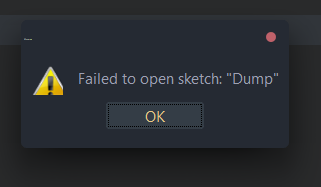
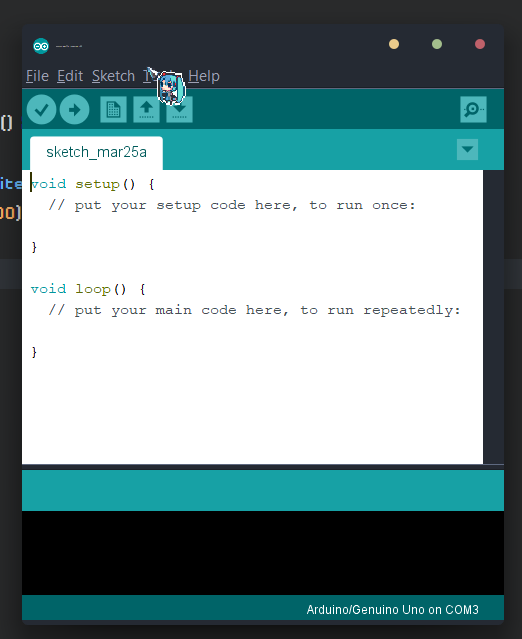
and then it open the Arduino IDE
Proladon
on 25 Mar 2019
Press F1 to open command palette, then execute Arduino Path Dump.

Sneezry
on 25 Mar 2019
oh..sorry i thought is terminal command lol
i got this:
Path from config: D:\Arduino\arduino.exe
  Directory exists: false
  Arduino CLI exists: false

Path from Reg: D:\Arduino
  Directory exists: true
  Arduino CLI exists: true

Path from where command: D:\Arduino\arduino.exe
  Directory exists: false
  Arduino CLI exists: false

Final path: D:\Arduino\arduino.exe
  Directroy exists: false
  Arduino CLI exists: false

Oops, Arduino extension cannot find Arduino CLI :\
so i need to use D:\Arduino ?
but i had already tired this hm...
Proladon
on 25 Mar 2019
You can just remove arduino.path from your settings, the extension can automatically find it from the registry.
Sneezry
on 25 Mar 2019
You can just remove
arduino.pathfrom your settings, the extension can automatically find it from the registry.
OMG.....it works....really dumb (°ཀ°)
it confused me for two weeks....
Anyway, Thanks you very much dude !!! Your r really a nice person ~
Proladon
on 25 Mar 2019
Great! Then I will close this issue. Please feel free to open a new one if you have any other question.
Sneezry
on 25 Mar 2019
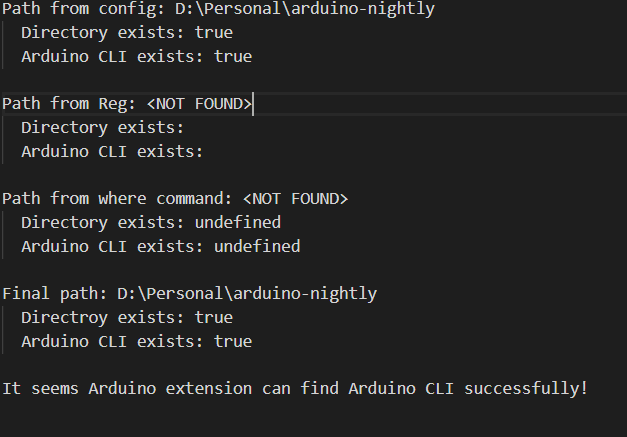
Hello! I am having the same issue. I have followed the steps in this thread but it is still not working. Here are my results from the Arduino Path Dump
 bec3x
on 16 Jan 2020
bec3x
on 16 Jan 2020
Got the same error as @bec3x

 me6ran
on 22 Mar 2020
me6ran
on 22 Mar 2020
Got the same error as @bec3x
you have to use the folder contained arduino.exe
 vukyvt2002
on 25 Apr 2020
vukyvt2002
on 25 Apr 2020

i have this error
 CarlosA1804
on 20 Aug 2020
CarlosA1804
on 20 Aug 2020
Just want to precise to some users that if you download the Arduino IDE for Windows 10, you will probably end up with a Java version downloaded from the Microsoft Store, which doesn't provide any "arduino.exe". You got to download the version for Windows 7 of the IDE. I don't know if there's some way to use the Java version with this extension, i've not searched for that yet.
If you are unsure of which version you've got, install Sysinternals Process Explorer, open the IDE and use the target icon to select the IDE application. It will show you the actual process which is javaw.exe, which is located under some folder looking like this:
C:\Program Files\WindowsApps\ArduinoLLC.ArduinoIDE_1.8.42.0_x86__mdqgnx93n4wtt\java\bin
If you see this, that's because you've got the wrong version.
 cdebel2005
on 20 Sep 2020
cdebel2005
on 20 Sep 2020
Related issues
 AndreyKrupskii
·
6Comments
AndreyKrupskii
·
6Comments
 Hans007a
·
4Comments
Hans007a
·
4Comments
 justin-romano
·
3Comments
justin-romano
·
3Comments
 ghent360
·
3Comments
ghent360
·
3Comments
 vishnumaiea
·
6Comments
vishnumaiea
·
6Comments
Most helpful comment
Great! Then I will close this issue. Please feel free to open a new one if you have any other question.