Voyager: Problems with the "BelongTo" relationship
Hi, first thanks for your help.
Version information
- Laravel: v6.2
- Voyager: v1.3.1
- PHP: 7.3.10
- Database: MySQL
Description of problem
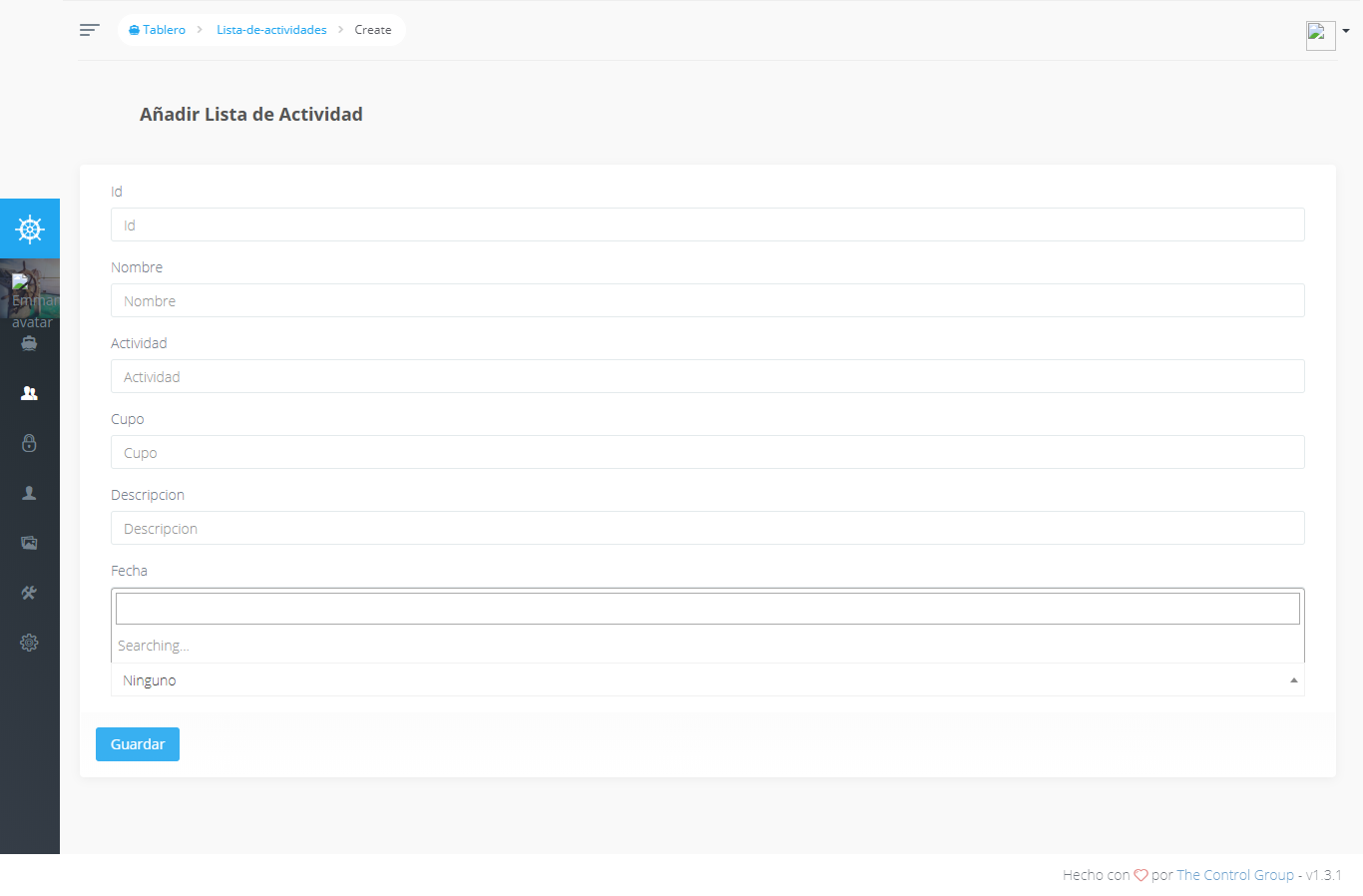
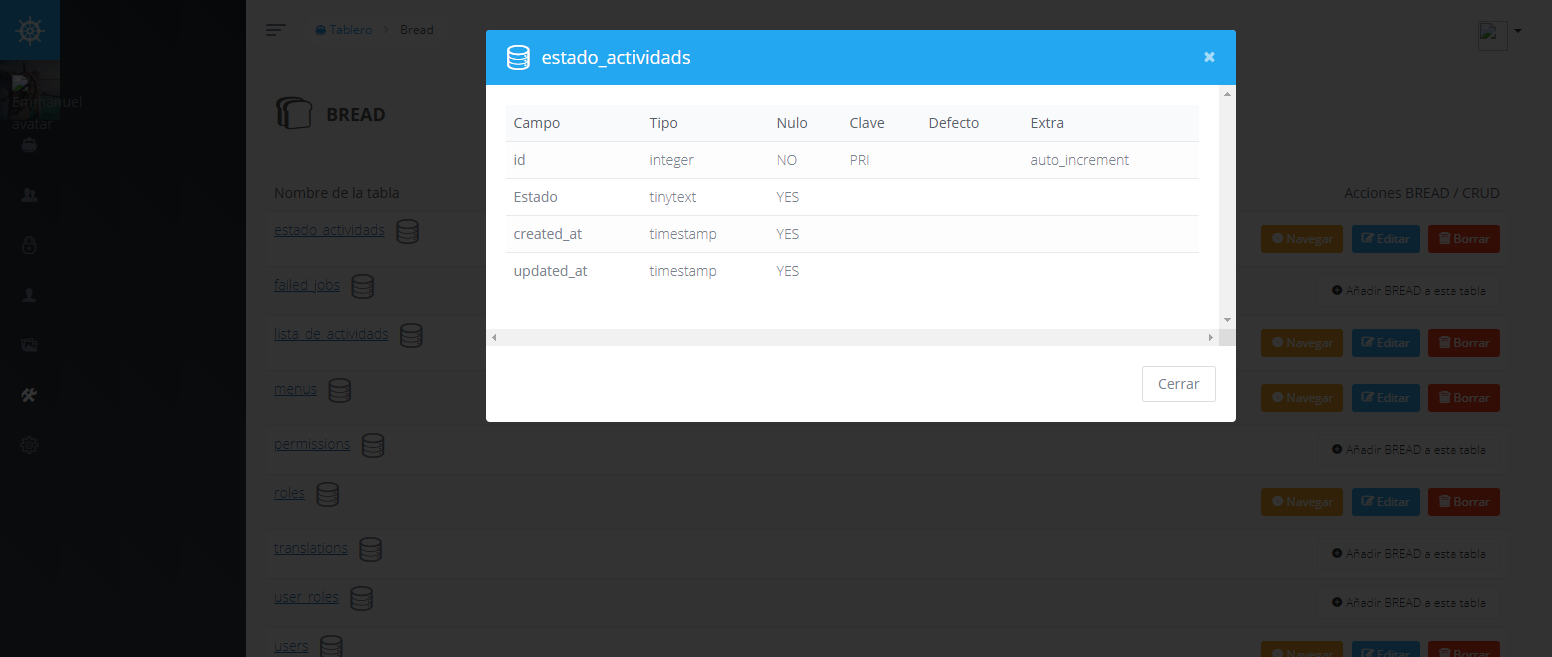
I have problems with the "BelongTo" relationship. I have records in the "estado_actividads" table.
I don't understand what I'm missing.
Alternatives considered
- Delete the table and create it again.
- I made a relationship with the "User" table and it works correctly.
- Delete the relationship and create it again.
Additional context

 Emmanrey
All 8 comments
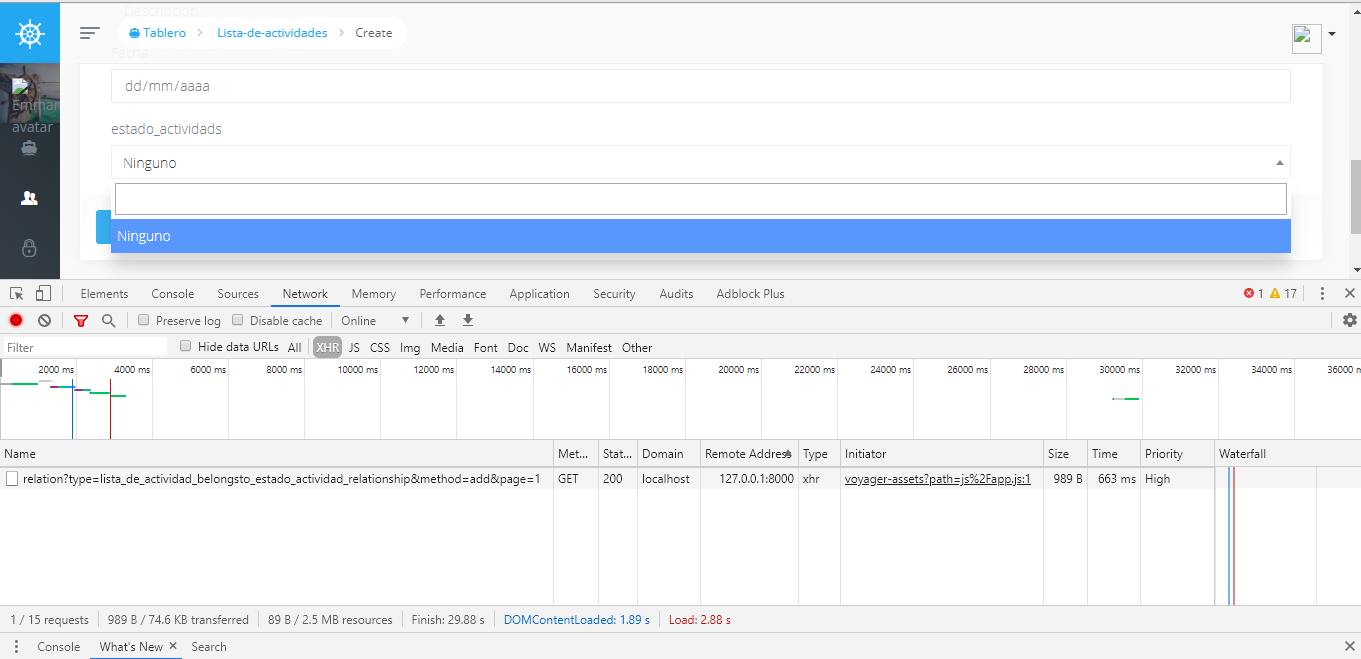
Please take a screenshot of ajax call request and response content to see if all data is passed and if there is an error.
Voyager version should be three numbers, it looks like you have 1.3.1, please verify and update it in your first comment.
 MrCrayon
on 7 Feb 2020
MrCrayon
on 7 Feb 2020
Please take a screenshot of ajax call request and response content to see if all data is passed and if there is an error.
Voyager version should be three numbers, it looks like you have 1.3.1, please verify and update it in your first comment.
Hi MrCrayon
You're right, now I correct the version. I have the screenshots here. What do you think?

Emmanrey
on 7 Feb 2020
I don't see anything wrong, can you show the content of estado_actividads table?
You could try to lowercase Estado column in estado_actividads table, just to see if that's the problem.
MrCrayon
on 7 Feb 2020
I tried and it's the same. And it shows me errors.
Apparently he can't find it. Am I failing to make the connection?
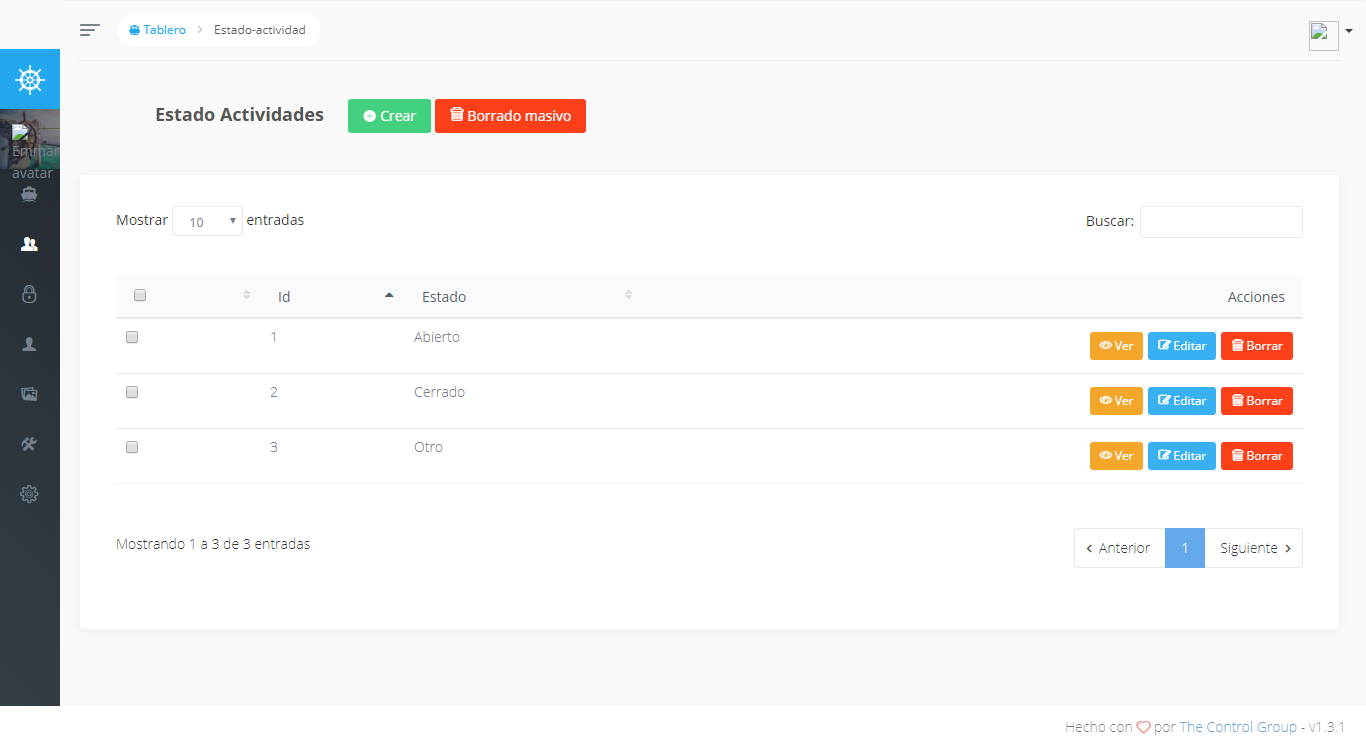
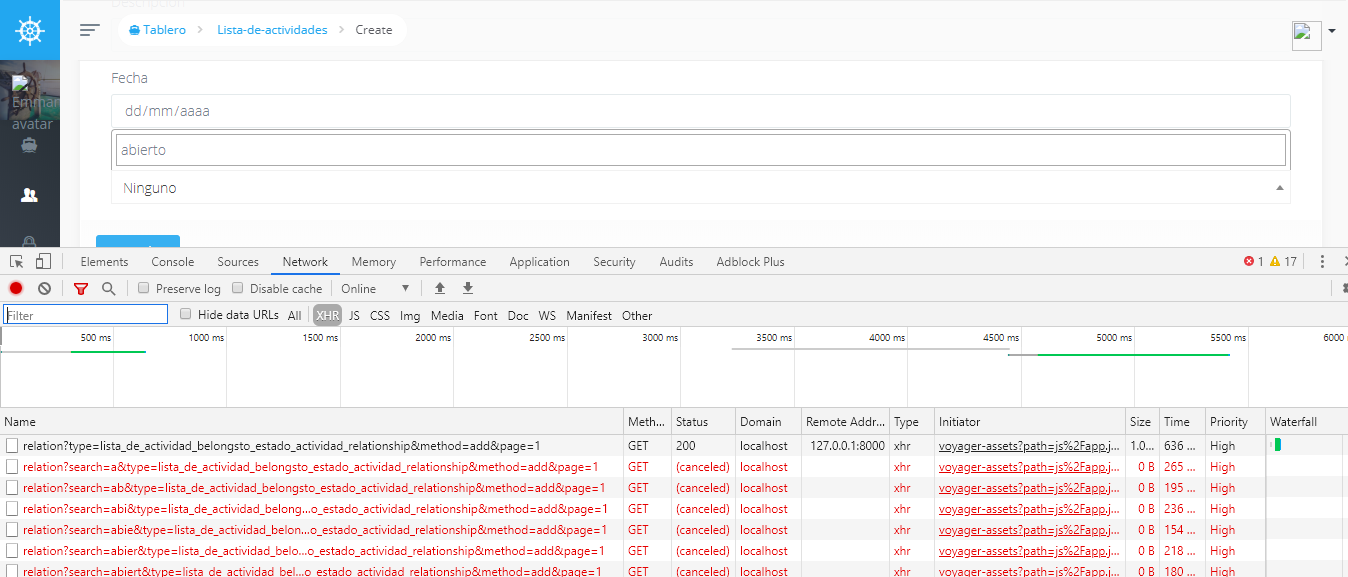
Emmanrey
on 7 Feb 2020
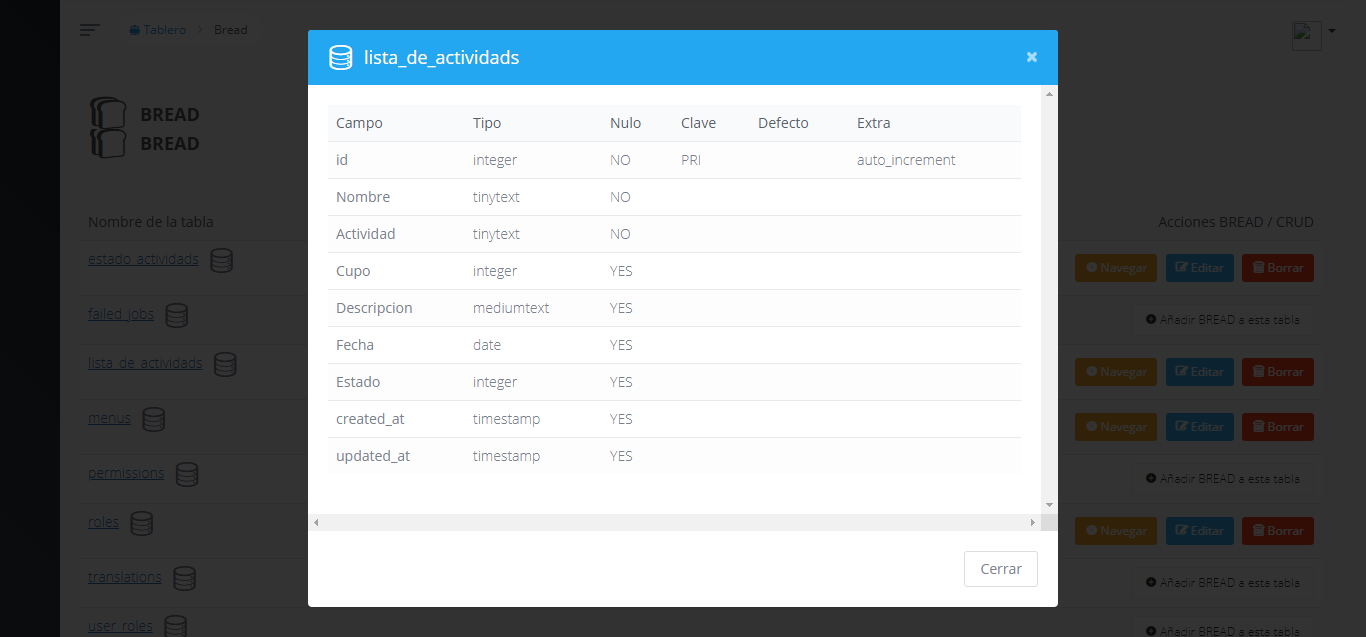
What's in your model ListaDeActividad? Did you define relationships there?
Your naming looks like a nightmare to debug, if this is a new application I strongly advise you to change all names to use lowercase and follow Laravel conventions, like use estado_id instead of Estado even better use english words internally like state_id or status_id, ActivityState, ActivityList etc.
What you are doing might work but it also might cause problems and it's not going to make your life easier.
MrCrayon
on 7 Feb 2020
I want to thank you for your time.
The problem is that all the names are capitalized. About using English, you're right and it's simpler.
Again, thank you.
Emmanrey
on 7 Feb 2020
The problem is that all the names are capitalized.
Was that the problem or this is about my advice?
If you still didn't solve you can debug it overriding VoyagerBaseController relation method.
https://voyager-docs.devdojo.com/customization/overriding-files
MrCrayon
on 7 Feb 2020
This issue has been automatically locked since there has not been any recent activity after it was closed. If you have further questions please ask in our Slack group.
![github-actions[bot] picture](https://avatars.githubusercontent.com/in/15368?v=4&s=40) github-actions[bot]
on 6 Aug 2020
github-actions[bot]
on 6 Aug 2020
Related issues
 abacram
·
3Comments
abacram
·
3Comments
 iwasherefirst2
·
3Comments
iwasherefirst2
·
3Comments
 raoasifraza1
·
3Comments
raoasifraza1
·
3Comments
 TPRAsh
·
3Comments
TPRAsh
·
3Comments
 winex01
·
3Comments
winex01
·
3Comments