Voyager: Deleting BREAD displays incorrect button text
- Laravel Version: 5.6.11
- Voyager Version: dev-1.x-dev
- PHP Version: 7.2.3
- Database Driver & Version: MySQL 5.7.21
Description:
The language file appears to not be referenced properly in some places, most notably during the popup for deleting a BREAD:
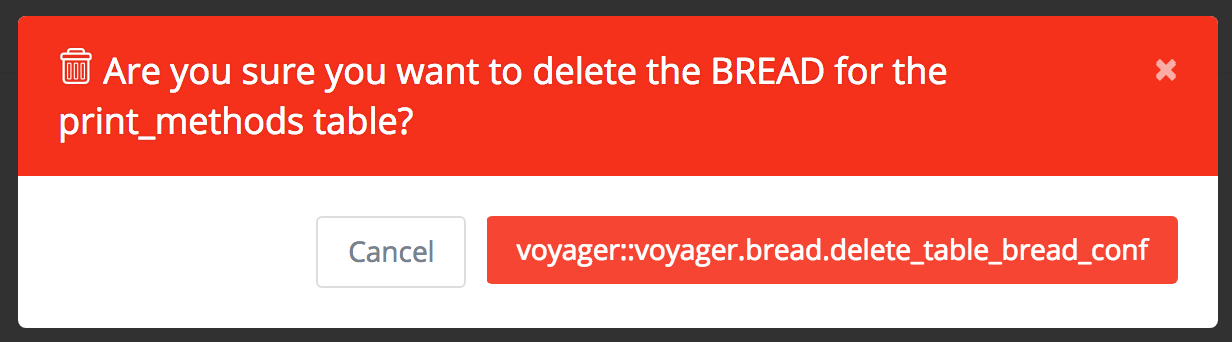
The text for the Delete button is clearly incorrect. The button _does_ work, however. Yes, it's a minor issue, but might as well go ahead and document it here so it can be fixed someday.
Steps To Reproduce:
- With a fresh (or stale, for that matter) installation of Laravel and Voyager, create a database table and its associated Model.
- Create BREAD for that table.
- Attempt to delete said BREAD.
- Marvel at the incongruously-long
DELETEbutton. - ???
- Profit?
…well, okay, perhaps you don't need those last two steps. ;~P
 SturmB
All 6 comments
I recently splitted up the language files into groups, but the actually source looks like this
This should work properly. Check that you dont have any old files!
 emptynick
on 19 Mar 2018
emptynick
on 19 Mar 2018
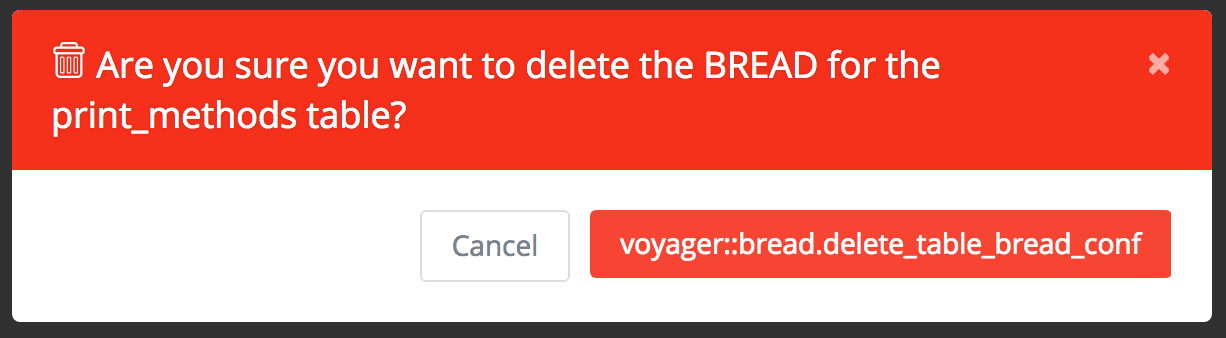
Okay, I updated Voyager with composer update so I should have the latest version now. During that process, it removed the old version of Voyager (and, presumably, all of its files, as far as I could tell). And, indeed, it does seem that the line of code you specified is identical to the one I have. However, the same thing appears, only with a slight change to the text on the button:
SturmB
on 19 Mar 2018
Okay, now thats a thing. Ref
It should be voyager::bread.delete_bread_conf
I will submit a fix to #2837
emptynick
on 19 Mar 2018
Fixed in #2837
emptynick
on 19 Mar 2018
Confirmed fixed. 🎉
SturmB
on 18 Apr 2018
This issue has been automatically locked since there has not been any recent activity after it was closed. If you have further questions please ask in our Slack group.
![github-actions[bot] picture](https://avatars.githubusercontent.com/in/15368?v=4&s=40) github-actions[bot]
on 18 May 2020
github-actions[bot]
on 18 May 2020
Related issues
 wp-src
·
3Comments
wp-src
·
3Comments
 iwasherefirst2
·
3Comments
iwasherefirst2
·
3Comments
 ferrywae
·
4Comments
ferrywae
·
4Comments
 IvanBohonosiuk
·
4Comments
IvanBohonosiuk
·
4Comments
 abacram
·
3Comments
abacram
·
3Comments