Voyager: Multilanguage does not work on menus
- Laravel Version: 5.6.5
- Voyager Version: 1.x.dev
- PHP Version: 7.2 + argon2
- Database Driver & Version: mysql 5.7
Description:
I can't get Voyager menus change the language. My site is running en and ru locales. I've enables multilanguage support in voyager.php file(see below). When I create a new menu item there is an option to set name for both locales(RU, EN). But when I change site language with App::setLocale() function, it does NOTHING. There are translations in the database. But Voyager isn't getting the current language and translating my menu. Why does it happen?
Steps To Reproduce:
Fresh Voyager installation. Change configs to this:
app.php
'locale' => 'ru',
'fallback_locale' => 'en',
voyager.php
'multilingual' => [
        /*
         * Set whether or not the multilingual is supported by the BREAD input.
         */
        'enabled' => true,

        /*
         * Select default language
         */
        'default' => 'ru',

        /*
         * Select languages that are supported.
         */
        'locales' => [
            'ru',
            'en',
        ],
    ],
 andriihorpenko
All 4 comments
Yep, I can confirm that this is a bug on 1.x-dev.
The title doesn't show, neither in the modal or the list.
But it saves properly
Looking into it
 emptynick
on 24 Mar 2018
emptynick
on 24 Mar 2018
@emptynick was this issue fixed? I tested it by adding \App::setLocale('ru'); to a random file and did get the expected result. Or should I use \App::setLocale('ru'); in a specific place?
 cyrildewit
on 21 Apr 2018
cyrildewit
on 21 Apr 2018
Not really. But its just a display issue.
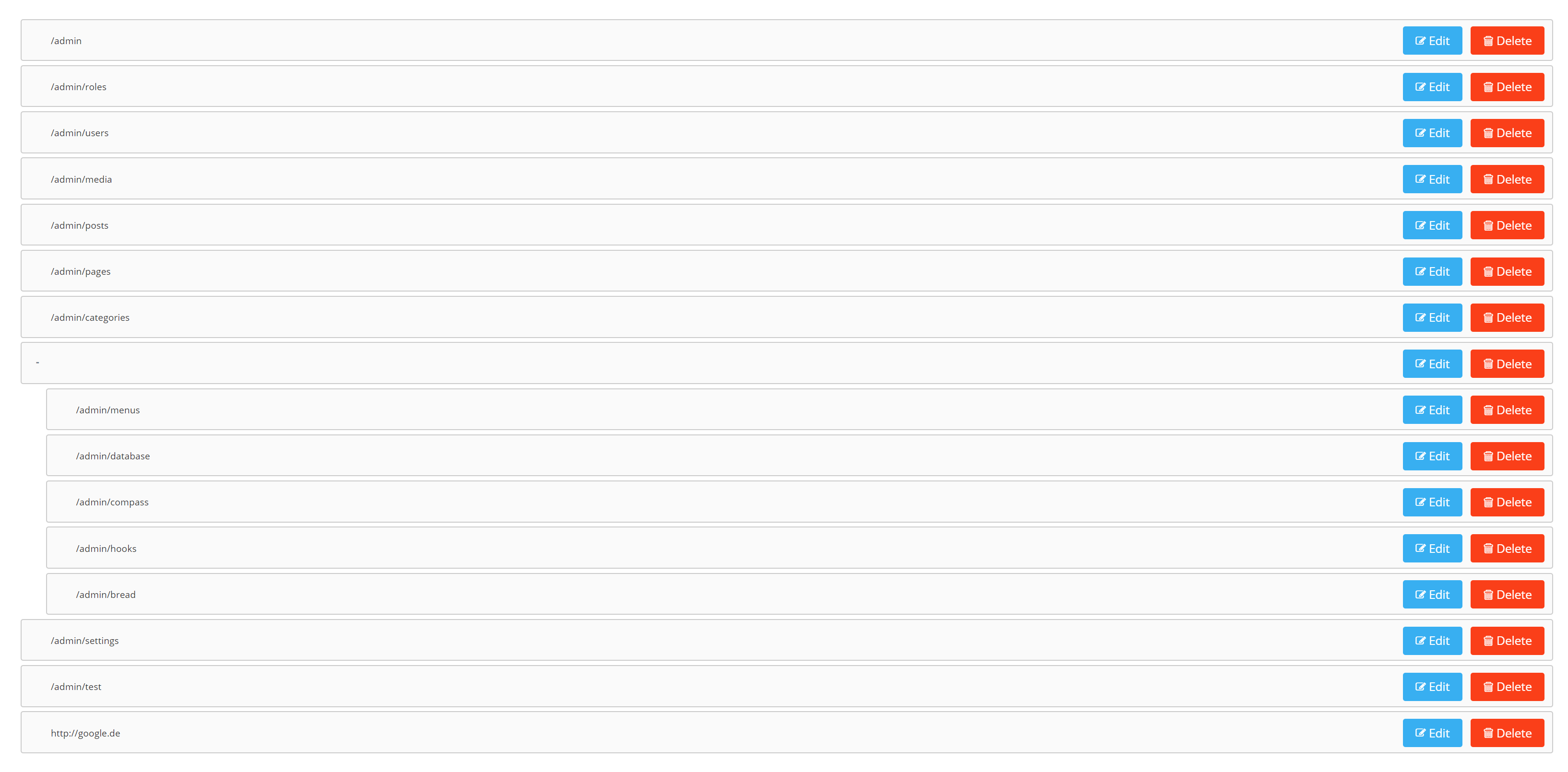
If the items are translatable they just dont display.
I guess because they are not of type input. Workaround would be to make them an input, and style them a bit.
By the way you can set your locale on your profile in 1.1.x
emptynick
on 21 Apr 2018
This issue has been automatically locked since there has not been any recent activity after it was closed. If you have further questions please ask in our Slack group.
![github-actions[bot] picture](https://avatars.githubusercontent.com/in/15368?v=4&s=40) github-actions[bot]
on 18 May 2020
github-actions[bot]
on 18 May 2020
Related issues
 TPRAsh
·
3Comments
TPRAsh
·
3Comments
 iwasherefirst2
·
3Comments
iwasherefirst2
·
3Comments
 craigb88
·
3Comments
craigb88
·
3Comments
 kevinjon27
·
3Comments
kevinjon27
·
3Comments
 rayqiri
·
3Comments
rayqiri
·
3Comments
Most helpful comment
Not really. But its just a display issue.

If the items are translatable they just dont display.
I guess because they are not of type
input. Workaround would be to make them an input, and style them a bit.By the way you can set your locale on your profile in 1.1.x