Voyager: "Undefined property" when removing select dropdown option
- Laravel Version: 5.4.x
- Voyager Version: 0.11.7
- PHP Version: 7.1.1
- Database Driver & Version: MySQL X
Description:
When you have a BREAD row using the Select Dropdown type, it give problems handling the options when a option is removed.
Steps To Reproduce:
Make BREAD with a Select Dropdown row and the following settings:
{
    "default": "Foo",
    "options": {
        "foo": "Foo",
        "bar": "Bar"
    }
}
Then create a new row with this set as Foo.
Then edit the BREAD settings to:
{
    "default": "Bar",
    "options": {
        "bar": "Bar"
    }
}
Then go back to the row for that BREAD and it will throw the following error:
ErrorException in 1dc0155360549e4cd7aacdfed574eebe6a05f97e.php line 68:
Undefined property: stdClass::$foo (View: /site.dev/vendor/tcg/voyager/resources/views/bread/browse.blade.php)
Solution
My idea for a solution is to show the default option if the option no longer exists.
 marktopper
All 10 comments
This happens also when adding more options. It doesn't update correctly in database. If you delete the data entry from data_rows table even if it seems updated and save your bread again it works great. Don't know why yet
 vaggelis2018
on 4 Aug 2017
vaggelis2018
on 4 Aug 2017
Can someone confirm that this already fixed in 1.0 ?
 handiwijoyo
on 8 Jan 2018
handiwijoyo
on 8 Jan 2018
@handiwijoyo it's not fixed so far.
 yevgenatlanov
on 31 Jan 2018
yevgenatlanov
on 31 Jan 2018
Duplicating my comment from #1639 in case it helps:
For me this error was solved with the exclusion of a null value on the obj:-
/vendor/tcg/voyager/resources/views/bread/browse.blade.php

Line 118
@unless(empty($options->options->{$data->{$row->field}}))
     {!! $options->options->{$data->{$row->field}} !!}
@endunless
*Edit: Let me know if it solves for you and I will submit PR *
 dhonions
on 14 Mar 2018
dhonions
on 14 Mar 2018
Yes that indeed works.
Alternatively we could use {!! $options->options->{$data->{$row->field}} or '' !!}
 emptynick
on 16 Mar 2018
emptynick
on 16 Mar 2018
@dhonions Do you want to submit a PR for this?
emptynick
on 24 Mar 2018
@emptynick Yes, please do.
 Golenzovskiy
on 27 May 2018
Golenzovskiy
on 27 May 2018
@dhonions Superb work! Issue fixed. PR!
 damms005
on 30 May 2018
damms005
on 30 May 2018
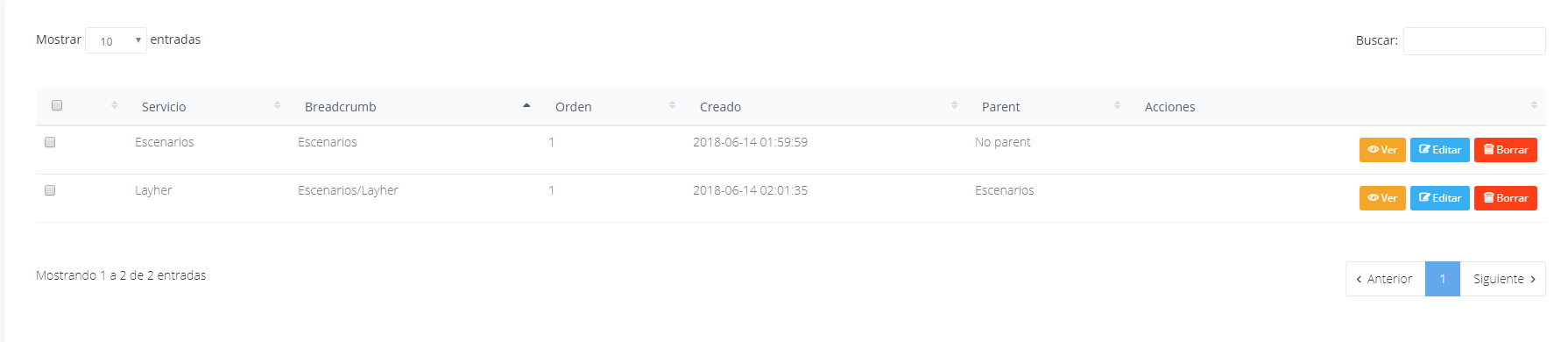
Hi, for me this error was solved with
{!! $options->options->{$data->{$row->field}} or $data->{$row->field} !!}
 d3turnes
on 14 Jun 2018
d3turnes
on 14 Jun 2018
This issue has been automatically locked since there has not been any recent activity after it was closed. If you have further questions please ask in our Slack group.
![github-actions[bot] picture](https://avatars.githubusercontent.com/in/15368?v=4&s=40) github-actions[bot]
on 18 May 2020
github-actions[bot]
on 18 May 2020
Related issues
 Nagendra1421
·
3Comments
vaggelis2018
·
3Comments
Nagendra1421
·
3Comments
vaggelis2018
·
3Comments
 popica80
·
3Comments
popica80
·
3Comments
 TPRAsh
·
3Comments
TPRAsh
·
3Comments
 craigb88
·
3Comments
craigb88
·
3Comments
Most helpful comment
Duplicating my comment from #1639 in case it helps:
For me this error was solved with the exclusion of a null value on the obj:-
*Edit: Let me know if it solves for you and I will submit PR *