Vocabulary: RTL/LTR Language Support for BreadCrumb Component
Description
When viewing a right to left language, the breadcrumb component's arrows should "flip" there direction. Currently the breadcrumb arrows only point right. When right to left language is being shown these arrows should point left .
Reproduction
- On a parent element of the breadcrumb component, add the
dirattribute - Toggle
dirattribute betweendir="ltr"anddir="rtl"
Screenshots
Left to Right
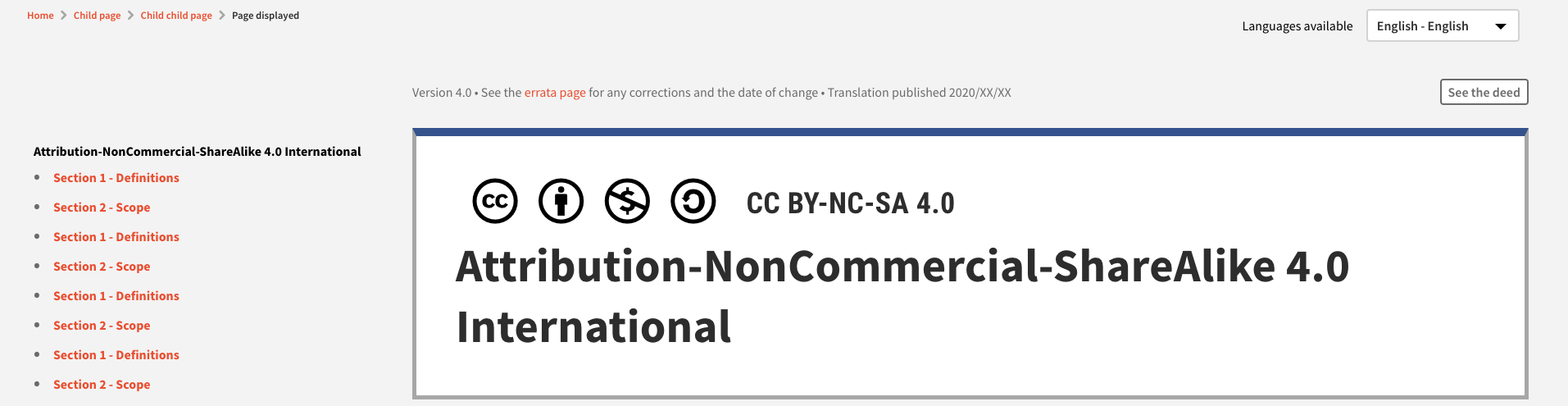
Right to Left
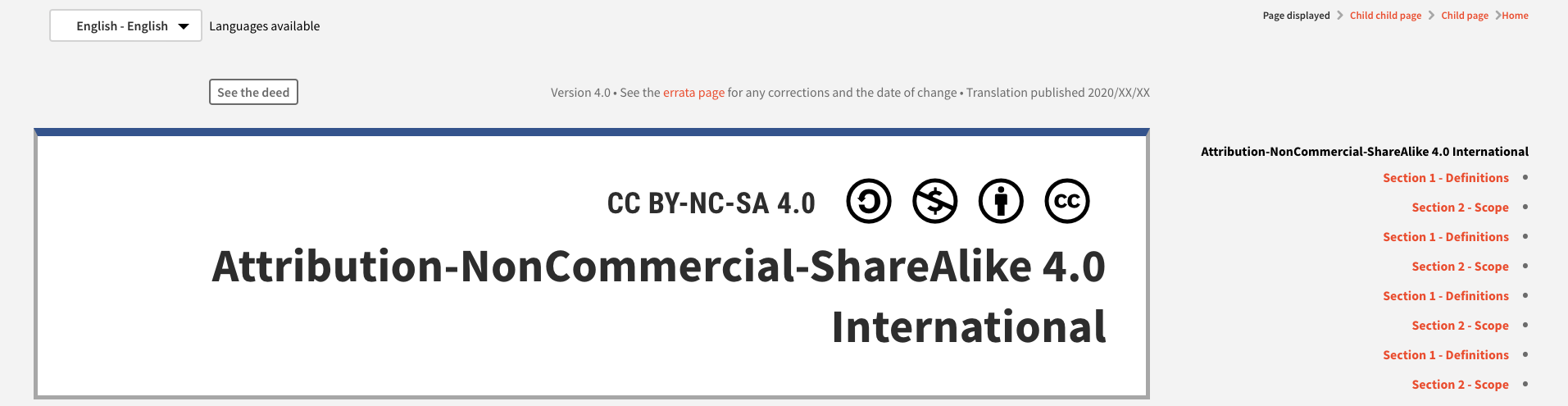
Please ignore See the Deed in the second screenshot. I'm currently working on rtl support and wanted to stop to make sure that this issue was created.
Additional context
The below PR is adding rtl/ltr support for the new licenses pages:
 Audiosutras
All 2 comments
Here's some more styles to fix the breadcrumbs. I will make this code part of vocabulary eventually and let you all know when. I'd suggest adding these styles to your project directly until then.
html[dir="rtl"] nav.breadcrumb>ul li+li:before {
    transform: rotate(180deg);
}

html[dir="rtl"] .breadcrumb li:first-child a {
    padding-right: 0;
    padding-left: .5rem;
}
 zackkrida
on 9 Sep 2020
zackkrida
on 9 Sep 2020
Just to add on to @zackkrida's excellent workaround, I would recommend using
transform: scaleX(-1);
instead of rotate as that would work for icons that have a vertical directionality (like external-link).
 dhruvkb
on 10 Sep 2020
dhruvkb
on 10 Sep 2020
Related issues
zackkrida
·
6Comments
zackkrida
·
5Comments
 panchovm
·
4Comments
panchovm
·
3Comments
zackkrida
·
6Comments
panchovm
·
4Comments
panchovm
·
3Comments
zackkrida
·
6Comments
Most helpful comment
Just to add on to @zackkrida's excellent workaround, I would recommend using
instead of
rotateas that would work for icons that have a vertical directionality (likeexternal-link).