Can I hide some content separated with '---' block in view mode?
I have markdown file with YAML injections, for example:
title: My Test Post
author: Johnny Q. Blogger
author_bio: >
             I blog about things, and my middle
             inital is Q. You’ll never guess
             what the ‘Q’ stands for. Trust me.
layout: post
---

# Lorem ipsum?

Lorem ipsum dolor sit amet, consectetur adipiscing elit, sed do eiusmod tempor
 incididunt ut labore et dolore magna aliqua. Ut enim ad minim veniam, quis
 nostrud exercitation ullamco laboris nisi ut aliquip ex ea commodo consequat.
Duis aute irure dolor in reprehenderit in voluptate velit esse cillum dolore eu
fugiat nulla pariatur. Excepteur sint occaecat cupidatat non proident, sunt in
culpa qui officia deserunt mollit anim id est laborum.
 ANAT01
All 4 comments
In my opinion, Markdown files should contain contents only, not including the metadata.
I will add an option to hide these info when in read mode.
 tamlok
on 12 Apr 2018
tamlok
on 12 Apr 2018
😄1
👍1
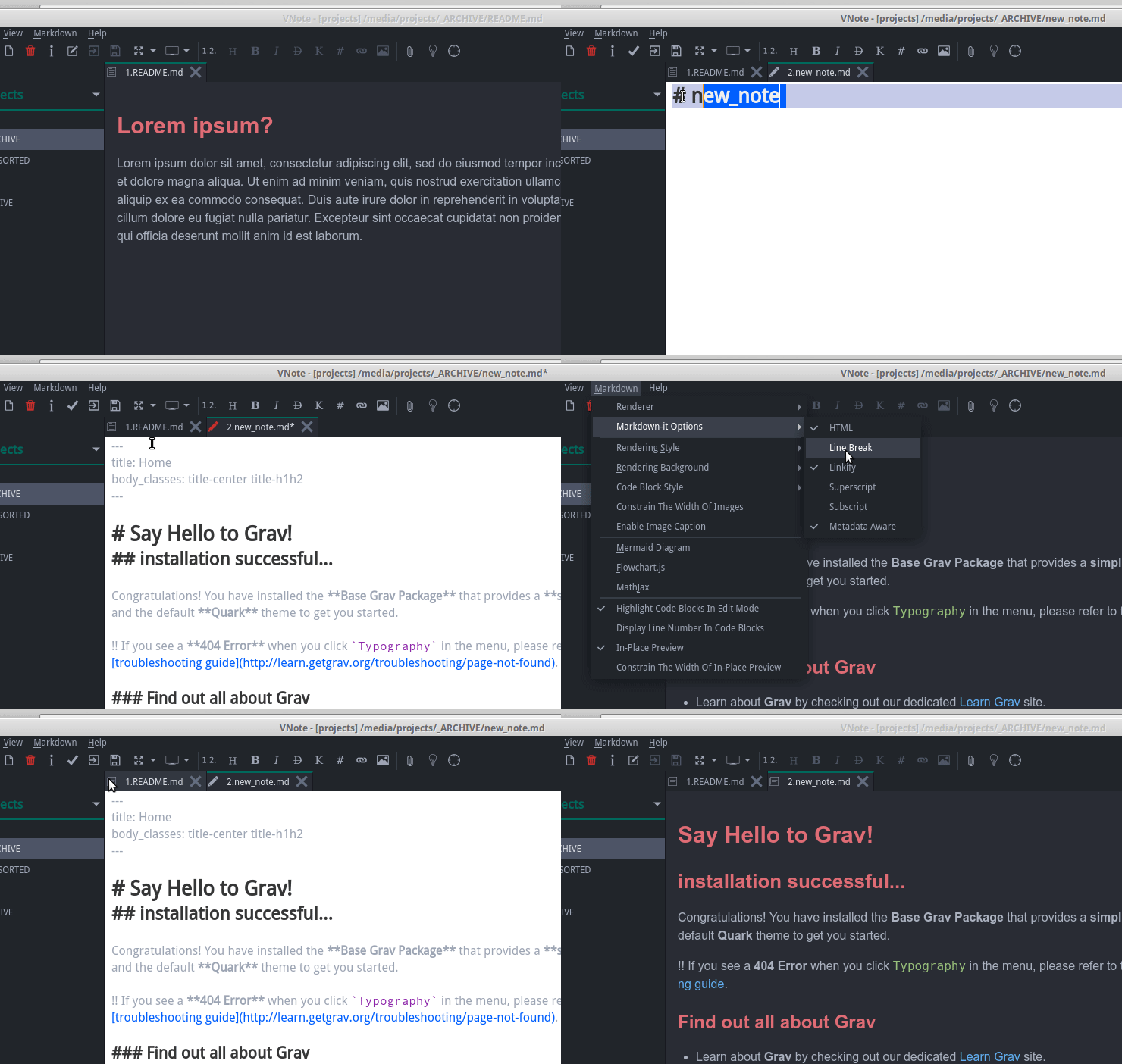
Please try 1.15 and enable it in the Markdown-it Option menu.
tamlok
on 29 Apr 2018
👍1
Thank you!
Hiding work!, but option not work if disabled.
UPD: Yes, It's work after restart vnote.
Wishes: Stylize YAML block like code block if it shown.
ANAT01
on 30 Apr 2018
Will display it as a code block in next version.
Thanks!
tamlok
on 10 May 2018
Was this page helpful?
0 / 5 - 0 ratings
Related issues
 1sn0m4d
·
4Comments
1sn0m4d
·
4Comments
 fanxinping
·
5Comments
fanxinping
·
5Comments
 nikita-moor
·
5Comments
nikita-moor
·
5Comments
 usouc
·
6Comments
usouc
·
6Comments
 ikelaiah
·
3Comments
ikelaiah
·
3Comments
Most helpful comment
In my opinion, Markdown files should contain contents only, not including the metadata.
I will add an option to hide these info when in read mode.