Steps to reproduce
- Install Nextcloud VM
- Run the SSL script
Expected behaviour
Actual behaviour
Once the SSL script is run, it will remove the PHP7.2-fpm and break the nextcloud setup.
Server configuration
Server version: (see your admin page)
How did you install the VM? (Scripted install from master OR Released version)
Qnap VM
Network
Do you use DHCP?
Is port 80 and/or 443 open?
Logs / Screenshots
Log file (/mnt/ncdata/nextcloud.log)
Insert your nextcloud.log file here
Installation log (command output)
Insert the CLI output here
Screenshoots
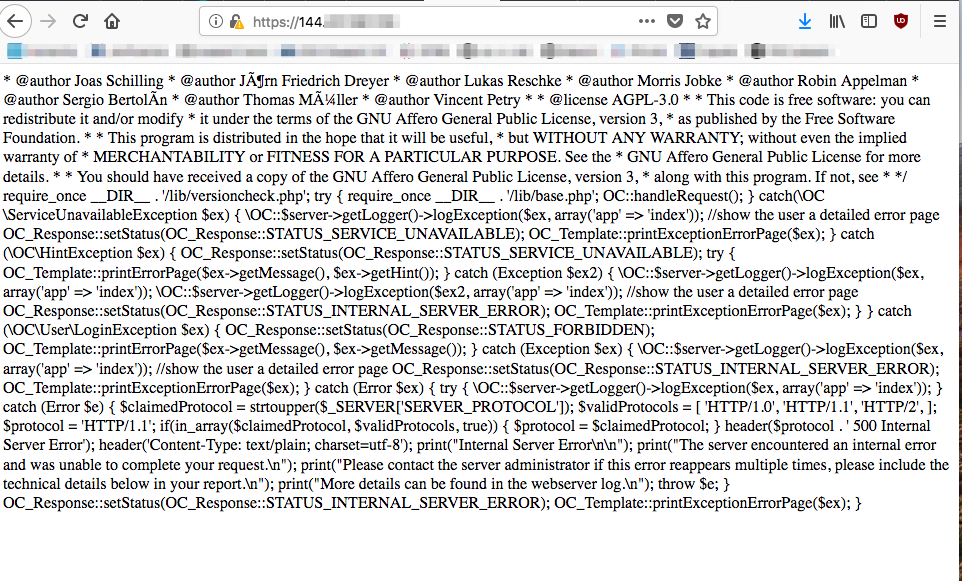
Error from visiting the Nextcloud homepage:
/**
*
- Your webserver seems to be not configured to use PHP or PHP is not installed.
- Please contact your administrator or follow our documentation:
- https://docs.nextcloud.com/server/13/admin_manual/installation/source_installation.html
* - @copyright Copyright (c) 2016, ownCloud, Inc.
* - @author Georg Ehrke oc.list@georgehrke.com
- @author Joas Schilling coding@schilljs.com
- @author Jörn Friedrich Dreyer jfd@butonic.de
- @author Lukas Reschke lukas@statuscode.ch
- @author Morris Jobke hey@morrisjobke.de
- @author Robin Appelman robin@icewind.nl
- @author Sergio Bertolín sbertolin@solidgear.es
- @author Thomas Müller thomas.mueller@tmit.eu
- @author Vincent Petry pvince81@owncloud.com
* - @license AGPL-3.0
* - This code is free software: you can redistribute it and/or modify
- it under the terms of the GNU Affero General Public License, version 3,
- as published by the Free Software Foundation.
* - This program is distributed in the hope that it will be useful,
- but WITHOUT ANY WARRANTY; without even the implied warranty of
- MERCHANTABILITY or FITNESS FOR A PARTICULAR PURPOSE. See the
- GNU Affero General Public License for more details.
* - You should have received a copy of the GNU Affero General Public License, version 3,
- along with this program. If not, see http://www.gnu.org/licenses/
*
*/
require_once __DIR__ . '/lib/versioncheck.php';
try {
require_once __DIR__ . '/lib/base.php';

OC::handleRequest();
} catch(\OC\ServiceUnavailableException $ex) {
\OC::$server->getLogger()->logException($ex, array('app' => 'index'));
//show the user a detailed error page
OC_Response::setStatus(OC_Response::STATUS_SERVICE_UNAVAILABLE);
OC_Template::printExceptionErrorPage($ex);
} catch (\OC\HintException $ex) {
OC_Response::setStatus(OC_Response::STATUS_SERVICE_UNAVAILABLE);
try {
OC_Template::printErrorPage($ex->getMessage(), $ex->getHint());
} catch (Exception $ex2) {
\OC::$server->getLogger()->logException($ex, array('app' => 'index'));
\OC::$server->getLogger()->logException($ex2, array('app' => 'index'));
    //show the user a detailed error page
    OC_Response::setStatus(OC_Response::STATUS_INTERNAL_SERVER_ERROR);
    OC_Template::printExceptionErrorPage($ex);
}
} catch (\OC\User\LoginException $ex) {
OC_Response::setStatus(OC_Response::STATUS_FORBIDDEN);
OC_Template::printErrorPage($ex->getMessage(), $ex->getMessage());
} catch (Exception $ex) {
\OC::$server->getLogger()->logException($ex, array('app' => 'index'));
//show the user a detailed error page
OC_Response::setStatus(OC_Response::STATUS_INTERNAL_SERVER_ERROR);
OC_Template::printExceptionErrorPage($ex);
} catch (Error $ex) {
try {
\OC::$server->getLogger()->logException($ex, array('app' => 'index'));
} catch (Error $e) {
    $claimedProtocol = strtoupper($_SERVER['SERVER_PROTOCOL']);
    $validProtocols = [
        'HTTP/1.0',
        'HTTP/1.1',
        'HTTP/2',
    ];
    $protocol = 'HTTP/1.1';
    if(in_array($claimedProtocol, $validProtocols, true)) {
        $protocol = $claimedProtocol;
    }
    header($protocol . ' 500 Internal Server Error');
    header('Content-Type: text/plain; charset=utf-8');
    print("Internal Server Error\n\n");
    print("The server encountered an internal error and was unable to complete your request.\n");
    print("Please contact the server administrator if this error reappears multiple times, please include the technical details below in your report.\n");
    print("More details can be found in the webserver log.\n");

    throw $e;
}
OC_Response::setStatus(OC_Response::STATUS_INTERNAL_SERVER_ERROR);
OC_Template::printExceptionErrorPage($ex);
}
 Cliffhou
All 15 comments
@Cliffhou Why did you close it? Was it something you did wrong, and no error in the VM?
 enoch85
on 11 Aug 2018
enoch85
on 11 Aug 2018
I thought I solved the issue. In fact I did not.
I have a perfect setup now. However, once I've run the activate ssl script. It will break the PHP setup.
Cliffhou
on 11 Aug 2018
There is no place in the script where PHP is removed, or even touched.
I can't reproduce this. https://testcloud.techandme.se is installed with the latest scripts, and activated SSL with the Let's Encrypt script (activate-ssl.sh) - without any error.
So, can you give us a little more to work with than you did? Would be great if you could show me in a video, or post the CLI ouput when reproducing the error.
enoch85
on 11 Aug 2018
Hello guys,
I have the same issue. I downloaded the Ubuntu VM from here:
https://www.techandme.se/nextcloud-vm/
"Ubuntu 18.04 OVA: Pre-installed Nextcloud"
The direct link to download OVA:
https://techandmese.owncube.com/index.php/s/TJJBdJ3cANbiAi3
I imported the VM and used the default script that pops-up as soon as you log in as root. During the execution of the script I skipped the SSL activation and configuration of the domain name.
Everything was working fine. I could log in using web interface in Next Cloud etc. However, I need to use my domain name. So I started the SSL activation script:
root@nextcloud:/var/scripts# ./activate-ssl.sh
It run for some time and here is the result:
We will now test that everything is OK
Press any key to continue...
Enabling site *removed for security*.
To activate the new configuration, you need to run:
  systemctl reload apache2
Site nextcloud_ssl_domain_self_signed disabled.
To activate the new configuration, you need to run:
  systemctl reload apache2
Site nextcloud_http_domain_self_signed disabled.
To activate the new configuration, you need to run:
  systemctl reload apache2
Site 000-default disabled.
To activate the new configuration, you need to run:
  systemctl reload apache2
Failed to restart php7.2-fpm.service: Unit php7.2-fpm.service not found.
Sorry but something went wrong. Please report this issue to https://github.com/nextcloud/vm/issues and include the output of the error message. Thank you!
systemctl restart php7.2-fpm.service failed
Sorry but something went wrong. Please report this issue to https://github.com/nextcloud/vm/issues and include the output of the error message. Thank you!
bash /var/scripts/test-new-config.sh *my web site*.conf failed
root@nextcloud:/var/scripts#
Now when I try to open my IP or domain in the browser I get some error text instead of Next Cloud. Screenshot:
Here is the list of services (there is no php7.2-fpm):
root@nextcloud:/var/scripts# service --status-all
 [ - ]  acpid
 [ + ]  apache-htcacheclean
 [ + ]  apache2
 [ + ]  apparmor
 [ + ]  apport
 [ + ]  atd
 [ - ]  console-setup.sh
 [ + ]  cron
 [ - ]  cryptdisks
 [ - ]  cryptdisks-early
 [ + ]  dbus
 [ + ]  ebtables
 [ + ]  grub-common
 [ - ]  hwclock.sh
 [ + ]  irqbalance
 [ + ]  iscsid
 [ - ]  keyboard-setup.sh
 [ + ]  kmod
 [ - ]  lvm2
 [ + ]  lvm2-lvmetad
 [ + ]  lvm2-lvmpolld
 [ + ]  lxcfs
 [ - ]  mdadm
 [ - ]  mdadm-waitidle
 [ + ]  network-manager
 [ - ]  open-iscsi
 [ + ]  open-vm-tools
 [ - ]  plymouth
 [ - ]  plymouth-log
 [ + ]  postgresql
 [ - ]  pppd-dns
 [ + ]  procps
 [ + ]  redis-server
 [ - ]  rsync
 [ + ]  rsyslog
 [ - ]  screen-cleanup
 [ + ]  ssh
 [ + ]  sysstat
 [ + ]  udev
 [ + ]  ufw
 [ + ]  unattended-upgrades
 [ - ]  uuidd
 [ + ]  webmin
But the thing is that it wasn't in the list even before the installation of the SSL:
root@nextcloud:/home/ncadmin# service --status-all
 [ - ]  acpid
 [ + ]  apache-htcacheclean
 [ + ]  apache2
 [ + ]  apparmor
 [ + ]  apport
 [ + ]  atd
 [ - ]  console-setup.sh
 [ + ]  cron
 [ - ]  cryptdisks
 [ - ]  cryptdisks-early
 [ + ]  dbus
 [ + ]  ebtables
 [ + ]  grub-common
 [ - ]  hwclock.sh
 [ + ]  irqbalance
 [ + ]  iscsid
 [ - ]  keyboard-setup.sh
 [ + ]  kmod
 [ - ]  lvm2
 [ + ]  lvm2-lvmetad
 [ + ]  lvm2-lvmpolld
 [ + ]  lxcfs
 [ - ]  mdadm
 [ - ]  mdadm-waitidle
 [ + ]  network-manager
 [ - ]  open-iscsi
 [ + ]  open-vm-tools
 [ - ]  plymouth
 [ - ]  plymouth-log
 [ + ]  postgresql
 [ - ]  pppd-dns
 [ + ]  procps
 [ + ]  redis-server
 [ - ]  rsync
 [ + ]  rsyslog
 [ - ]  screen-cleanup
 [ + ]  ssh
 [ + ]  sysstat
 [ + ]  udev
 [ + ]  ufw
 [ + ]  unattended-upgrades
 [ - ]  uuidd
 [ + ]  webmin
My understanding is that php7.2-fpm is required but it was never installed. I also noticed that the first script upgraded the version of Next cloud 13.0.4 ==> 13.0.5, it might be related.
 asve23fq
on 11 Aug 2018
asve23fq
on 11 Aug 2018
I try to reproduce the issue again. This time I install the php7.2-fpm before I run the activate-ssl.sh
Got the same issue. Broken page when visiting the Nextcloud page.
Cliffhou
on 11 Aug 2018
Hi guys,
in the last 2 days I running the script 7 times inside the VM (downloaded from the same location(s) as asve23fq) and I always ran into the same issue (every time I activated SSL during the startup_script...).
I can confirm what asve23fq wrote - even in a 3 week "old" installation/ setup there's no php service. I'm still a greenhorn in Linux but I'm working on it ("Absolute FreeBSD 2nd Edition") and I'm at the same point - I thought PHP is a required service?! Maybe enoch85 can tell us why it's not in the list of running services.
If there's something what's needed to be find a solution I could help, logs etc....pls let me/ us know.
@enoch85 by the way, really really great work, I have currently two running VMs in production and they running perfect! thx!
 trashino
on 11 Aug 2018
trashino
on 11 Aug 2018
Hello guys,
I noticed that ./activate-ssl.sh script says that one configuration file is missing if I try to run the script again after the installation of php7.2-fpm:
/etc/php/7.2/fpm/pool.d/nextcloud.conf
I won't be able to test anything else today, but it seems that this file needs to be created to go any further.
asve23fq
on 11 Aug 2018
I only found nextcloud.conf in a production three week old installation/ setup
in this location: ./etc/fail2ban/filter.d/nextcloud.conf...?!
trashino
on 12 Aug 2018
OK, I will release a new version soon. Please have some patience. Thank you!
enoch85
on 12 Aug 2018
OK, new released is now online. Please try it, and report back.
Thanks for testing!
enoch85
on 12 Aug 2018
Thank you!
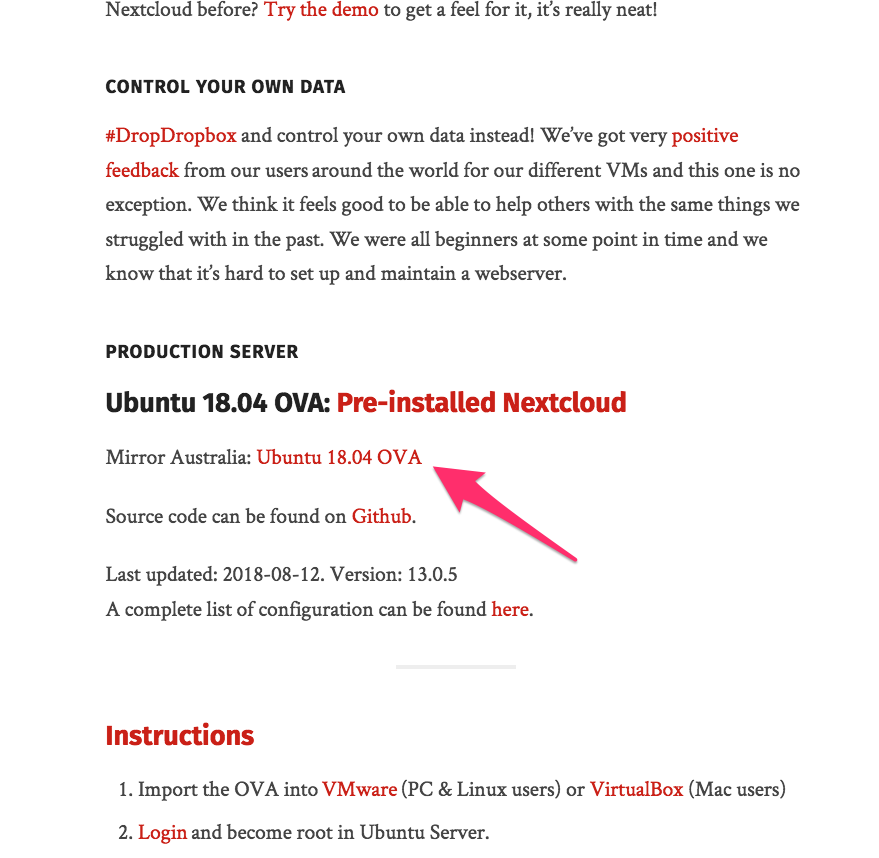
P.S. BTW, the Australian mirror doesn't work.
asve23fq
on 12 Aug 2018
P.S. BTW, the Australian mirror doesn't work.
It's uploading, takes some time. It will be online soon. :)
enoch85
on 12 Aug 2018
Thank you very much, I'll try asap!
trashino
on 12 Aug 2018
Hello enoch85,
I tried a new OVA and it's working flawlessly. Thank you
asve23fq
on 12 Aug 2018
Great news, thanks for confirming!
enoch85
on 12 Aug 2018
Related issues
 peacock40
·
6Comments
peacock40
·
6Comments
 EasyCompZLD
·
4Comments
EasyCompZLD
·
4Comments
 wouterVE
·
4Comments
wouterVE
·
4Comments
 silverdr
·
6Comments
enoch85
·
8Comments
silverdr
·
6Comments
enoch85
·
8Comments