Firstly, thank for this beautiful library, I have been enjoying using this.
I have an issue with LinePath and AreaClosed components not aligning to the grid columns. They are a couple of pixels off.

I have prepared an example in this codesandbox:
https://codesandbox.io/s/dawn-resonance-1d40v
Could you please take a look and see if it is a bug or if it's coded incorrectly? Thank you.
 mikallojjus
>All comments
Hey @mikallojjus 👋 thanks for checking out visx. I took a look and seems like it's an issue with UTC time. I updated the scaleTime to scaleUtc and got the correct alignment (sandbox, also removed the curve interpolation so you could see points easier).
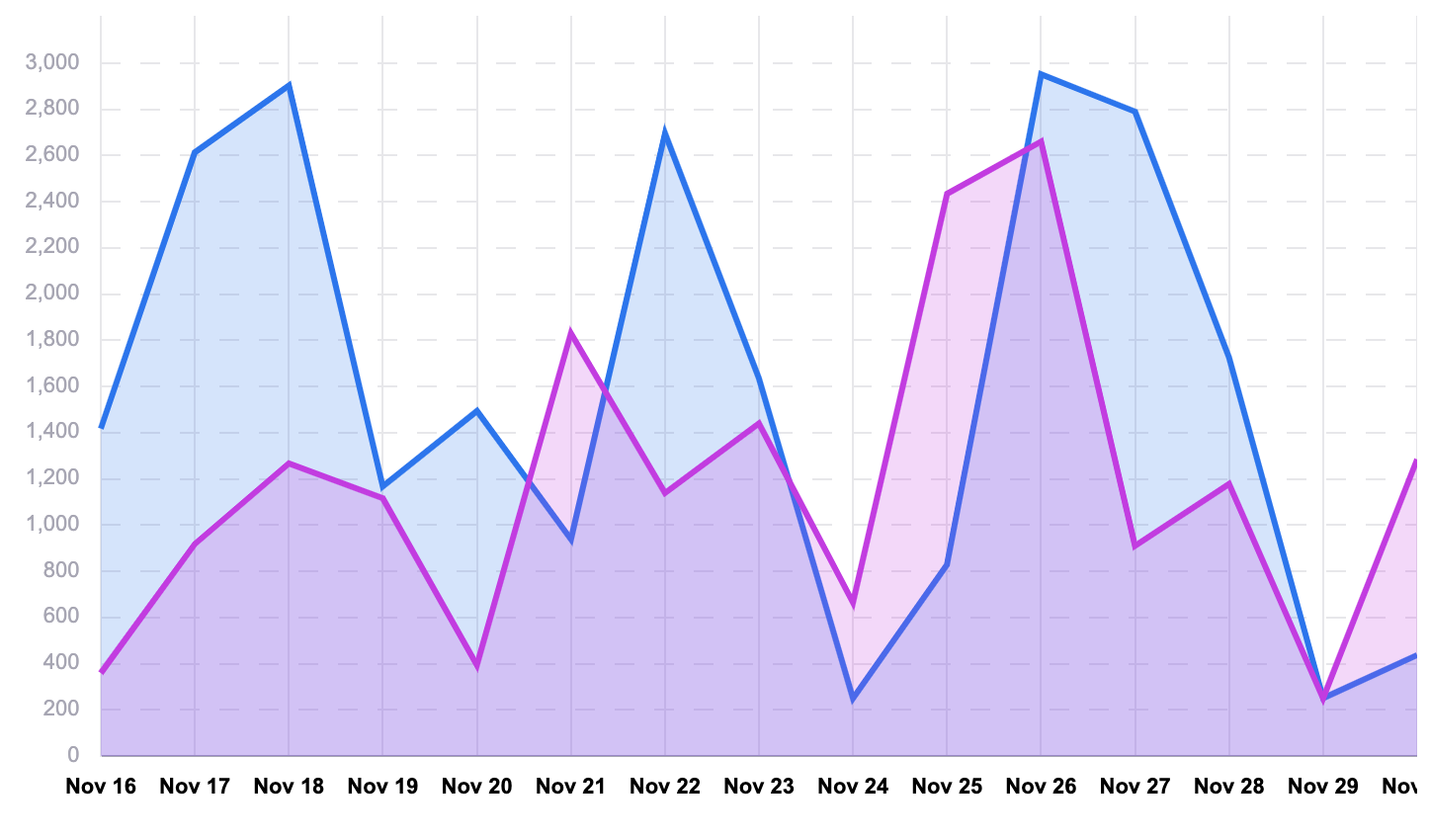
Based on the d3-scale docs, I think this may be because .ticks() (used by Axis, and Grid) for a non-UTC time scale map to midnight in the local time zone, and the way you are computing the extent (and thus likely also the date values used by line/area) does not:
console.log(nonUtcXScale.ticks(11))
// [Tue Nov 17 2020 00:00:00 GMT-0800 (Pacific Standard Time), ...]

console.log(nonUtcXScale.domain())
// [Mon Nov 16 2020 16:00:00 GMT-0800 (Pacific Standard Time), ...]
I think another way around this is to use band scales instead of dealing with time ... which is often tricky 😅 . Gonna close this for now but please re-open if you have further issues/questions!
 williaster
on 17 Nov 2020
williaster
on 17 Nov 2020
Related issues
 ghost
·
5Comments
ghost
·
5Comments
 sabarnix
·
4Comments
sabarnix
·
4Comments
 elisechant
·
3Comments
elisechant
·
3Comments
 m0t0r
·
3Comments
m0t0r
·
3Comments
 ahmetuysal
·
3Comments
ahmetuysal
·
3Comments
Most helpful comment
Hey @mikallojjus 👋 thanks for checking out
visx. I took a look and seems like it's an issue with UTC time. I updated thescaleTimetoscaleUtcand got the correct alignment (sandbox, also removed the curve interpolation so you could see points easier).Based on the
d3-scaledocs, I think this may be because.ticks()(used byAxis, andGrid) for a non-UTC time scale map to midnight in the local time zone, and the way you are computing the extent (and thus likely also the date values used by line/area) does not:I think another way around this is to use
bandscales instead of dealing with time ... which is often tricky 😅 . Gonna close this for now but please re-open if you have further issues/questions!