Visualstudio-docs: VS 2019 information on Network Profiler
Is Network Profiler for UWP available in VS 2019? If so how to install it?
The page doesn't have information specific to VS 2019 and the tool is missing in VS 2019.
Document Details
⚠ Do not edit this section. It is required for docs.microsoft.com ➟ GitHub issue linking.
- ID: 5a70e435-8c99-5920-d2a2-5c6e1f85772d
- Version Independent ID: e1aa7f86-2d39-6109-e4f7-7bb0d441a9ca
- Content: Analyze network usage in UWP apps - Visual Studio
- Content Source: docs/profiling/network-usage.md
- Product: visual-studio-windows
- Technology: vs-ide-debug
- GitHub Login: @Mikejo5000
- Microsoft Alias: mikejo
 vborovikov
All 5 comments
@vborovikov -- Vladislav, thanks for your question. It looks like you're having an issue with the product itself, rather than an issue with the documentation. Here are a few options where you might consider asking your question:
- https://social.msdn.microsoft.com/Forums/vstudio
- https://www.stackoverflow.com
- https://www.reddit.com/r/VisualStudio/
As well, you might also consider using the Report a Problem tool to report the issue.
 WilliamAntonRohm
on 17 Feb 2020
WilliamAntonRohm
on 17 Feb 2020
@WilliamAntonRohm this is a question about the docs being out-of-date with the latest version of the product.
There is no 'network' option listed in the tooling in VS2019 for a UWP app. If this feature was removed, this doc should specify so. If this feature was changed to something like the 'Event Viewer' option, then it should be updated to match the current experience:
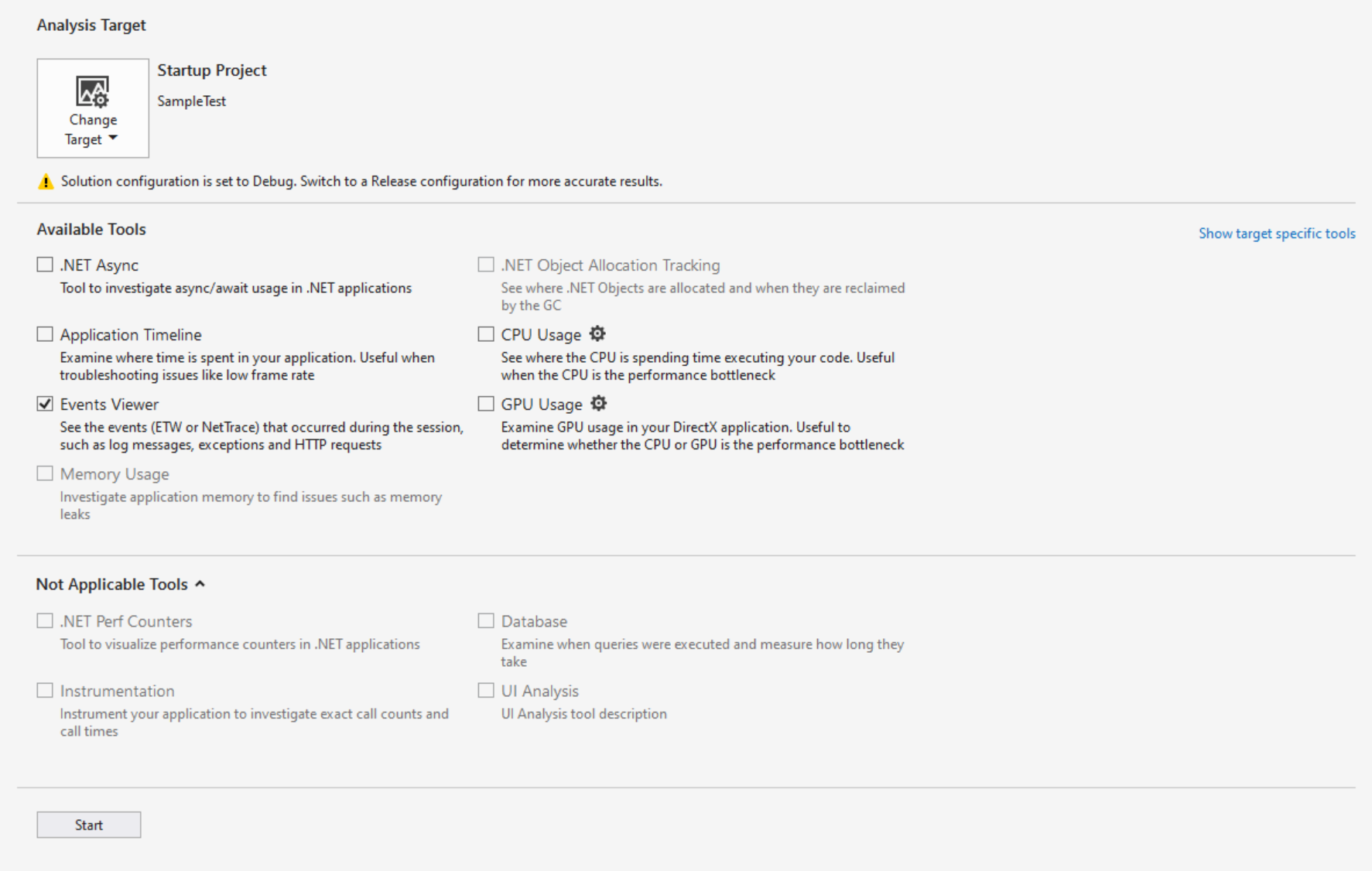
However, even performing a trace with the Event Viewer option, I didn't see any of my HTTP events I would have expected.
 michael-hawker
on 28 Aug 2020
michael-hawker
on 28 Aug 2020
@michael-hawker -- Michael, thank you for clarifying.
@Mikejo5000 -- Mike, please look into this issue.
WilliamAntonRohm
on 28 Aug 2020
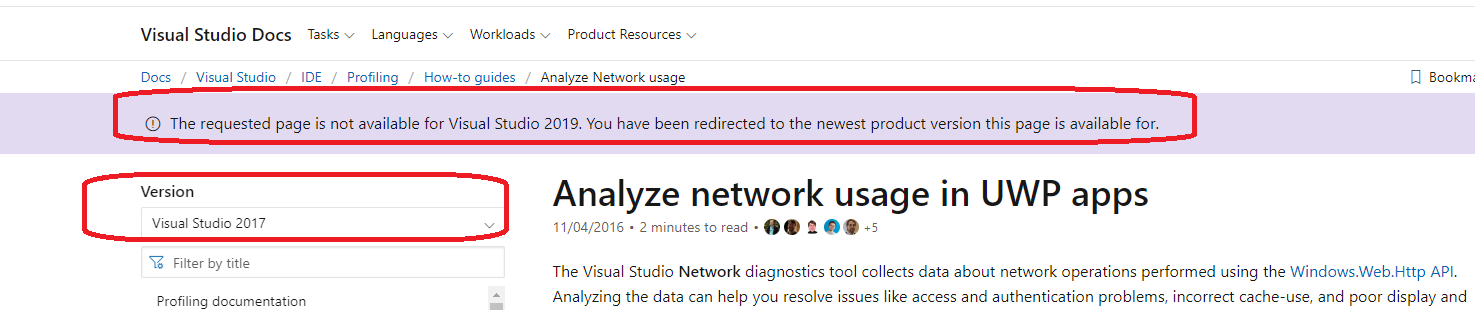
The version selector indicates it's VS 2017 only. There's a banner comment when you switch to the VS 2019 view. This tool isn't available in VS 2019.
 Mikejo5000
on 4 Nov 2020
Mikejo5000
on 4 Nov 2020
@Mikejo5000 the banner saying the page not existing isn't clear enough saying the feature was removed for some reason and how developers migrating to VS 2019 should perform the same scenario with the missing feature.
It'd be better if the same document existed for VS 2019 still and clearly explained that the feature was removed, why, and how to migrate to some other solution for the same task.
michael-hawker
on 7 Nov 2020
Related issues
 wellwind
·
3Comments
wellwind
·
3Comments
 rlundy
·
3Comments
rlundy
·
3Comments
 H35am
·
4Comments
H35am
·
4Comments
 wittelw
·
3Comments
wittelw
·
3Comments
 nitinjs
·
3Comments
nitinjs
·
3Comments
Most helpful comment
@WilliamAntonRohm this is a question about the docs being out-of-date with the latest version of the product.
There is no 'network' option listed in the tooling in VS2019 for a UWP app. If this feature was removed, this doc should specify so. If this feature was changed to something like the 'Event Viewer' option, then it should be updated to match the current experience:
However, even performing a trace with the Event Viewer option, I didn't see any of my HTTP events I would have expected.