Visualstudio-docs: Code Analysis tab not available for .NET core
This documentation indicates that you can manage the rulesets on VS2019, but I can't seem to find the Code Analysis tab in the Properties section of a .NET core project
 prbans
All 10 comments
@prbans Thanks for pointing this out. It's true that .NET Core and .NET Standard projects don't have a Code Analysis property tab. @mavasani What's the recommended way to manage rule sets in .NET Core? I know that eventually .editorconfig configuration will take the place of rule sets for analyzers.
 gewarren
on 23 Apr 2019
gewarren
on 23 Apr 2019
Tagging @Pilchie @davkean - I don't believe we are planning to add the Code Analysis property tab in the new project system. The only way to edit rulesets for such projects would be to manually open the file in the ruleset/xml editor by either double clicking on the file in the solution explorer or opening the file in VS using its full path.
 mavasani
on 23 Apr 2019
mavasani
on 23 Apr 2019
@mavasani is there a reason for this? Mainly asking because the editor already present works pretty well in my other projects. Manually looking through the file is quite painful and requires referencing multiple different documents/online resources.
prbans
on 23 Apr 2019
@prbans This work is tracked by https://github.com/dotnet/project-system/issues/266. The primary reason for not implementing this in the new SDK style projects is that we are moving from rulesets to editorconfig for rule configuration (read more here: https://docs.microsoft.com/en-us/visualstudio/code-quality/analyzers-faq?view=vs-2019#editorconfig-versus-rule-sets). Currently, editorconfig cannot be used to configure rule severities, but soon it will have this support, at which point rulesets would become a legacy configuration mechanism for analyzers.
mavasani
on 24 Apr 2019
Thanks for that link Manish. @prbans I believe you can still use the rule set editor for .NET core projects after you add a ruleset to your project.
gewarren
on 24 Apr 2019
@gewarren do you have any documentation regarding this? I wasn't able to find how to do this (unless you are referring to the following pane, which does not have support for things such as grouping by category or direct links with more information)
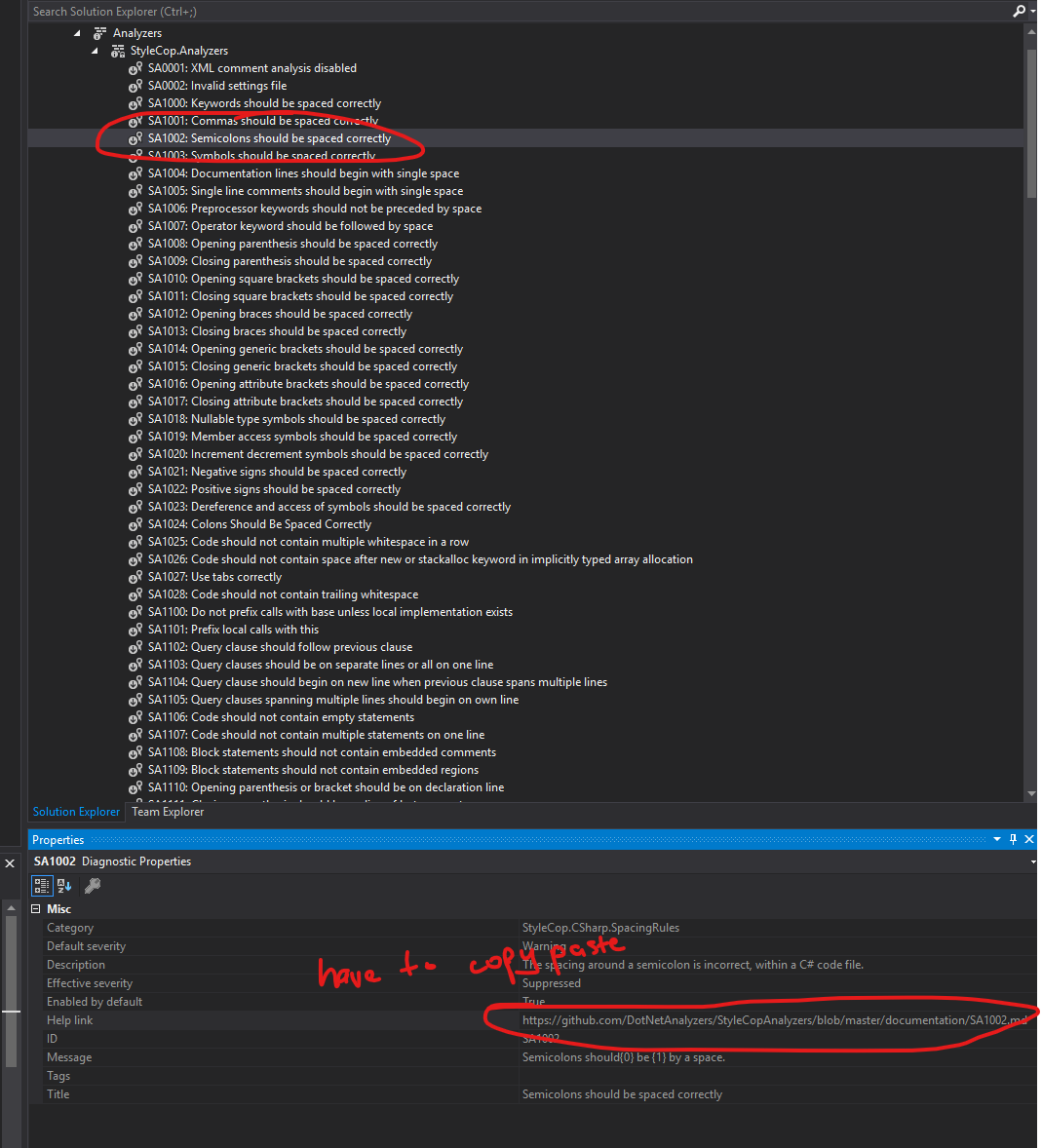
@mavasani when researching editorconfig, I wasn't able to find how to enforce it during CI or produce build time errors across all files. I was only able to detect errors on files that were currently open in VS2017. I believe the documentation also states that editorconfig does not support static code analysis. Do you know if either of these features will eventually make it to editorconfig files?
I believe that implementing dotnet/project-system#266 may help bridge the gap until editorconfig is ready
prbans
on 24 Apr 2019
when researching editorconfig, I wasn't able to find how to enforce it during CI or produce build time errors across all files
That is not yet supported, but the support is coming very soon - it will work for configuring severities of both compiler warnings and analyzer diagnostics. @jinujoseph can provide the timelines for that feature.
I believe that implementing dotnet/project-system#266 may help bridge the gap until editorconfig is ready
Feel free to add a comment to the issue to ensure your views are captured.
mavasani
on 24 Apr 2019
@prbans What I meant is if you open a rule set from Solution Explorer after you add it to your project, it opens in the rule set editor and you can enable/disable rules and set their severity.
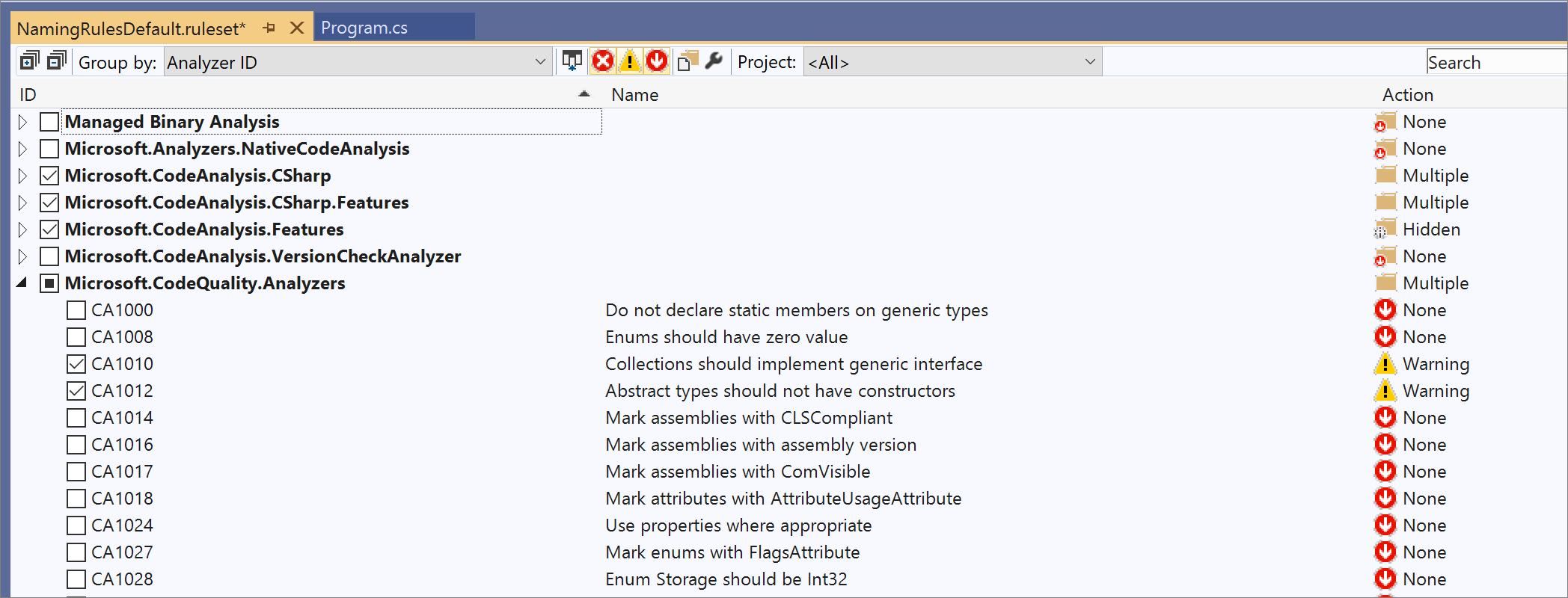
I'm not sure if StyleCopAnalyzers comes with any predefined rule sets, but FxCop analyzers does.
gewarren
on 27 Apr 2019
@gewarren Oh thats awesome! I didn't realize that was the behavior. It might be a good idea to document the following at https://docs.microsoft.com/en-us/visualstudio/code-quality/how-to-create-a-custom-rule-set?view=vs-2019
1) Switch to folder view of your project
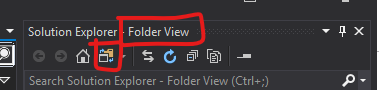
2) Double click your ruleset file
3) Notice the ruleset

4) Save the ruleset once you are happy
Or similar
prbans
on 27 Apr 2019
I believe if you add this information to the documentation then you can mark this issue as closed as it will address my needs
prbans
on 27 Apr 2019
Related issues
 nitinjs
·
3Comments
gewarren
·
3Comments
nitinjs
·
3Comments
gewarren
·
3Comments
 ChrisMaddock
·
3Comments
ChrisMaddock
·
3Comments
 H35am
·
4Comments
H35am
·
4Comments
 jnpwly
·
3Comments
jnpwly
·
3Comments
Most helpful comment
Thanks for that link Manish. @prbans I believe you can still use the rule set editor for .NET core projects after you add a ruleset to your project.