Visidata: Not able to use python expression
Hi,
I have loaded datetime module and I have a column with dates. The name of this field is "data".
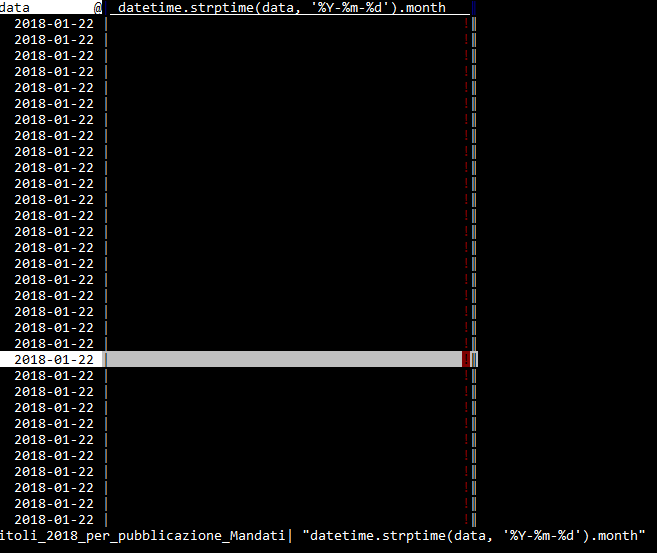
If I use this expression expr=datetime.strptime(data, '%Y-%m-%d').month I have no value.
Ho to reference the field "data" in the expression??
Thank you
 aborruso
All 5 comments
Hi @aborruso, use the = command and then type the datetime.strptime... expression. Don't put expr at the beginning.
 saulpw
on 4 Nov 2018
saulpw
on 4 Nov 2018
Hi @saulpw
Hi @aborruso, use the = command and then type the datetime.strptime... expression. Don't put expr at the beginning.
I know but I have
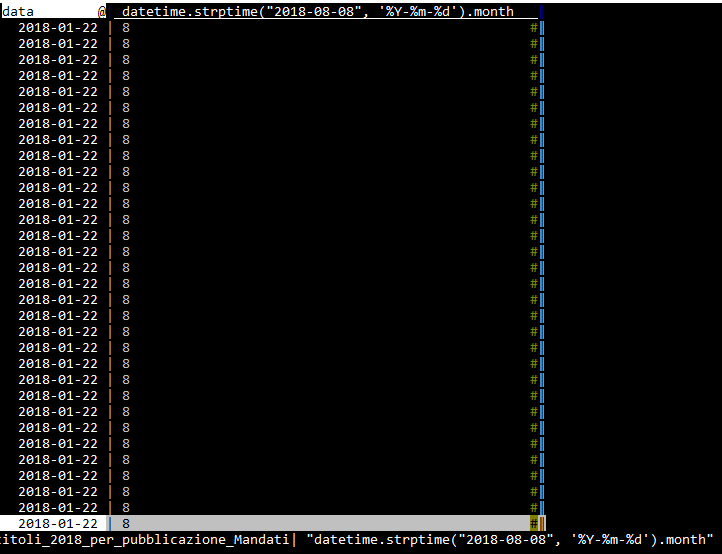
If I use a fixed value it works
Thank you
aborruso
on 4 Nov 2018
Hi,
I think the error is that you are using the datetime module but visidata doesn't provide it as is when writting python expression.
What you can do instead:
- mark the
dataas date with@, as you did - you can now use the data column directly as datetime objects, so you can start an expr with
=, then writedata.month.
 zakora
on 4 Nov 2018
zakora
on 4 Nov 2018
Hi @zakora ,
I can use datetime moduke because I have inserted it in .visidatarc file. And for this reason datetime.strptime("2018-08-08", '%Y-%m-%d').month works.
Than it should work also using some existing field.
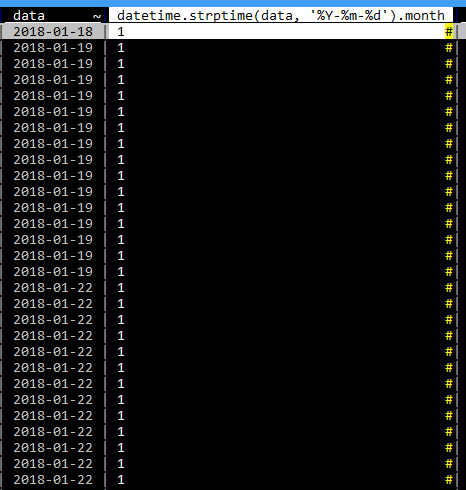
But your great tip to use simply data.month, after applying @ gives me the answer.
I applied datetime.strptime to a field that was already datetime. Then I had to apply "~" to the field and it works great!
Thank you
My .visidatarc
options.color_key_col=''
options.color_selected_row='yellow'
options.color_note_type='yellow'
options.color_graph_hidden='blue'
options.color_column_sep='blue'

from datetime import datetime
@aborruso Also, when you see an error in a cell like that (with the ! as the note), you can press z Ctrl+E (with the cursor over the error cell) to see the error as a Python stacktrace, which might help you diagnose the issue.
saulpw
on 4 Nov 2018
Related issues
 polm
·
4Comments
polm
·
4Comments
 unhammer
·
3Comments
aborruso
·
3Comments
unhammer
·
3Comments
aborruso
·
3Comments
 jsvine
·
3Comments
jsvine
·
3Comments
jsvine
·
3Comments
jsvine
·
3Comments
Most helpful comment
@aborruso Also, when you see an error in a cell like that (with the
!as the note), you can pressz Ctrl+E(with the cursor over the error cell) to see the error as a Python stacktrace, which might help you diagnose the issue.