Visidata: Make use of keyboard cheatsheets?
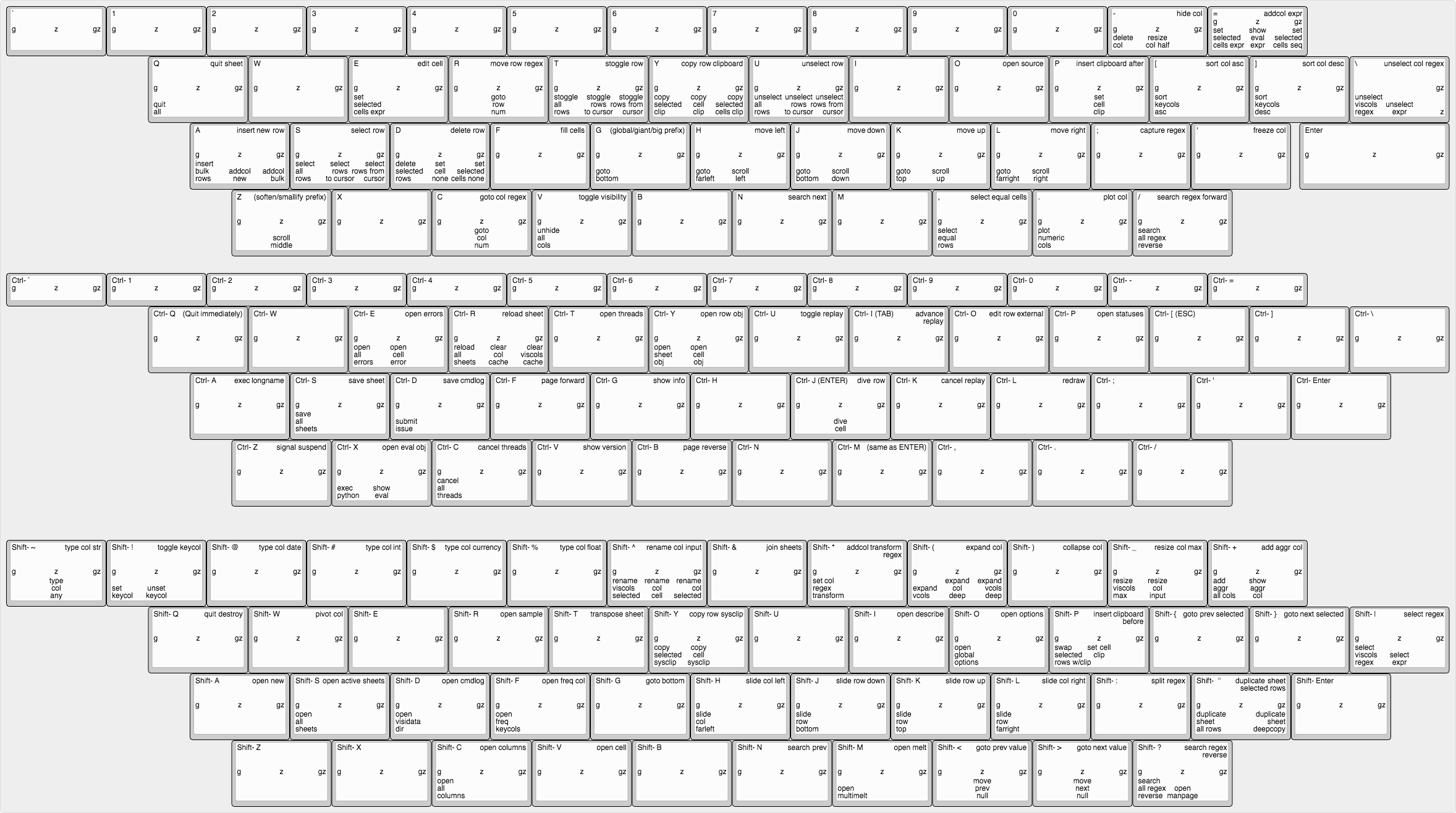
Here is a WIP for trying to show all the keybinds in a visual form.
Copy-left. Please feel free to use as you see fit.
I suspect, if the SVG version of the image(s) are used, we could even use hyperlinks to link into the relevant section of the docs.
http://www.keyboard-layout-editor.com/#/gists/360624c47a059848af1c4613277f3859
 deinspanjer
All 11 comments
That's great, @deinspanjer. Did you generate it programmatically? I would love to have a version with just the base keystroke ("Shift+W") and the action ("Pivot") in a large font in each of the cells. We could make a poster!
Also, the symbol keys on the Ctrl group that don't correspond to valid keypresses (only Ctrl+ A-Z and @ [ \ ] ^ _ are valid) should probably be blank (or darkened, if possible). I might also remove the prefixes themselves when no command exists with that prefix (to more easily see the 'empty' spaces).
This brings up something I've been thinking about, however...the longnames you're using are part of a proposed renaming, and aren't the longnames currently in use. I'm planning on changing them over and 'finalizing' the longnames in v1.3. Do the longnames feel natural and predictable? How could they be improved?
 saulpw
on 15 Jun 2018
saulpw
on 15 Jun 2018
Not really programmatically. I made extensive use of vim-ghost to edit the raw layout data in VimR and did some copy-pasting to replicate the keys and positions.
That said, now that the layout is complete, I think we could probably maintain it programmatically (mostly) by modifying the raw layout data via a script to add/change/remove commands. I say mostly because it was very much a human intuition thing to decide where to put the linebreaks in the longer command names so they fit and didn't overlap.
You might also be tickled to hear that the way I got all those longnames in was by loading up the raw layout data and the commands.tsv files in visidata and then doing a join (after a bit of munging for format).
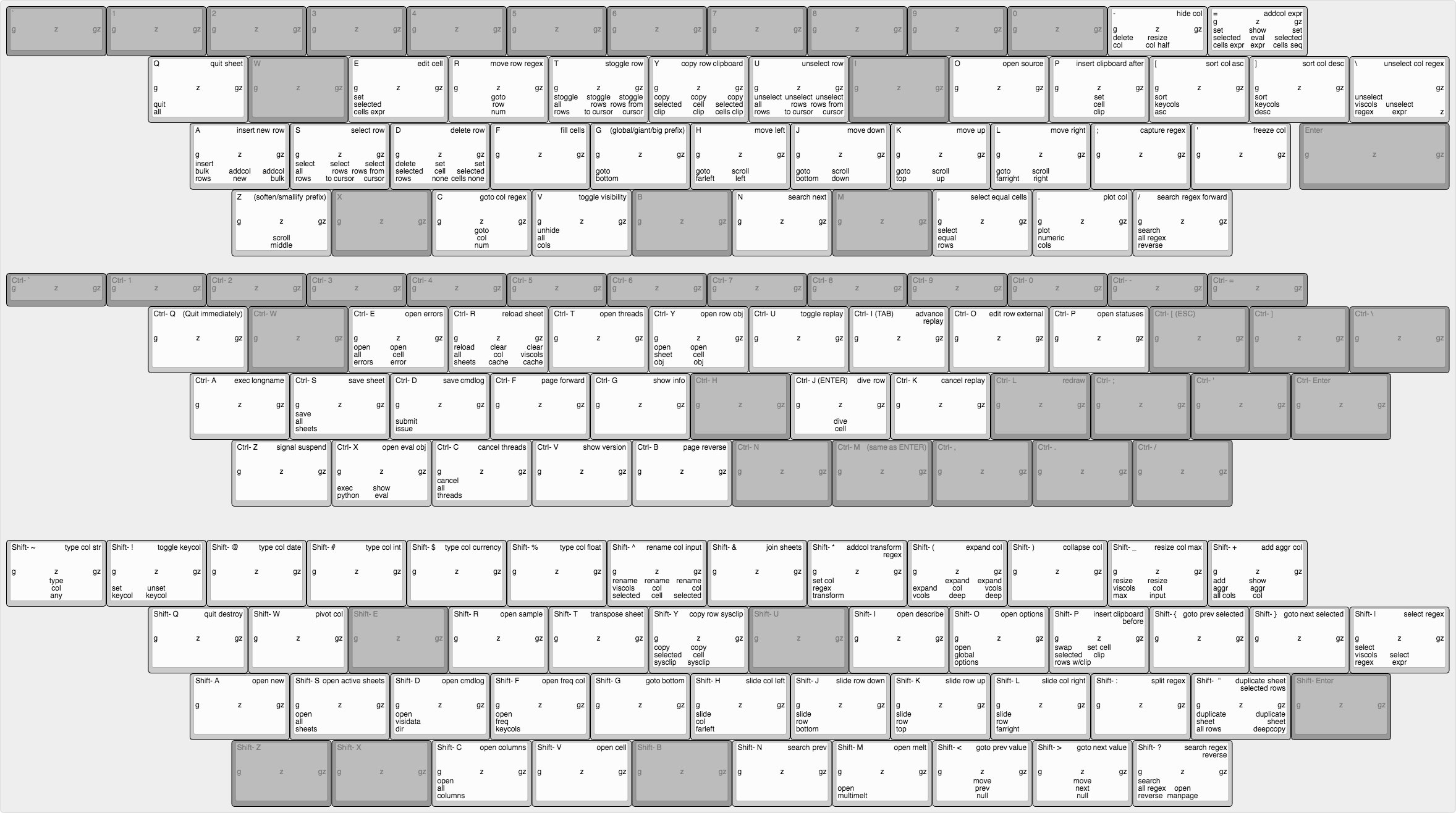
It is possible to checkmark the ghosted option in the editor for any set of keys, but with the current color theme, it doesn't really ghost so much as completely disappear. :/
deinspanjer
on 15 Jun 2018
I've updated the gist driving the layout link with a version graying out the currently unbound keys by modifying the font and bg colors. Reaction?
deinspanjer
on 15 Jun 2018
You inspired me to take a crack at it, @deinspanjer. How about these?

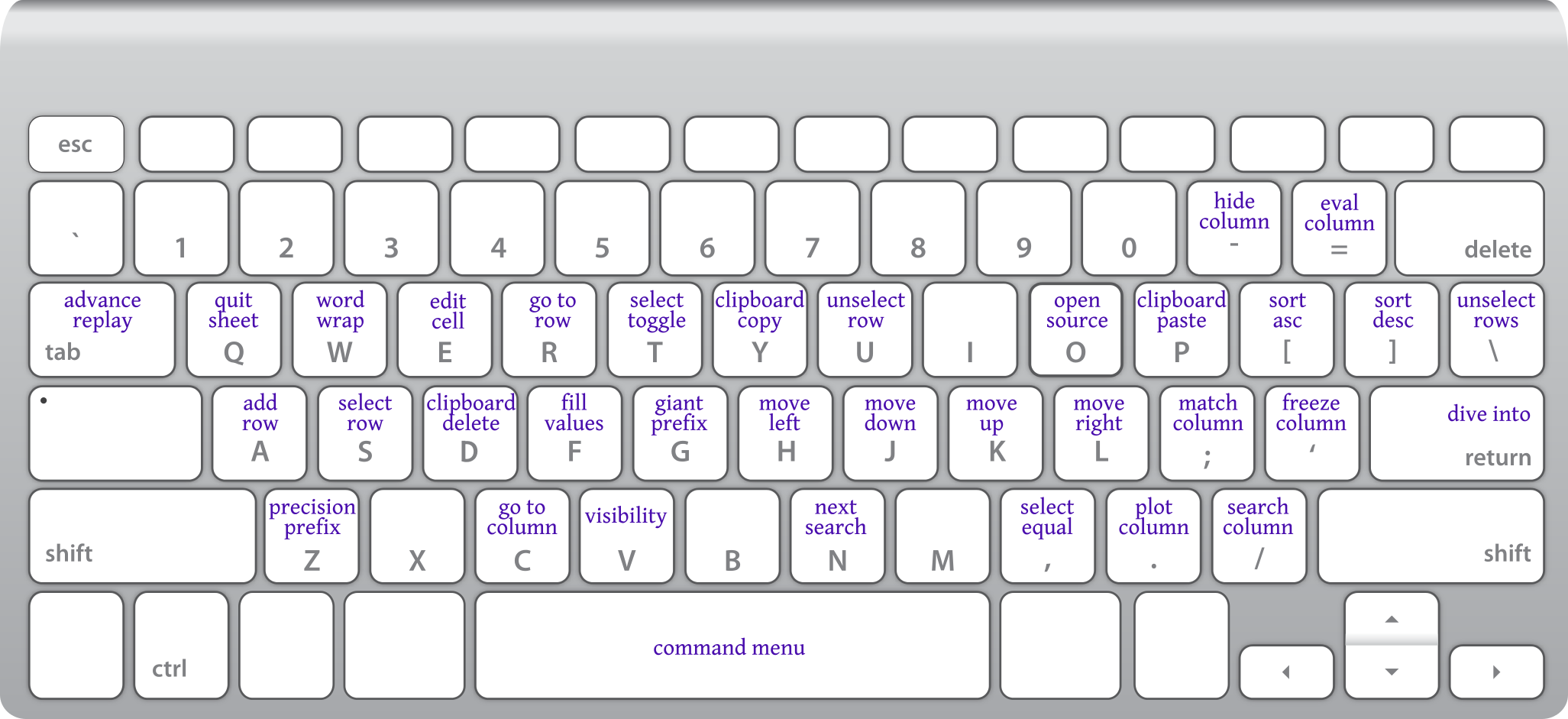
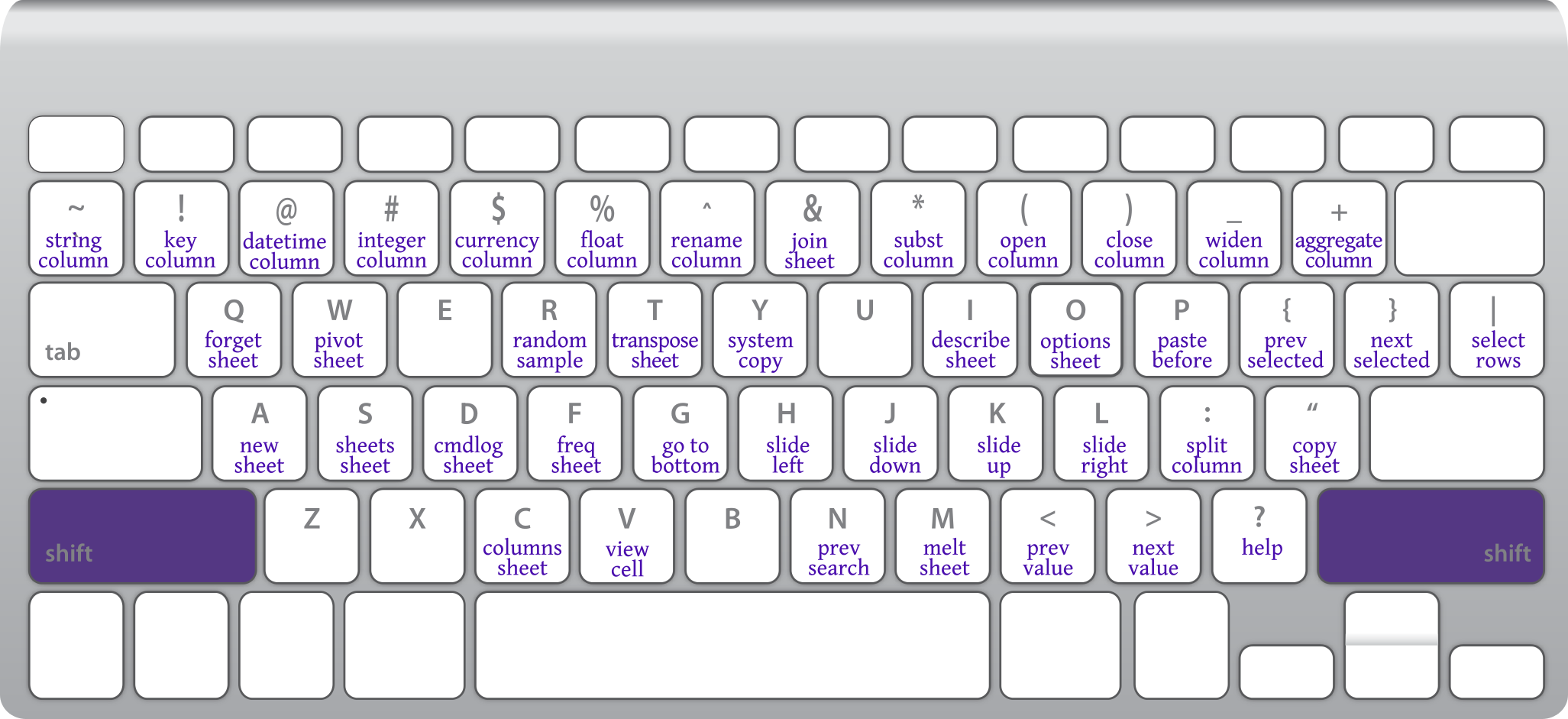
- These only show the main commands, not the
g/z/gzvariants. - Keypresses that are not reliably available in the terminal are not shown.
saulpw
on 16 Jun 2018
Very nice. These are much more usable as end-user documentation.
deinspanjer
on 18 Jun 2018
Okay, it was more difficult to google than I expected, but I found the site I really wanted. :)
https://github.com/waldobronchart/ShortcutMapper
While it would be nice to contribute a mapping for visidata to that site, the code has an MIT license, so I think making a dedicated copy for your documentation site would be a good thing as well. I suspect that the conversion/generation script will be able to consume your commands.tsv with minimal work.
I've got to get back to other tasks for today, but let me know if you take a look, and I'll try to get something working as time allows.
deinspanjer
on 18 Jun 2018
Awesome find, @deinspanjer. I'll see about putting up a sample webpage with it this weekend.
saulpw
on 21 Jun 2018
Whew! That took us on a wild ride to update the command names and change the entire settings (commands, keybinds, options) infrastructure. Finally, here is a rough draft of the generated kblayout as html. We should add links from each command to its relevant howto, and clean up the sheet/prefix/shift selection buttons. What do you think?
saulpw
on 16 Jul 2018
Awesome! I can see some immediate potential improvements for our use case such as adding some listeners to allow automatically change the view if you press the modifier keys (shift/ctrl). We could also do a listener with a short timeout to handle the prefix keys (g/z/gz).
Need to take a look at the generated code to see what can be done easily and how, but regardless, if we just get the links to the howto going, man, this is going to be one of the best cheatsheets ever!
deinspanjer
on 16 Jul 2018
Thanks, @deinspanjer! I would love it if you could figure out how to do the modifier keys and shift/ctrl. I think we can pull this off for the 1.3 release in August.
saulpw
on 23 Jul 2018
We have keyboard layouts now, at https://visidata.org/docs/kblayout. The commands need to link to their respective howtos, but I'm going to close this issue since the fundamental concept has been implemented.
saulpw
on 14 Sep 2018
Related issues
 baogorek
·
3Comments
baogorek
·
3Comments
 aborruso
·
3Comments
aborruso
·
3Comments
aborruso
·
3Comments
aborruso
·
3Comments
 zaiste
·
4Comments
aborruso
·
3Comments
zaiste
·
4Comments
aborruso
·
3Comments
Most helpful comment
Whew! That took us on a wild ride to update the command names and change the entire settings (commands, keybinds, options) infrastructure. Finally, here is a rough draft of the generated kblayout as html. We should add links from each command to its relevant howto, and clean up the sheet/prefix/shift selection buttons. What do you think?