Visdom: ERROR:visdom:failed CONNECT via proxy status: 403
When I run the code:
import visdom
import numpy as np
vis = visdom.Visdom(server='http://10.8.0.1/', port=8080)
visdom.Visdom(use_incoming_socket=False)
vis = visdom.Visdom()
vis.text('Hello, world!')
vis.image(np.ones((3, 10, 10)))
#
Ouput on terminal:
WARNING:root:Setting up a new session...
ERROR:visdom:failed CONNECT via proxy status: 403
ERROR:visdom:failed CONNECT via proxy status: 403
ERROR:visdom:failed CONNECT via proxy status: 403
WARNING:visdom:Visdom python client failed to establish socket to get messages from the server. This feature is optional and can be disabled by initializing Visdom with use_incoming_socket=False, which will prevent waiting for this request to timeout.
#
How to fix this proxy problem and what are the commands for using visdom since I am using firefox of the same server as a screen for visualization?
 chandrakant-sonawane
All 12 comments
You'll need to configure visdom to use your system's proxy settings using the proxies argument as described in the README
 JackUrb
on 18 Jan 2019
JackUrb
on 18 Jan 2019
I guess if you try changing the server ip as 0.0.0.0, then it might be able to take the proxies.
something like this: python -m visdom.server --hostname 0.0.0.0 and then you can use your system ip to call it.
 JafferWilson
on 18 Jan 2019
JafferWilson
on 18 Jan 2019
I guess if you try changing the server ip as 0.0.0.0, then it might be able to take the proxies.
something like this:python -m visdom.server --hostname 0.0.0.0and then you can use your system ip to call it.
I am using:
python 2.7
pytorch 0.2
visdom 0.1.8.8
GPU server address 10.8.10.x
proxy address 10.8.0.x and port 8080
Now suggest me what changes to make in below line (part of the python code),
vis = visdom.Visdom(server='http://10.8.0.1/', port=8080)
and what steps to follow for configuring proxy on terminal?
chandrakant-sonawane
on 18 Jan 2019
Try this:
Run the steps:
1) python -m visdom.server --hostname 0.0.0.0
2) Try to run the example from the demo: https://github.com/facebookresearch/visdom/blob/master/example/demo.py
Before running change the line number: 24 from the code which says: DEFAULT_HOSTNAME = "http://localhost" to DEFAULT_HOSTNAME = "10.8.0.1"
3) Save it and run python demo.py
Thats it.
JafferWilson
on 18 Jan 2019
Try this:
Run the steps:1. `python -m visdom.server --hostname 0.0.0.0` 2. Try to run the example from the demo: https://github.com/facebookresearch/visdom/blob/master/example/demo.py Before running change the line number: 24 from the code which says: `DEFAULT_HOSTNAME = "http://localhost"` to `DEFAULT_HOSTNAME = "10.8.0.1"` 3. Save it and run `python demo.py` Thats it.
After going through the above steps, I got the below error:
WARNING:root:Setting up a new session...
ERROR:visdom:failed CONNECT via proxy status: 403
ERROR:visdom:failed CONNECT via proxy status: 403
ERROR:visdom:failed CONNECT via proxy status: 403
WARNING:visdom:Visdom python client failed to establish socket to get messages from the server. This feature is optional and can be disabled by initializing Visdom with use_incoming_socket=False, which will prevent waiting for this request to timeout.
waiting
waiting
waiting
waiting
waiting
waiting
waiting
waiting
waiting
waiting
waiting
waiting
waiting
waiting
waiting
waiting
waiting
waiting
waiting
waiting
waiting
waiting
waiting
waiting
waiting
ERROR:visdom:failed CONNECT via proxy status: 403
waiting
waiting
waiting
waiting
waiting
The visdom experienced an exception while running: AssertionError(u'No connection could be formed quickly',)
The demo displays up-to-date functionality with the GitHub version, which may not yet be pushed to pip. Please upgrade using pip install -e . or easy_install .
If this does not resolve the problem, please open an issue on our GitHub.
chandrakant-sonawane
on 18 Jan 2019
Share snapshot of this command please:
python -m visdom.server --hostname 0.0.0.0
Is it running? Because it is working fine on my side. Tell me where your server is? Are you in the same network?
JafferWilson
on 18 Jan 2019
Share snapshot of this command please:
python -m visdom.server --hostname 0.0.0.0
Is it running? Because it is working fine on my side. Tell me where your server is? Are you in the same network?

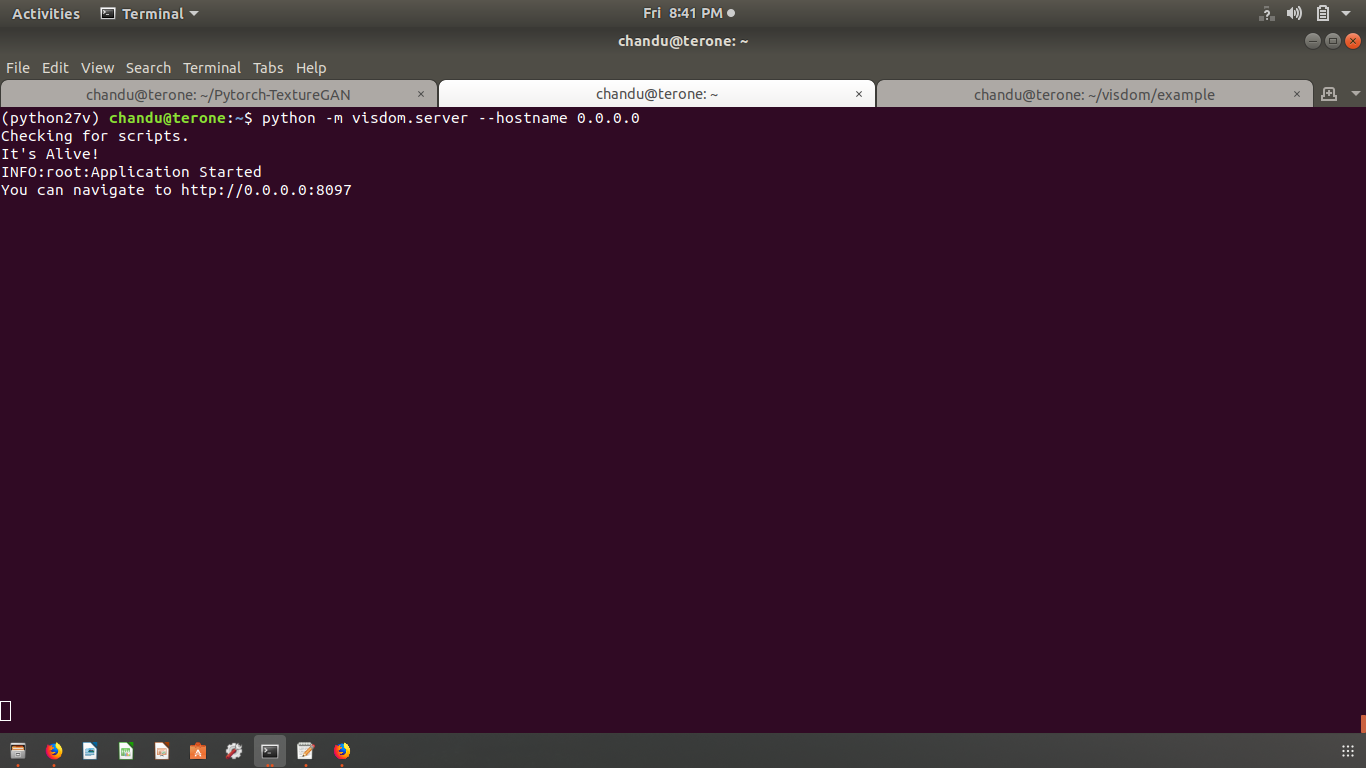
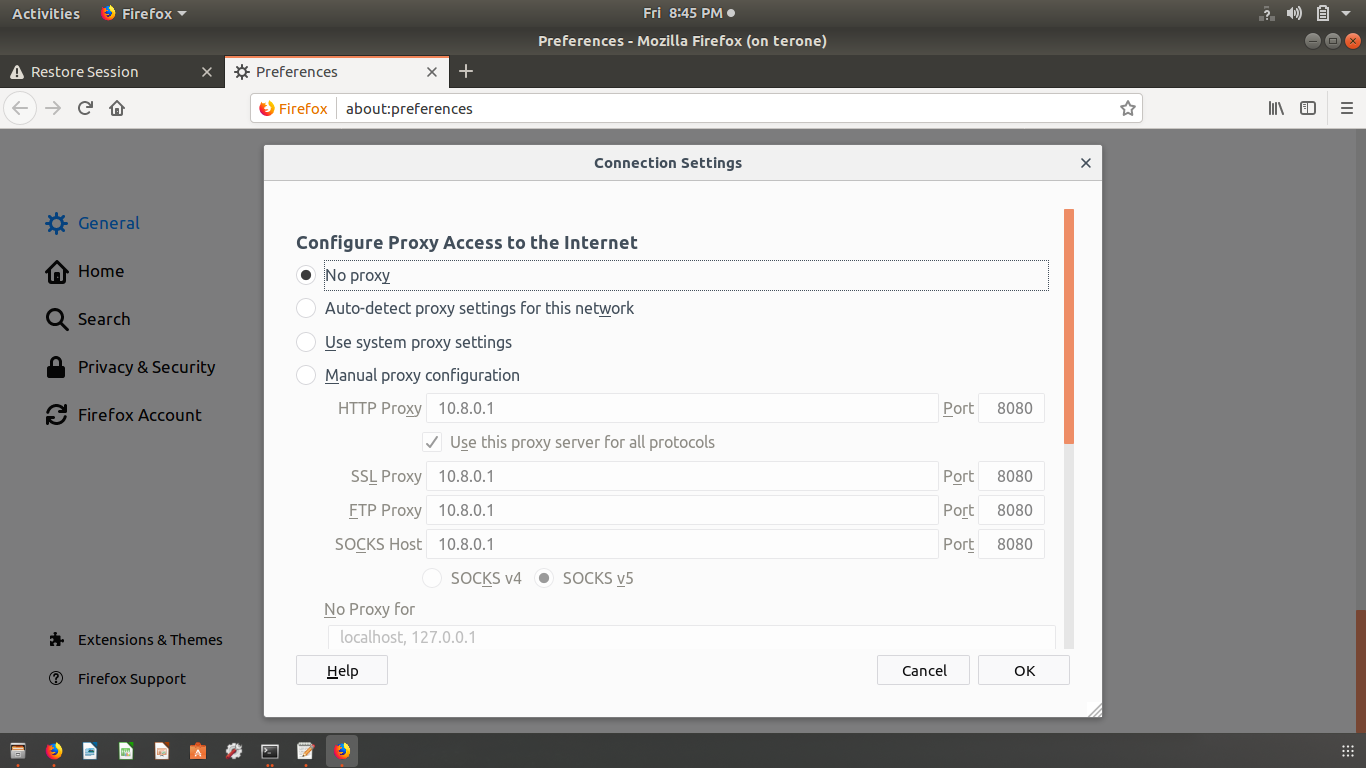
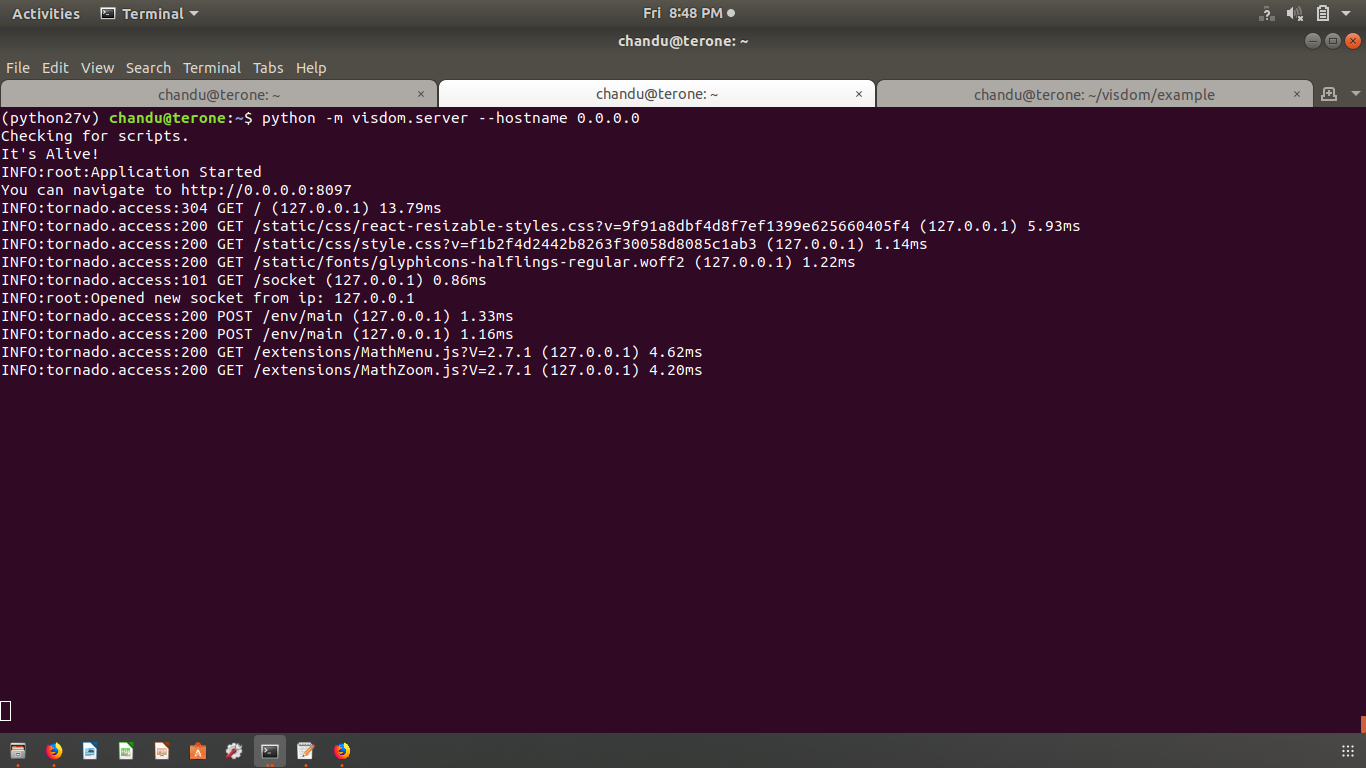
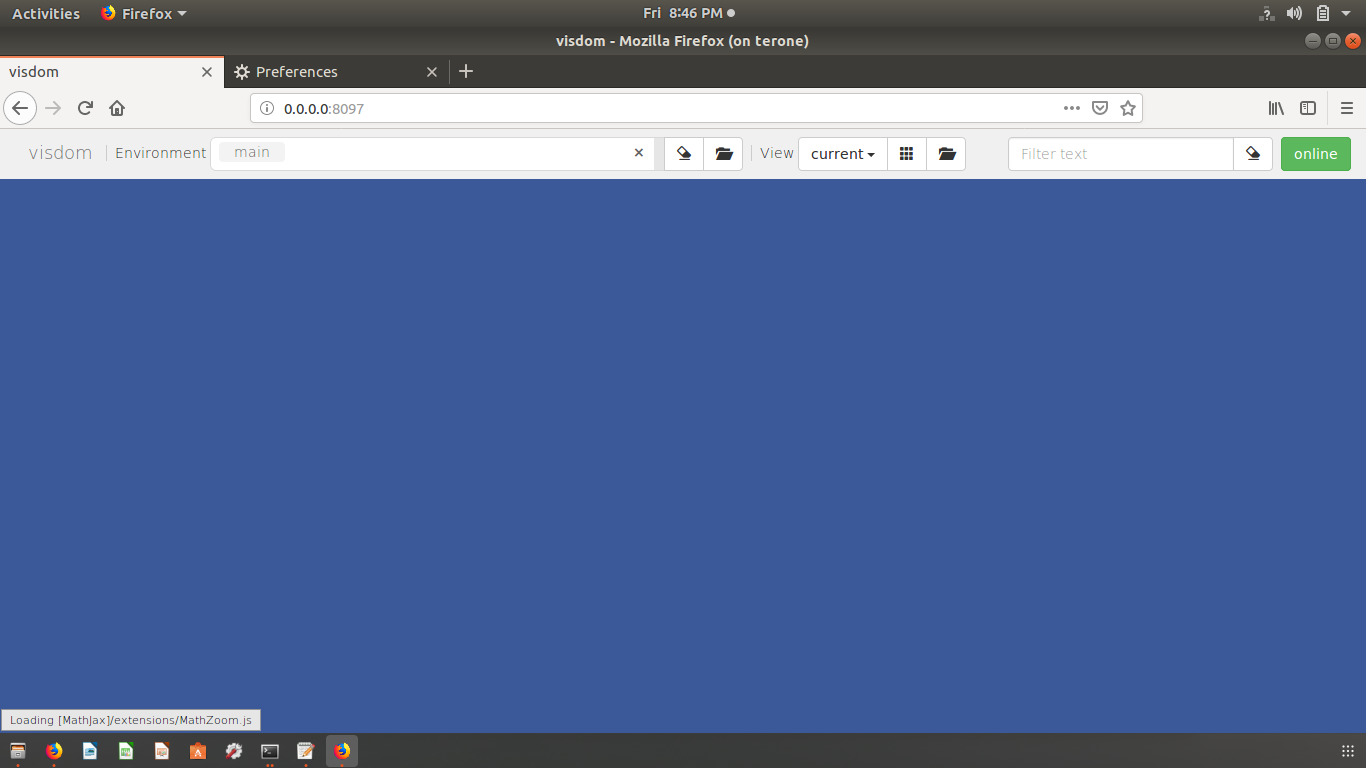
#
Yes, I am in the same server of GPU.
I access this GPU through ssh -X [email protected], then it asks for password so that I get the access of GPU.
After that I use the firefox from same GPU server in which I have to set the proxy as shown in 1st snapshot so that I can access the internet.
so this is how I utilize this GPU.
Now I have installed pip install visdom then luarocks install visdom then python -m visdom.server then I git clone https://github.com/facebookresearch/visdom.git then ran the code /visdom/example/
demo.py
I have attached all screenshots of terminal output and firefox proxy setting.
Now please suggest how can I fix this problem.
chandrakant-sonawane
on 18 Jan 2019
Ah.. You missed that.. You have to run the browser with the ip and port and not 0.0.0.0: port. That's it. It will show up. Use http://10.8.0.1:8097
JafferWilson
on 18 Jan 2019
Is your issue resolved...? Please close this issue if it is.
JafferWilson
on 18 Jan 2019
Hi @chandrakant-sonawane - in your most recent message it appears you're able to connect to the server correctly (as you can POST from the python client and view the webpage) so I find it strange that none of the windows are appearing. Do you see any errors in your JavaScript logs? You shouldn't have needed to set proxy settings in Firefox for this to work, and it's possible that is making the socket behave strangely. Let me know what your current status is.
JackUrb
on 23 Jan 2019
I sit behind a proxy due to company reasons. Since I'm running everything on my own computer I don't know how this would work with ssh but I managed to get around the connection problem by running my script that was connecting to the Visdom server via the no proxy command eg. ->no_proxy=localhost python train.py
The visdom server was started like normal
 OlofHarrysson
on 4 Feb 2019
OlofHarrysson
on 4 Feb 2019
I sit behind a proxy due to company reasons. Since I'm running everything on my own computer I don't know how this would work with ssh but I managed to get around the connection problem by running my script that was connecting to the Visdom server via the no proxy command eg. ->
no_proxy=localhost python train.pyThe visdom server was started like normal
Thanks so much for your suggestions! I solve my problem. I meet the same problem when I run scripts on remote server.
 tlatlbtle
on 20 Mar 2020
tlatlbtle
on 20 Mar 2020
Related issues
 SanderGielisse
·
5Comments
SanderGielisse
·
5Comments
 shubhamjain0594
·
3Comments
shubhamjain0594
·
3Comments
 wj926
·
7Comments
wj926
·
7Comments
 cympfh
·
6Comments
cympfh
·
6Comments
 wdroz
·
5Comments
wdroz
·
5Comments
Most helpful comment
I sit behind a proxy due to company reasons. Since I'm running everything on my own computer I don't know how this would work with ssh but I managed to get around the connection problem by running my script that was connecting to the Visdom server via the no proxy command eg. ->
no_proxy=localhost python train.pyThe visdom server was started like normal