 ninjakx
All 27 comments
python -m visdom.server -port=6008
How to start visdom server using colab ?.
I am Trying to implement this code:
import visdom
import numpy as np
vis = visdom.Visdom(port=6008)
vis.text('Hello, world!')
vis.image(np.ones((3, 10, 10)))
but have no idea how to implement this on colab.
ninjakx
on 13 Jul 2018
Hi @ninjakx - Google colab doesn't provide direct access to content running on their cloud, so you can't run the server from them. You might be able to launch the server on a google cloud instance or ec2 instance you own, and then connect to the server using vis = visdom.Visdom(server=<personal_server_hostname>)
 JackUrb
on 13 Jul 2018
JackUrb
on 13 Jul 2018
You can also connect to your local instance by tunneling to localhost using the same method one would use to use tensorboard with colab: https://stackoverflow.com/questions/47818822/can-i-use-tensorboard-with-google-colab
JackUrb
on 13 Jul 2018
@JackUrb - I tried with tensorboard and able to do it but not with the visdom.
ninjakx
on 17 Jul 2018
Do you see anything in your logs when you connect? Does the visdom client ever return from the vis = visdom.Visdom(server='0.0.0.0', port='6006') (using the args from the tensoboard example).
JackUrb
on 17 Jul 2018
get_ipython().system_raw(
'python -m visdom.server -port=6008'
)
get_ipython().system_raw('url.txt 2>&1 &')
md5-f71725462bf538759f569f982387cc4e
! cat url.txt
This is what i tried by following this site .
https://www.dlology.com/blog/quick-guide-to-run-tensorboard-in-google-colab/
I am not getting how to execute it.
ninjakx
on 17 Jul 2018
Just got it working with the below:
! npm install -g localtunnel
get_ipython().system_raw('/usr/local/bin/python -m pip install visdom')
get_ipython().system_raw('/usr/local/bin/python -m visdom.server -port 6006 >> visdomlog.txt 2>&1 &')
get_ipython().system_raw('lt --port 6006 >> url.txt 2>&1 &')
import time
time.sleep(5)
! cat url.txt
import visdom
time.sleep(5)
vis = visdom.Visdom(port='6006')
print(vis)
time.sleep(3)
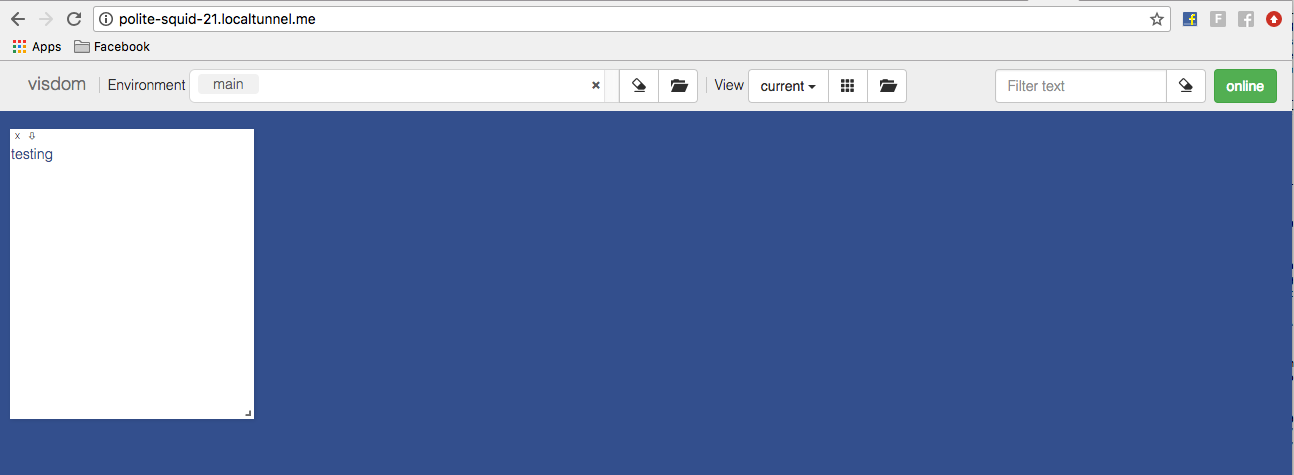
vis.text('testing')
! cat visdomlog.txt
Visit the contents of url.txt using http rather than https and you should be able to access the visdom server.
JackUrb
on 17 Jul 2018
visdom_error_colab.txt
It still keeps throwing errors
ERROR:visdom:Handshake status 404 NOT FOUND
and a lot more errors (all errors in the uploaded #file)
 madaanpulkit
on 17 Jan 2019
madaanpulkit
on 17 Jan 2019
@madaanpulkit try launching the server with a different -port argument. 6006 is already in use for some reason.
JackUrb
on 17 Jan 2019
@madaanpulkit try launching the server with a different -port argument. 6006 is already in use for some reason.
You sure are fast.
Thanks a lot.
It worked.
:)
madaanpulkit
on 17 Jan 2019
@JackUrb @madaanpulkit doesn't seem to work. All I get is connection refused on any port I try.
Similar to your log with ERROR:visdom:Handshake status 404 NOT FOUND
 markolonius
on 19 Jan 2019
markolonius
on 19 Jan 2019
@markolonius it worked fine initially, but I'm also getting CONNECTION REFUSED lately. I tried switching from localtunnel to ngrok but even that didn't work.
madaanpulkit
on 19 Jan 2019
@JackUrb It is not working. Getting "connection refused" even after changing to many ports.
 sravyaysk
on 28 Mar 2019
sravyaysk
on 28 Mar 2019
Hi @markolonius, @madaanpulkit , @sravyaysk - I don't have any additional insight into why this isn't working on colab anymore, given it was something of a hack in the first place.
Based on the logs this likely has to do with colab more than visdom. My guess is that they've reserved all of the sockets given Error: connection refused: localtunnel.me:34629 (check your firewall settings) when trying to set up the tunnel and socket.error: [Errno 98] Address already in use when trying to launch the visdom server.
I don't have the bandwidth to investigate this at the moment, but if anyone has success launching anything on an open port in colab and tunneling to it, whatever they've done should apply here as well.
JackUrb
on 28 Mar 2019
Had some connection problems, got it working today by tweaking Jack's solution. Just changed the python to python3
! npm install -g localtunnel
get_ipython().system_raw('python3 -m pip install visdom')
get_ipython().system_raw('python3 -m visdom.server -port 6006 >> visdomlog.txt 2>&1 &')
get_ipython().system_raw('lt --port 6006 >> url.txt 2>&1 &')
import time
time.sleep(5)
! cat url.txt
import visdom
time.sleep(5)
vis = visdom.Visdom(port='6006')
print(vis)
time.sleep(3)
vis.text('testing')
! cat visdomlog.txt
 OlofHarrysson
on 24 May 2019
OlofHarrysson
on 24 May 2019
My localtunnel didn't stay online for very long so I switched to ngrok
!wget https://bin.equinox.io/c/4VmDzA7iaHb/ngrok-stable-linux-amd64.zip
!unzip ngrok-stable-linux-amd64.zip
get_ipython().system_raw('python3 -m pip install visdom')
get_ipython().system_raw('python3 -m visdom.server -port 6006 >> visdomlog.txt 2>&1 &')
get_ipython().system_raw('./ngrok http 6006 &')
! curl -s http://localhost:4040/api/tunnels | python3 -c \
"import sys, json; print(json.load(sys.stdin)['tunnels'][0]['public_url'])"
EDIT:
ngrok forced me to rerun the command every time I interrupted a training. This resulted in me closing+opening the visdom tab all the time because ngrok gave me different domain names each time. Found a neater solution that seems to work better. Best thing is that it doesn't require installation. Just replace the YOURDOMAINHERE variables and click on the output
get_ipython().system_raw('python3 -m pip install visdom')
get_ipython().system_raw('python3 -m visdom.server -port 6006 >> visdomlog.txt 2>&1 &')
get_ipython().system_raw('ssh -o ServerAliveInterval=60 -o StrictHostKeyChecking=no -R YOURDOMAINHERE:80:localhost:6006 serveo.net &')
print('Visdom view: {}'.format('https://YOURDOMAINHERE.serveo.net/'))
how I cam get my domain? "YOURDOMAINHERE"
 mohammedawney84
on 29 Aug 2019
mohammedawney84
on 29 Aug 2019
how I cam get my domain? "YOURDOMAINHERE"
any name you come up with works. Just tested
 Robotuks
on 6 Sep 2019
Robotuks
on 6 Sep 2019
I want to mention that the serveo server (see the previous answer) isn't always up and running
OlofHarrysson
on 6 Sep 2019
"Visit the contents of url.txt using http rather than https and you should be able to access the visdom server."
beginner here doesn't know how to visit url.txt and change contents
 StellaProg
on 28 Feb 2020
StellaProg
on 28 Feb 2020
@StellaProg I tried method above but my file: url.txt is empty
 yofufufufu
on 21 Mar 2020
yofufufufu
on 21 Mar 2020
@StellaProg I tried method above but my file: url.txt is empty
Same here did you fix it?
 jmandivarapu1
on 26 Apr 2020
jmandivarapu1
on 26 Apr 2020
@StellaProg I tried method above but my file: url.txt is empty
Same here did you fix it?
use the method that @OlofHarrysson provide:
!wget https://bin.equinox.io/c/4VmDzA7iaHb/ngrok-stable-linux-amd64.zip
!unzip ngrok-stable-linux-amd64.zip
get_ipython().system_raw('python3 -m pip install visdom')
get_ipython().system_raw('python3 -m visdom.server -port 6006 >> visdomlog.txt 2>&1 &')
get_ipython().system_raw('./ngrok http 6006 &')
! curl -s http://localhost:4040/api/tunnels | python3 -c
"import sys, json; print(json.load(sys.stdin)['tunnels'][0]['public_url'])"
yofufufufu
on 26 Apr 2020
@StellaProg I tried method above but my file: url.txt is empty
Same here did you fix it?
No
StellaProg
on 27 Apr 2020
@StellaProg I tried method above but my file: url.txt is empty
Same here did you fix it?
use the method that @OlofHarrysson provide:
!wget https://bin.equinox.io/c/4VmDzA7iaHb/ngrok-stable-linux-amd64.zip
!unzip ngrok-stable-linux-amd64.zip
get_ipython().system_raw('python3 -m pip install visdom')
get_ipython().system_raw('python3 -m visdom.server -port 6006 >> visdomlog.txt 2>&1 &')
get_ipython().system_raw('./ngrok http 6006 &')
! curl -s http://localhost:4040/api/tunnels | python3 -c
"import sys, json; print(json.load(sys.stdin)['tunnels'][0]['public_url'])"
No
StellaProg
on 27 Apr 2020
Same here it(all above methods) didn't fix my issues. I finally use my server to run the visdom and passed it as an argument
environment='AL_Small'
cfg = {"server": "[email protected]","port": 8097}
vis = visdom.Visdom('http://' + cfg["server"], port = cfg["port"])
Had some connection problems, got it working today by tweaking Jack's solution. Just changed the python to python3
! npm install -g localtunnel
get_ipython().system_raw('python3 -m pip install visdom')
get_ipython().system_raw('python3 -m visdom.server -port 6006 >> visdomlog.txt 2>&1 &')
get_ipython().system_raw('lt --port 6006 >> url.txt 2>&1 &')
import time
time.sleep(5)
! cat url.txt
import visdom
time.sleep(5)
vis = visdom.Visdom(port='6006')
print(vis)
time.sleep(3)
vis.text('testing')
! cat visdomlog.txt
Is the port arbitrary ? Should I set it ?
 mingmingjiang1
on 11 Jul 2020
mingmingjiang1
on 11 Jul 2020
Related issues
 jramapuram
·
6Comments
jramapuram
·
6Comments
 vfdev-5
·
6Comments
vfdev-5
·
6Comments
 IssamLaradji
·
3Comments
IssamLaradji
·
3Comments
 rdevon
·
5Comments
rdevon
·
5Comments
 wdroz
·
5Comments
wdroz
·
5Comments
Most helpful comment
Had some connection problems, got it working today by tweaking Jack's solution. Just changed the python to python3