Virtualc64: Drastic slowdown when installing a Rom file
Version 3.3.2 (3.3.2)
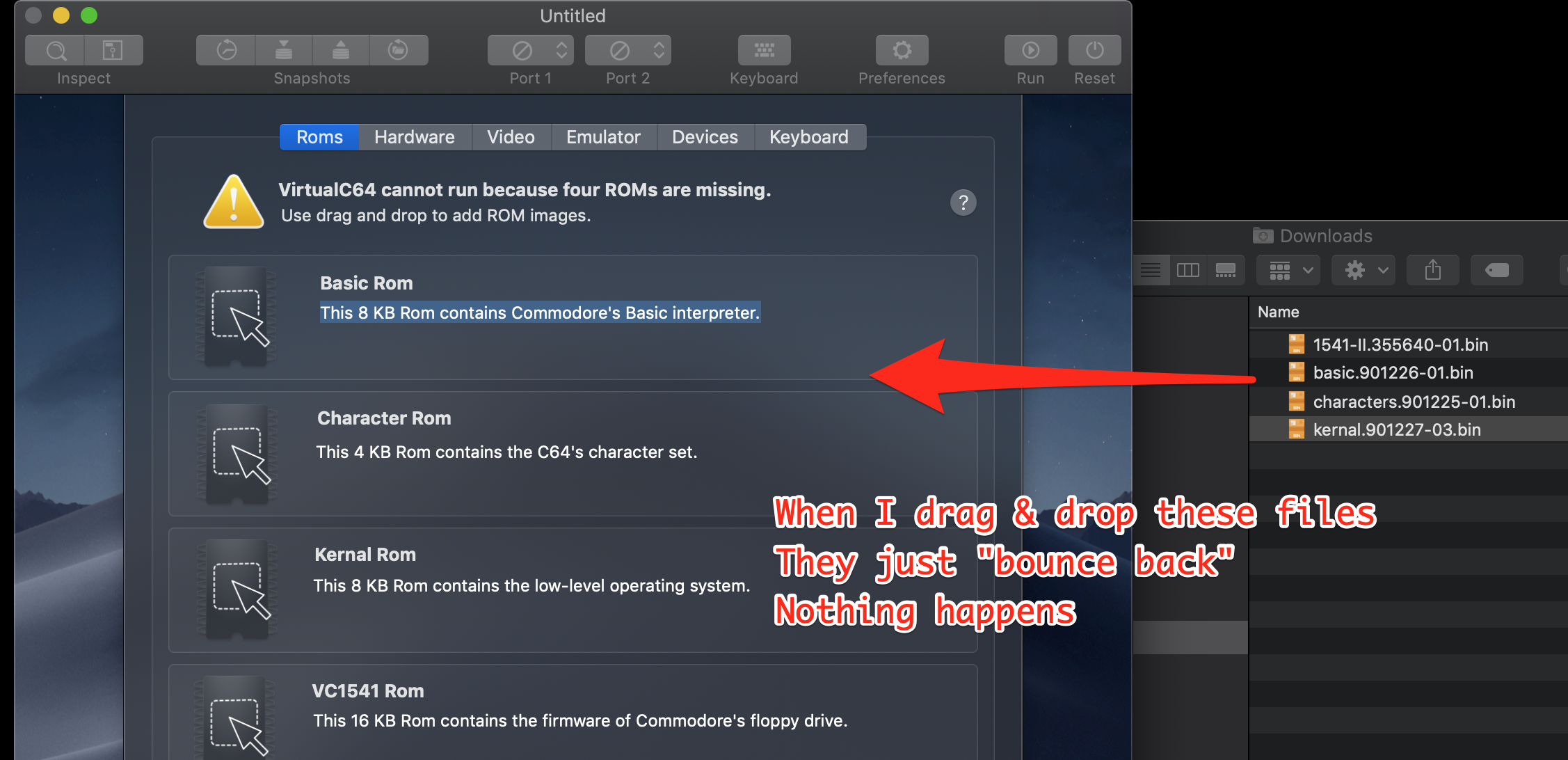
When I drag any of the 4 ROMs onto the preferences panel (see below) then they just "bounce back" to their original location. I cannot get the installation of the ROMS to work.
 rcoenen
All 13 comments
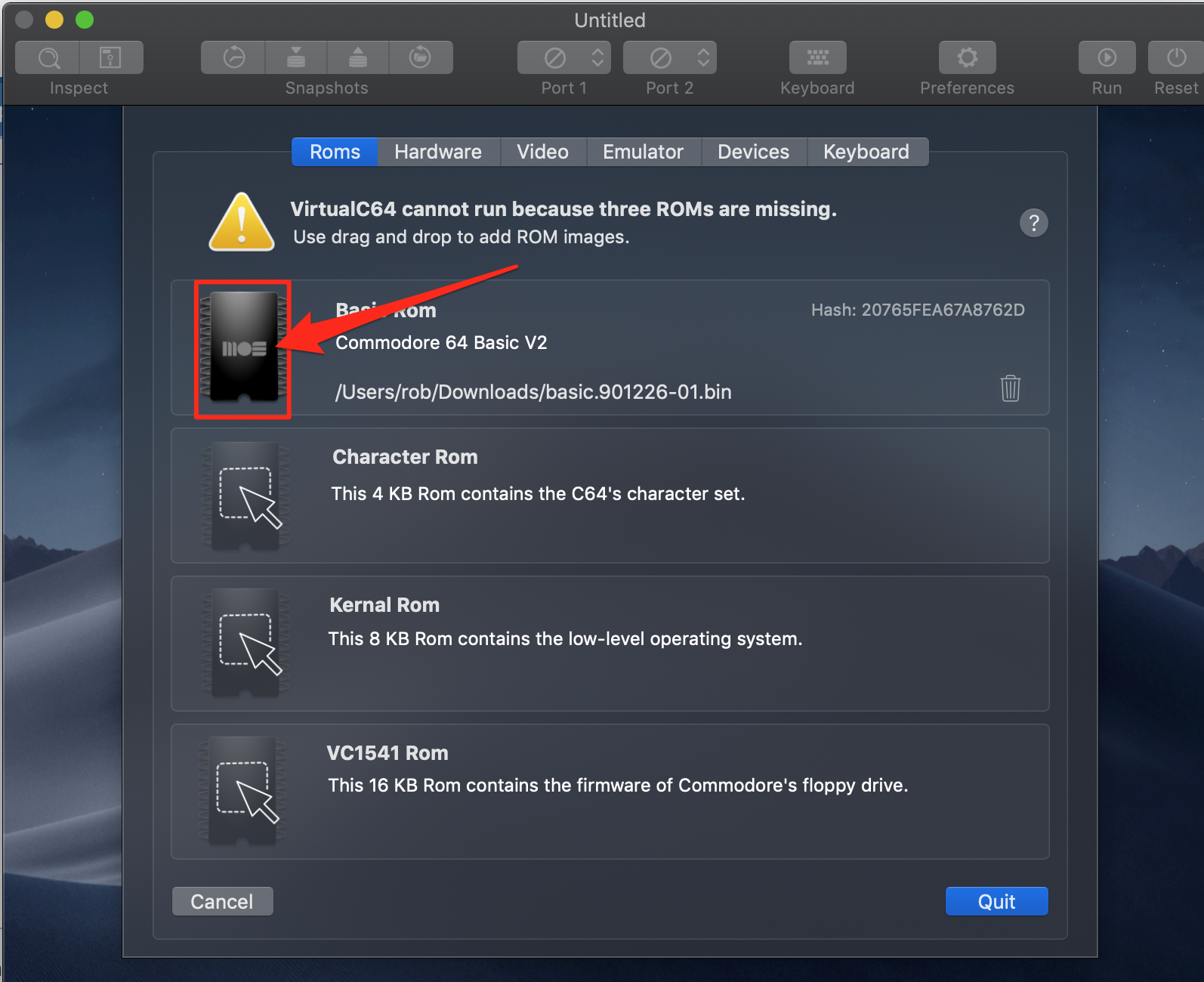
Answering own issue: you need to drag the ROM file on the actual icon (and not it's bounding box) see below
rcoenen
on 25 Aug 2019
Hi Dirk, [version beta 2]
I have a problem to change the roms with drag'n'drop.
IF I drag a rom when I move a rom icon on the mac it moves well, but as soon as i enter with the icon in the VirtualC64 window to place it in the right place a great slowdown occurs, i don't know if it's the last update Apple or beta2, but previously I changed roms quickly and without problems.
...the mouse color loading wheel appears instead the black arrow and the emulation slow down.
Changing the rom after long time the reset is needed to see the changes, otherwise the Rom cannot be seen changed.
Opening the VirtualC64 preferences rom window slow down and color wheel appears.
VirtualC64_2019-08-03-095427_MacBook-Pro-di-Alessandro.cpu_resource.txt
 Alessandro1970
on 25 Aug 2019
Alessandro1970
on 25 Aug 2019
I noticed that the slowdown happens even if I do fly over any file, without releasing the left mouse button.
If I try to move any image onto the Rom preference window of VirtualC64, VirtualC64 immediately slows down the Mac as if it wanted to analyze the file that passes over without even the left mouse button being released.
Before it was faster and this problem did not occour.
Alessandro1970
on 25 Aug 2019
I made a video about it, if it is needed:
Alessandro1970
on 25 Aug 2019
I made a video about it
Just watched it. I think it must be related to some refresh callback when drag and drop is active. I guess, I am doing some time-expensive stuff there.
BTW, what web browser is that? 😳
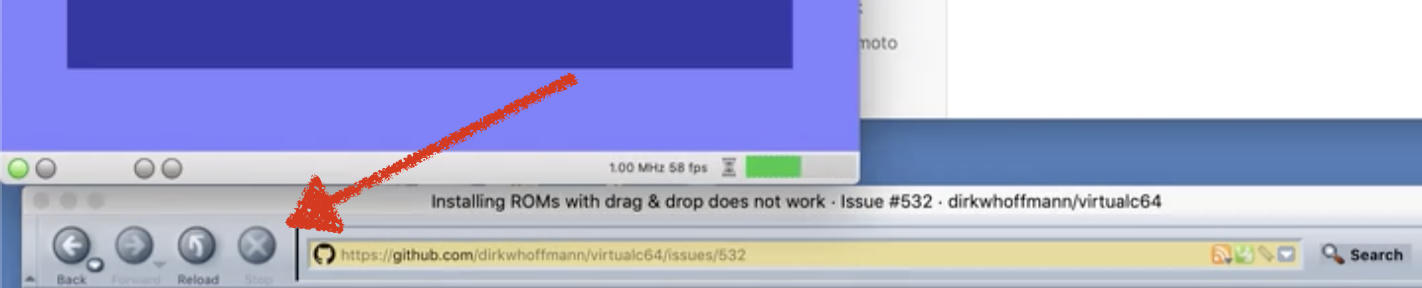
It looks like the browser which I used in die Middle Ages when we had to browsed the web via the telephone line and a modem 😅.
 dirkwhoffmann
on 25 Aug 2019
dirkwhoffmann
on 25 Aug 2019
That browser is opensource Seamonkey, I use it ...because it has a html editor integrated that I use from the stone age...
Alessandro1970
on 25 Aug 2019
The slow down seems to me in all the emulator preferences window...
Do you have any problem in the preferences panel of VirtualC64 ?
Alessandro1970
on 25 Aug 2019
Solved:
Removed all about VirtualC64 and a new fresh installation.
There where some configuration files corrupted probably after update...
Alessandro1970
on 25 Aug 2019
Removed all about VirtualC64 and a new fresh installation.
😯 Ooohhhh, solved by the Windows way. Apple is becoming the new Microsoft 😢.
dirkwhoffmann
on 25 Aug 2019
Seamonkey
BTW, we need to try out Monkey Island on vAmiga 🐒. This is where your web browser had beed developed, I guess.
dirkwhoffmann
on 25 Aug 2019
https://www.seamonkey-project.org/
Is out a new version of vAmiga ?
Alessandro1970
on 25 Aug 2019
Is out a new version of vAmiga ?
No. I'm still in a fight with the slow Blitter 😖. So we better wait with testing.
dirkwhoffmann
on 25 Aug 2019
Overwrite the beta2 has done it.
Now all is working fine, for me you can close.
Alessandro1970
on 26 Aug 2019
Related issues
 puleyo
·
6Comments
dirkwhoffmann
·
6Comments
Alessandro1970
·
5Comments
puleyo
·
6Comments
dirkwhoffmann
·
6Comments
Alessandro1970
·
5Comments
 rossimariolee
·
4Comments
Alessandro1970
·
3Comments
rossimariolee
·
4Comments
Alessandro1970
·
3Comments
Most helpful comment
😯 Ooohhhh, solved by the Windows way. Apple is becoming the new Microsoft 😢.