Virtualc64: Keyboard controls - issue when switching directions
When I play a game like Impossible Mission with keyboard controls, and I run to the right, then I suddenly turn left, my character just stops. The same happens with every game I try.
Looks like the change of direction is only registered if there's a short pause between pressing the "left" key and the "right" keys.
The same happens if I redefine my keysets, and on two different keyboards.
 bdf74
bdf74
All 9 comments
Hi bdf74,
I have tried for a long time to play the impossible mission 1 following your instructions.
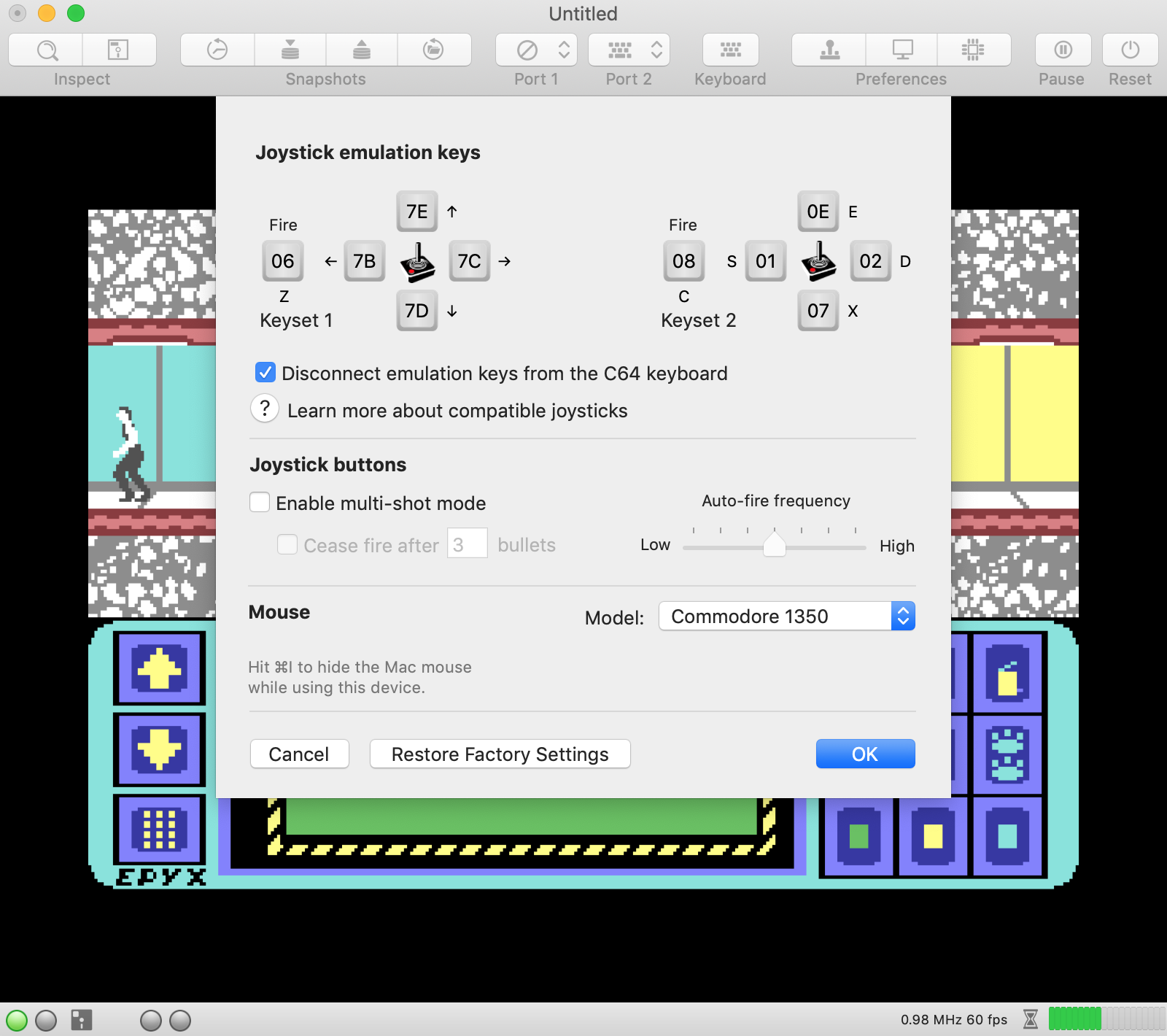
I have not encountered any problem of movement, I am attaching a screen of my configuration for the joystick in port 2.
Are you sure you do not have other active applications that control the keyboard of the mac or do not have some particular option in the system preferences?
 Alessandro1970
on 2 Dec 2018
Alessandro1970
on 2 Dec 2018
Nope, it's a pretty new Mac, so most settings are still the default ones. I haven't changed any keyboard-related system settings, and I think I have no software that intercepts the keyboard.
My joystick configuration is the same as yours, and switching to a different keyset doesn't help.
Also, on Vice I don't have this problem, so it's definitely something related to Virtual C64.
bdf74
on 2 Dec 2018
Ok, now I try Commando as you wrote in the "forum"
Alessandro1970
on 2 Dec 2018
I can reproduce it on my machine. In Impossible Mission:
- Hold down 'cursor left': Guy runs left
- Hold down 'cursor right' without releasing 'cursor left' yet: Guy runs right
- Release 'cursor right': Guy stops
Because 'cursor left' is still pressed after step 3, one would expect the character to run left.
I think the problem is in the gamePad manager. When a direction key is released, it puts the virtual joystick in neutral position (if I remember the implementation correctly). To emulate what we want to have, the gamePad manager needs to check if another direction key is still pressed (on a key release event). If yes, it needs to pull the joystick accordingly. In other words: Under some circumstances, a key release event must trigger a joystick movement.
 dirkwhoffmann
on 2 Dec 2018
dirkwhoffmann
on 2 Dec 2018
I have always pressed one key at a time.
If instead three keys were pressed? That is left + up ... then, keeping these pressed, I press right. if I release right while I always keep both keys left + up pressed that will happen?
... you should stop anyway because the keys left pressed are 2
Alessandro1970
on 2 Dec 2018
The issue here is that we are able to create joystick states with the keyboard that are physically impossible. I.e., we are able to pull the joystick left and right at the same time. Our challenge is to map these key combinations to a reasonable physical joystick movement. I think it is most reasonable to apply the "most recent key wins" scenario. Hence, we would have the following translation:
1. Cursor left -> Pull left
2. Cursor left + Cursor right -> Pull right (cursor right wins)
3. Cursor left -> Pull left
4. No key -> Neutral position
Regarding Alessandro's three-key scenario, I suggest to treat both joystick axis independently. Hence, we would have:
1. Cursor left + Cursor up -> Pull left, up
2. Cursor left + Cursor up + Cursor right -> Pull right, up
3. Cursor left + Cursor up -> Pull left, up
BTW, the speech synthesis in Impossible Mission is really 👏.
dirkwhoffmann
on 2 Dec 2018
Hello, In version 3.3 in addition to the resolution of the problem of movement in Impossible Mission, could you recognize the roms of the jiffy dos instead of letting us read the ugly red message "An Unknown"? ... because so it seems to put something that does not work.
They work very well and the tutorial on our forum is clear, for me, that I am not a programmer, it was very easy to install the Jiffy DOS.
 rossimariolee
on 4 Dec 2018
rossimariolee
on 4 Dec 2018
Feature is available in V3.3 alpha 1:
http://www.dirkwhoffmann.de/virtualc64/VirtualC64_3.3_alpha1.zip
Please reopen if there is still an issue.
dirkwhoffmann
on 6 Dec 2018
Related issues
dirkwhoffmann
·
6Comments
 Somuchfun
·
3Comments
Somuchfun
·
3Comments
 PakkunKinoppi
·
4Comments
PakkunKinoppi
·
4Comments
 puleyo
·
6Comments
Alessandro1970
·
5Comments
puleyo
·
6Comments
Alessandro1970
·
5Comments
Most helpful comment
The issue here is that we are able to create joystick states with the keyboard that are physically impossible. I.e., we are able to pull the joystick left and right at the same time. Our challenge is to map these key combinations to a reasonable physical joystick movement. I think it is most reasonable to apply the "most recent key wins" scenario. Hence, we would have the following translation:
Regarding Alessandro's three-key scenario, I suggest to treat both joystick axis independently. Hence, we would have: