Virtualc64: Add support for VICII gray dot bug
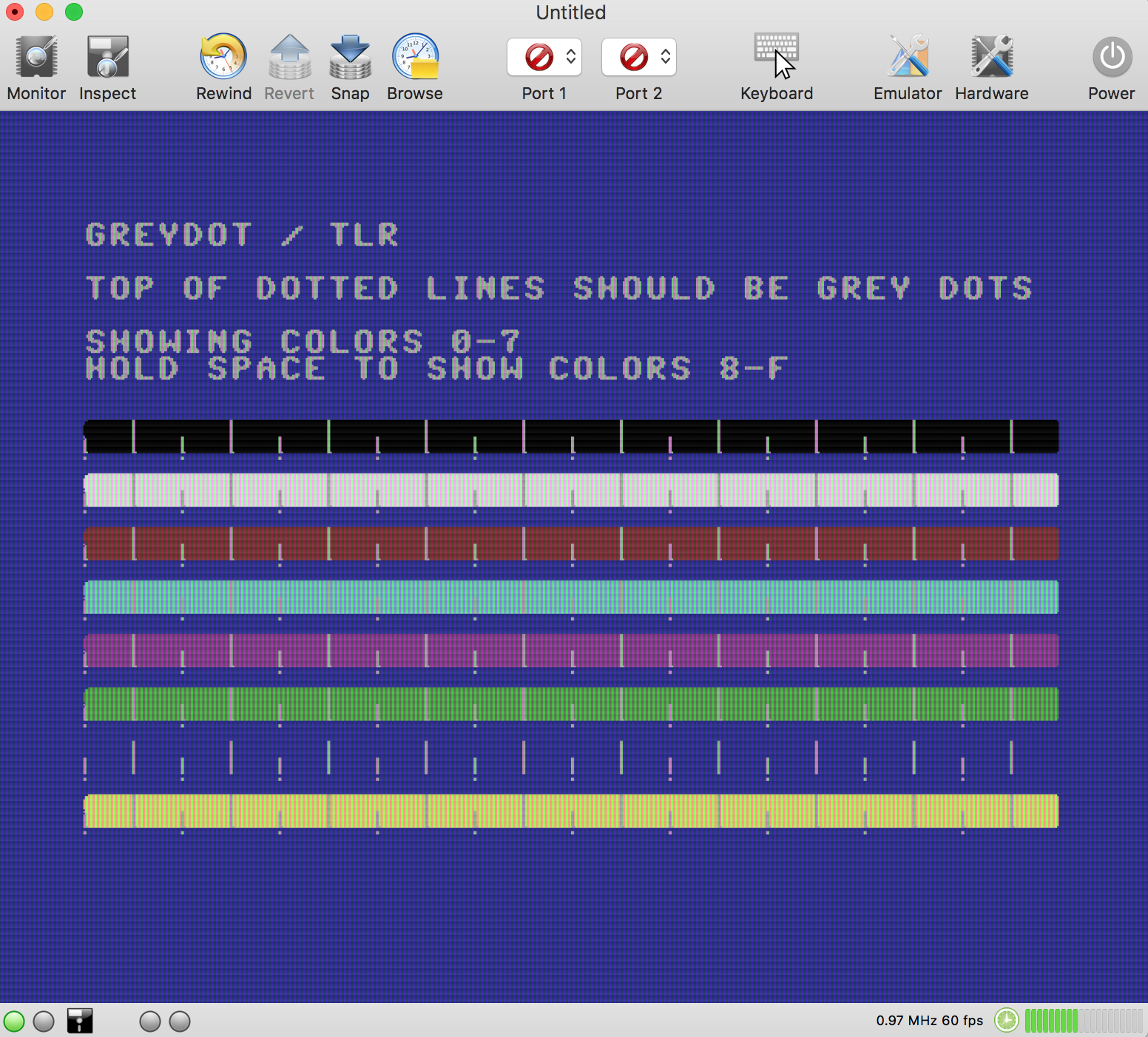
On machines with a 856x plugged in (C64 II, the white ones), the first pixel of a cycle is displayed in gray when a write access occurs to the currently used color register (0xD020 ... 0xD02E).
Effect shows up in test case lp-trigger/test1.prg

TODO:
- Emulate gray dots
- Add "[Check] Emulate gray dot bug" to the hardware preferences. Gray option out if a 656x VICII is selected.
 dirkwhoffmann
All 19 comments
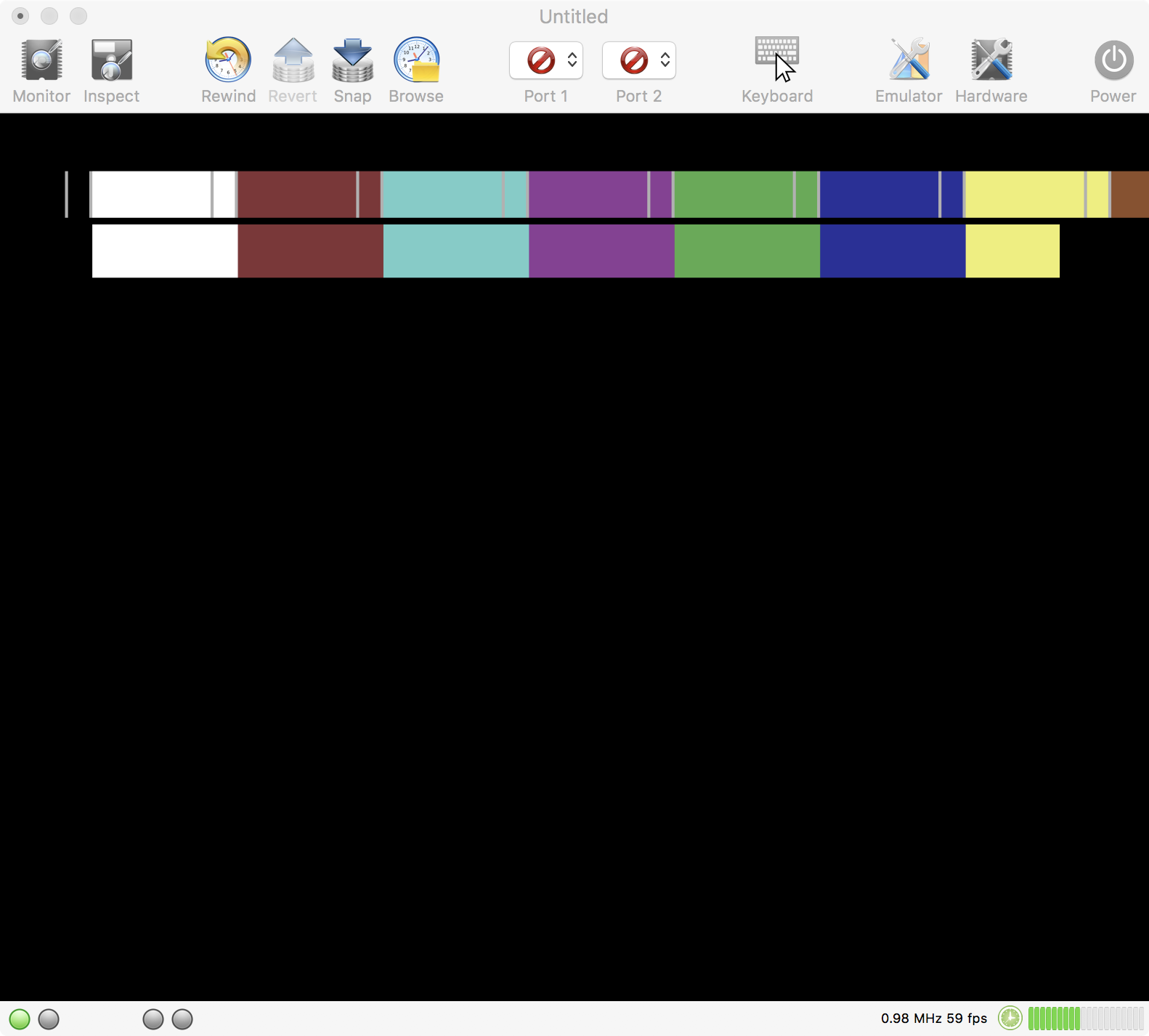
Gray dots are emulated correctly now, but there is a performance hit which is due to the current structure of the VICII code.
TODO:
Modify readColorRegister() to return a uint64_t which stores the color values for all 8 pixels that are drawn in a single cycle. I.e., if a color register stores value 05, the function will no longer return 05, but 0505...0505. If the gray dot bug hits in, the function will return 0505...050F.
This approach could also speed up function drawBorder() which needs to take care of a color register change after drawing the first pixel.
dirkwhoffmann
on 18 Aug 2018
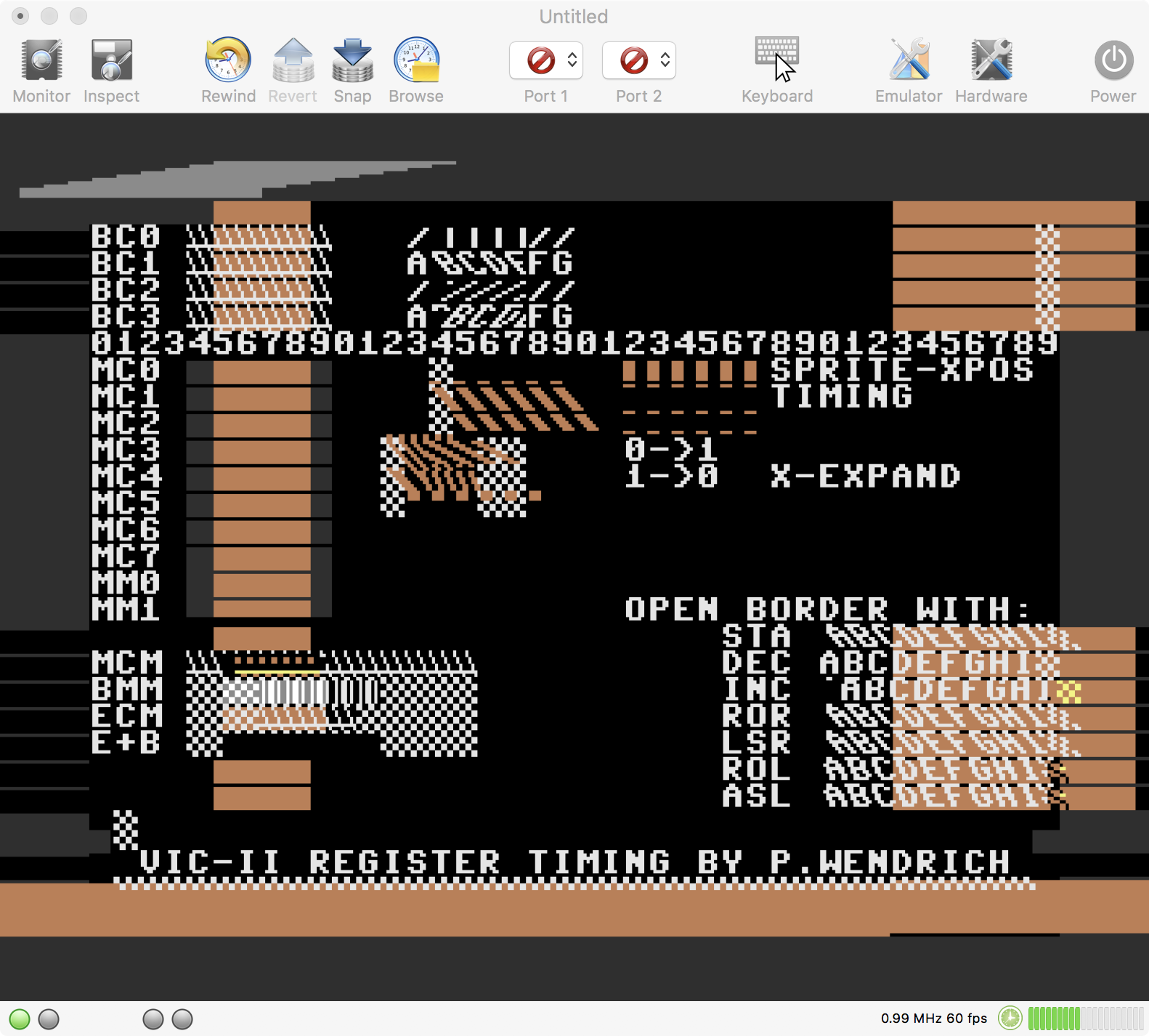
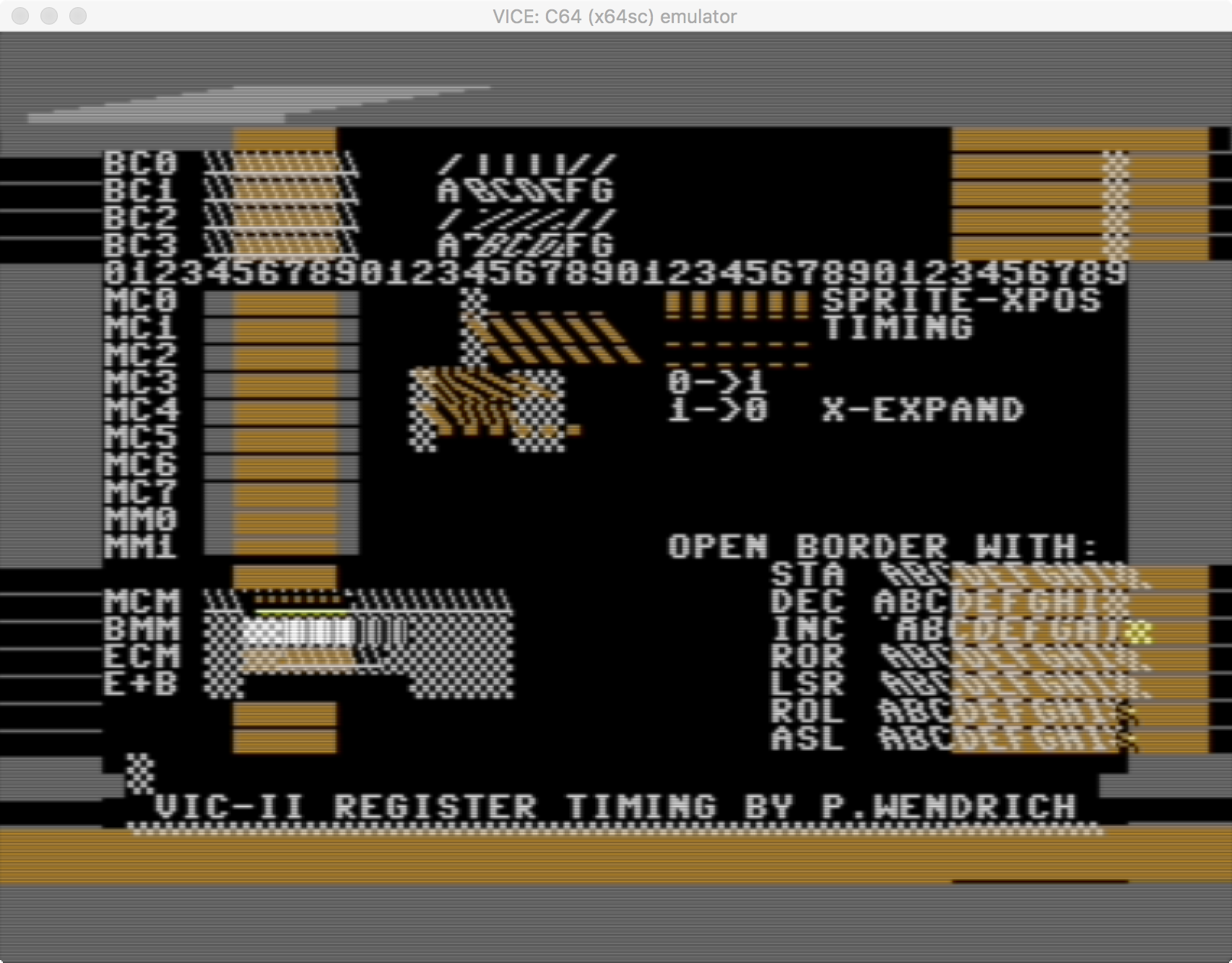
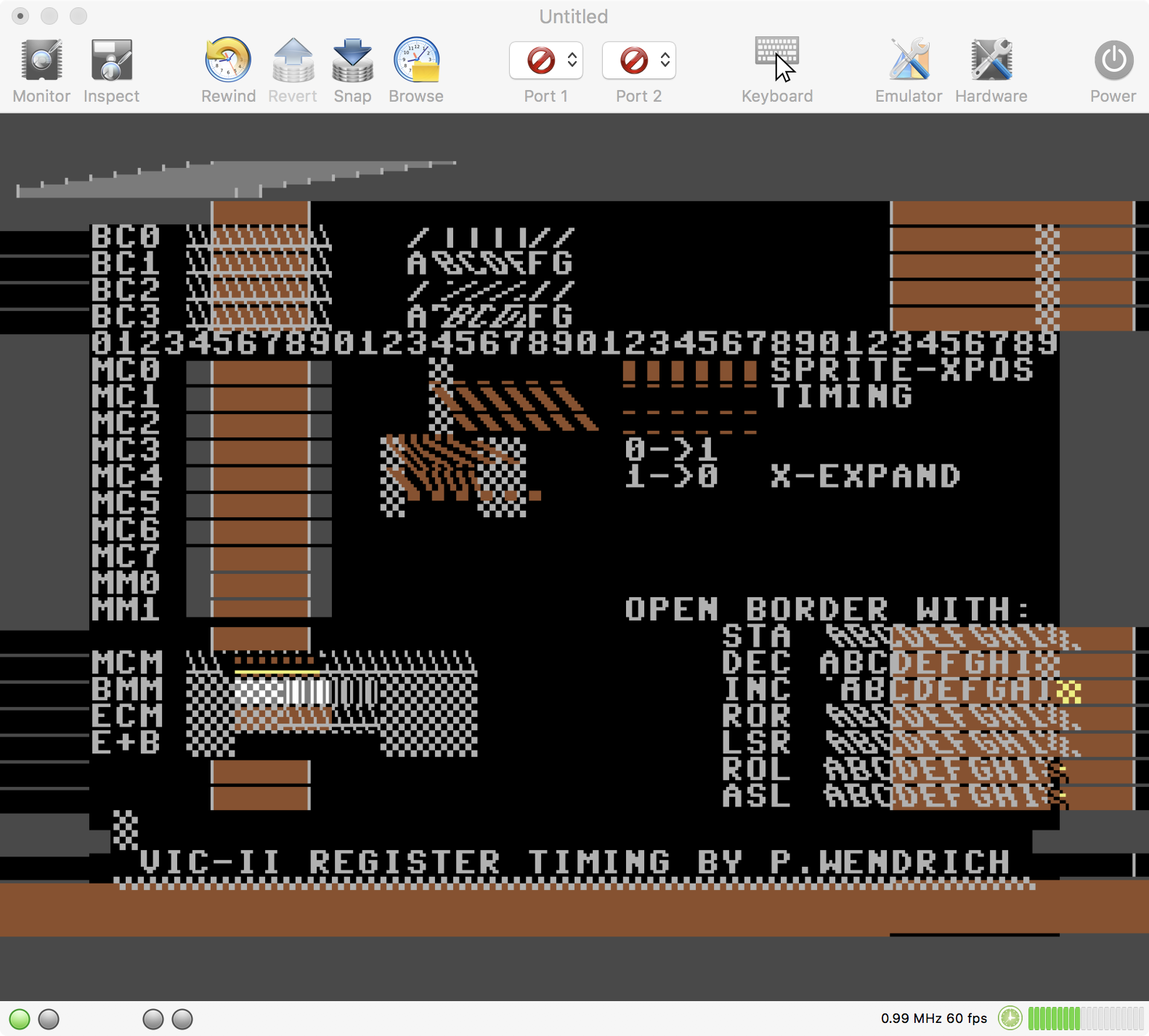
For reference. Timing differences between 856x and 656x VICII models are emulated pretty accurately now:
VirtualC64 (VICII 6569 R1):
VICE 3.1 (C64 old PAL):
VirtualC64 (VICII 8565):
VICE 3.1 (C64C PAL):
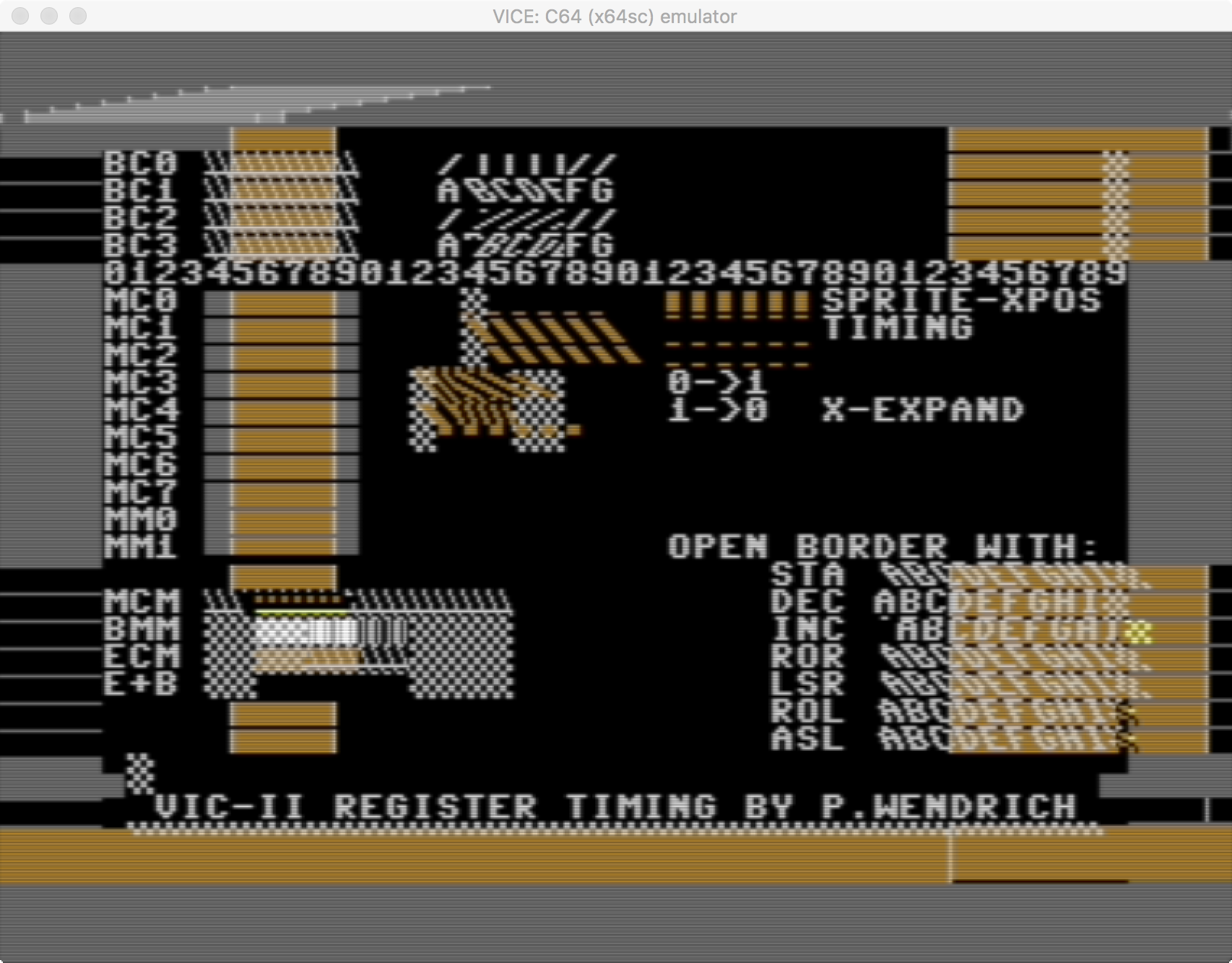
The most visible difference between old and new VICII models is the gray dot bug which the new VICII models exhibit. There are also subtle timing differences which can be seen in the two lines labels BMM and ECM.
Interestingly, VirtualC64 still has an issue with the 8565 model in the lower border area. VICE shows a vertical gray line while VirtualC64 does not. Unfortunately, I have no glue where this lines comes from.
dirkwhoffmann
on 22 Aug 2018
VICII 6569 R1 wouldn't be a good choice for the default option, because it uses odd luminance values. VICII 6569 R3 would be better (I thinks this chip has been used in most of the brown "breadbox" C64s). VICE is using the newer 8565 as the default chip which has been used in the newer white C64s (called C64 II or C64C). In real situations, the gray dot bug is not that much of a problem, because it only arises when a color register is written at the same time it is used. A lot of test cases do this by purpose (as seen in the timing.prg test case), but in real programs, it barely happens.
dirkwhoffmann
on 23 Aug 2018
Good morning, but will VirtualC64 support VICII 6569 R3 from version 2.6?
 mortinus
on 23 Aug 2018
mortinus
on 23 Aug 2018
In 2.6, the supported models will be:
PAL_6569_R1
PAL_6569_R3
PAL_8565
NTSC_6567
NTSC_6567_R56A
NTSC_8562
However, I'm still struggling with some performance drawbacks and some subtle compatibility issues (e.g., the gray line for 6569 R3 and the gray dot Alessandro noticed in the upper left corner).
dirkwhoffmann
on 23 Aug 2018
Result of performance profiling with 'Instruments':

So, it's clear who to blame (except me):
Chief suspect:
void
PixelEngine::setSingleColorPixel(unsigned pixelNr, uint8_t bit /* valid: 0, 1 */)
{
    if (bit) {
        drawForegroundPixel(pixelNr, col[bit]);
    } else {
        drawBackgroundPixel(pixelNr, col[bit]);
    }
}
Interestingly, drawForegroundPixel and drawBackgroundPixel do not show up in the Instruments report. I guess, they have been optimized away by the compiler.
Todo item 1: Integrate the code directly into drawCanvasPixel to avoid the function call.
Todo item 2: Check if it's faster to write the colors into a local array int[8] and to copy the data into the screen buffer later. The current implementation directly writes into the screen buffer. But since the screen buffer stores a whole texture line, caching issues might slow us down here.
Second suspect:
loadColors():
Todo item 1 (low hanging fruits first): Use one TimeDelayed
Todo item 2: Try to turn the table. In the current implementation, the colors are computed first. After that, pixels are drawn based on the bit patterns found. Now, try to grab the bit pattern first and then compute the color. It's hard to tell if this is really faster, because the number of colors that need to be computed depends on various parameters (xoffset, display mode changes etc.). We'll see...
dirkwhoffmann
on 23 Aug 2018
Findings:
Holding the screen buffer on the stack doesn't impress the CPU very much. Moving it to the heap had no effect and copying chunks of pixels instead of single pixels doesn't affect performance either.
Anyway, I managed to come close to the old speed with multiple other minor modifications:
Comparison (VirtualC64 in warp mode on MacBook Pro 13,3)
V2.5 (after reset): 7.8 MHz, current V2.6 beta: 7.3 MHz
V2.5 (running Octopus in redwine): 3 MHz, current V2.6 beta: 2.7 MHz
The Octopus in redwine demo is pretty interesting. If sprite drawing is disabled, you see: nothing. This means that the whole scene is drawn with sprites which is also the reason why it slows down performance so much.
Optimizations in loadColors() in drawCanvas() are yet to come.
Despite the somewhat lower performance, the VICII implementation is much cleaner now from a software architectural point of view. One general problem with emulating hardware in software is that timing delays are tedious to simulate. E.g., some VICII register values need to be delayed by two cycles and nearly all emulators simulate this by implementing pipelines, i.e., they have code like this:
pipe1 = valueToDelay
pipe2 = pipe1
This intensive value copying must be done after every cycle to simulate the desired delay. VirtualC64's new VICII implementation has no pipelines any more (Woohoo!). To emulate a 8-bit register that is delayed by let's say 2 cycles, it is now simply declared as
TimeDelayed<uint8_t>(2) someRegister;
and
someRegister.delayed();
someRegister.current();
returns either the value that was stored in there two cycles earlier or the current one.
This approach is pretty flexible. E.g., if it turns out that a value needs to be delayed by another cycle, the only thing to do is to replace the declaration by
TimeDelayed<uint8_t>(3) register;
With the old pipeline approach, a new pipeline variable pipe3 had to be introduced and the code be modified at various places. Of course, wrapping timing delay stuff into a class is not for free performance wise, but the new approach seems to compete OK with manually managed pipelines that are faster.
dirkwhoffmann
on 24 Aug 2018
Final findings:
Computing a pixel's color after the pixel itself (VICE does it this way) does not bring any performance improvement. Hence, I'll keep the old approach (colors first, pixel afterwards), because it leads to more readable code.
Current performance:
V2.5 (after reset): 7.8 MHz, Current V2.6: 7.6 MHz
V2.5 (running Octopus in redwine): 3 MHz, current V2.6 beta: 2.9 MHz
There does not seem to be much potential left for runtime optimization, so I'm giving up on this. I'll continue to focus on code readability.
dirkwhoffmann
on 26 Aug 2018
I've uploaded two 2.6. alpha versions at
http://www.dirkwhoffmann.de/Virtualc64/2_6alpha.zip
It'll be great if you run it on your computer and let me know which one is faster.
The difference between the two builds is screen buffer treatment. The "WT" version (write through) uses the old VirtualC64 approach for accessing the screen buffer. Once a pixel has been synthesized, it is converted to an RGBA value and written immediately into the screen buffer. The other executable uses the VICE approach. First, it determines the (logical) color values for all eight pixels that are drawn in a single cycle and translates them into RGBA values afterwards. On my MacBookPro13,3, the old approach seems to be slightly faster. Fortunately, the VICII code is pretty clean now, so it's easy to switch back and forth between both methods.
In addition, please let me know if something is broken. Although the 2.6 version seems to be pretty much the same from a user's perspective, the underlying VICII engine has changed a lot.
dirkwhoffmann
on 27 Aug 2018
Perfect, this night I will try to use the two versions with some .d64 that I usually prefer.
Thank you
 Alessandro1970
on 27 Aug 2018
Alessandro1970
on 27 Aug 2018
The first problem I found with the WT version, with the following demo is very jerky (lag)
Instead the VirtualC64 2.6 (no WT) is much more fluid ... indeed very good.
I correct myself:
I have uninstalled the virtualC64 with AppCleaner and I have installed only the VirtualC64 2.6 WT: it works correctly the effect lag, which was very evident before, now it has disappeared. It seems more reactive than the non-WT version.
Alessandro1970
on 27 Aug 2018
I noticed, however, that if you upload several demos, one behind the other. alternating them only with the reset button there is a decrease in performance; instead closing and restarting the VirtualC64 it disappears .... probably the POWER button does not re-initialize everything, something that slows down remains and only the exit from the app removes this problem.
Alessandro1970
on 27 Aug 2018
The "Reset button" problem could simply be due to high processor utilization. If run your machine with a 100% processor load for a longer time, the CPU constantly heats up. To prevent damage, modern CPUs employ thermal throttling (they slow down automatically when a certain temperature is reached). If you quit the emulator in between, the CPU has time to cool down. Hence, the best benchmark results should show up when you run your computer inside the fridge 😉.
dirkwhoffmann
on 27 Aug 2018
I have noticed, now, that this problem only occurs (to me) with battery power...
Alessandro1970
on 27 Aug 2018
The "WT" version appears to be faster as read in the status bar for any application that is run.
I tried the software that I run more on the C64 and it seems to me that this "WT" version" has no problem.
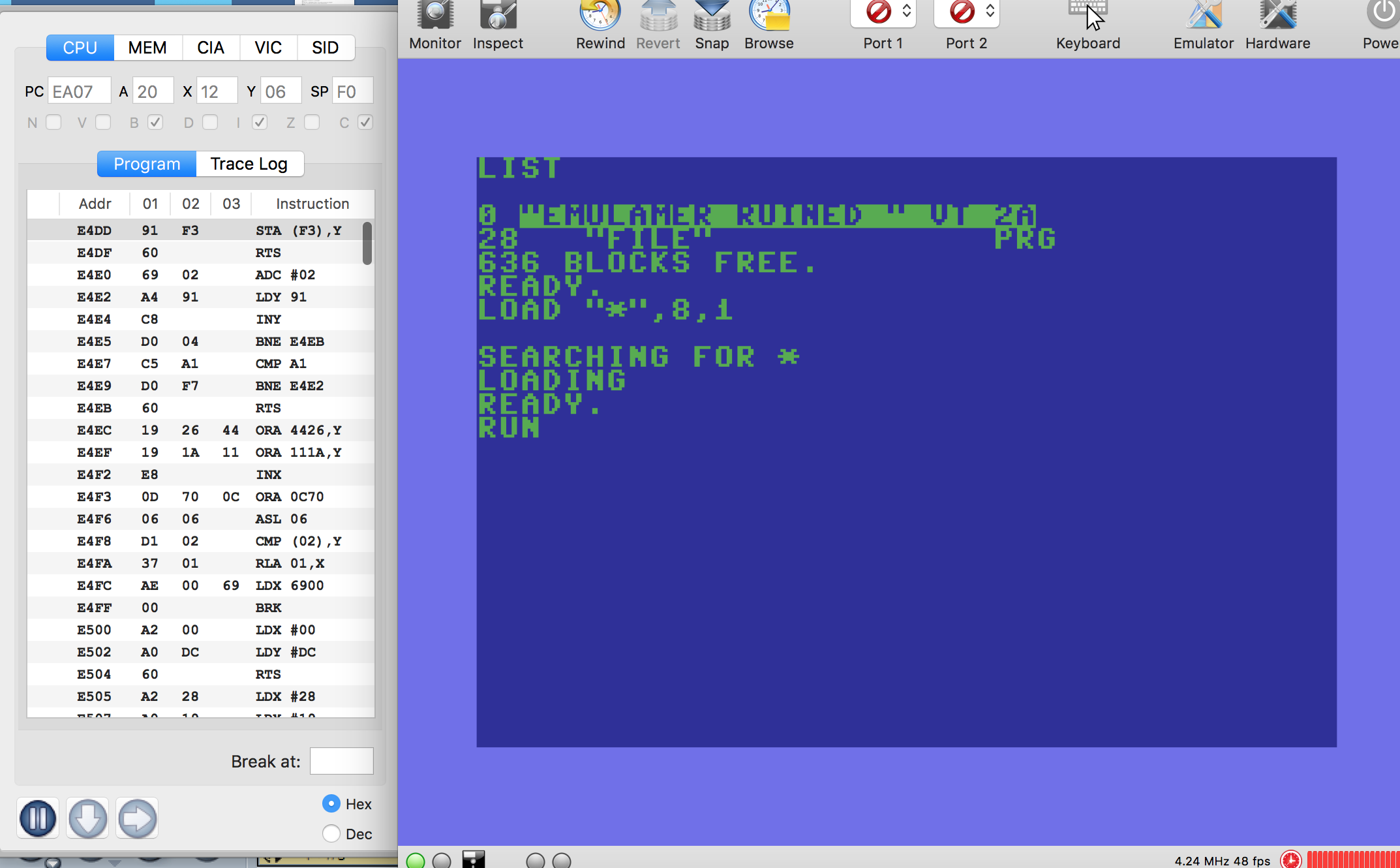
Unfortunately, the Emulamer "Errata" and "Ruinded Art" demos remain unworkable.
Alessandro1970
on 27 Aug 2018
The "WT" version works well for me too
mortinus
on 27 Aug 2018
The "WT" version is OK.
 puleyo
on 27 Aug 2018
puleyo
on 27 Aug 2018
Thank you all for testing! Result was as expected (writing the screen buffer directly (the old approach) is slightly faster than writing a whole chunk at the end of a cycle (the VICE approach)). So, I'll keep the old (write through) method.
"Unfortunately, the Emulamer 'Errata' and 'Ruinded Art' demos remain unworkable."
Yes, but I didn't expect them to work, yet. Distinguishing between the different VICII models internally was just the necessary groundwork for tackling these issues. The old VICII was a hybrid (it behaved like the 85xx with respect to lightpen interrupts and like the 65xx with respect to register timing).
Next step: We need to find out what VICE's "emulate glue logic" configuration option means.
dirkwhoffmann
on 28 Aug 2018
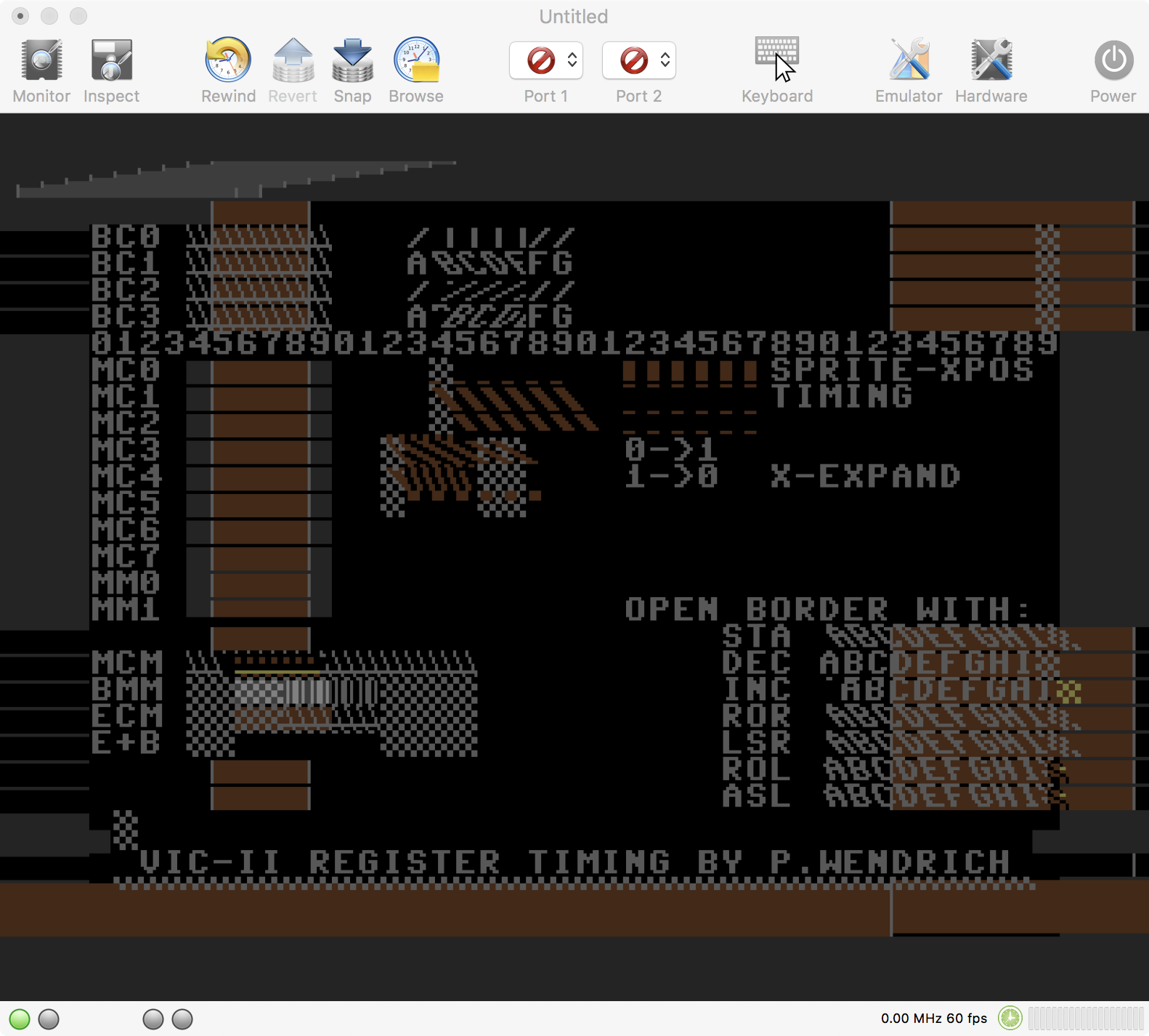
If I didn't miss anything, the result looks the same now.
dirkwhoffmann
on 28 Aug 2018
Related issues
puleyo
·
6Comments
dirkwhoffmann
·
5Comments
 cfwdman
·
6Comments
Alessandro1970
·
5Comments
dirkwhoffmann
·
6Comments
cfwdman
·
6Comments
Alessandro1970
·
5Comments
dirkwhoffmann
·
6Comments
Most helpful comment
The "WT" version works well for me too