Virtualc64: Add support for emulating a second VC1541 drive
Hi,
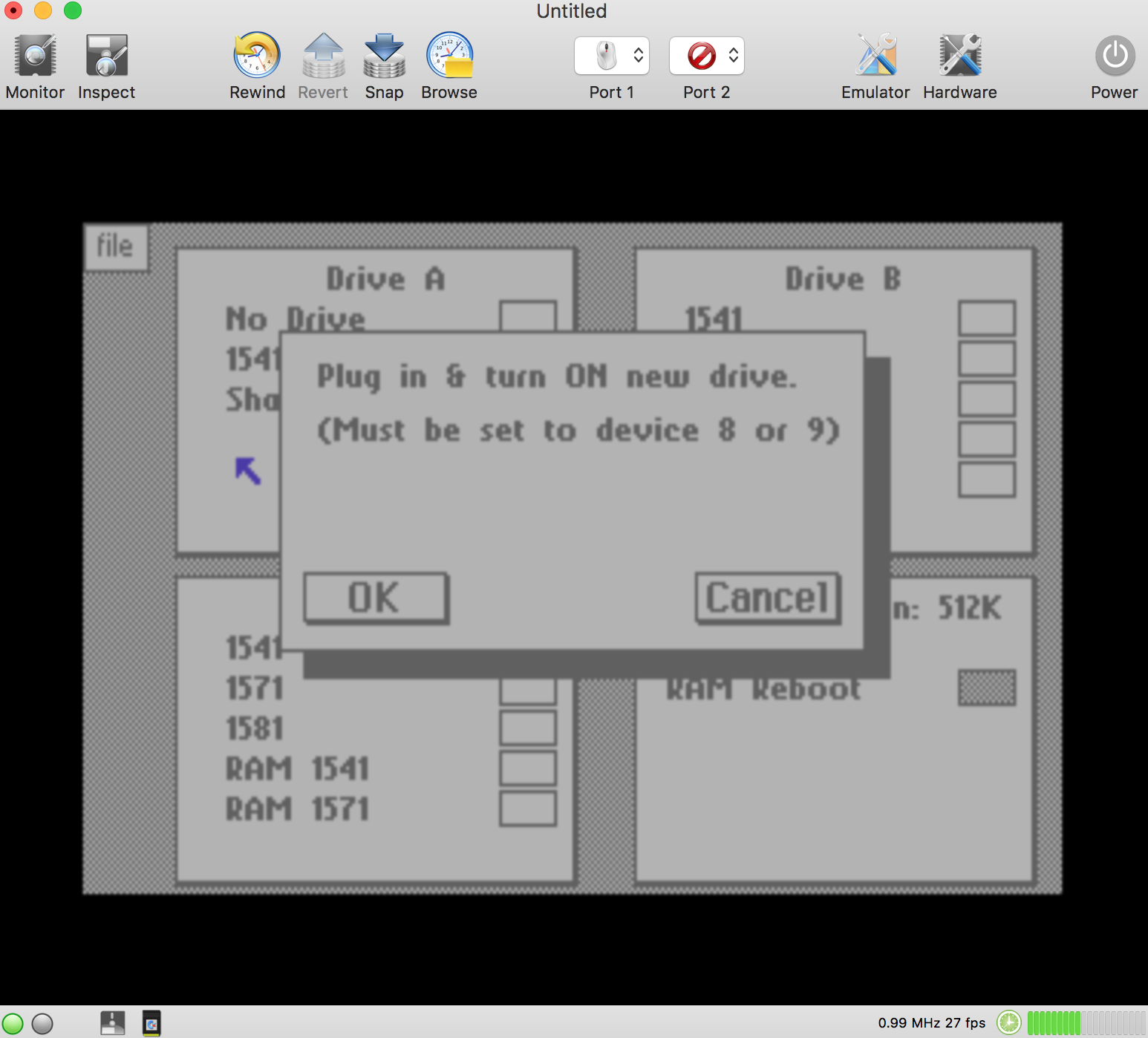
How can I select the second disk drive ?
I would like to load Geopaint from another drive (device 9).
 Alessandro1970
All 22 comments
Right now, only one disk drive is emulated (with hard-coded device number 8).
Do you need two disk drives (with device numbers 8 and 9) or do you need one drive with device number 9, so device number 8 can be used for GeoRAM?
 dirkwhoffmann
on 20 Jul 2018
dirkwhoffmann
on 20 Jul 2018
I need to add a second drive (device 9), so I can use two drives at the same time.
Moreover, with two emulated drives one can rebuild the archives quickly using the duplicator without changing the disk at each step.
Alessandro1970
on 20 Jul 2018
Great !!!
 puleyo
on 20 Jul 2018
puleyo
on 20 Jul 2018
I noticed that the geos supports three 1541 disk drives (A, B and C), why not add the possibility of using a third disk drive?
At least all the options will be usable, if it is to add a third drive for me the emulator will be more complete.
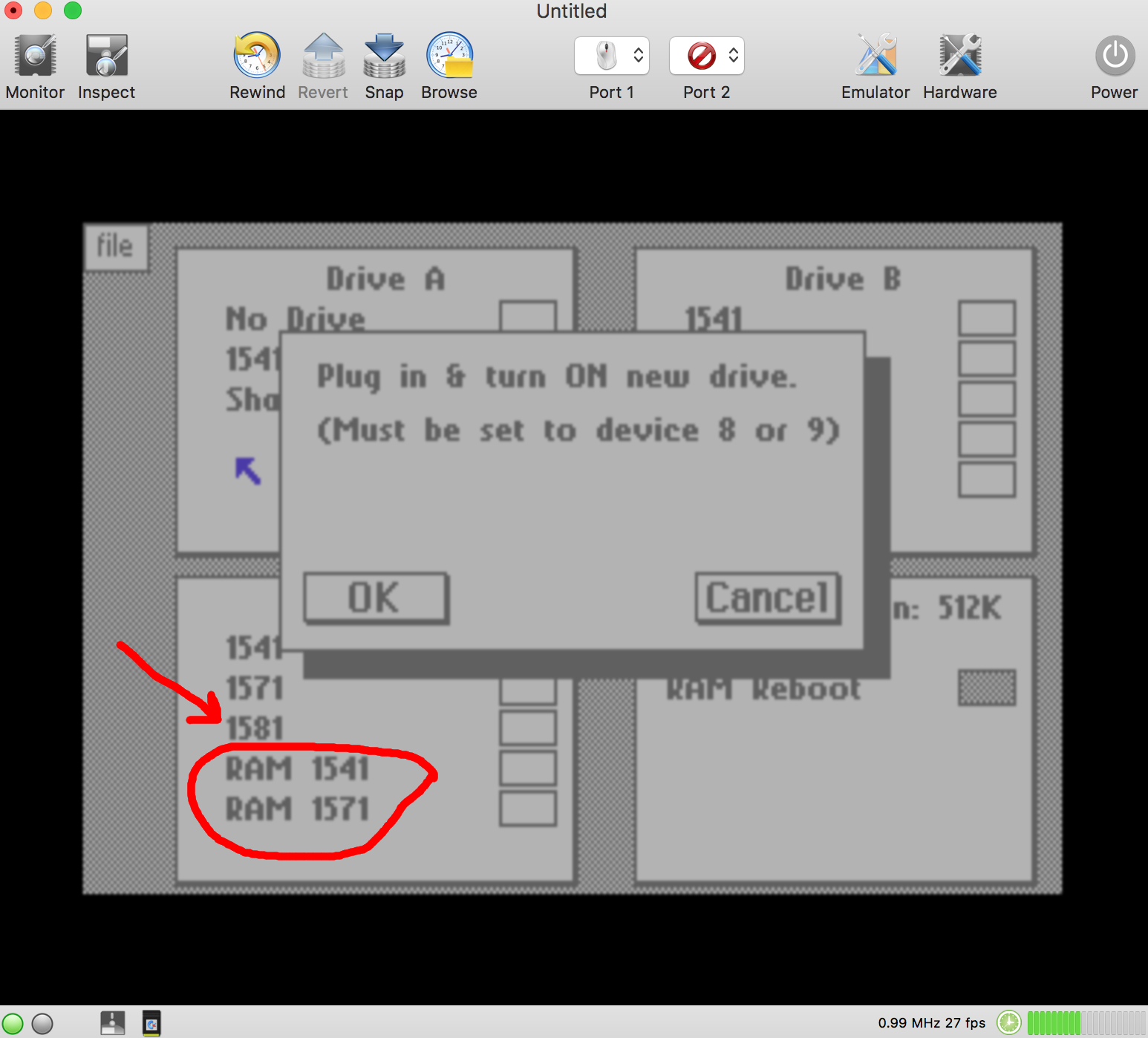
What do you mean instead 1541 RAM? Can the disk drive be used as RAM memory?
Can you do with VirtualC64?
Is the 1581 emulated by VirtualC64 ?
ByeBye
puleyo
on 25 Jul 2018
What do you mean instead 1541 RAM? Can the disk drive be used as RAM memory?
Can you do with VirtualC64?
_It means that you'll have a ramdisk with the exact same proportions of a 1541 disk wich resides only in expansion RAM; this image resides in the GEORAM/NEORAM and you can treat it as a disk device under GEOS. ...you will lose the contents of the RAM 1541 once you turn off the emulator. Never tried on VirtualC64, I do not know_
Is the 1581 emulated by VirtualC64 ?
The Commodore 1581 is a 3½-inch double-sided double-density floppy disk drive, I do not think that VirtualC64 at the moment supports .d81 image. Now I have not my macbook with me...
Try this:
Alessandro1970
on 25 Jul 2018
No, the 1581 is not emulated.
dirkwhoffmann
on 25 Jul 2018
:rofl:
...only very few spoiled brats could afford 2 Commodore 1541 disk drives, once
...never had friends with 3 disk drives even.
Alessandro1970
on 25 Jul 2018
Thank you for this update, I've always wanted to be able to use two 1541 disk drives.
I hope the use of the second drive can be added soon.
Thanks again
 mortinus
on 25 Jul 2018
mortinus
on 25 Jul 2018
Good riddance Commodore friends,
I put a star for this VirtualC64 because it is a formidable emulator on my MacBookPro.
Thank you for future of using two or more disk drives because I get back very well with the emulation of the commodore64 with multiple drives.
I just arrived here to follow you because I read you for some time and you're all funny and nice as well as professional, I would not break the boxes precisely but:
how long it will take to insert the use of two drives ?
Thanks
Greetings
 UgoCaneFifone
on 25 Jul 2018
UgoCaneFifone
on 25 Jul 2018
Hello to all,
Also I am signing this petition for the use of a second disk drive or more; I had two drives and I was very good, thanks for this powerful and beautiful emulator.
Vedo alcuni nomi italiani, mi chiamo Mario e sono di Cuneo. C'e' qualcuno che abita vicino a me per scambiare informazioni sull'uso del VirtualC64 ?
 rossimariolee
on 25 Jul 2018
rossimariolee
on 25 Jul 2018
Adding a second drive is straight forward (I think), but requires some work to do. All GUI items such as the drive LEDs need to be doubled as well as the items in the Disk menu. Furthermore, the internal message queue stuff needs to be extended by the ability to transmit a drive number.
My first priority at the moment is to get the first drive right before adding a second one. There are still some subtle timing issues that prevent, e.g., the ActionReplay fast loader to work.
dirkwhoffmann
on 25 Jul 2018
...never had friends with 3 disk drives even.
I had friends that could not afford a disk drive at all. They spent all their spare time waiting for the datasette to finish. That was sad, but three drives would be kind of decadent.
dirkwhoffmann
on 27 Jul 2018
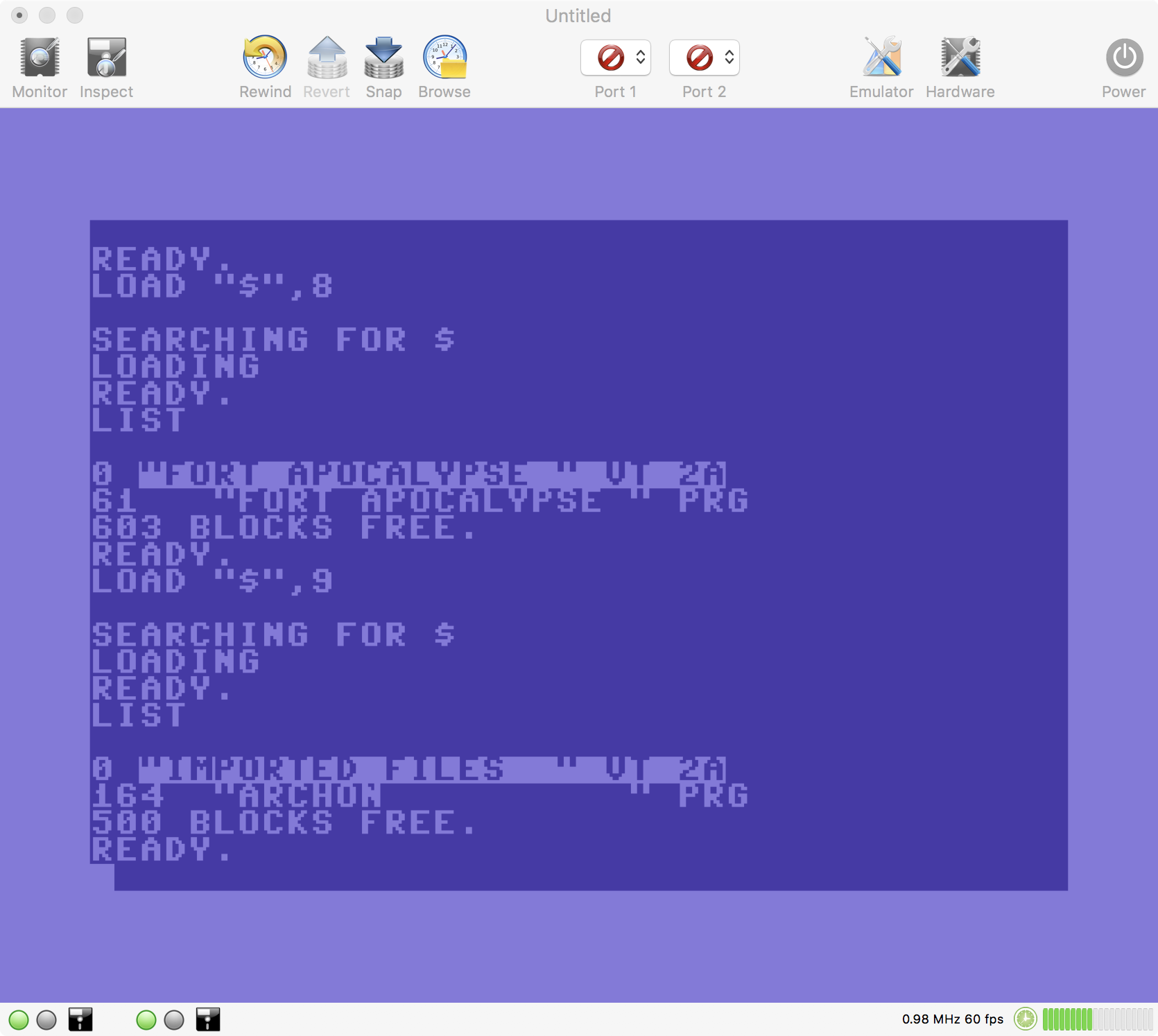
A beta version supporting two drives is available at:
http://www.dirkwhoffmann.de/VirtualC64_2.4_beta1.zip
On startup, the second drive is switched off by default. If you insert a disk, it will be switched on automatically. Please note that the second drive slows down emulation quite a bit, because a VC 1541 is rather complicate to emulate. Therefore, it's a good idea to switch off the second drive if you don't need it any more. You can switch it off by either using the corresponding menu item or by clicking the green drive light.
The beta1 release also contains support for the FreezeFrame cartridge.
dirkwhoffmann
on 29 Jul 2018
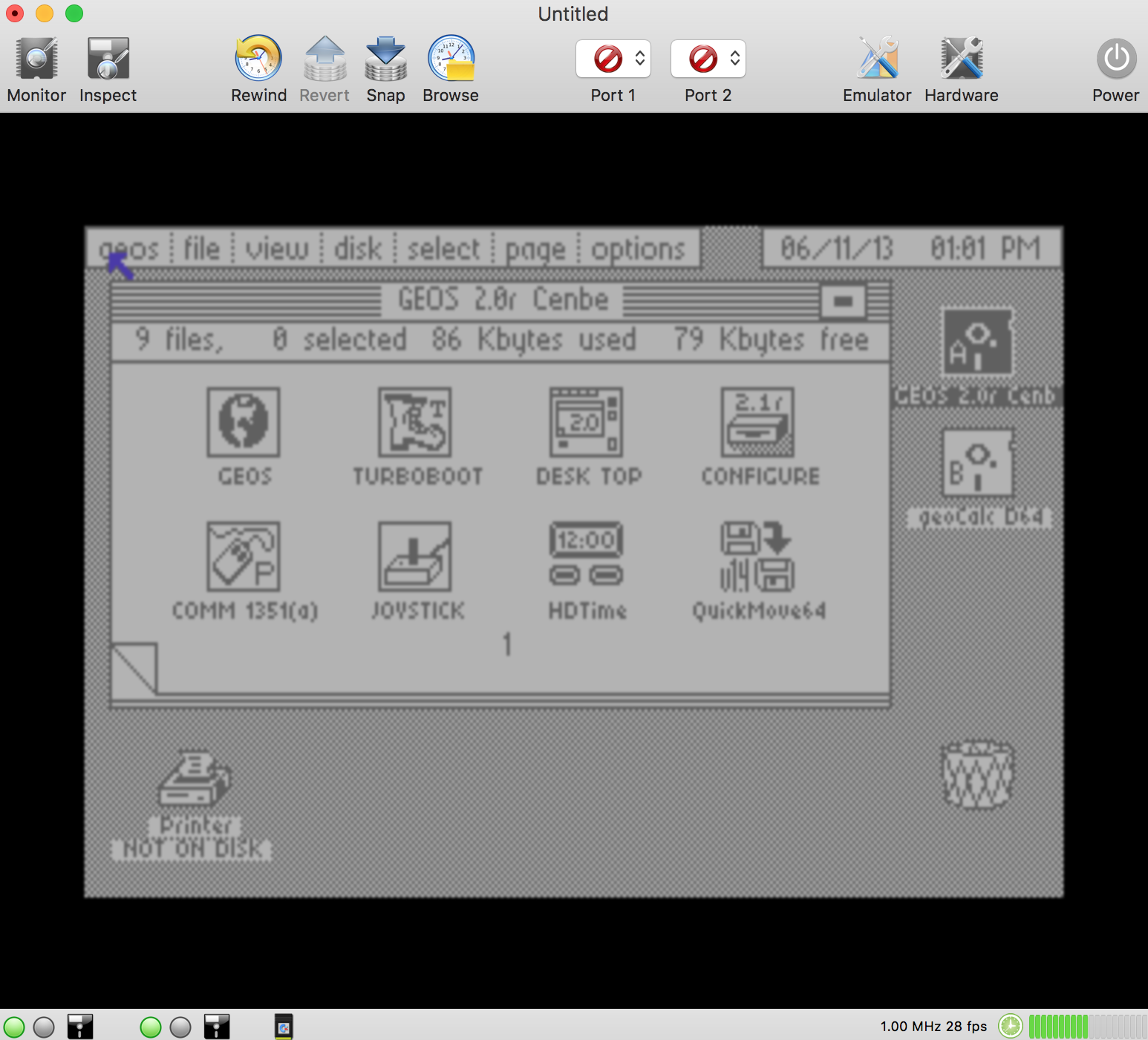
For me drive 2 works fine.
Test passed:
Disk Performance Test.d64.zip
...great under GEOS:
Alessandro1970
on 30 Jul 2018
Drive 2 works well, for me too.
puleyo
on 31 Jul 2018
?
_Test passed:
Disk Performance Test.d64.zip_
I don't find the test
puleyo
on 31 Jul 2018
Hi,
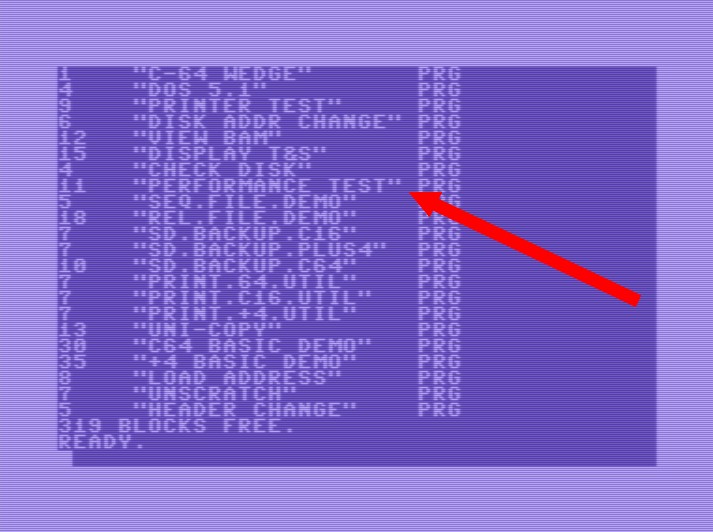
This disk contains many files.
Enter it in the drive 9 and type:
LOAD "$", 9
LIST
Among many files you will find one that is called in that way, so write the following:
LOAD "PERFORMANCE TEST", 9
RUN
Alessandro1970
on 31 Jul 2018
All OK, thank you
mortinus
on 31 Jul 2018
Alessandro, your GEOS screenshot shows a GPU frame rate of 28 fps? What did you do? 😳
dirkwhoffmann
on 31 Jul 2018
Dear Dirk, the merit is yours. Tonight I turn on my mac and send you the specifications but I do not think I have a stratospheric mac. More than anything else I send you the copy of my geos that could make the difference for better drivers.
Alessandro1970
on 31 Jul 2018
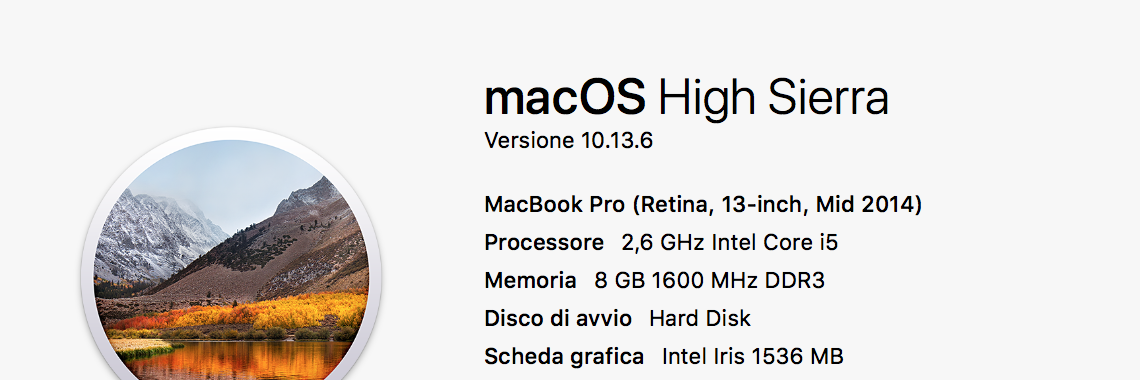
I do not know how many FPS you get on your mac, but I only have a MacBookPro Mid 2014
Try my geos version to see how it behaves:
GEOS rev2.d64.zip
My macbook pro:
Alessandro1970
on 1 Aug 2018
Thanks for sending the hardware specs. The GEOS version doesn't matter, because the GPU rendering is independent of the graphics mode the C64 is currently using. The emulator simply passes a texture to the GPU. I think that the texture processing stuff brings the Intel Iris to its limits, because every C64 pixel is bumped up to a 4x4 pixel square in preparation for upscaling. I'll try to keep an eye on the GPU performance when I come back to the GPU code the next time.
Please make sure that the Gaussian blur filter is not selected, because it's a performance killer.
dirkwhoffmann
on 1 Aug 2018
Related issues
 bluecursor
·
7Comments
dirkwhoffmann
·
7Comments
puleyo
·
6Comments
mortinus
·
6Comments
bluecursor
·
7Comments
dirkwhoffmann
·
7Comments
puleyo
·
6Comments
mortinus
·
6Comments
 Somuchfun
·
3Comments
Somuchfun
·
3Comments
Most helpful comment
Great !!!