Virtualc64: A virtual keyboard on a floating window
A virtual keyboard on a floating window, pressing the respective keys the layout change untill pressed again, so the users can select all the desired keys.
By pressing on the virtual keyboard, with the mouse, the respective function-key the keyboard layout changes as shown (three options).
A floating windows for me is the best solution for this emulator so the users can move it on the desired place in the desktop, then point and click on the image and the letter or symbol will appare on the emulator like a real C64 keyboard.
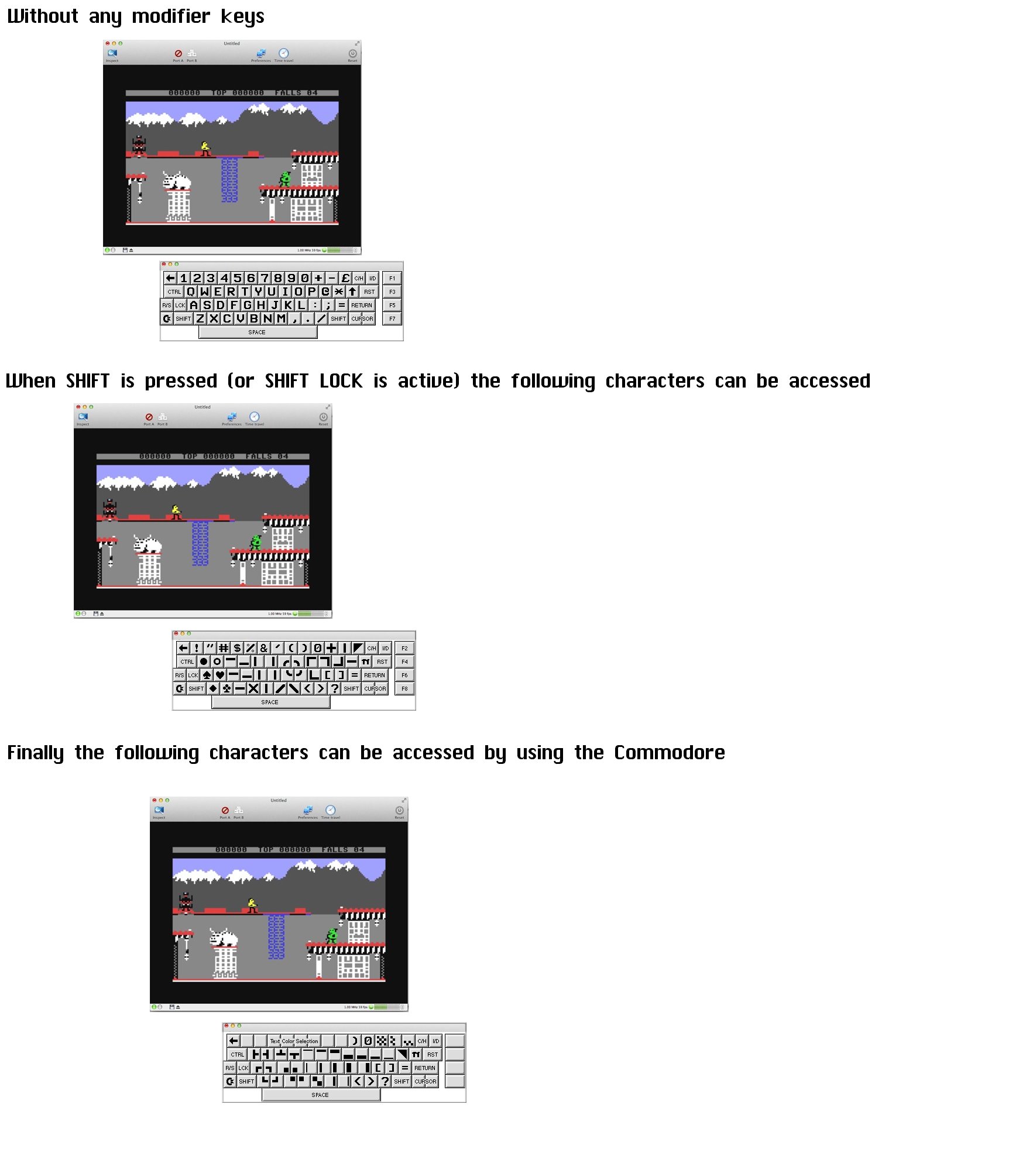
 Alessandro1970
All 29 comments
I think this is a great addon, specially for users who are using seq editors.
 bluecursor
on 26 Mar 2018
bluecursor
on 26 Mar 2018
Great !
I know that a friend of mine has a virtual keboard on a c64 emulator on linux.
Can it be added in VirtualC64 ?

-
 puleyo
on 21 Apr 2018
puleyo
on 21 Apr 2018
Yes! 👍🏻
Alessandro1970
on 21 Apr 2018
Oh great, I read now about this improvement. It would be great to have a virtual keyboard that can be used with the mouse of the mac; it would be easier to find keys and graphic symbols and it would be immediate to use them with a simple click...
 Ottavius
on 20 Jun 2018
Ottavius
on 20 Jun 2018
I think a nice solution would be to implement a C64 keyboard as a standalone app and add some API to VirtualC64 (AppleScript or whatever is hot these days) that accepts key presses from an external app. Does anybody know if such a keyboard app is already there?
 dirkwhoffmann
on 20 Jun 2018
dirkwhoffmann
on 20 Jun 2018
I think it would be more useful to have a small window showing the commodore's keyboard as an integral part of the emulator; and be able to use the mouse to choose the right button or the graphic character with a simple click, and not an external app. A virtual keyboard as used on commodore emulators in smartphones.
Ottavius
on 30 Jun 2018
I was thinking of a virtual keyboard like the cmmodore emulator for the old PSP ... it worked well, and fine.

puleyo
on 2 Jul 2018
Yes the VICE version for the PSP had a great virtual keyboard (point and click).
It worked with graphic characters too.
Is it possible to import into the VirtualC64 the keyboard designed for the PSP?

Alessandro1970
on 2 Jul 2018
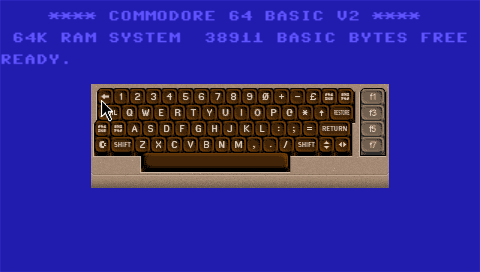
PSP VICE Source code:
Alessandro1970
on 2 Jul 2018
Beautiful keyboard, you can also see the graphic characters, great.
Ottavius
on 2 Jul 2018
What splendor this one !
 dada08ms
on 6 Jul 2018
dada08ms
on 6 Jul 2018
Wouldn't it be nicer to have some kind of a semi-transparent overlay as in this mockup (with a C64 keyboard of course)?

The general problem with overlays, however, is that it's not that easy to implement. It has to be part of the 3D Metal scene, so it's size and position depends on the view point matrices. Right now, I have no glue how the map the 2D coordinate (which I get when the mouse is clicked) to the corresponding part of the 3D scene.
dirkwhoffmann
on 6 Jul 2018
Aesthetically it is superb, but to avoid problems would it be better that the emulator generates a secondary window (external window) such that the pointer does not create position conflict and also with the possible emulation of the commodore mouse ?
...and it would be customizable to avoid problem with different languages.
Alessandro1970
on 6 Jul 2018
Matter of taste.
But as useful, I can not write if something obstructs my vision and transparency does not help me.
On a large monitor I would prefer to put the VirtualC64 on the top left and at the bottom right the keyboard so there are no problems neither of view nor of conflict between the position of the emulator window and the virtual keyboard window.
Ottavius
on 6 Jul 2018
I just clicked together two preliminary visual keyboard prototypes. This is how it could look like:
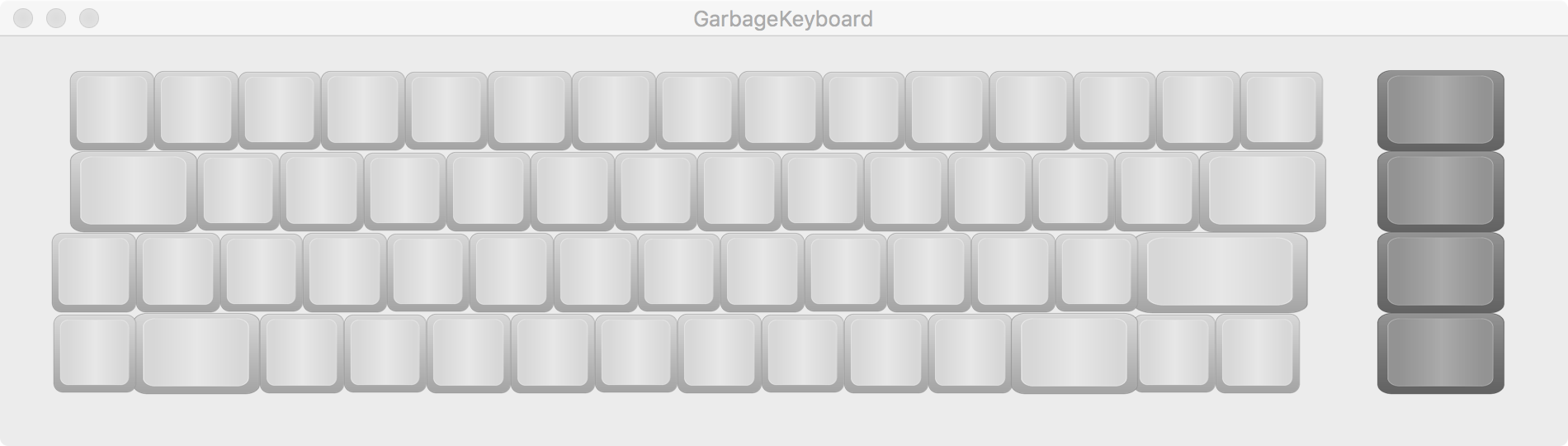
From a software engineering point of view, I plan to implement the keyboard as a stand alone app and let it communicate with the emulator via notification center. Having two separate apps has the architectural advantage that I can keep the emulator lean.
dirkwhoffmann
on 29 Jul 2018
A couple of weeks ago, I found a keyboard layout schematics on the web that showed the exact key dimensions and the spaces in between. Unfortunately, I cannot find this image any more. If somebody comes across such a picture, please post.
dirkwhoffmann
on 29 Jul 2018
Ok, even if we would have preferred an integrated keyboard with the emulator, which would have been a step forward compared to all the other emulation programs that do not present it, and which in fact represents a real lack because without the possibility to emulate, in all respects, a keyboard the emulation would never be complete.
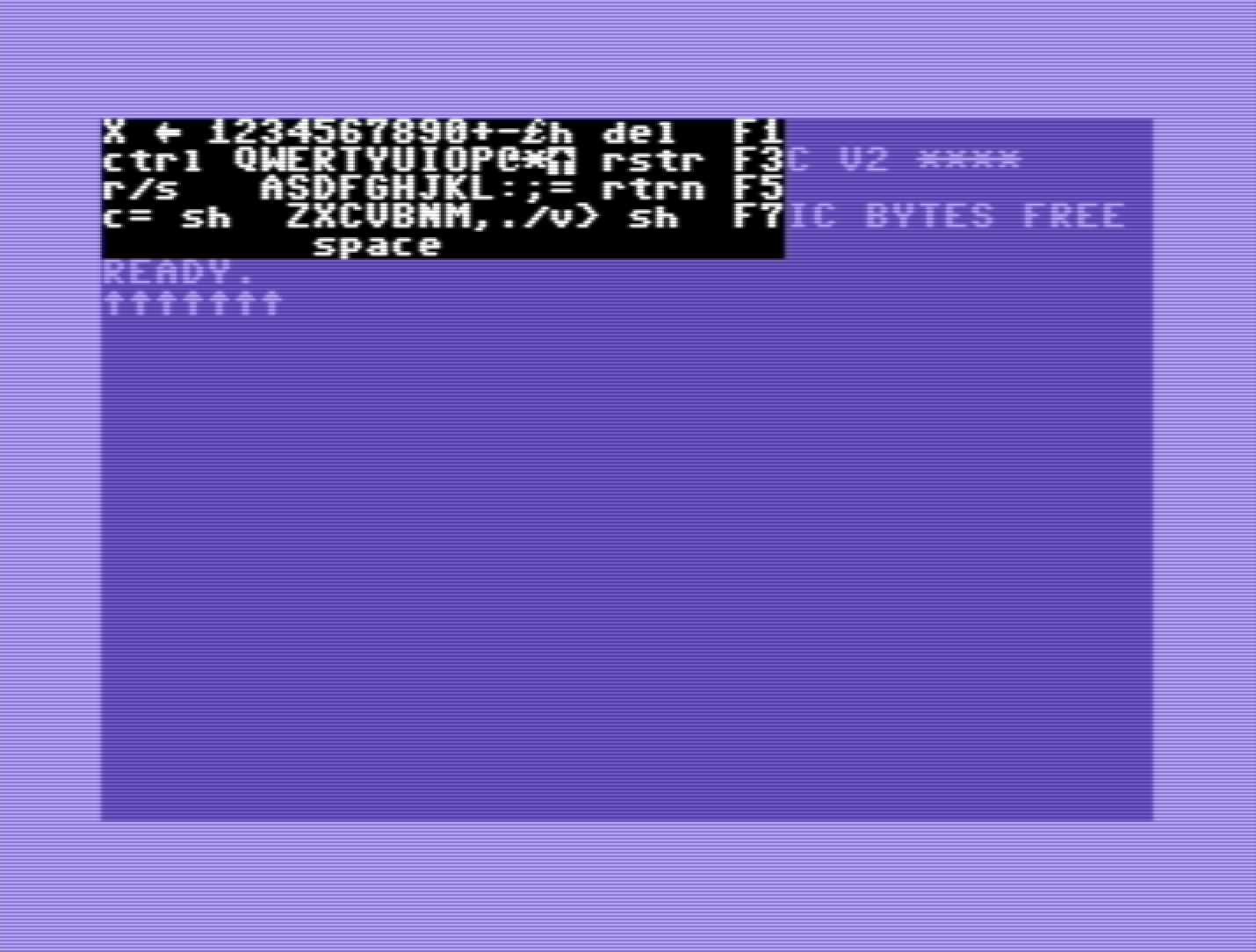
I have this keyboard scheme layout:

...there was an old emulator (WIN XP) for c64 which had a virtual keyboard (without an easy pressure of the keys, and without highlighting those pressed to obtain other symbols, and many other lacks) :
https://github.com/ThKattanek/emu64

Alessandro1970
on 30 Jul 2018
A virtual keyboard is required for a quick use of keys that are not immediately available or that the software requires and it is not easy to trace them on the keyboard of the mac.
Using a keyboard outside the emulator means or never use it or do not have it in hand when needed.
Also I believe that the virtual keyboard must be part of the emulator _or external one but can be recalled by an icon on the toolbar_.
In this last case the VirtualC64 _should no longer be installed in the Applications folder as a single program_ but should have its own folder with the VirtualC64 itself, a file of documents, a folder to insert the requested ROMs, and the virtual keyboard (a bit like the other emulators), etc.
puleyo
on 30 Jul 2018
external one but can be recalled by an icon on the toolbar
its own folder with the VirtualC64 itself, a file of documents, a folder to insert the requested ROMs, and the virtual keyboard (a bit like the other emulators), etc.
Ok, good idea, this would be simple for the user who would still see everything as a single application without getting confused between the myriad of apps scattered around the mac.
The icon to call up the toolbar keyboard would be a great solution, both for ease and immediacy of use.
Alessandro1970
on 30 Jul 2018
Update about my findings regarding inter process communication (IPC)
Using NotificationCenter works, but has the drawback that sandboxed applications are forbidden to communicate data (userInfo must be set to nil). In my prototype, I coped with that by coding the row and column information of the key into the message name (e.g., keyPressed42 for pressing the key in row 4 and column 2).
Note: To get an instant response from the receiving task, it's necessary to send the notification with flag "deliverImmediately" set to true.
DistributedNotificationCenter.default().postNotificationName(nname, object: nil, userInfo: nil, deliverImmediately: true)
Next, I'll look into AppleScript ...
dirkwhoffmann
on 30 Jul 2018
Applescript is zombie technology (theoretically alive, but practically dead). Based on the available options and the discussion in this thread, I'll implement the keyboard inside the emulator and not as an external app.
dirkwhoffmann
on 30 Jul 2018
Thank YOU !
Alessandro1970
on 30 Jul 2018
Presumably, it'll look like this:

dirkwhoffmann
on 30 Jul 2018
Beautiful, but doest this keyboard change layout by pressing the button and show the graphic characters instead of the letters?
Under the F1 key should F2 appear
...or does by pressing the control keys the layaout change ?
puleyo
on 31 Jul 2018
Implemented in V2.4 beta 2:
http://dirkwhoffmann.de/VirtualC64_2.4beta2.zip
I guess, Puleyo's comment "A virtual keyboard is required for a quick use of keys that are not immediately available" is the key point. It led me to the following design decision: The virtual keyboard opens as a sheet when clicking the corresponding toolbar icon and closes by itself when a key has been hit other than left Shift, right Shift, Shift Lock, or Commodore. When one of these special keys is pressed, they become highlighted, and in the case of the shift keys, the visual appearance of the keyboard changes. The Commodore key has no effect on the visual appearance right now.

dirkwhoffmann
on 31 Jul 2018
Wow! This rapid keyboard is truly formidable.
Very happy
The Commodore key is not yet implemented (I do not see symbols when pressed) but _this is the state of art_.
This virtual keyboard is incredibly fast, intuitive, versatile. ...beautiful!
... nice and comfortable even the icon in the toolbar! Good job
... Poor VICE ... a new king has arisen!
W the VirtualC64 !
_There is no more need for the "left arrow" command, instead, the other commands would be better to keep them: it could be difficult to do the "runstop restore" then the drop-down menu remains comfortable again_
Alessandro1970
on 1 Aug 2018
Excellent result, fast and effective virtual keyboard.
Thank you
:laughing: :laughing: :laughing:
... Poor VICE ... a new king has arisen!
:laughing:
Ottavius
on 1 Aug 2018
Great result, I like it very much.
Will it be possible to display the graphic characters when the C= key is pressed?
...maybe in the final version 2.4?
puleyo
on 1 Aug 2018
2.4 has been released.
In the final version, graphic characters appear when shift or commodore is pressed.
I kept the "RunStop + Restore" item in the "Keyboard->Press Key" menu. All other items have been removed as it seemed simpler for me to press those keys via the new keyboard. All other items (Home, Clear etc.) are simply marked as hidden, so I can resurrect them immediately if somebody wants them back.
dirkwhoffmann
on 1 Aug 2018
Related issues
dirkwhoffmann
·
5Comments
bluecursor
·
5Comments
 mortinus
·
6Comments
puleyo
·
6Comments
dirkwhoffmann
·
5Comments
mortinus
·
6Comments
puleyo
·
6Comments
dirkwhoffmann
·
5Comments
Most helpful comment
Yes the VICE version for the PSP had a great virtual keyboard (point and click).
It worked with graphic characters too.
Is it possible to import into the VirtualC64 the keyboard designed for the PSP?
https://www.c64-wiki.com/wiki/PSPVice