Virtual-environments: Mac image starts with open system dialogs
Describe the bug
When image freshly booted it has open dialog saying there is already computer with the same name on the network. This blocks screenshots for our UI tests. Please dismiss the system alerts or disable them as part of boot.
Area for Triage:
Apple
Question, Bug, or Feature?:
Bug
Virtual environments affected
- [X] macOS 10.15
- [ ] Ubuntu 16.04 LTS
- [ ] Ubuntu 18.04 LTS
- [ ] Windows Server 2016 R2
- [ ] Windows Server 2019
Expected behavior
Not on screen alerts
Actual behavior
System alert is shown on screen.
- Start action on Mac
- Capture screenshot
 paulz
paulz
All 17 comments
Hi @paulz! This is a known issue, which happens from time to time. We'll try to disable that pop-up.
 miketimofeev
on 2 Jun 2020
miketimofeev
on 2 Jun 2020
Thank you for looking into this. Would it be possible to an automated test for macOS image so when it ever starts with open dialogs it will alert support? It takes us a lot of time to debug this issue. We spend thousands of GitHub action minutes to reproduce it because GUI access is limited.
paulz
on 2 Jun 2020
@paulz we can make a test for this if you provide us with reproduction steps that fail due to that window.
miketimofeev
on 2 Jun 2020
Thank you @miketimofeev
We can reproduce by running tests on this project:
https://github.com/sparta-science/connect/runs/739869569?check_suite_focus=true
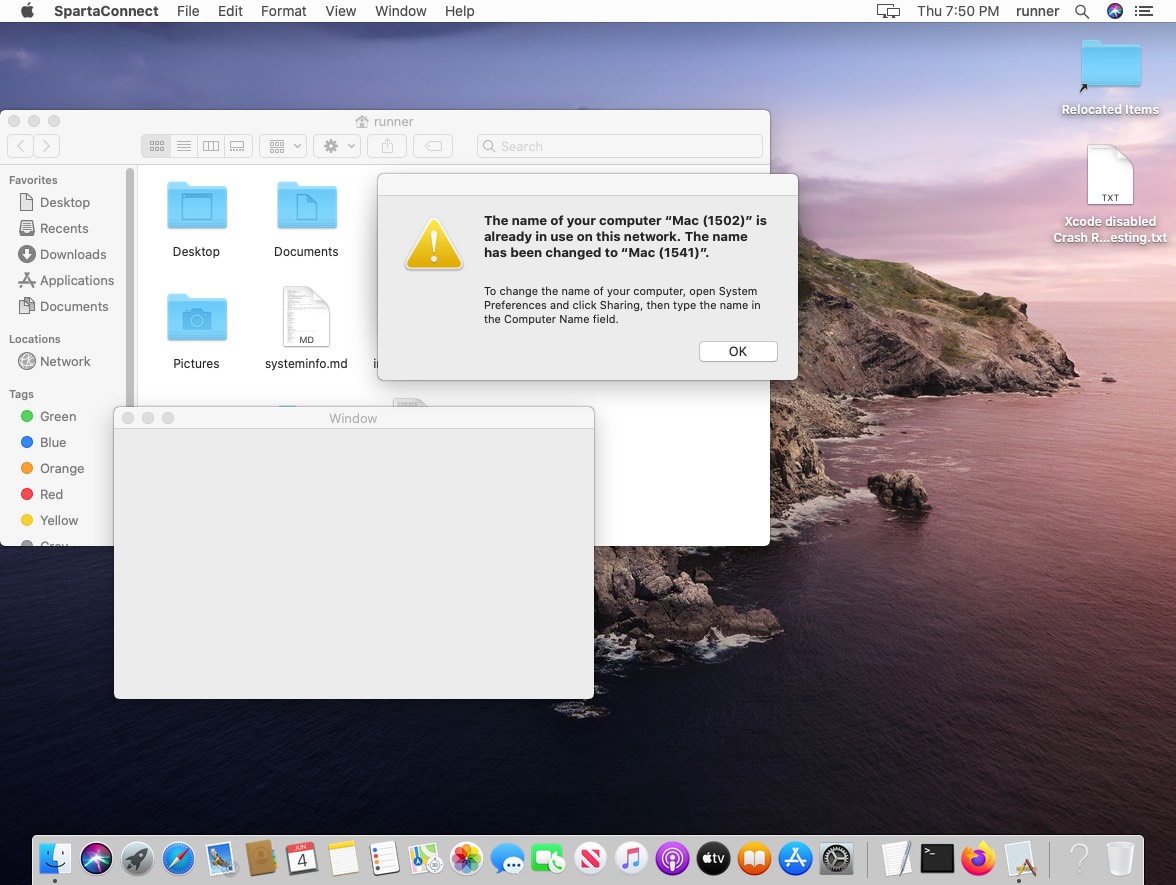
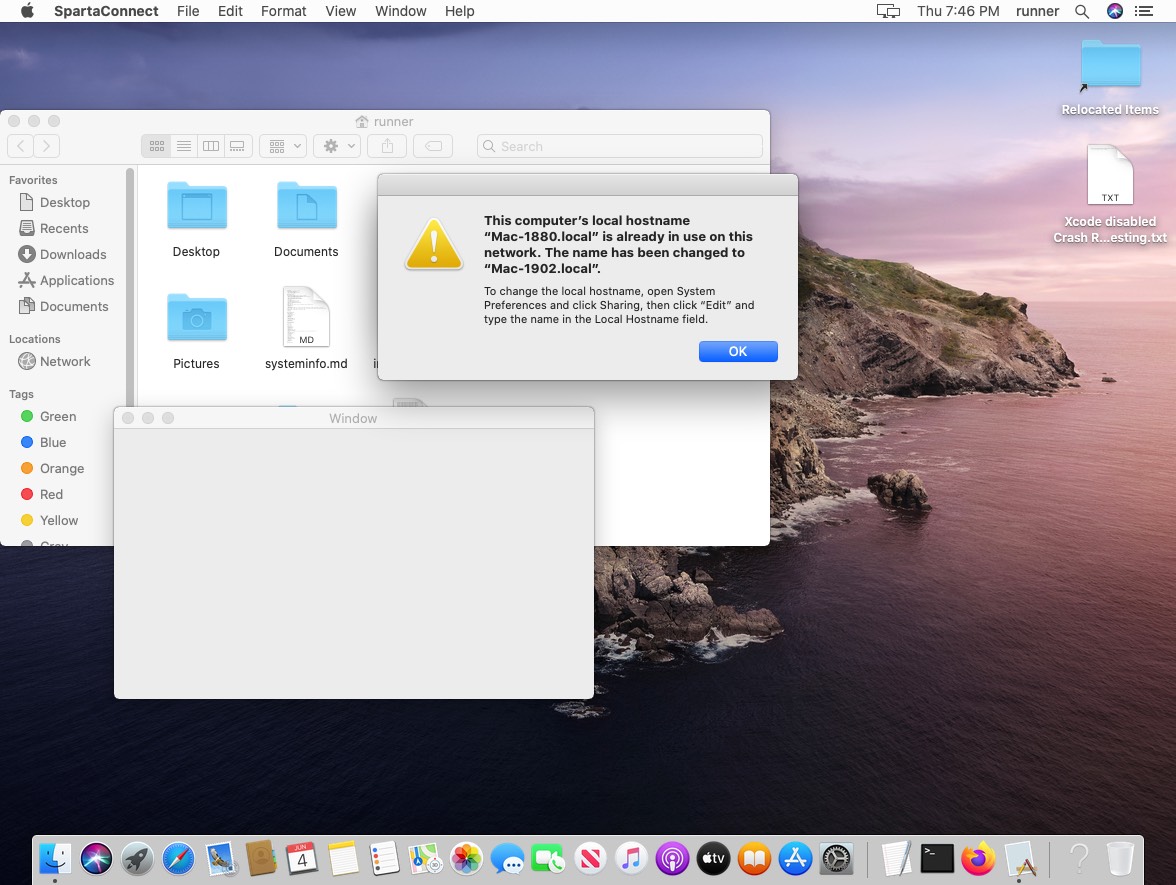
This is blocking our UI tests
paulz
on 4 Jun 2020
@paulz Unfortunately, we can't afford to test that issue with such a big project because it's hard to maintain. It'd be great if you can provide some very basic project, which fails if the pop-up is presented.
miketimofeev
on 5 Jun 2020
can you try one line command?:
osascript -e 'tell application "System Events" to get the title of every window of every process'
paulz
on 5 Jun 2020
@paulz tried, but it didn't show much:
Mac-1307:~ runner$ osascript -e 'tell application "System Events" to get the title of every window of every process'
,,,,,,,,,,,,,,,,,,,,,,, ,,,
Looks like that whitespace is the window, because when I close it the output changes to
Mac-1307:~ runner$ osascript -e 'tell application "System Events" to get the title of every window of every process'
,,,,,,,,,,,,,,,,,,,,,,,,,,,
I am guessing it's an empty title of the window. May be test can check the list of commas have no other characters to verify no open windows?
paulz
on 5 Jun 2020
@paulz I've made a test that simply checks if there is any whitespace among these commas or not, that should be enough
miketimofeev
on 7 Jun 2020
Genius!
paulz
on 7 Jun 2020
Also made a utility for you to check if any window is open:
https://github.com/paulz/processes-with-open-windows
Example in action:
https://github.com/paulz/processes-with-open-windows/runs/744417311?check_suite_focus=true
Or try it in terminal:
./processes-with-open-windows; echo $?
list="$(./processes-with-open-windows)" || (test $? -eq 1 && echo "Single Window" || echo "Multiple windows:$list")
When no windows are shown it might report single Finder window showing desktop.
paulz
on 8 Jun 2020
@paulz thank you! Will give it a try!
miketimofeev
on 8 Jun 2020
@paulz it turned out that setting for preventing such windows breaks network-related functional
https://github.com/actions/virtual-environments/issues/1042#issuecomment-644145685
Is it possible to use Apple script, which should work after this week's deployment, to close the pop-up as a very first step of your pipeline until we find another workaround for the issue?
miketimofeev
on 15 Jun 2020
thank you for trying @miketimofeev we can totally use the AppleScript. Another proposed solution is to fix the computer name uniqueness issue: https://github.com/actions/virtual-environments/issues/1042#issuecomment-645139352 if possible.
paulz
on 17 Jun 2020
Even we run the AppleScript to close Finder windows, we still experience this system alert that computer name is already in use on the network. Probably because it's hard to predict when this alert will trigger.
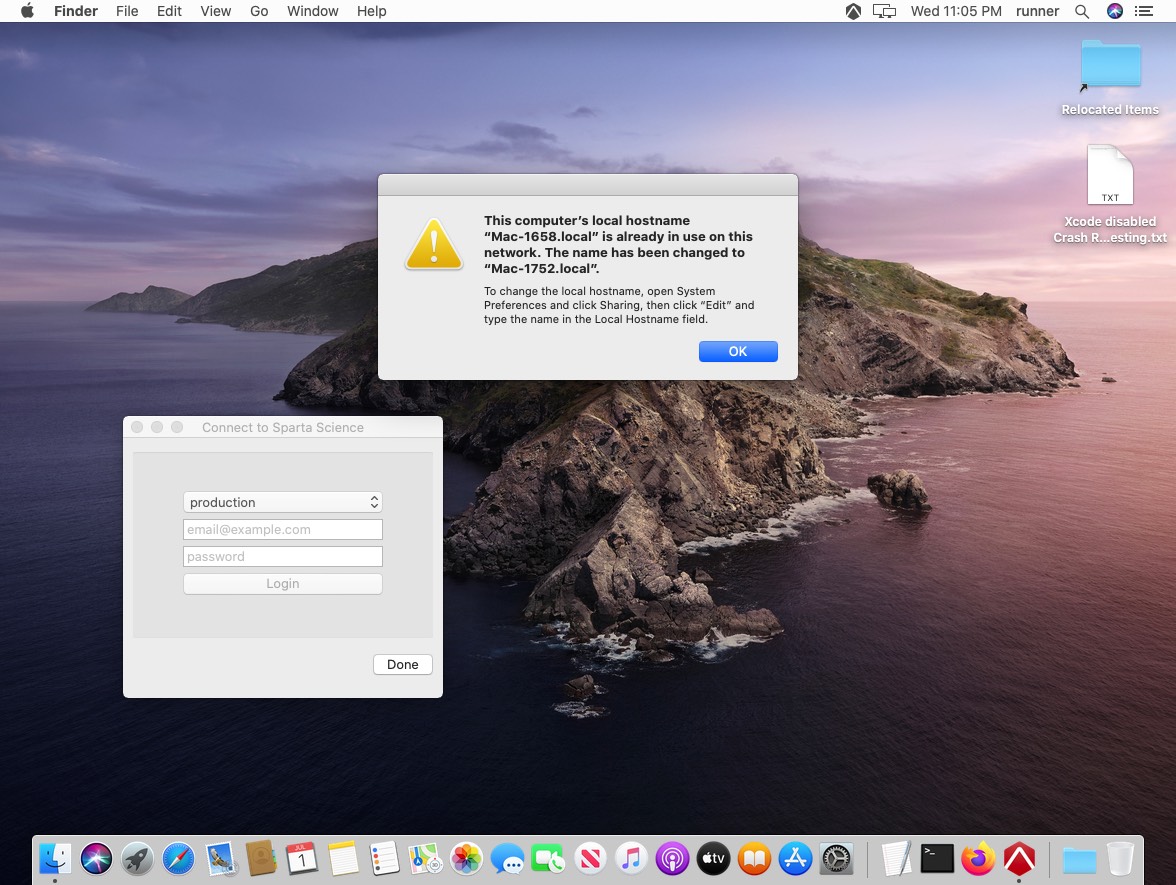
We are experimenting with renaming local hostname with this commands:
sudo scutil --set LocalHostName "SpartaConnectGitHubCI"
sudo scutil --set ComputerName "SpartaConnectGitHubCI"
Hoping that will prevent the issue from happening, will keep you posted
https://github.com/sparta-science/connect/runs/828665054?check_suite_focus=true#step:2:2
paulz
on 2 Jul 2020
@paulz thanks for your suggestion! We've implemented the same fix(changing hostname at the start of the VM) and testing it now on internal environments. I'll keep you posted
miketimofeev
on 6 Jul 2020
@paulz VM image with the fix should be available, no more open system dialogs! I'm going to close the issue but feel free to contact us if you have any concerns.
Thank you!
miketimofeev
on 15 Jul 2020
Related issues
 Tnze
·
4Comments
Tnze
·
4Comments
 Poolitzer
·
4Comments
Poolitzer
·
4Comments
 MSP-Greg
·
3Comments
MSP-Greg
·
3Comments
 estebanes22
·
3Comments
estebanes22
·
3Comments
 shogo82148
·
3Comments
shogo82148
·
3Comments