Vimr: Unicode rendering is broken when ligatures are turned off.
Hi, thanks for your great work all the time!
Since SNAPSHOT-294 (effective in SNAPSHOT-296 too), non-ascii unicode characters are rendered incorrectly -- such as git markers, powerline fonts, etc. Please see the screenshot:
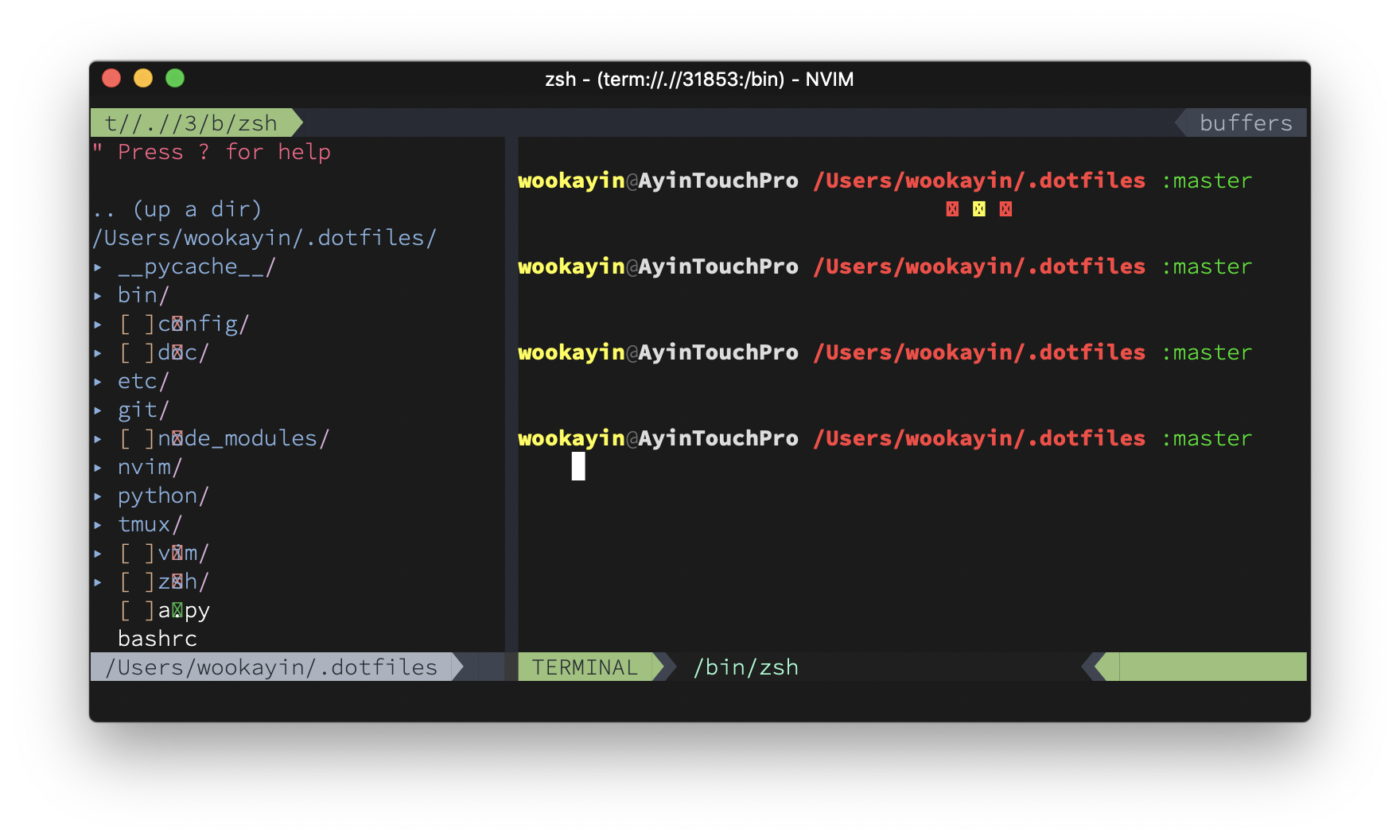
You can see characters like ✗, ⇡, ✱, ❯❯❯ are rendered in wrong positions.
Previously I was using SNAPSHOT-293 and it was fine with this version. As new rendering codes have been introduced since 294, I believe this change would be the suspect.
Might be related to #705.
 wookayin
All 12 comments
I'll have a look at it.
 qvacua
on 22 Feb 2019
qvacua
on 22 Feb 2019
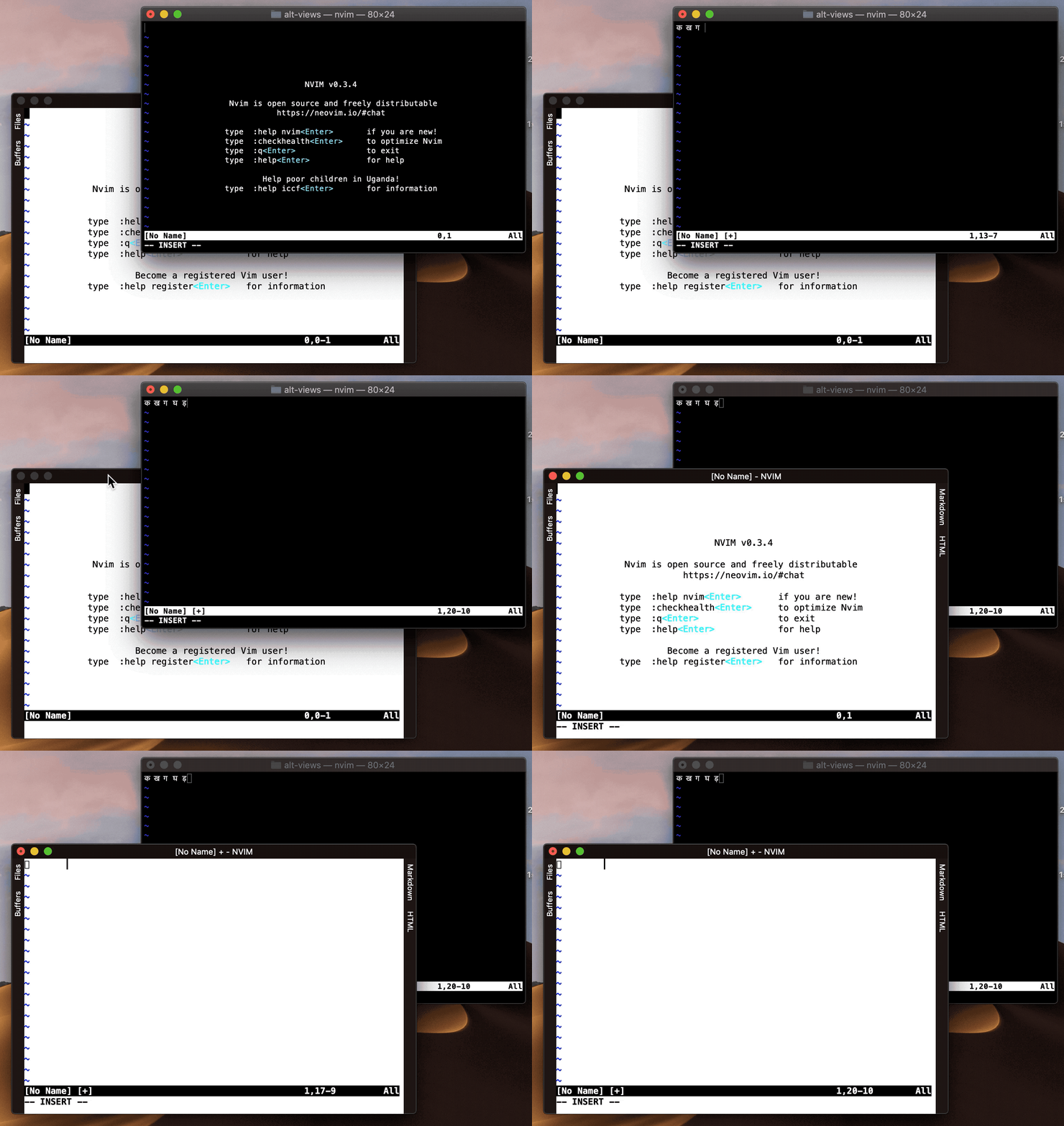
Thank you for your great work. The only issue I also face is with unicode; especially the Hindi or Devanagari characters (from India). I have a screen recording. Attaching here. I am showing how it works in neovim and in vimr.
 jangid
on 10 Mar 2019
jangid
on 10 Mar 2019
Could you attach a simple text file and a screenshot how it should look?
qvacua
on 10 Mar 2019
This is the text file containing characters from Hindi.
devanagari.txt
It should look like this
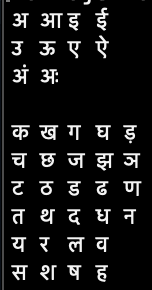
I have also created a gist for reference for editor makers; screenshot in comment. https://gist.github.com/jangid/0d38bbf4e22fb93a166adab9bbc68b08
jangid
on 10 Mar 2019
This is strange. When I open the file, I get the following rendering:
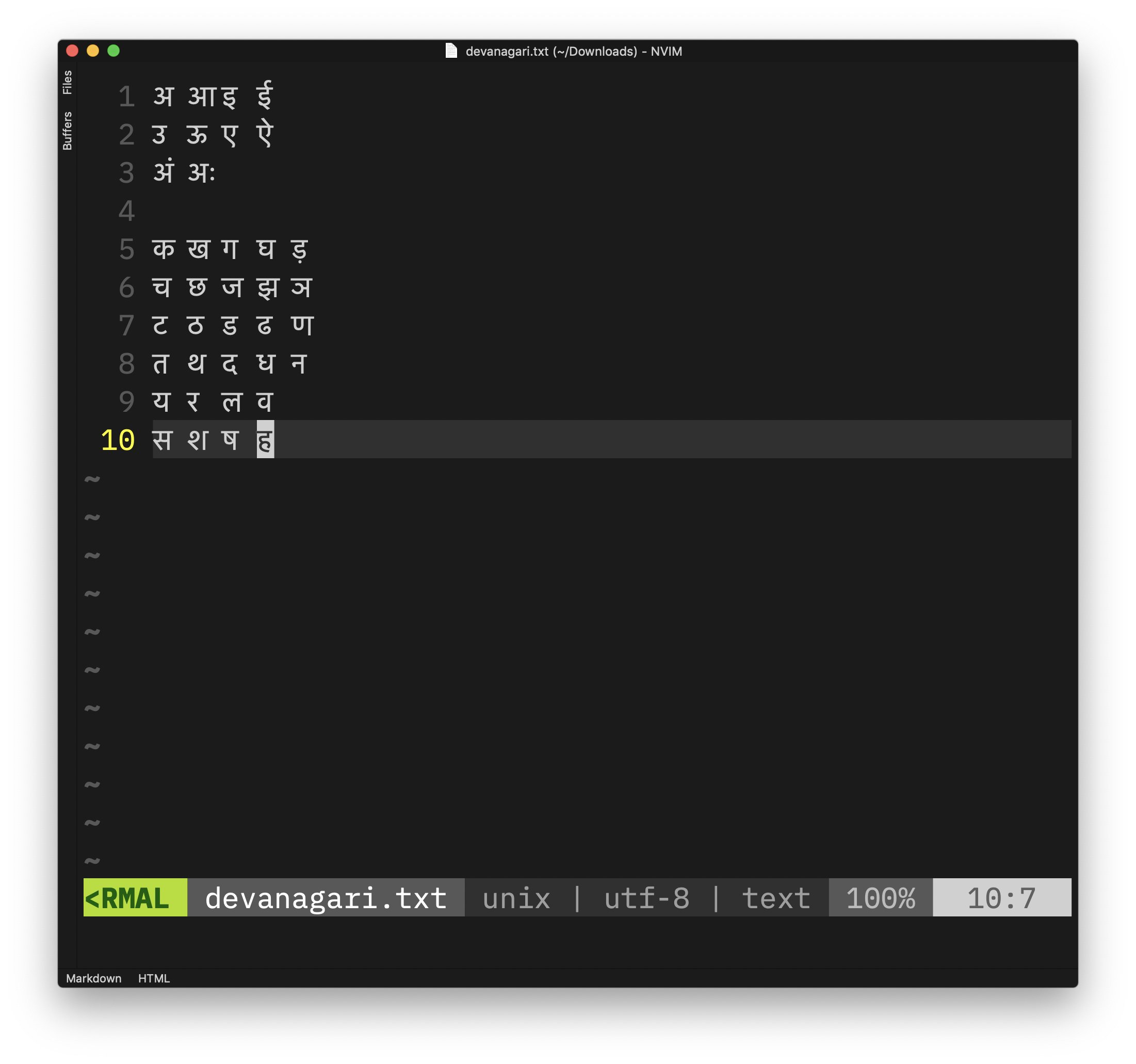
which seems to be correct.
qvacua
on 10 Mar 2019
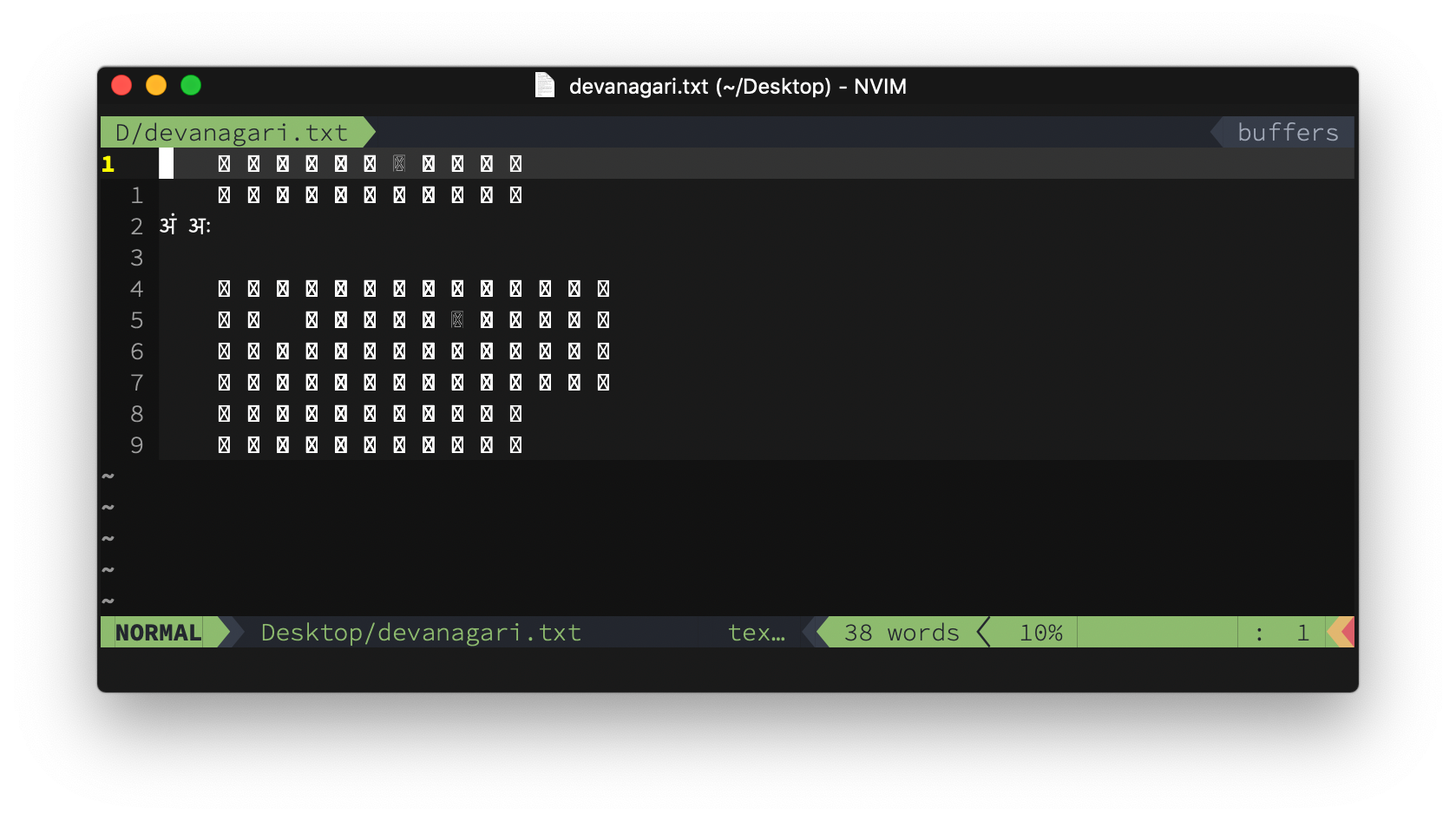
This is what I get (vimr 0.26.3, macOS 1.14 Mojave):
wookayin
on 10 Mar 2019
I see. I have the "Use Ligatures" in the Appearance Preferences turned on. If I turn it off, the rendering is broken. @wookayin, @jangid: Please turn it on until the bug is fixed.
qvacua
on 10 Mar 2019
Great point! That works like a charm --- all the unicode markers including powerline symbols are rendered correctly with "Use Ligatures" turned on.
wookayin
on 10 Mar 2019
Please try https://github.com/qvacua/vimr/releases/tag/v0.26.4-307 (also with ligatures turned off 😀).
qvacua
on 11 Mar 2019
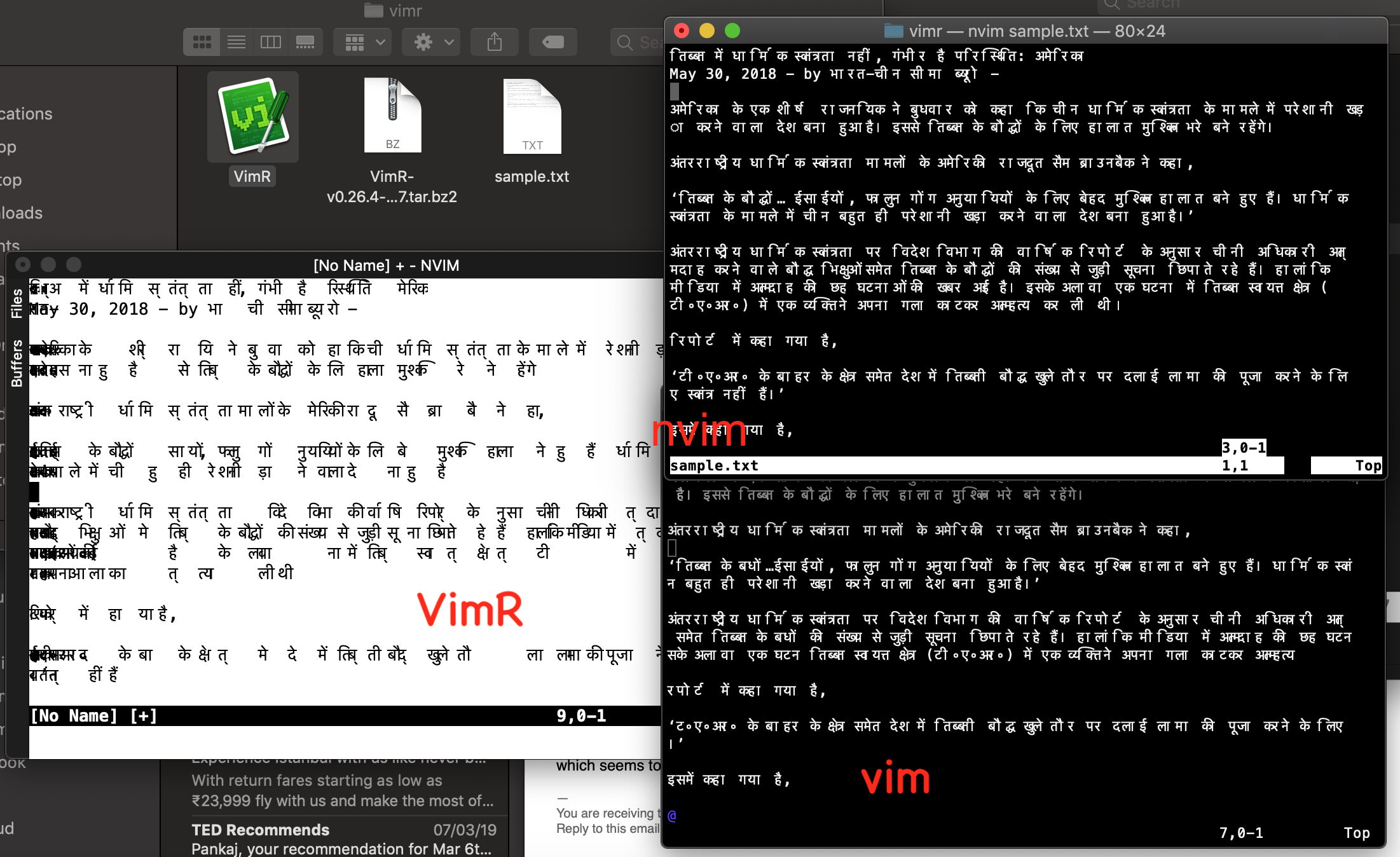
This build is working👌. Although there are more issue related to Hindi i.e. Devanagari rendering. But I suppose those needs to be fixed in NeoVim. Attached is text file and screenshot.
 jangid
on 11 Mar 2019
jangid
on 11 Mar 2019
@jangid : Try to turn on "Use Ligatures" in the Appearance Pref. The rendering looks better (at least for me).
qvacua
on 11 Mar 2019
Yes. This works reasonably. Thanks.
11 मार्च 2019 को अ 5:18 पर Tae Won Ha notifications@github.com ने लिखा :
@jangid : Try to turn on "Use Ligatures" in the Appearance Pref. The rendering looks better (at least for me).
—
You are receiving this because you were mentioned.
Reply to this email directly, view it on GitHub, or mute the thread.
jangid
on 12 Mar 2019
Related issues
 mikl
·
3Comments
mikl
·
3Comments
 robertgzr
·
7Comments
robertgzr
·
7Comments
 crisidev
·
7Comments
crisidev
·
7Comments
 pjg
·
8Comments
pjg
·
8Comments
 nornagon
·
3Comments
nornagon
·
3Comments
Most helpful comment
I'll have a look at it.