Vimr: Font anti-aliasing in snapshot 260 does not seem to be working
This might already be a known issue or work in progress feature, wanted to raise this just in case. The rendering in 259 is much smoother when compared to 260 with the same font. If you need any more information, please let me know and I will update the issue.
 jaischeema
All 9 comments
Hi, i have also noticed the same problem:
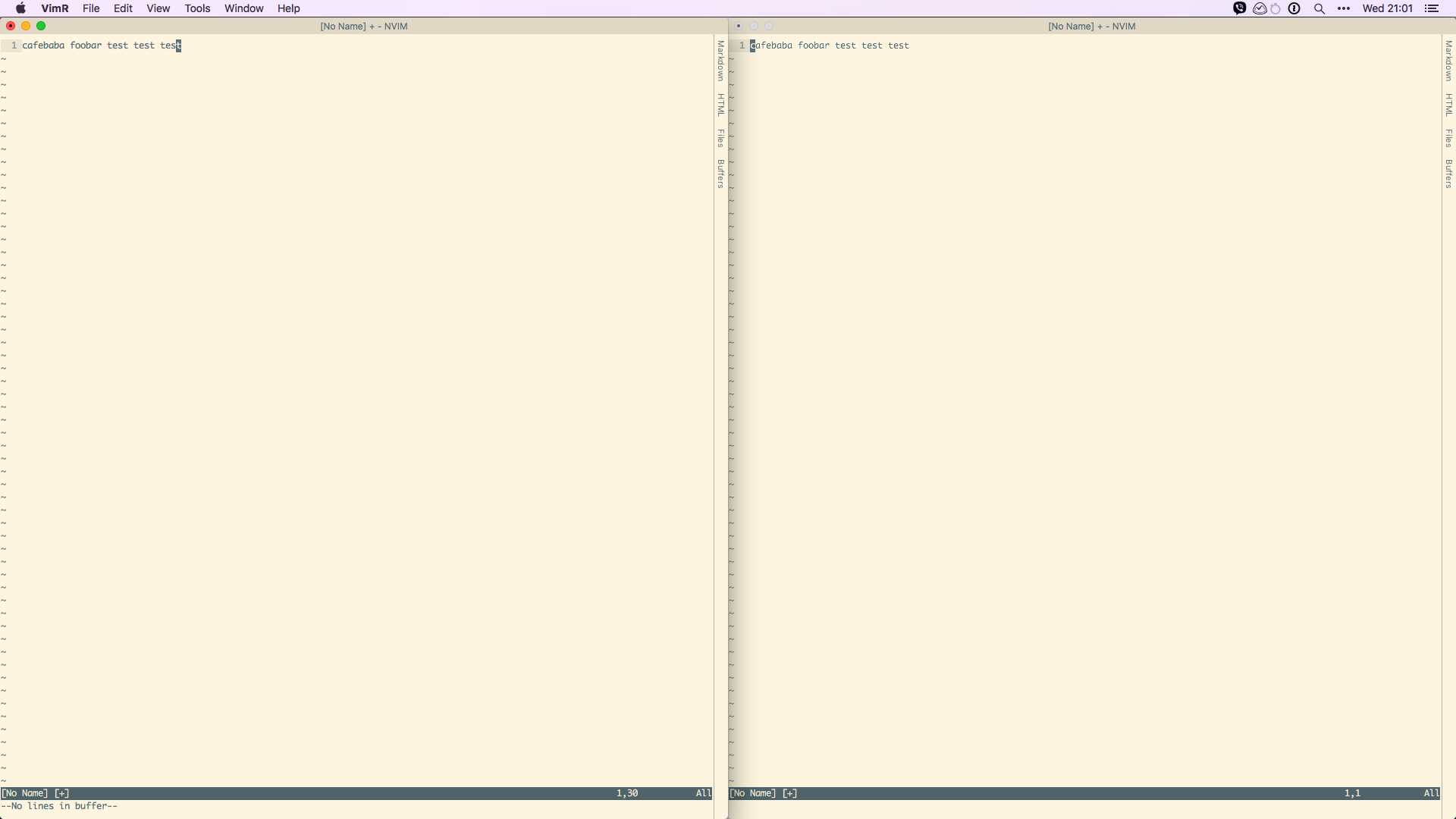
On the left side we have vimr snapshot 259 and on the right latest snapshot 267
mac OS High Sierra 10.13.3
 thanosbellos
on 14 Mar 2018
thanosbellos
on 14 Mar 2018
Same here, it's especially bad on 2K external monitor.
 Quiark
on 15 Mar 2018
Quiark
on 15 Mar 2018
Yes. Terrible rendering of fonts still in 267:
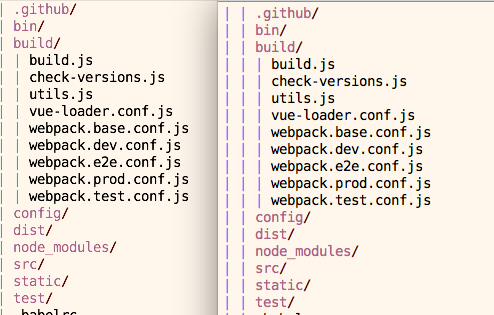
(left VimR; right vim in iTerm2)
 pjg
on 19 Mar 2018
pjg
on 19 Mar 2018
Same issue. In my case, only current line with set cursorline is antialiased.
 vwxyutarooo
on 22 Mar 2018
vwxyutarooo
on 22 Mar 2018
Any updates on this issue? I'm also having it since a few releases.
 nhat
on 26 Mar 2018
nhat
on 26 Mar 2018
This font issue is enough reason for me not to update VimR...
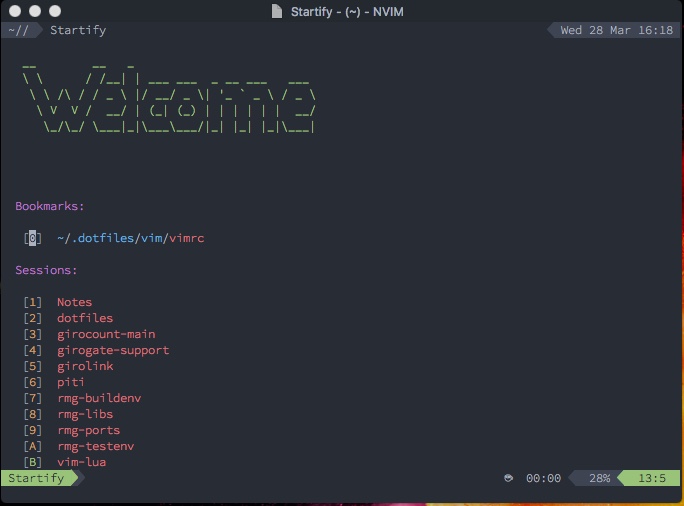
With v0.20.6-261 (for accuracy, please open the image in a new tab):
With v0.21.1-269 (for accuracy, please open the image in a new tab):
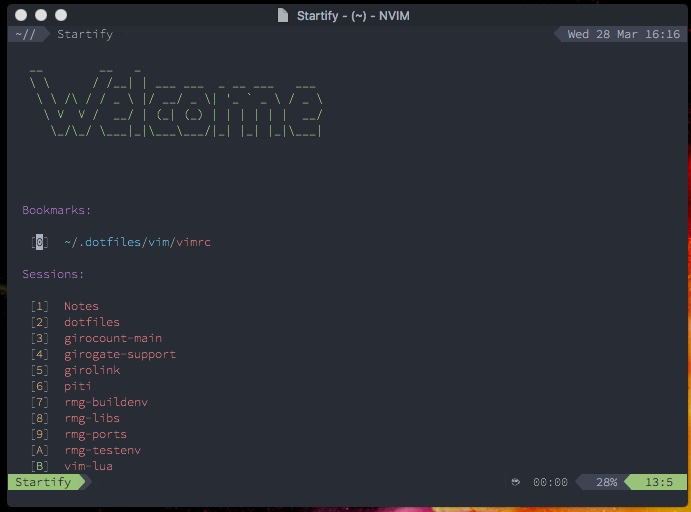
In non-retina displays, legibility is terrible for me. In retina displays it's still usable.
 tbastos
on 28 Mar 2018
tbastos
on 28 Mar 2018
Could you please try http://taewon.de/VimR-rendering-GH-612.tar.bz2? I reverted a background coloring optimization which seems to cause this. If this build is OK, then I'll release a bugfix version.
 qvacua
on 2 Apr 2018
qvacua
on 2 Apr 2018
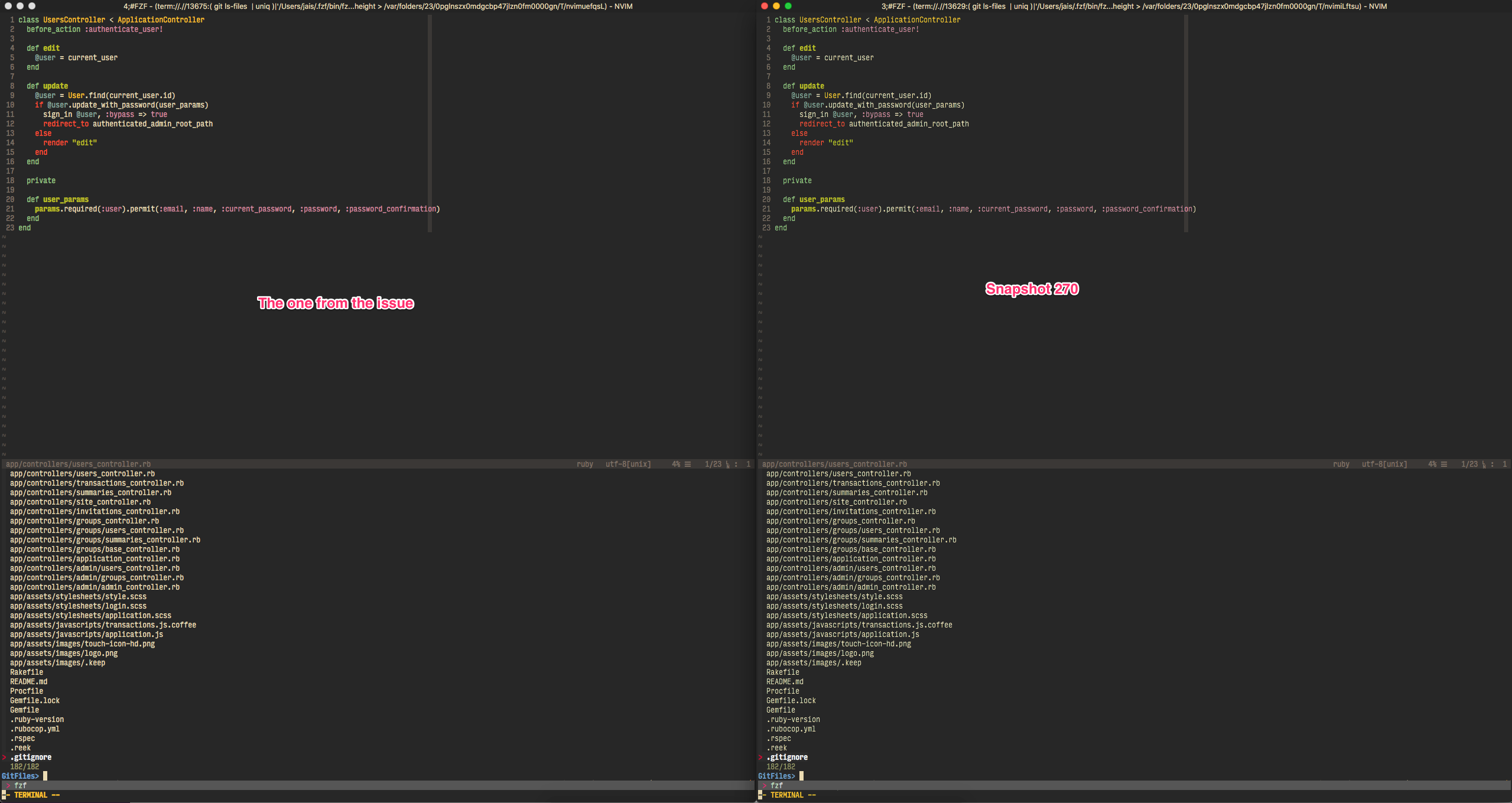
@qvacua I downloaded that version and the latest pre-release and it is much better 👍
jaischeema
on 3 Apr 2018
qvacua
on 3 Apr 2018
Related issues
 risentveber
·
4Comments
risentveber
·
4Comments
 selaselah
·
7Comments
selaselah
·
7Comments
 kunxi
·
5Comments
kunxi
·
5Comments
 mikl
·
8Comments
mikl
·
8Comments
 robertgzr
·
7Comments
robertgzr
·
7Comments
Most helpful comment
Could you please try http://taewon.de/VimR-rendering-GH-612.tar.bz2? I reverted a background coloring optimization which seems to cause this. If this build is OK, then I'll release a bugfix version.