Vim: `:tabnew` in WSL2 enviroment seems not to work.
Describe the bug
:tabnew in WSL2 environment seems not to work.
To Reproduce
I want to work in WSL2 and experience the Vim in VS Code. But when I typed :tabnew and wanted to open a certain file in the current directory, I got this prompt:
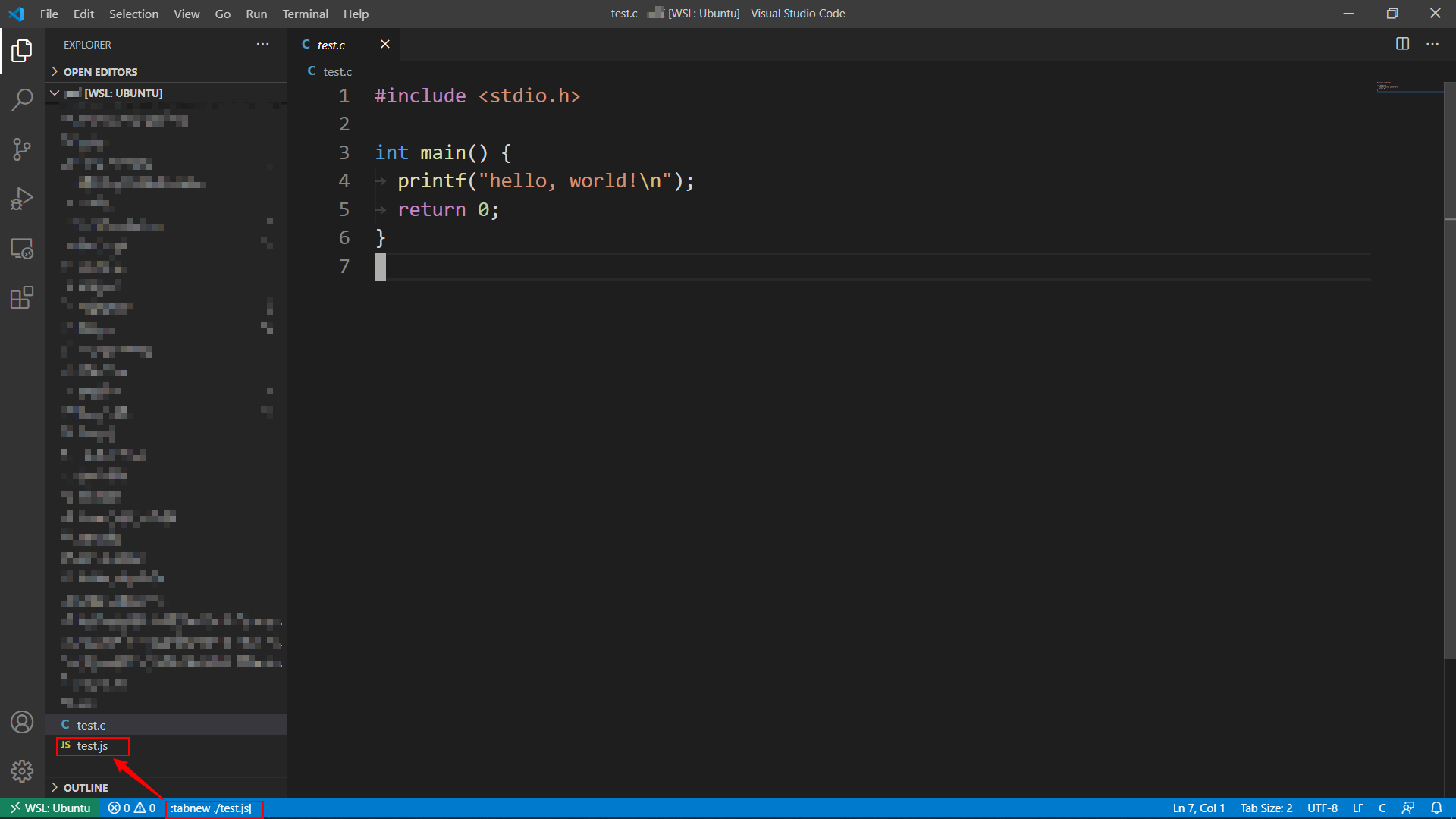

Wired, but OK, I followed the direction, clicked the button, and created the file:
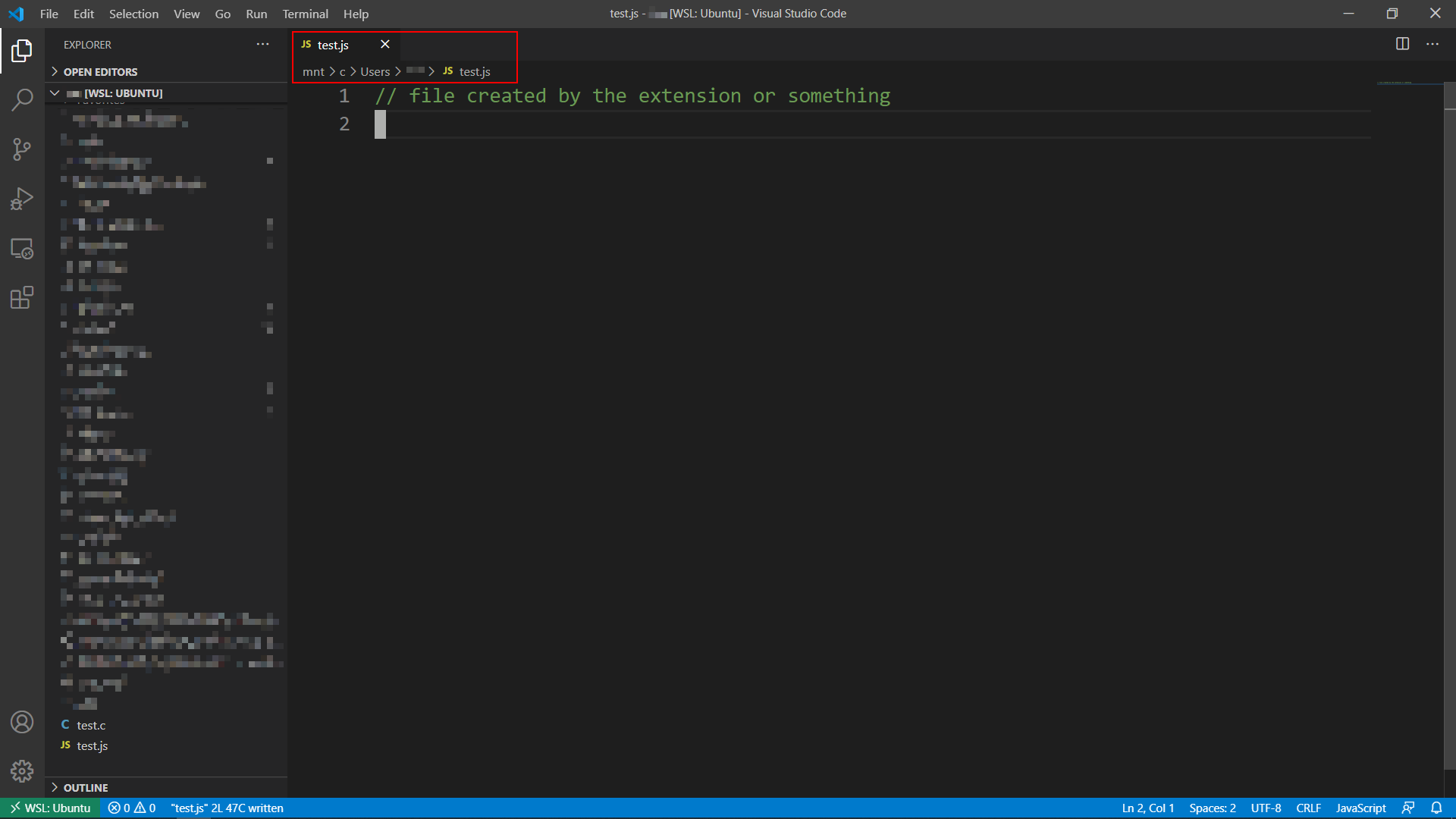
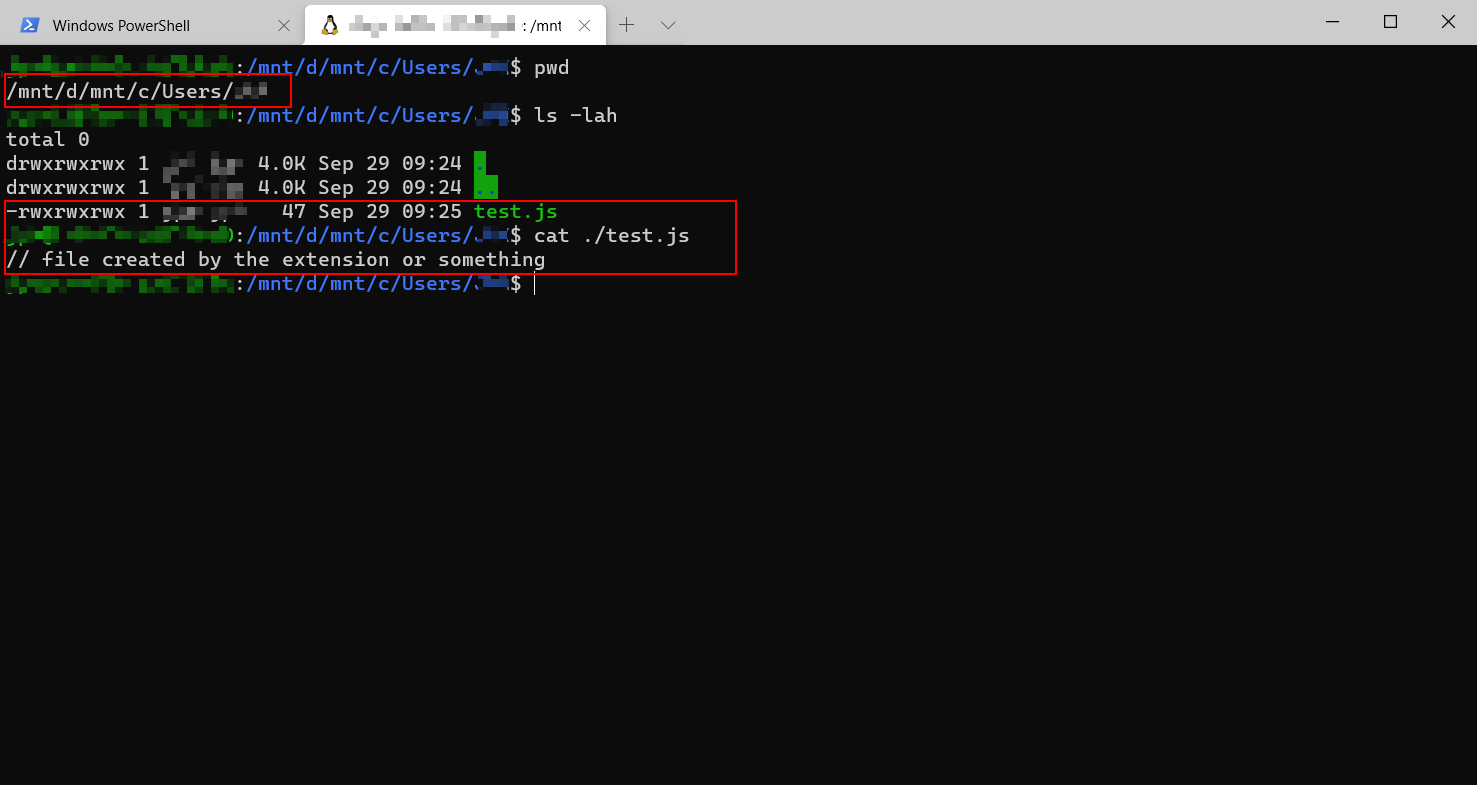
But it didn't work as expected. I found the created file in a totally different folder:
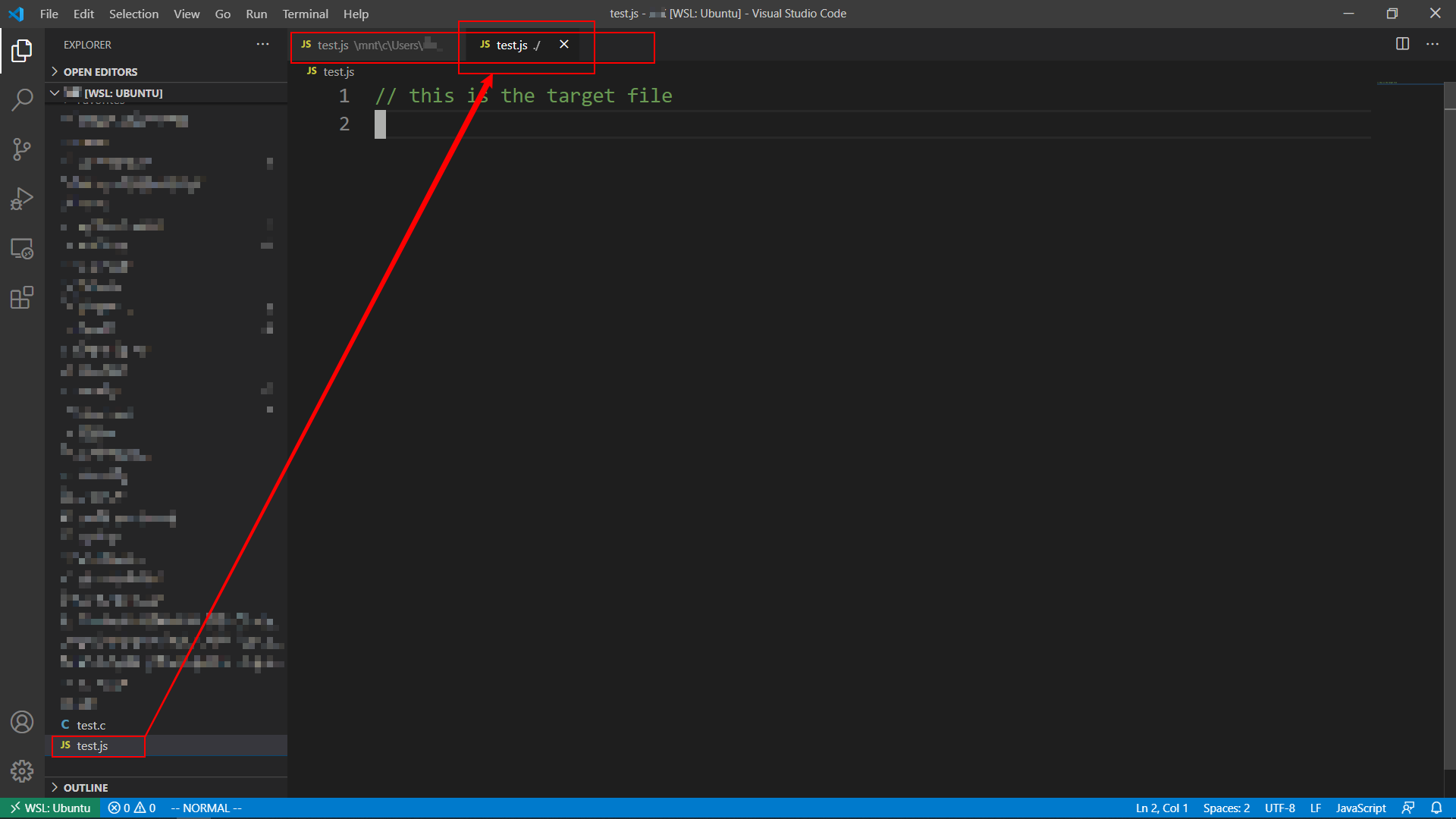
This is what I want:
Expected behavior
The target file in the current working directory is opened as usual.
Or the missing file is created on the right path.
Environment (please complete the following information):
- Extension (VsCodeVim) version: v1.17.1
- VSCode version: v1.49.2
- OS:
- Win 10.0.18362 Build 18362
- WSL2 Ubuntu 20.04.1 LTS
 RainmanVi
All 3 comments
I assume you didn't install Vim locally on the remote environment.
https://github.com/VSCodeVim/Vim/blob/fec96c4695965a4903e5e68b1af159cec2f1e6be/src/cmd_line/commands/tab.ts#L86-L104
This section of code is not handling cross platform remote path (see https://github.com/microsoft/vscode/issues/105969 for more information about the difficulties of handling cross platform path in remote)
I think the highlighted section of code offers the same functionality as :e maybe we could call the function used by :e, which I implemented some supports for vscode remote a while back at https://github.com/VSCodeVim/Vim/pull/4032/. However, it doesn't support linux remoting into windows env (see https://github.com/VSCodeVim/Vim/issues/5158)
 stevenguh
on 2 Oct 2020
stevenguh
on 2 Oct 2020
That's AMAZING! Very informative and helpful! Thanks a lot!
RainmanVi
on 3 Oct 2020
I am not sure if we should close this, since this is still a bug.
stevenguh
on 3 Oct 2020
Related issues
 elithrar
·
3Comments
elithrar
·
3Comments
 AndersenJ
·
3Comments
AndersenJ
·
3Comments
 jaredly
·
3Comments
jaredly
·
3Comments
 rajinder-yadav
·
3Comments
rajinder-yadav
·
3Comments
 edwintorok
·
3Comments
edwintorok
·
3Comments
Most helpful comment
I assume you didn't install Vim locally on the remote environment.
https://github.com/VSCodeVim/Vim/blob/fec96c4695965a4903e5e68b1af159cec2f1e6be/src/cmd_line/commands/tab.ts#L86-L104
This section of code is not handling cross platform remote path (see https://github.com/microsoft/vscode/issues/105969 for more information about the difficulties of handling cross platform path in remote)
I think the highlighted section of code offers the same functionality as
:emaybe we could call the function used by:e, which I implemented some supports for vscode remote a while back at https://github.com/VSCodeVim/Vim/pull/4032/. However, it doesn't support linux remoting into windows env (see https://github.com/VSCodeVim/Vim/issues/5158)