Vim gets very slow, the longer VSCode seems to be open
Describe the bug
Since a few days / weeks vim has become incredibly slow for me, and it gets worse the longer vscode is open. Any mode change takes around 1s when vscode is open for 1h or so, and around 2s when its open 2h or so.
This also includes using easymotion
To Reproduce
Steps to reproduce the behavior:
- Keep vscode open for some time (and do some work)
- vim gets slower and slower as time progresses
- restart of vscode makes it fast again
Expected behavior
Performance does not degrade with time
Environment (please complete the following information):
Extension version: 1.9.0
VS Code version: Code 1.36.1 (2213894ea0415ee8c85c5eea0d0ff81ecc191529, 2019-07-08T22:59:35.033Z)
OS version: Windows_NT x64 10.0.16299
System Info
|Item|Value|
|---|---|
|CPUs|Intel(R) Core(TM) i7-8700K CPU @ 3.70GHz (12 x 3696)|
|GPU Status|2d_canvas: enabled
flash_3d: enabled
flash_stage3d: enabled
flash_stage3d_baseline: enabled
gpu_compositing: enabled
multiple_raster_threads: enabled_on
native_gpu_memory_buffers: disabled_software
oop_rasterization: disabled_off
protected_video_decode: enabled
rasterization: enabled
skia_deferred_display_list: disabled_off
skia_renderer: disabled_off
surface_synchronization: enabled_on
video_decode: enabled
viz_display_compositor: disabled_off
webgl: enabled
webgl2: enabled|
|Load (avg)|undefined|
|Memory (System)|31.87GB (11.71GB free)|
|Process Argv||
|Screen Reader|no|
|VM|0%|
 RononDex
All 56 comments
UPDATE:
I figured out what causes it to get slow.
If I disable "vim.statusBarColorControl": false,, it gets fast again
So updating the status bar is what takes so long
RononDex
on 6 Aug 2019
I'm still having this issue.
"vim.statusBarColorControl" isn't enabled for me and it's lagging.
 adriandeveloper
on 13 Aug 2019
adriandeveloper
on 13 Aug 2019
Also getting a similar issue (really bad lag in INSERT mode, doesn't really have any rhyme or reason to it) and I also have vim.statusBarColorControl disables. Also doesn't get fixed on restart, still seems to persist.
 renodubois
on 19 Aug 2019
renodubois
on 19 Aug 2019
I'm having this issue as well, and i dont have vim.statusBarColorControl enabled. So i'm hoping to see a fix to this soon, primarily while switching from normal to insert mode can take up to a minute switching modes.
 danditomaso
on 20 Aug 2019
danditomaso
on 20 Aug 2019
I'm having this issue as well, and i dont have
vim.statusBarColorControlenabled. So i'm hoping to see a fix to this soon, primarily while switching from normal to insert mode can take up to a minute switching modes.
Yeah. I notice the typing slows down a lot. Its like it's in a bottleneck and I have to wait for Vim to catch up to what I typed.
adriandeveloper
on 21 Aug 2019
Wanted to bump and see if anyone had found a fix for this - it's caused me to disable the Vim extension a few times now, since switching between insert and normal mode takes so long.
renodubois
on 27 Aug 2019
I haven't actually had Vim Code Vim slow down over time, but I have it slow down when I open a large file.
If you are seeing slow down on vim operations, maybe try using the profiling tool in the Developer tools and figure out what causes it?
 stevenguh
on 2 Sep 2019
stevenguh
on 2 Sep 2019
I'm seeing a similar issue. For me, when I press J or K for like a second the cursor afterwards is still catching up while in normal mode.
This is especially bad if the explorer sidebar is open. If I hide it, the performance gets better.
I have tried disabling the statusBarColorControl, but this did not change anything.
 sebastianhoitz
on 25 Sep 2019
sebastianhoitz
on 25 Sep 2019
Same issue. Currently the plugin is unusable for me.
 juliuscrn
on 11 Nov 2019
juliuscrn
on 11 Nov 2019
Yea, my vim plugin has running really slow, for the past few versions of vscode.
Curiously though, I have no problems with the vim plugin when using vscode insiders.
I'm curious if someone else having this issue can try enabling vim in vscode insiders to see if they have the same experience?
 jakechiam
on 11 Nov 2019
jakechiam
on 11 Nov 2019
I was blaming vscode for this but indeed seems like its the Vim plugin.
code-insiders doesn't make a difference for me.
 AlexMenor
on 14 Nov 2019
AlexMenor
on 14 Nov 2019
I'm seeing a similar issue. For me, when I press J or K for like a second the cursor afterwards is still catching up while in normal mode.
Same for me, I often overshoot my target code by a few lines because of that
 velcroz
on 21 Nov 2019
velcroz
on 21 Nov 2019
I'm seeing a similar issue. For me, when I press J or K for like a second the cursor afterwards is still catching up while in normal mode.
Same for me, I often overshoot my target code by a few lines because of that
I am getting the same issue.
 mrjoedang
on 22 Nov 2019
mrjoedang
on 22 Nov 2019
same experience here
 rodrei
on 28 Nov 2019
rodrei
on 28 Nov 2019
Same issue here, sometimes after a while, it causes any keyboard input to not be registered at all.
 austinsantoso
on 14 Dec 2019
austinsantoso
on 14 Dec 2019
same here, especially on insert mode.
 dvthai89
on 18 Dec 2019
dvthai89
on 18 Dec 2019
As a temporary workaround, I noticed when uninstalling it, then reinstalling it, it will work well again. This is temporary, but at least it works.
 alex-cory
on 23 Dec 2019
alex-cory
on 23 Dec 2019
Bumping this, Vim plugin getting unusable, slowdown is only happens in insert mode. Process Explorer points out that there is no high CPU usage, but my memory used for the open window doubles when it slows down.
 Twiggeh
on 2 Feb 2020
Twiggeh
on 2 Feb 2020
I don't see any performance issues while keeping it open. I have it open all day on two computers - Linux Mint 19.3 and Windows 10 (build 18363.628).
Some very old Windows 10 builds seem to struggle occasionally with Electron apps such as VS Code.
 noslenac
on 3 Feb 2020
noslenac
on 3 Feb 2020
I'm on mac Mojave and although I don't experience this issue all the time, it does happen from time to time and it's really annoying. I noticed it happening a lot when I was copying svg xml into JS files.
alex-cory
on 3 Feb 2020
I'm experiencing the same lag in motion. Honestly, this is one of the biggest things that makes me almost want to go back to just regular old vim!
 pianocomposer321
on 5 Feb 2020
pianocomposer321
on 5 Feb 2020
Also in my case I experience a very annoying lag in motion. I am starting to seriously thinking to change editor just for this.
 stefabat
on 9 Feb 2020
stefabat
on 9 Feb 2020
@stefabat, you might want to try onivim. I can't wait until onivim 2 gets out, b/c it's going to support vscode extensions. But final release for that isn't until after June. :(
pianocomposer321
on 10 Feb 2020
btw, I think my lag is because of enabling vim.foldFix. However, I really need to have the fix, so disabling it is not an option for me.
pianocomposer321
on 10 Feb 2020
@pianocomposer321 onivim and onivim 2 look amazing, I did not know them. However, in the meantime I found an acceptable solution with this vscode extension: neo-vim.
It is much faster than the vim extension, and has more or less everything I need.
stefabat
on 10 Feb 2020
I have tried the extension too (in fact, I uninstalled the vscodevim extension in favor of it), and I agree that performance-wise it is much better. However, it has the same problem that enabling vim.foldFix solved with vscodevim, which is that it opens folds when moving the cursor over them. Several issues have been opened about this, but I don't think there is currently a fix in the works. Incidentally, I believe enabling vim.foldFix is also what caused the lag on vscodevim.
pianocomposer321
on 11 Feb 2020
Also running into this problem, with serious lag between my typing and the characters appearing on the screen. I am using the latest version of MacOS (10.15.3), VSCode (1.42.0) and the VIM extension (1.12.4). I don't notice any difference with intellisense being triggered or not. I also notice no difference between editing a large file or a small file (I could easily reproduce my issue in a brand new file).
Just to ensure that other extensions were not getting in the way, I booted up VSCode with a fresh copy of the ~/.vscode directly and only installed the VIM extension. Still getting the issue.
I am sadly forced to disable this extension now because of how much this issue is getting in the way of me being able to write code. I doubt this is something that this extensions maintainers and community desire for :(
 ecbrodie
on 12 Feb 2020
ecbrodie
on 12 Feb 2020
Just out of curiosity, how many of you who are experiencing the lag have enabled vim.foldFix?
pianocomposer321
on 12 Feb 2020
I don't have foldFix enabled
On Wed, Feb 12, 2020, 19:26 pianocomposer321 notifications@github.com
wrote:
Just out of curiosity, how many of you who are experiencing the lag have
enabled vim.foldFix?—
You are receiving this because you are subscribed to this thread.
Reply to this email directly, view it on GitHub
https://github.com/VSCodeVim/Vim/issues/3957?email_source=notifications&email_token=ABYVYUZFCSPMNEFOWNC7VBTRCQ5ODA5CNFSM4IJT4W42YY3PNVWWK3TUL52HS4DFVREXG43VMVBW63LNMVXHJKTDN5WW2ZLOORPWSZGOELR3V5Y#issuecomment-585349879,
or unsubscribe
https://github.com/notifications/unsubscribe-auth/ABYVYU3XSHPL5H5ZEFKMBJTRCQ5ODANCNFSM4IJT4W4Q
.
 mattydebie
on 12 Feb 2020
mattydebie
on 12 Feb 2020
vim.foldFix does not even appear to be a valid extension, according to the list of available settings in my VSCode installation.
ecbrodie
on 15 Feb 2020
It is. see https://github.com/VSCodeVim/Vim#-faq. Not sure what you mean about the list of available settings.
pianocomposer321
on 16 Feb 2020
For those of you here using vscode-neovim who are experiencing fold opening, try adding nmap j gj and nmap k gk to your init.vim. Note: this will also make the cursor go to the wrapped part of a line instead of going to the next line if a line is wrapped, but often this is the behavior you want anyway.
pianocomposer321
on 23 Feb 2020
@pianocomposer321 what I meant by "list of available settings" is based on when I opened up all configuration options available in VSCode preferences. I saw nothing that was called "foldFix".
Yes, I acknowledge what is stated in this project's FAQ, but based on foldFix's description, I doubt that this setting is related to my issue because I rarely, if ever, utilize code folding.
It's sad that there's little indication that this bug will ever get fixed :(
ecbrodie
on 24 Feb 2020
I solved the problem by adding this to my settings.json:
"vim.normalModeKeyBindingsNonRecursive": [
        {
            "before": [
                "j"
            ],
            "commands": [
                "cursorDown"
            ]
        },
        {
            "before": [
                "k"
            ],
            "commands": [
                "cursorUp"
            ]
        }
],
I also commented out "vim.foldfix": true, because cursorUp/cursorDown already skip over folds. See #4517.
Note: this fix breaks things like 10j and 10k, but I rarely use counts with j and k.
pianocomposer321
on 28 Feb 2020
Also, I think part of my problem was from the extension "Bracket Pairs Colorizer 2". The redrawing of colors every time the cursor moved made the lag worse. Uninstalling the extension helped, but did not solve the problem completely.
pianocomposer321
on 28 Feb 2020
Yep, this is unbearably bad on my machine too. Switched to the aforementioned neovim extension and it's a lot smoother (but the editing experience is not quite as good for me yet, gotta tinker). will be giving Oni a try as well!
 osdiab
on 30 Mar 2020
osdiab
on 30 Mar 2020
Here's a gif of how slow it is for me.
What happens in the gif:
- In NORMAL mode I go down and let go of the key when I'm on line 35. What happens is that the editor still needs to catch up and continues to move down until line 64.
- In INSERT mode I do the same. Going down and releasing the key on line 35. I end up on line 42, most likely because I let go of the key a bit too late.
- In NORMAL mode I move all the way down. It takes about 3 seconds.
- In INSERT mode I move all the way down. It takes about 2 seconds.
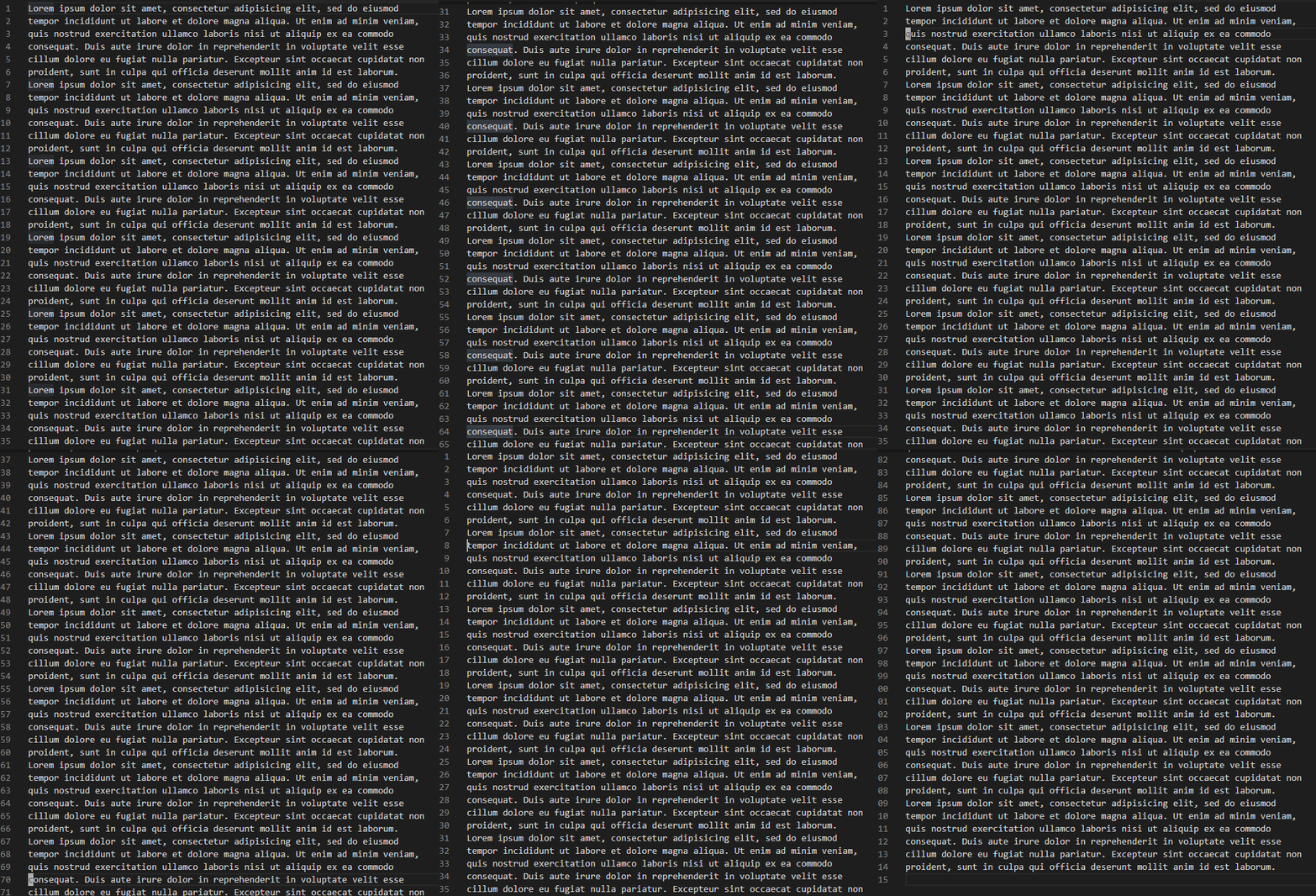
This is a VSCode instance with only this file/tab open. Hopefully this can be fixed because the catching up thing is awful to work with.
 Sheepolution
on 25 Apr 2020
Sheepolution
on 25 Apr 2020
So guys, my problem was caused by Bracket Pair Colorized 2 vscode extention, after changing it to Bracket Pair Colorized ( simply version 1) or removing it integrally, vim extension was not lagging anymore.
 sspatari
on 11 Jun 2020
sspatari
on 11 Jun 2020
Also, I think part of my problem was from the extension "Bracket Pairs Colorizer 2". The redrawing of colors every time the cursor moved made the lag worse. Uninstalling the extension helped, but did not solve the problem completely.
It helps! I close "Bracket Pairs Colorizer 2" "rainbow indent" and other paint extension to avoid repaint during Normal/Insert Mode change.
 owenstake
on 6 Jul 2020
owenstake
on 6 Jul 2020
I changed the color scheme to something else and back, and suddenly VS Code is fast again. Even after restarting it. Weird, but glad it's solved for me.
Sheepolution
on 6 Jul 2020
@Sheepolution what color scheme was it and what did you change it too? I think I remember having similar experiences, but I don't remember with which themes I had problems, and which ones were ok.
pianocomposer321
on 7 Jul 2020
@pianocomposer321 I used Argdown Dark, from the extension Argdown. But the weird thing is that if I go back to this color scheme now it's still fast!
Sheepolution
on 7 Jul 2020
@Sheepolution yeah that is strange. I'll be interested to see if it lasts.
pianocomposer321
on 7 Jul 2020
@pianocomposer321 @Sheepolution Not sure what the cause of this is, but I'll throw this out there in case it's relevant: not all color schemes support semantic highlighting, and I think semantic highlighting on large projects probably comes with a performance cost (which is more noticeable when VSCodeVim is enabled).
 J-Fields
on 7 Jul 2020
J-Fields
on 7 Jul 2020
@J-Fields Interesting thought. I doubt that's what was causing the lag for me though, b/c I have never done a project in VSCode that would be considered "large" (I switched fully to regular neovim a couple of months ago).
Unrelated, I have noticed a _lot_ more lag once the cursor gets past the point where the view has to scroll to keep the cursor visible. I don't think that it's just that the lag builds up and I don't notice it until that distance is achieved, partially because the lag doesn't happen nearly as much when using the down arrow rather than the j key.
pianocomposer321
on 7 Jul 2020
I changed the color scheme to something else and back, and suddenly VS Code is fast again. Even after restarting it. Weird, but glad it's solved for me.
I might have been mistaken about this. I use VSCode Vim on both my own computer and the one from my job. I think what's going on is that VSCode was always faster at my job, but that I never noticed. So the color scheme changing thing might not even have made any differences.
Anyway, I was doing some experimenting and here's what I found.
Moving up and down is slow like I demonstrated in my gif earlier. I fixed this by removing my remapping from j and k to gj and gk. This solves the issue of the document moving up even though I let go of the key. But it's still kind of slow. And I noticed that when in Normal Mode, moving up and down with the arrow keys is faster than with j and k. It's weird because I believe this is not the case on my work computer. I'm not sure why my own computer, which has better hardware, runs VS Code worse, or this extension at least. Perhaps some NVidia settings might solve the issue?
By the way, I tried to speed it up by disabling all other extensions, but that didn't work.
Edit: Next day, started up my computer and noticed that suddenly VS Code runs very smoothly now! I'm not sure what the key factor was here. Probably the NVIDIA settings I messed around with. I thought restarting the program (VS Code) was enough for the changes to apply, but maybe not. I added the gj and gk mapping again, and that also runs smoothly now. Glad it's finally fixed for me 😅
Sheepolution
on 18 Jul 2020
Also, I think part of my problem was from the extension "Bracket Pairs Colorizer 2". The redrawing of colors every time the cursor moved made the lag worse. Uninstalling the extension helped, but did not solve the problem completely.
omg, thanks for your mention! this is exactly the extension causing issue
 Alraemon
on 31 Aug 2020
Alraemon
on 31 Aug 2020
going back to the normal editor, giving up vim for now :(
 lifeeric
on 7 Sep 2020
lifeeric
on 7 Sep 2020
For me it is the dart extension, which makes flutter development impossible with vim extension.
 rahmnstein
on 20 Sep 2020
rahmnstein
on 20 Sep 2020
For me there is a huge pressing 'j' for cursor down in normal mode but not 'k'. I've tried uninstalling and reinstalling the extension to no avail 😢
 mxs
on 8 Oct 2020
mxs
on 8 Oct 2020
For me there is a huge pressing 'j' for cursor down in normal mode but not 'k'. I've tried uninstalling and reinstalling the extension to no avail 😢
Do you have jk or jj or any other mapping starting with 'j' on normalModeKeyBindings or normalModeKeyBindingsNonRecursive?
 berknam
on 8 Oct 2020
berknam
on 8 Oct 2020
@berknam yes I do, jj. After removing normalModeKeyBindings I no longer experience this issue, also changed it to something like pp for the sake of it seems to fix this as well.
Now just removing normalModeKeyBindingsNonRecursive did not resolve my issue.
This only become a problem very recently.
btw thank you @berknam!!!
mxs
on 8 Oct 2020
@mxs This is normal Vim behavior. Previously the timeout feature wasn't fully implemented, now it is. This means that when you have a remap with more than one key starting with 'j' or 'k' in normal mode, when you press those keys it will wait for another key or for timeout to finish (1s by default). The same thing happens in real Vim.
berknam
on 9 Oct 2020
@berknam thank for you highlighting that, I've only been a using vim full time with vscode.
However it is a bit curious that both vscode vim's docs have an example of jj. Also most the pages I've found and here that have jj as the first example of a remap.
Ideally I would still like to use jj, so are there ideas how I might be able to do that without the lag in normal mode?
mxs
on 10 Oct 2020
@berknam thank for you highlighting that, I've only been a using vim full time with vscode.
However it is a bit curious that both vscode vim's docs have an example of
jj. Also most the pages I've found and here that havejjas the first example of a remap.Ideally I would still like to use
jj, so are there ideas how I might be able to do that without the lag in normal mode?
That remap is for insert mode not normal mode. If you want to use jj in insert mode to go back to normal mode you need to use this (on settings.json):
"vim.insertModeKeyBindings": [
    {
        "before": ["j", "j"],
        "after": ["<Esc>"]
    },
]
You previously had it in "normalModeKeyBindings" which was wrong.
berknam
on 10 Oct 2020
@berknam awesome thats actually what I wanted! thank you!
mxs
on 10 Oct 2020
Related issues
 spinningarrow
·
3Comments
spinningarrow
·
3Comments
 liamdawson
·
3Comments
liamdawson
·
3Comments
 waltiam
·
3Comments
waltiam
·
3Comments
 ghost
·
3Comments
ghost
·
3Comments
 rajinder-yadav
·
3Comments
rajinder-yadav
·
3Comments
Most helpful comment
I'm seeing a similar issue. For me, when I press J or K for like a second the cursor afterwards is still catching up while in normal mode.
This is especially bad if the explorer sidebar is open. If I hide it, the performance gets better.
I have tried disabling the statusBarColorControl, but this did not change anything.