Viewers: RightSidePanel: Cannot read property 'SeriesInstanceUID' of undefined error returned
Bug Report
Describe the Bug
While working with RTSTRUCT and the OHIF viewer you are returned the error message, "RightSidePanel: Cannot read property 'SeriesInstanceUID' of undefined"
What steps can we follow to reproduce the bug?
- Open the study 1.3.6.1.4.1.14519.5.2.1.1706.4009.166062280490896869511085725416
- Open the RTSTRUCT tab on the right
- Select the second series and drag into the canvas
- You are returned the error message, "RightSidePanel: Cannot read property 'SeriesInstanceUID' of undefined"

============= SESSION INFO =============
== App ==
version 4.5.21
== Extensions Versions ==
generic-viewer-commands 4.5.21
cornerstone 2.9.6
vtk 1.7.13
html    1.2.9
microscopy  0.51.3
pdf 1.0.6
com.ohif.dicom-segmentation 0.4.7
rt  0.4.9
dicom-p10-downloader    0.1.6
dicom-tag-browser   undefined
== Browser Info ==
name     chrome
os   Windows 10
type     browser
version  86.0.4240
== URL ==
URL  1.3.6.1.4.1.14519.5.2.1.1706.4009.166062280490896869511085725416
== Viewport Layout ==
Rows    1
Columns 1
== Viewports ==
[0,0]   1.3.6.1.4.1.14519.5.2.1.1706.4009.235001741732391381168268744865
 madelyngreyes
All 12 comments
This is probably related to #2117
 fedorov
on 5 Nov 2020
fedorov
on 5 Nov 2020
@madelyngreyes @fedorov fixed here: #2168.
This study contains only CT (which has RTStructs in it) and RTDOSE modalities. Currently we check only for RTSTRUCT in the RT extension, thats why things were broking. Now the panel button will only show for non-empty RTStructs.
 igoroctaviano
on 13 Nov 2020
igoroctaviano
on 13 Nov 2020
This study contains only CT (which has RTStructs in it)
Can you clarify what you mean by the above, that CT contains RTStructs?
fedorov
on 13 Nov 2020
This study contains only CT (which has RTStructs in it)
Can you clarify what you mean by the above, that CT contains RTStructs?
Yes. The thing is, during debugging i realised that this study didn't had any series with RTSTRUCT modality although the RTStructs were being loaded correctly in the viewport. I fixed the RT struct panel now so it will be disabled for other modalities properly.
igoroctaviano
on 13 Nov 2020
Update: The problem was caused by a reactivity bug with the panel and the active viewport, the loading should only appear for rtstructs and be empty otherwise. I have updated the PR so now the panel will behave correctly.
igoroctaviano
on 16 Nov 2020
@madelyngreyes can you please confirm if this is fixed in the testing tier?
fedorov
on 9 Dec 2020
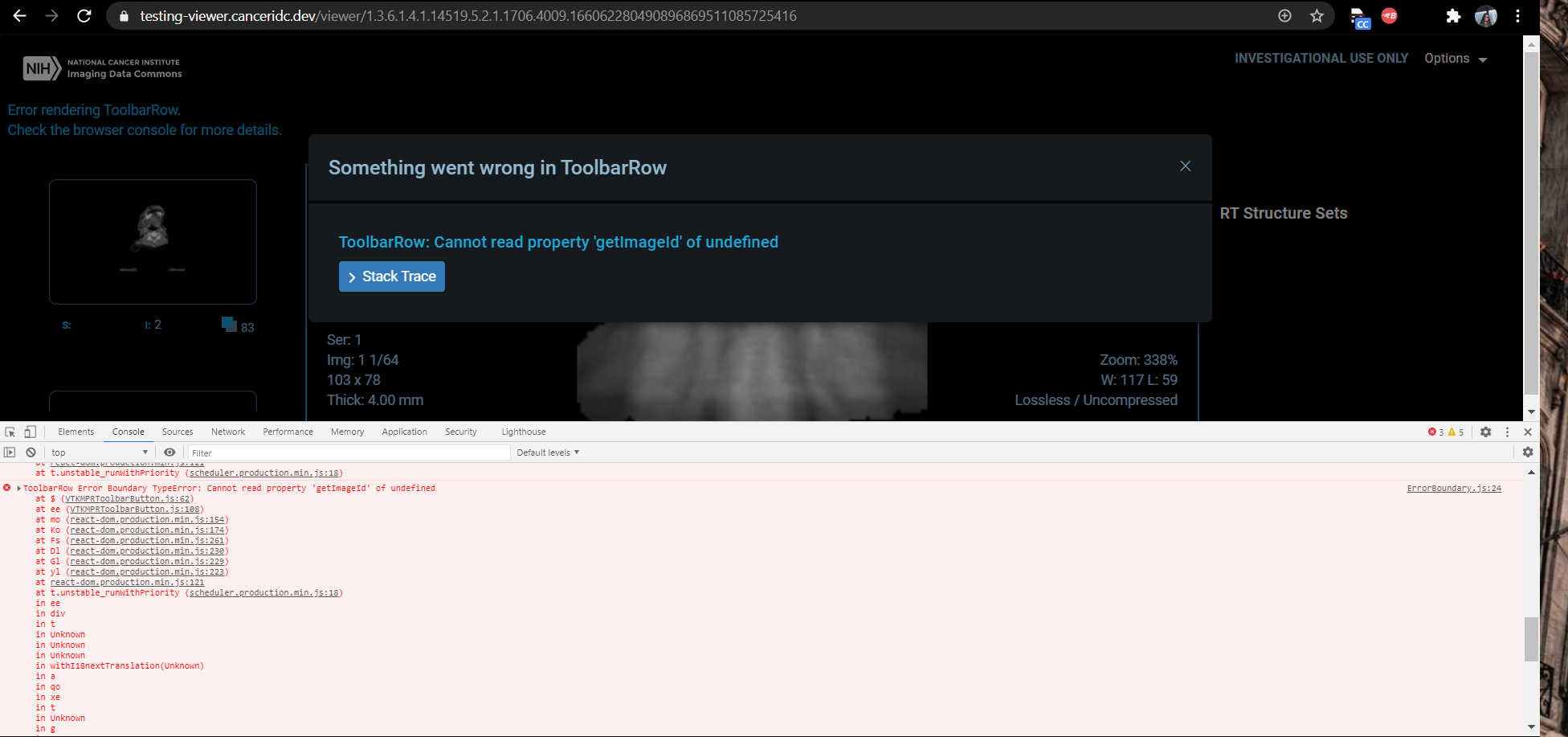
I seem to be returning a different error with the ToolBarRow this time.
madelyngreyes
on 9 Dec 2020
@madelyngreyes so it is the same as in https://github.com/OHIF/Viewers/issues/2117#issuecomment-741823904
fedorov
on 9 Dec 2020
Currently PR51 is live in the dev tier, running the steps from the original bug you are no longer returned an error message but, a blank RT Structure sets panel. Study used is, "1.3.6.1.4.1.14519.5.2.1.1706.4009.166062280490896869511085725416"
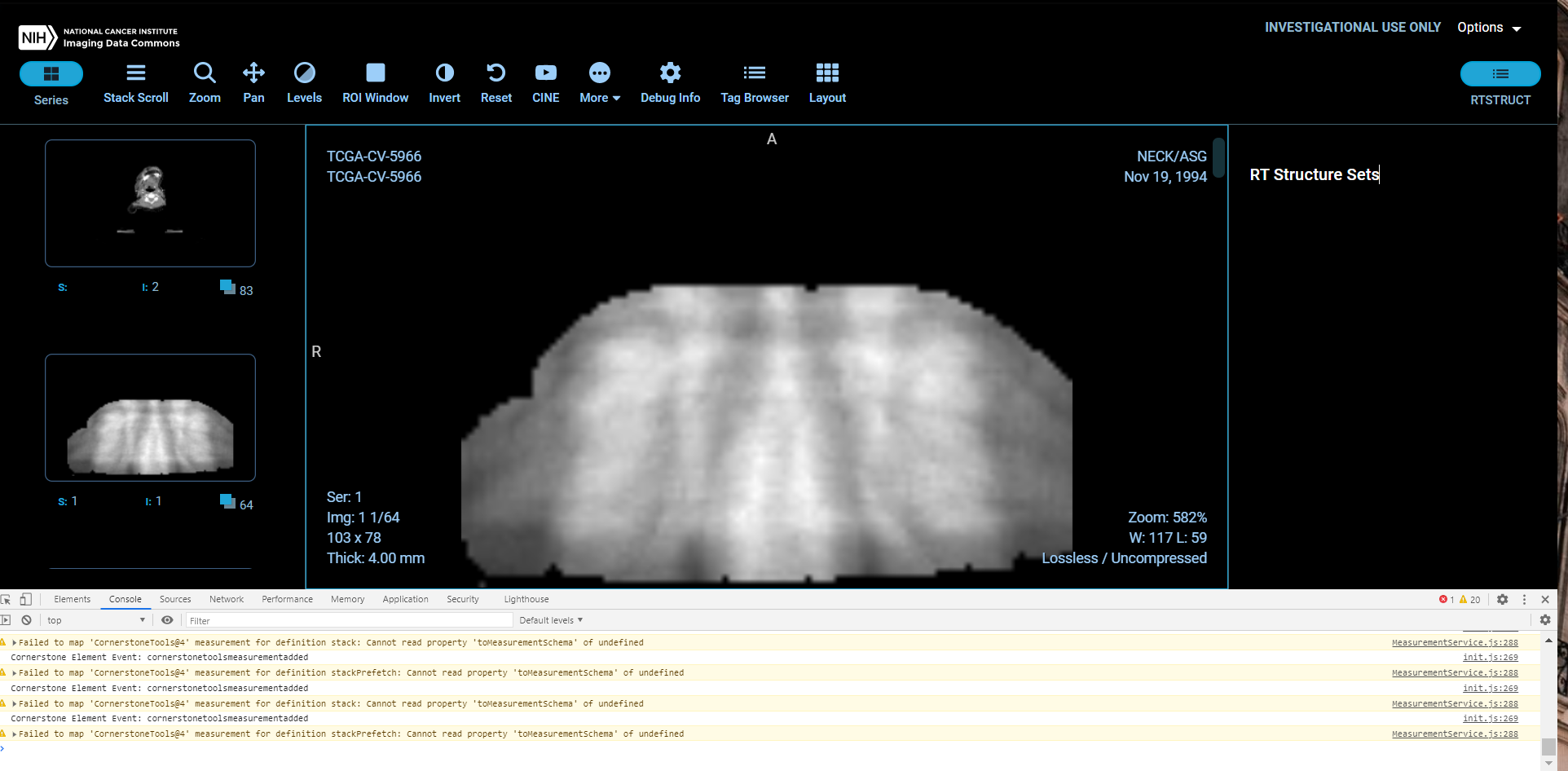
Text could be added, "No data available" to make it clear to the end user.
madelyngreyes
on 14 Dec 2020
I think when RTSTRUCT does not apply to the specific image series, the button and the panel should not be shown.
fedorov
on 14 Dec 2020
I think when RTSTRUCT does not apply to the specific image series, the button and the panel should not be shown.
@fedorov I think we missed this one during the last call, this one should be prioritized as well?
igoroctaviano
on 19 Jan 2021
this one should be prioritized as well?
Yes!
fedorov
on 19 Jan 2021
Related issues
 TZubiri
·
3Comments
TZubiri
·
3Comments
 szwang-wthealth
·
3Comments
szwang-wthealth
·
3Comments
 pieper
·
3Comments
pieper
·
3Comments
 MathisGuilhin
·
3Comments
MathisGuilhin
·
3Comments
 christianvargasforero
·
4Comments
christianvargasforero
·
4Comments
Most helpful comment
Yes. The thing is, during debugging i realised that this study didn't had any series with RTSTRUCT modality although the RTStructs were being loaded correctly in the viewport. I fixed the RT struct panel now so it will be disabled for other modalities properly.