Viewers: Deploying static files into Tomcat
I have a Tomcat folder called ohifwhere i want to deploy platform/viewer/dist content. However, OHIF is not able to find its static files. Here is a screenshot of what happens:
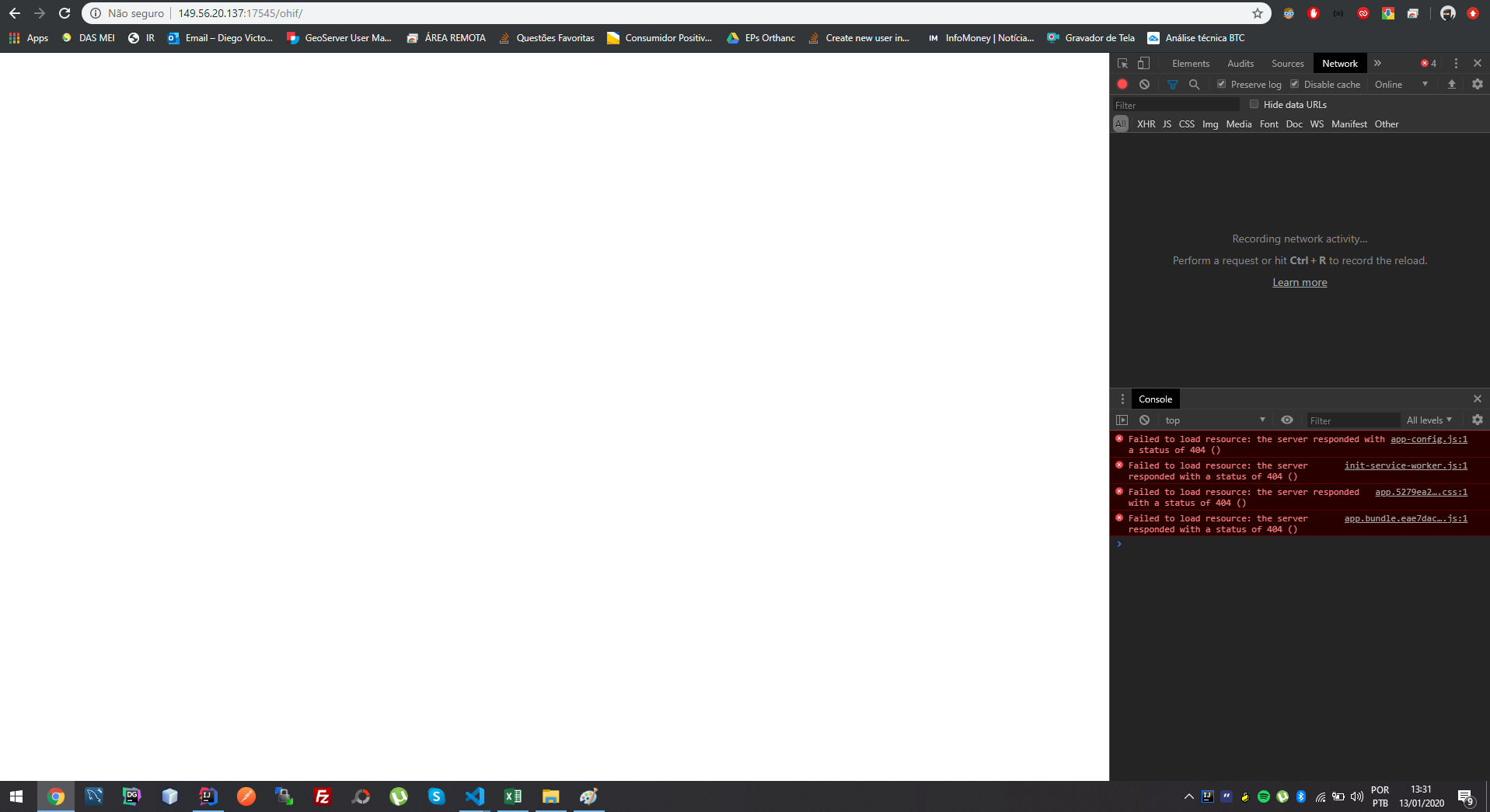
Tomcat runs at http://149.56.20.137:17545 and i want to serve OHIF at http://149.56.20.137:17545/ohif
Ultimately what i want to do is connect OHIF with an Orthanc instance behind a NGINX reverse proxy. So the final result would be accessing OHIF at http://149.56.20.137:17000/ohif and Orthanc at http://149.56.20.137:17000/orthanc
The steps i used to generate static files:
yarn config set workspaces-experimental trueyarn installyarn run build
Then i copied platform/viewer/dist content into webapps/ohif folder on Tomcat.
 Diegovictorbr
All 4 comments
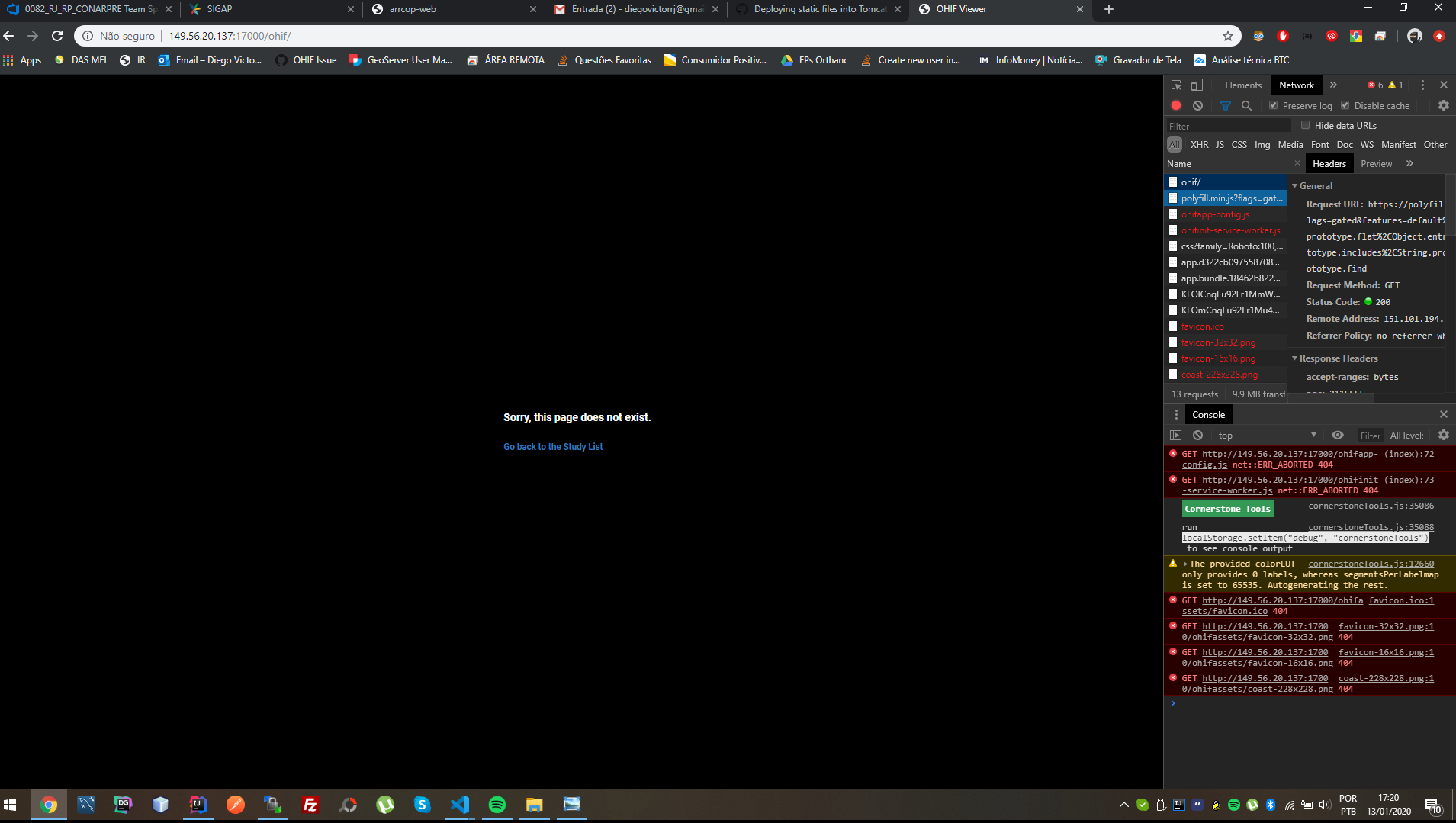
As recommended here, by appending PUBLIC_URL=/ohif to the build:viewer script configuration on platform/viewer/package.json i was able to correct some dependencies, but some files are still missing:
Diegovictorbr
on 13 Jan 2020
Silly mistake. Changed PUBLIC_URL=/ohif to PUBLIC_URL=/ohif/ and everything worked (including Orthanc behind NGINX)! :)
Here is the relevant platform/viewer/package.json relevant line for anyone wondering:

Quite slow performance to query studies, but i think that's something on Orthanc's side.
Diegovictorbr
on 13 Jan 2020
Now what i am trying to understand is when i access http://149.56.20.137:17000/ohif/, OHIF shows this screen:

If i click on go back, i can see the list connected to Orthanc showing everything as expected, but the browser URL changes to http://149.56.20.137:17000/
EDIT: solution was to change default.js routerBasename from '/' to '/ohif/', matching the PUBLIC_URL and Tomcat's folder name.
Diegovictorbr
on 13 Jan 2020
Awesome! That's great to hear. We should probably auto-append the trailing slash if it's not there. I can't think of a scenario where you wouldn't apply it. :thinking:
Another common "gotcha" are the SPA redirect rules that allow direct linking to specific studies. You may want to make sure you have those in place.
If all has been resolved, feel free to close this issue. Please don't hesitate to create a new issue, or PR document or code changes to help others with lessons you learned along the way.
 dannyrb
on 13 Jan 2020
dannyrb
on 13 Jan 2020
Related issues
 TZubiri
·
3Comments
TZubiri
·
3Comments
 rossetantoine
·
5Comments
rossetantoine
·
5Comments
 szwang-wthealth
·
3Comments
szwang-wthealth
·
3Comments
 AtmiyaVaghela
·
4Comments
AtmiyaVaghela
·
4Comments
 bhavesh-pandey
·
5Comments
bhavesh-pandey
·
5Comments