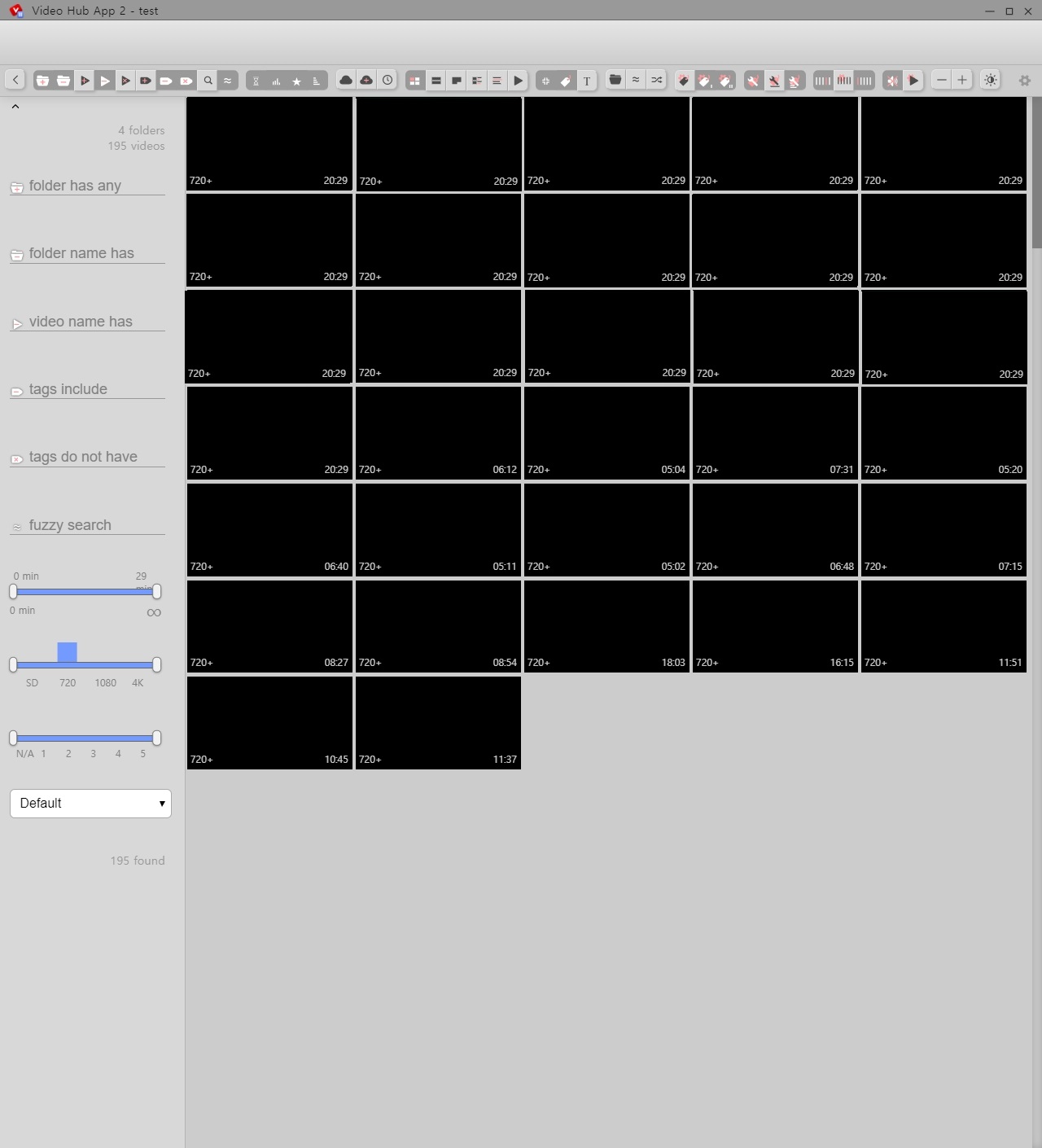
thumbnails view - compact view
Sometimes can't see all thumbnails
Scroll down all see
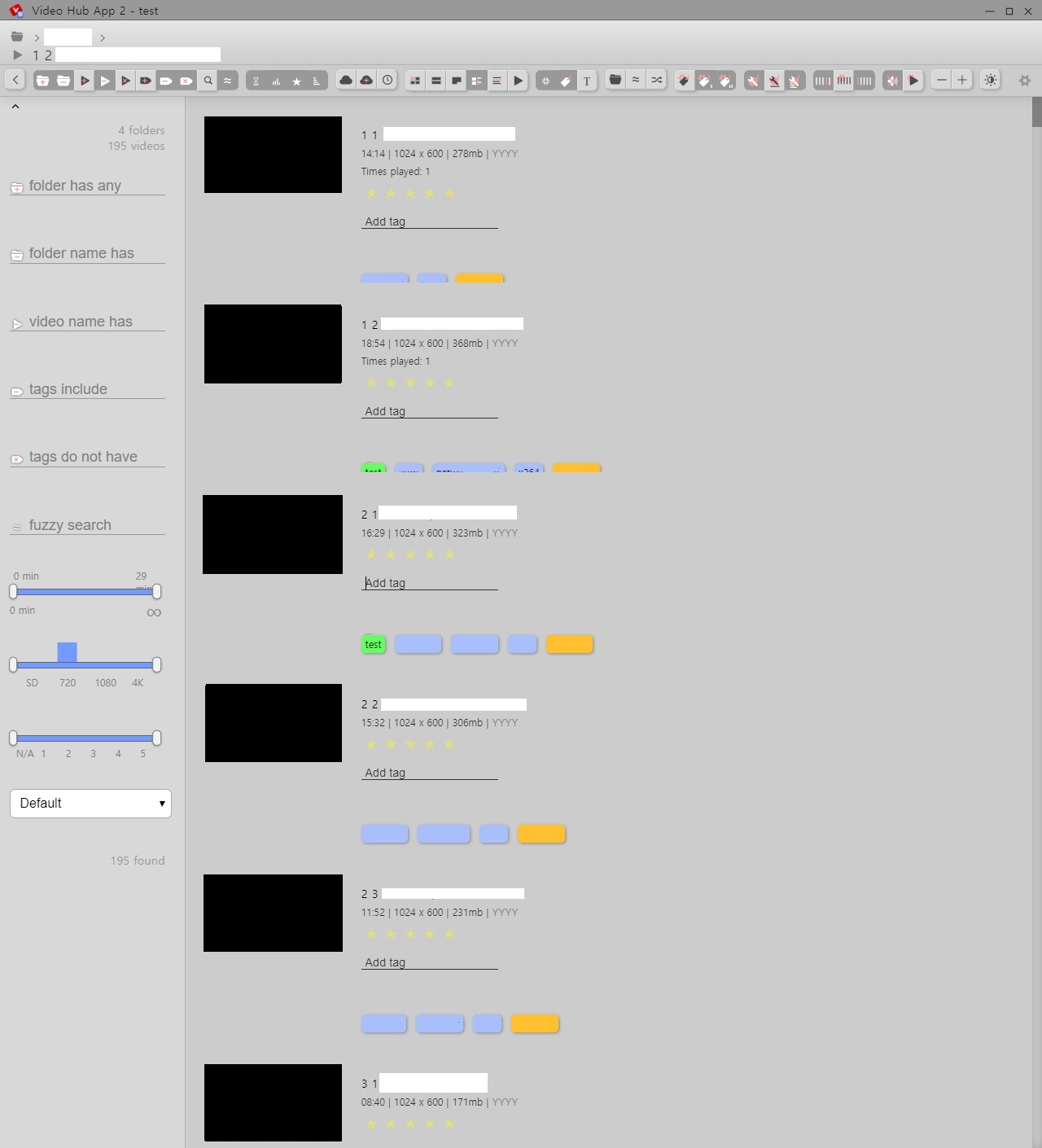
details view - show manual tags
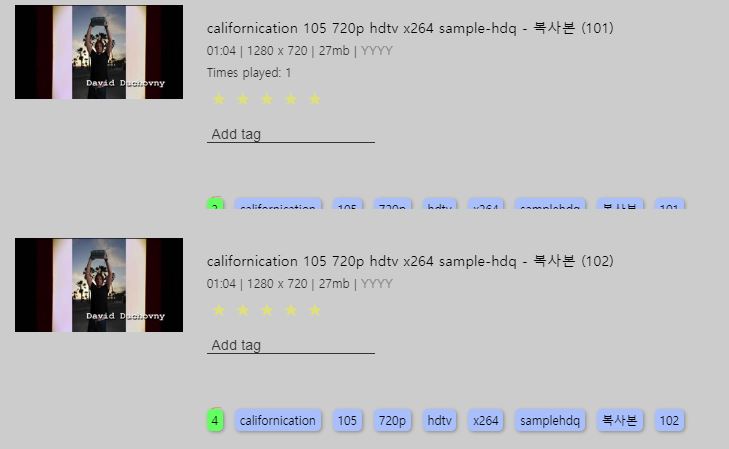
Times played 0 all visible, Times played 1 not all visible
Thanks
 mmega
mmega
All 11 comments
Thank you for opening this issue. I hope I can understand what the issue is; it seems like you're reporting 2 bugs?
1) In the first screenshot you do not see all thumbnails showing
- (even though the view has more of them -- I can see the scrollbar size indicates there are more)
- I suspect once you start scrolling they all show up, is that correct?
- The issue is _not_ about the screenshots all being black (as if no thumbnails were extracted), right?
This is a known (to me) issue (and it's very minor, I think)
- It's only a bit annoying (since on-scroll everything appears) but is also probably easy to fix;
- would be great if someone could track down where in the code we need to fix it
- (I suspect it's a matter of forcing the virtual-scroller to update its view 🤷♂ )
2) In _details_ view, the app indicates that you have watched a video more than 1 time, but does _not_ indicate when you've never opened a video (through the app).
- This is intended behavior (I programmed it this way on purpose)
- Do you think it would be better if it always showed "_Played 0 times_" when the video hasn't been opened through the app yet?
Please let me know if I've misunderstood the issues.
 whyboris
on 10 Feb 2020
whyboris
on 10 Feb 2020
First of all, I'm using this software very well.
I'm sorry i didn't have enough explanation. All thumbnails are normal. I covered it with a black box.
I couldn't show all the thumbnails and letters.
I'll reattach it and explain it.
Sometimes [thumbnails view-compact view] doesn't see all the thumbnails, so I wanted to let you know.
Attached a gif. 4.51mb
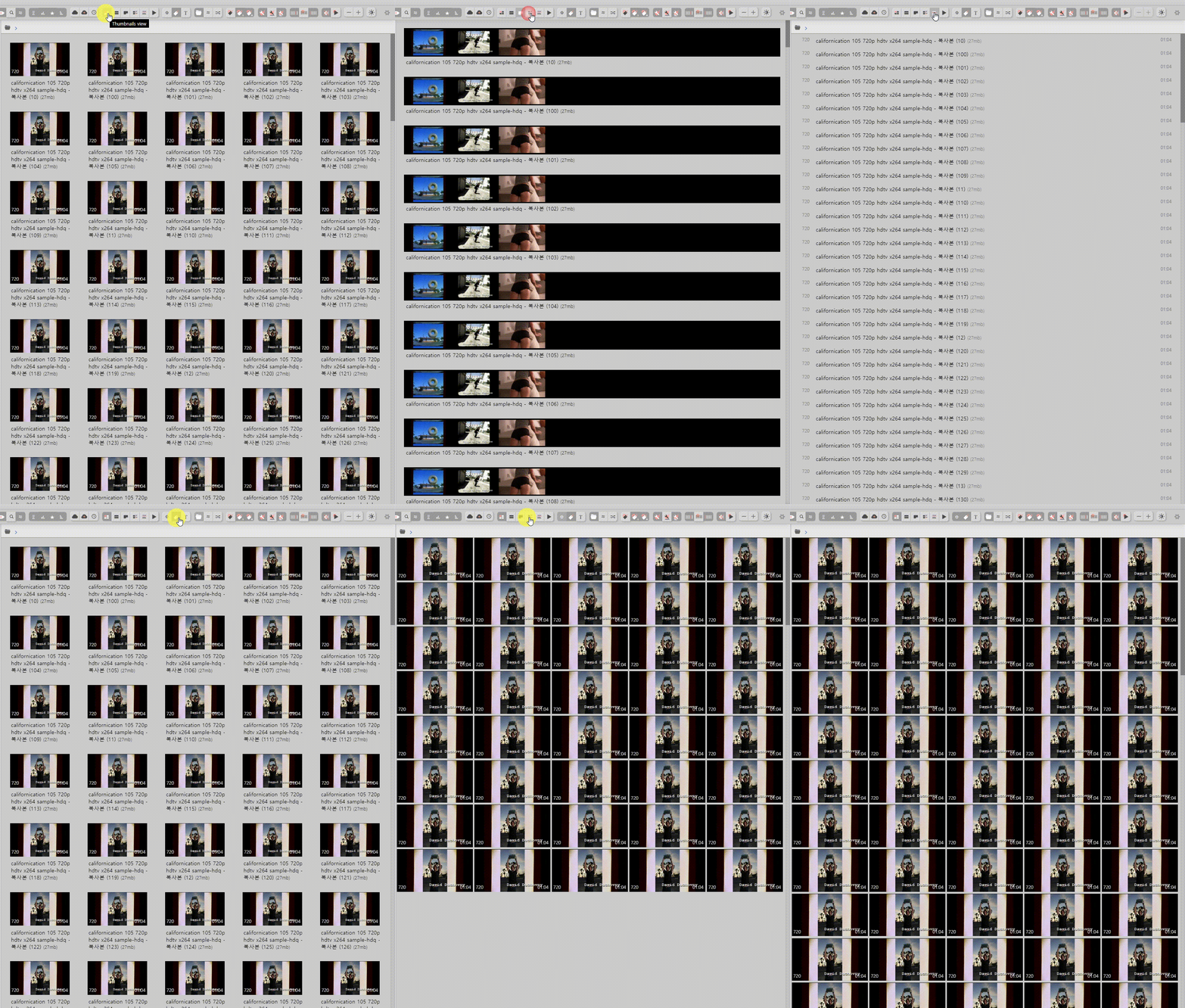
I use auto-generated tags and manual tags. view it using manual tags.
see the video more than once, the tagbox, letters will be pushed down and truncated?cut off?
I just hope to see all the tags and letters.
mmega
on 10 Feb 2020
Thank you very much for the images!
I think I understand both issues correctly now. I'll see if I can fix them by the next release 🙂
whyboris
on 13 Feb 2020
I fixed issue (2) with #362 I think -- will be released along in the next release 👍
I'll see about (1) too sometime 🤝
whyboris
on 14 Feb 2020
What exactly is the issue in the first case? Not sure I'm understanding correctly. Sometimes not all of the thumbnails display?
 jamesd35
on 28 Jun 2020
jamesd35
on 28 Jun 2020
🤷 I'm unsure how important it is to fix this problem -- as far as I understand there are times when you switch to the gallery view and there are empty spots, as if you're seeing the end of the gallery (when in fact there are many more videos). They appear as soon as you start scrolling. 🤔
It's very low priority -- and I guess I kept it open in case someone stumbles across what they think could be a fix.
I imagine one way to fix is to simply call "recalculate" (or whatever method it is) on _virtual-scroller_
It looks like it can be replicated when you click on "compact view" ... though in the past I've seen it happen when just opening the thumbnail gallery 🤔
To replicate:
1) open filmstrip view
2) switch to thumbnails view
3) toggle "compact view"
The above thumbnail has it happen too 👀
whyboris
on 28 Jun 2020
Is it still happenning?
I can take a look.
Btw @whyboris i want to help with new features. Or more complicated issues.
Let me know if you want, and how we can collaborate on that.
 orkomlosh
on 10 Aug 2020
orkomlosh
on 10 Aug 2020
Hey @orkomlosh -- thank you again for your previous contributions 😁
Feel free to take anything that you find interesting! The other issues you commented on where others have called dibs but haven't done anything in over 2 weeks I think are free for the taking too 🤔
Last week I took a work vacation (staycation) was hoping to do some work on VHA but had a 4-day power outage due to a storm 😅 read some books instead 👌 This week I'll try to clean up the main branch some more - focusing on all the possible bugs that could happen with multi-folder extraction and switching between hubs while extraction happens 😓
I love you enthusiasm -- I think it's best to work on whatever is most interesting to you 👍 Please feel free to reach out with any questions 🤝 and feel free to create new issues to discuss any features you'd want to add too 🙌
whyboris
on 10 Aug 2020
Thanks,
It's a great product with very interesting architecture and tech.
Very happy to get across it, and that you are welcoming new contributors with such nice vibe.
I will need to dive deep in to it, in order to understand it better.
Angular is something i'm partly doing on my day job. And node i knew from automation dev so it's a little bit different.
I'll try to take some more of the opened bugs to learn the system flow better.
orkomlosh
on 10 Aug 2020
I'm happy to answer questions. As you look through code, keep in mind my implementation can be improved in many places (I'm sure) -- I started the app just months after I started learning Angular and I haven't had much node experience (other than some server work at my job - which had no file system interaction).
If you see something that you think can be better -- feel free to add a fix, or start a discussion if it's a larger task and you suspect I might have reasons behind my sub-optimal decisions.
Some random thoughts:
One thing I've been considering doing is to move the
ImageElement[](array of all the videos) to a dedicated _service_ rather than keep it around in thehome.component. Feels like it would make interactions from other components easier.In the past I had (children) components emit updates to update a video -- not realizing that since they receive the data by reference, I could update the properties within the child component directly 🤔
I'm particularly happy about how the search/filter works -- just passing data through many pipes before it gets rendered 😁 -- I was surprised at how quickly the whole funnel works even with thousands of videos 🤷
The heart of the app is the ngx-virtual-scroller which lets us display thousands of videos without overloading the DOM.
The HTML & CSS for the layout is rather hack-y, but it works well enough for now. One UI (user interface) problem I'm facing is the import indicator (doughnut progress bar on top-right). It stays even when the top ribbon (with folder & file name) gets collapsed, thus overlapping with the settings button (the gear). I'm unsure how to handle this with the UI 🤔
Another bit of cleanup I've been meaning to do is #420 cleaning up the click-emissions (the interface is really convoluted at the moment). The code works as desired, but it's not elegant at all.
whyboris
on 10 Aug 2020
thanks for the short overview it's very helpful.
i'll try to continue with the small bugs and issues for now.
and will continue to learn as I go
BTW pretty impressive road you got there!
Good luck!
orkomlosh
on 10 Aug 2020
Related issues
 cal2195
·
4Comments
cal2195
·
6Comments
cal2195
·
6Comments
whyboris
·
5Comments
cal2195
·
5Comments
cal2195
·
4Comments
cal2195
·
6Comments
cal2195
·
6Comments
whyboris
·
5Comments
cal2195
·
5Comments