Vetur: TypeScript errors not showing after upgrading VSCode to v1.39
Info
- Platform: macOS 10.15
- Vetur version: 0.22.4
- VS Code version: 1.39.1
- TypeScript version: 3.6.4
Vue file: TS + SCSS (modules)
Problem
After a few minutes, VSCode stops displaying errors and hover tooltips for TS part of .vue component files. Output logs for vue language server are empty. Window reloading helps but only for 5-10 minutes.
I think it started to happen after upgrading VSCode to v1.39. For plain .ts files it still works.
 Ky6uk
Ky6uk
All 9 comments
I can confirm the issue under the system specs listed by @Ky6uk. Also happening on Linux.
 sixpounder
on 11 Oct 2019
sixpounder
on 11 Oct 2019
Update: VSCode 1.39.1 actually removed the issue 🥳
sixpounder
on 11 Oct 2019
@sixpounder just upgraded today. The issue still exists.
Ky6uk
on 11 Oct 2019
@sixpounder just upgraded today. The issue still exists.
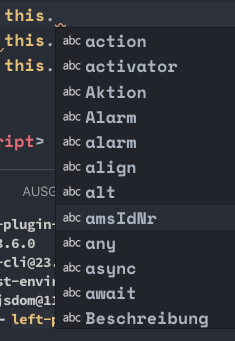
Can confirm.

 NicoAiko
on 11 Oct 2019
NicoAiko
on 11 Oct 2019
@NicoAiko @Ky6uk in my case it seems to be working in general, but I get the same behaviour as in 1.39 occasionally. I am not sure about the conditions to reproduce the issue.
sixpounder
on 11 Oct 2019
Possible related to #1449
Ky6uk
on 11 Oct 2019
Downgrading to Vetur v0.22.3 resolves the problem.

Ky6uk
on 11 Oct 2019
Just noticed this today. Type awareness has stopped working, and mousing over variables does nothing when it should pop up type info.
 ffxsam
on 12 Oct 2019
ffxsam
on 12 Oct 2019
Thank you for filing this issue. Let's track it on #1449.
 ktsn
on 14 Oct 2019
ktsn
on 14 Oct 2019
Related issues
 OsterHuang
·
3Comments
OsterHuang
·
3Comments
 LawrenceQxy
·
3Comments
LawrenceQxy
·
3Comments
 13029852933
·
3Comments
13029852933
·
3Comments
 deangoku
·
3Comments
deangoku
·
3Comments
 muhajirdev
·
3Comments
muhajirdev
·
3Comments
Most helpful comment
Downgrading to Vetur
v0.22.3resolves the problem.