Info
Property 'titleName' does not exist on type 'CombinedVueInstance<{ pageTitle: string; } & { handlePanelControl(data: any): void; handleActConfigInit(): void; } & Record
- Platform:
- Vetur version: 0.19.1
- VS Code version: 1.33.1 (1.33.1)
Problem
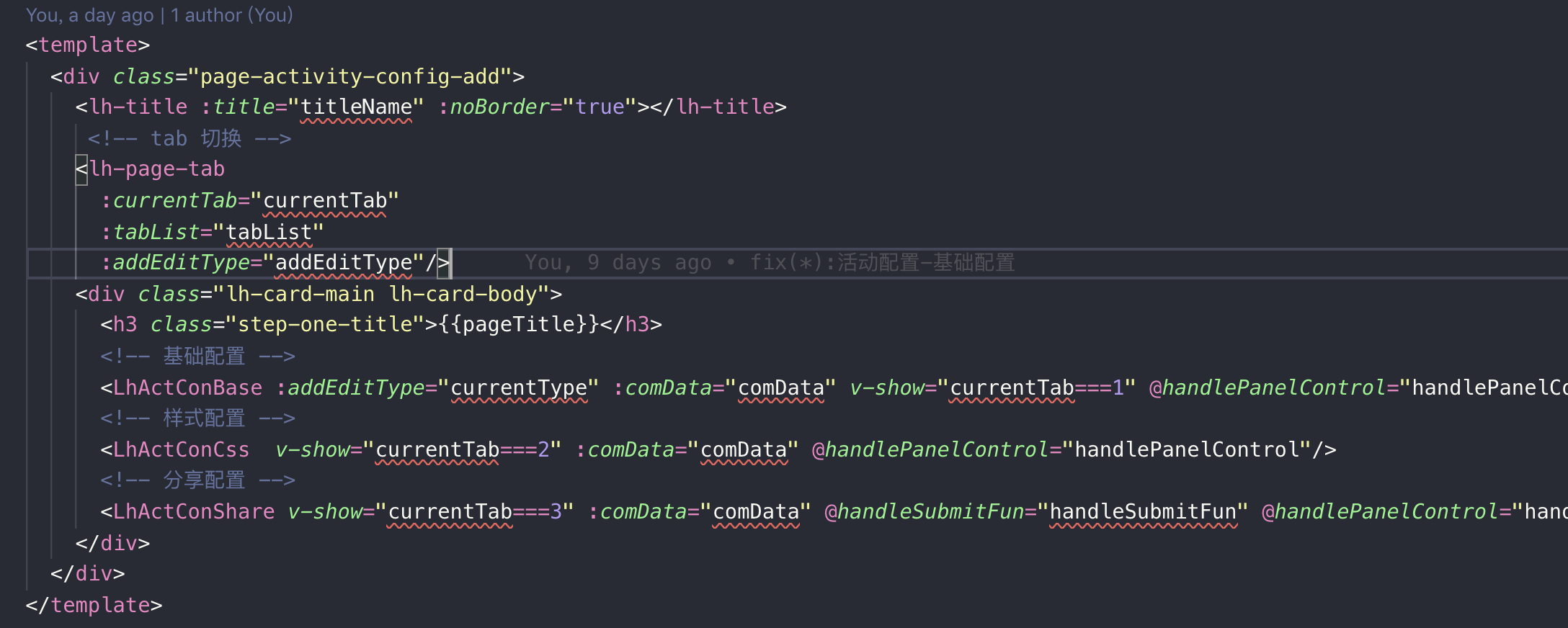
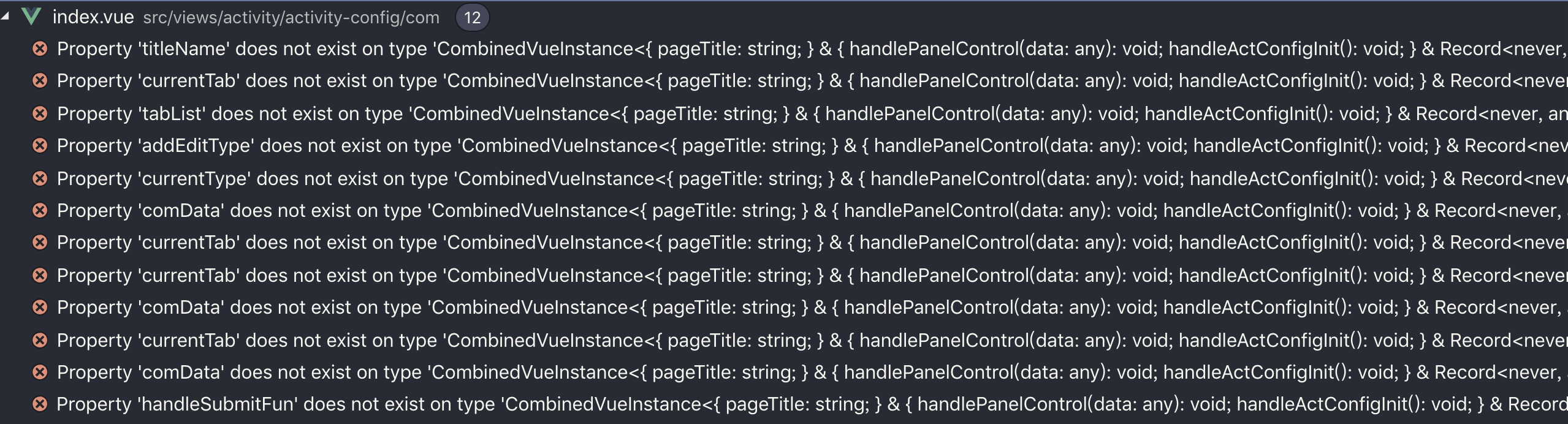
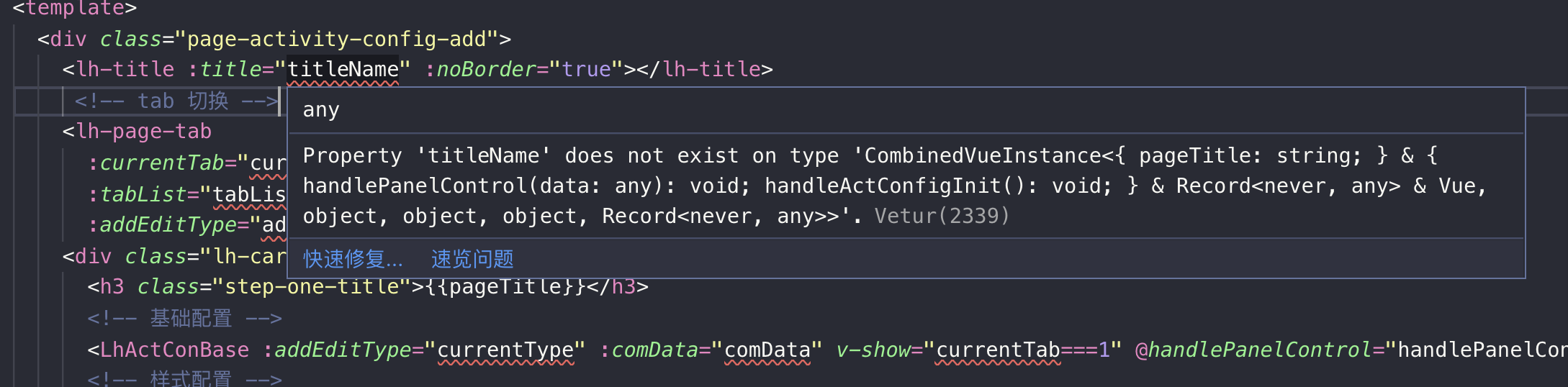
Reproducible Case
 louieaa
All 13 comments
Solution: back version 0.18.1
louieaa
on 25 Apr 2019
Temporary solution: "vetur.experimental.templateInterpolationService": false
 kinesias
on 25 Apr 2019
kinesias
on 25 Apr 2019
@louieaa Would you mind posting your .vue file or a simple way to reproduce those errors?
 stefnotch
on 25 Apr 2019
stefnotch
on 25 Apr 2019
Had to revert to 0.18.1
 vinayakkulkarni
on 25 Apr 2019
vinayakkulkarni
on 25 Apr 2019
yeah I reverted to 0.18.1 too cause it fucked up string literal colours lmfao omg
Link to the vsix for others: https://octref.gallery.vsassets.io/_apis/public/gallery/publisher/octref/extension/vetur/0.18.0/assetbyname/Microsoft.VisualStudio.Services.VSIXPackage
 lopugit
on 25 Apr 2019
lopugit
on 25 Apr 2019
No repro case -> closing.
 octref
on 25 Apr 2019
octref
on 25 Apr 2019
No repro case -> closing.
wut
open vscode, install vetur 0.19.1
make new file test.vue
type
<template lang="pug">
.test(
  @click=`
    if(this){}
  `
)
</template>
and
@click=`
    if(this){}
  `
will look fked up
lopugit
on 25 Apr 2019
Your issue is not even the same issue.
octref
on 25 Apr 2019
Vetur version: 0.19.1
We have recently got similar error on each $style in our template. We use CSS Modules that is provided by vue-loader.

 v-angolenko
on 25 Apr 2019
v-angolenko
on 25 Apr 2019
I have the same case, my template uses properties received through vuex's mapGetters.
all of them have the '...does not exist on type 'CombinedVueInstance' error on them 😭
 yogsky
on 25 Apr 2019
yogsky
on 25 Apr 2019
@stefnotch Of course, Please update Vetur version: 0.19.1 or 0.19.0
louieaa
on 26 Apr 2019
Just to say it's resolved in 0.19.2 just check VS Code have updated the extension (for my case I need to click on reload)
 Farkal
on 26 Apr 2019
Farkal
on 26 Apr 2019
It's "fixed" in 0.19.2 because the experimental feature causing all of this was turned off. See https://github.com/vuejs/vetur/issues/1246
The experimental feature is still in the extension and it would be great if people would test it to make sure that everything works how it's supposed to once it gets turned on again.
stefnotch
on 26 Apr 2019
Related issues
 thibautguedou3
·
3Comments
octref
·
3Comments
thibautguedou3
·
3Comments
octref
·
3Comments
 LukeLin
·
3Comments
LukeLin
·
3Comments
 OsterHuang
·
3Comments
octref
·
3Comments
OsterHuang
·
3Comments
octref
·
3Comments
Most helpful comment
Temporary solution: "vetur.experimental.templateInterpolationService": false