Vetur: When using shorthand function initializer on `computed`, `this.foo` shows error
All 21 comments
You need to setup path mapping: https://github.com/vuejs/vetur/blob/master/docs/FAQ.md#vetur-cant-recognize-components-imported-using-webpacks-alias.
 octref
on 2 Apr 2019
octref
on 2 Apr 2019
That’s fine but I don’t think that will help the issue with not recognizing the variables defined in the data() section, nor the getters defined my the mapGetters/mapState
 jtsom
on 2 Apr 2019
jtsom
on 2 Apr 2019
Can you post a minimal reproducible example. Like the source of a full SFC.
data needs to return an object, so const foo = 5 aren't bound to this instance. return { foo: 5 } is.
octref
on 2 Apr 2019
This is the complete data statement:
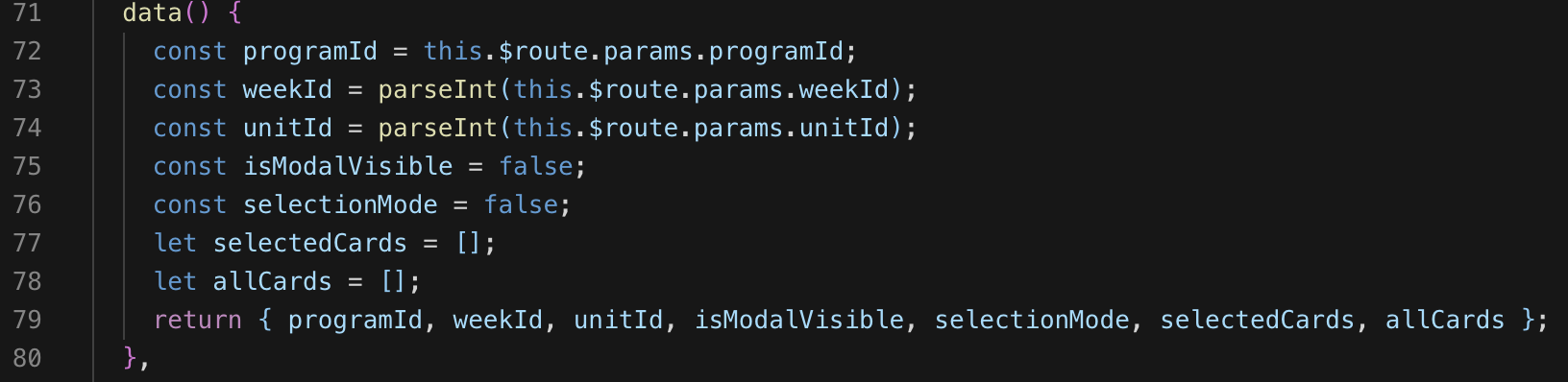
So yes, it returns an object.
jtsom
on 2 Apr 2019
And the actions:

And the getters (computed):

jtsom
on 2 Apr 2019
By "minimal reproducible example" I meant put your project generated with vue-cli in a public GH repo.
Minimal in that "make smallest edits from the generated code to show the problem".
I can't figure out how the rest of your file look like and how your whole project is setup.
octref
on 2 Apr 2019
jtsom
on 2 Apr 2019
I wouldn't expect cardData to work, but this is surprising:
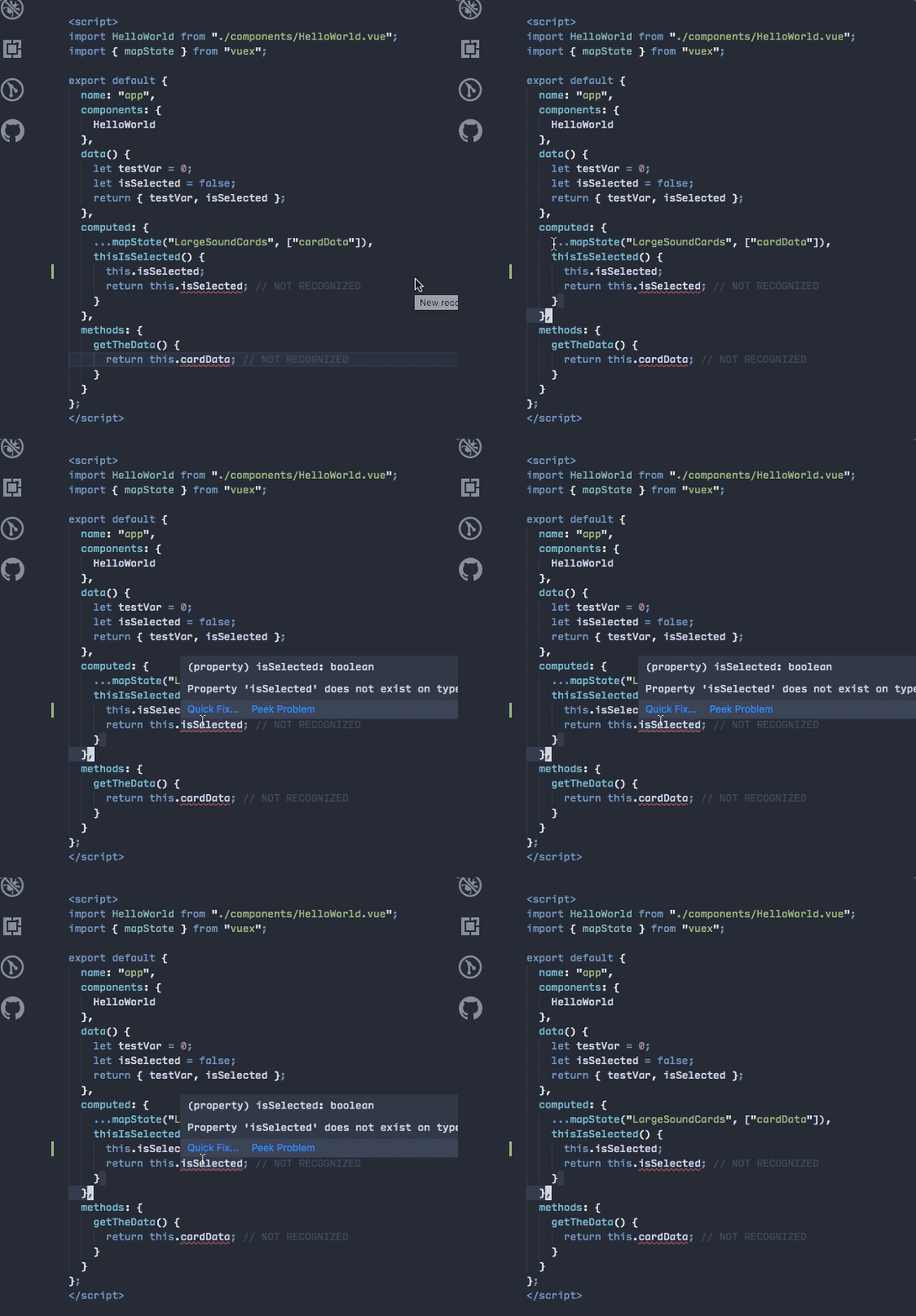
Also once you change the way you write computed, it started to work:
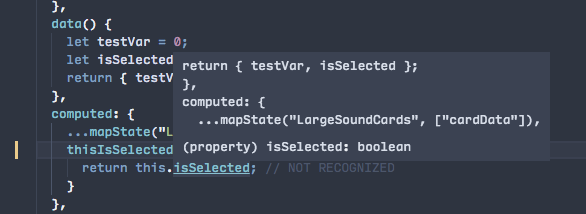
I guess the issues are related to the typing upstream.
octref
on 3 Apr 2019
I’m not seeing how you changed the way computed was written?
jtsom
on 3 Apr 2019
And why wouldn’t “cardData” work? How would I make it work (not give an error)? Short of ignoring the error...
jtsom
on 3 Apr 2019
Sorry that's overlapped behind the hover. Try thisIsSelected: function() {.
As for mapState. I didn't find your usage in the docs: https://vuex.vuejs.org/guide/state.html.
octref
on 3 Apr 2019
Modules and namespaces: https://vuex.vuejs.org/guide/modules.html#binding-helpers-with-namespace
jtsom
on 3 Apr 2019
I can confirm that writing computed functions with explicit function() is the only way computed functions work well.
Writing them without them also removes type inference.
Working with TS.
 p-kuen
on 4 Apr 2019
p-kuen
on 4 Apr 2019
Not sure if it helps, but the computed block parses correctly as long as _any_ entry uses the name: function() {...} syntax; it only breaks if every entry uses the shorthand name() {...}
 mrozekma
on 15 Apr 2019
mrozekma
on 15 Apr 2019
Upstream issue:
https://github.com/Microsoft/TypeScript/issues/30854
See this comment. For now you can try to annotate the return type with JSDocs:

octref
on 25 Apr 2019
Found this open issue is similar to mine. Any idea how to fix all of this guys?
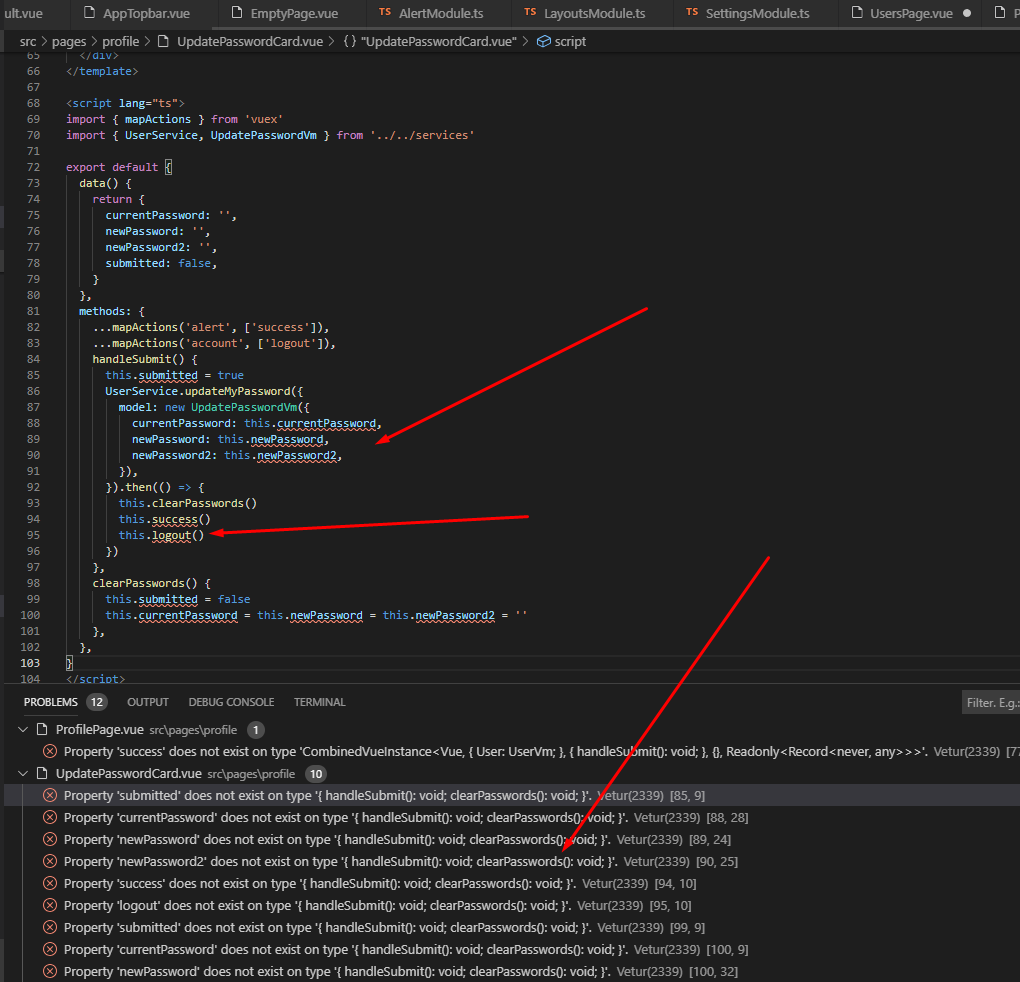
 fairking
on 12 Sep 2019
fairking
on 12 Sep 2019
@denis-pujdak-adm-it
The problem you have is different.
If you are using <script lang="ts">, try using export default Vue.extend and `import Vue from 'vue' at the beginning. That should fix the errors.
p-kuen
on 12 Sep 2019
Sorry mate but export default Vue.extend gives me even more errors:
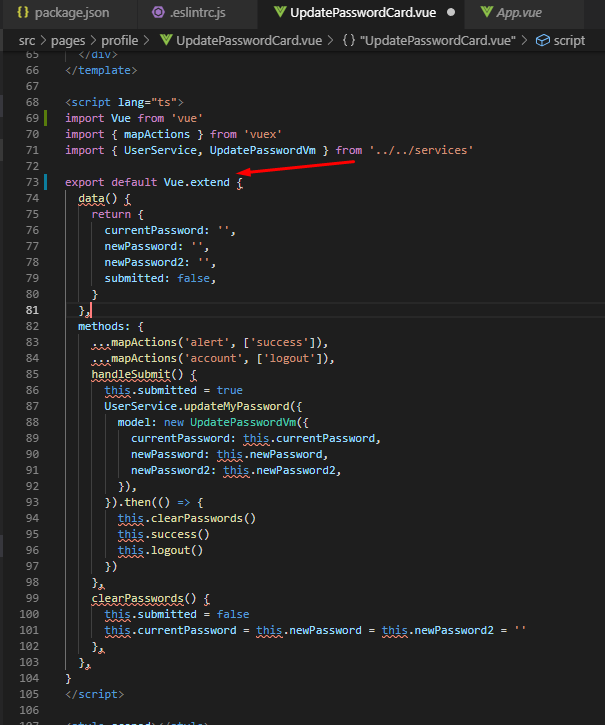
But if I remove Vue.extend the situation looks much better:

fairking
on 12 Sep 2019
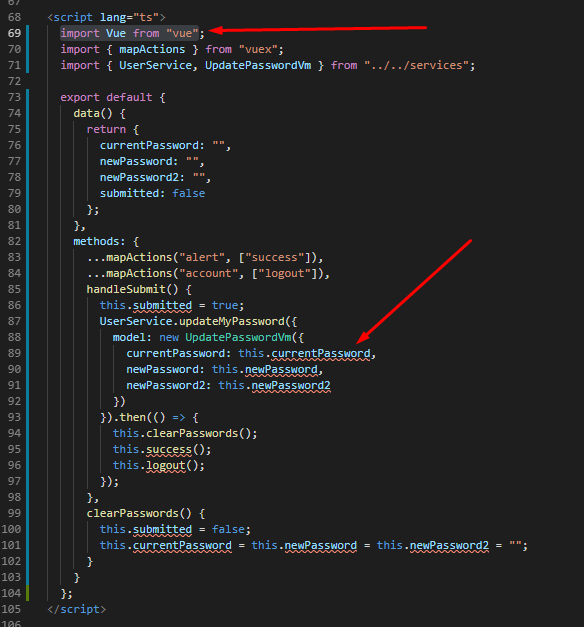
Nope. The import Vue from "vue" is not working. It is working if I add the line then model errors dissapear, but after I close VS Code and open it again those errors come back.
fairking
on 12 Sep 2019
@denis-pujdak-adm-it Patcher56 is correct, you need to use Vue.extend(...) or Typescript can't infer anything about the component options. You're missing the parentheses in your screenshot; it's a function call:
export default Vue.extend({
    data() {
        // etc.
    }
});
Should be fixed as we upgraded to TS 3.6.3 in Vetur 0.22.3.
octref
on 30 Sep 2019
Related issues
octref
·
3Comments
 tczhangzhi
·
3Comments
tczhangzhi
·
3Comments
 yoyoys
·
3Comments
yoyoys
·
3Comments
 shaunc
·
3Comments
shaunc
·
3Comments
 KokoDoko
·
3Comments
KokoDoko
·
3Comments