Vetur: Path completion in JS `import` does not work
Info
- Platform: macOS
- Vetur version: 0.14.5
- VS Code version: 1.30.2
Problem
Autocomplete for imports does not work in single-file-components
Also autoimport does not work
I have VSCode with only vetur installed (tried reinstall)
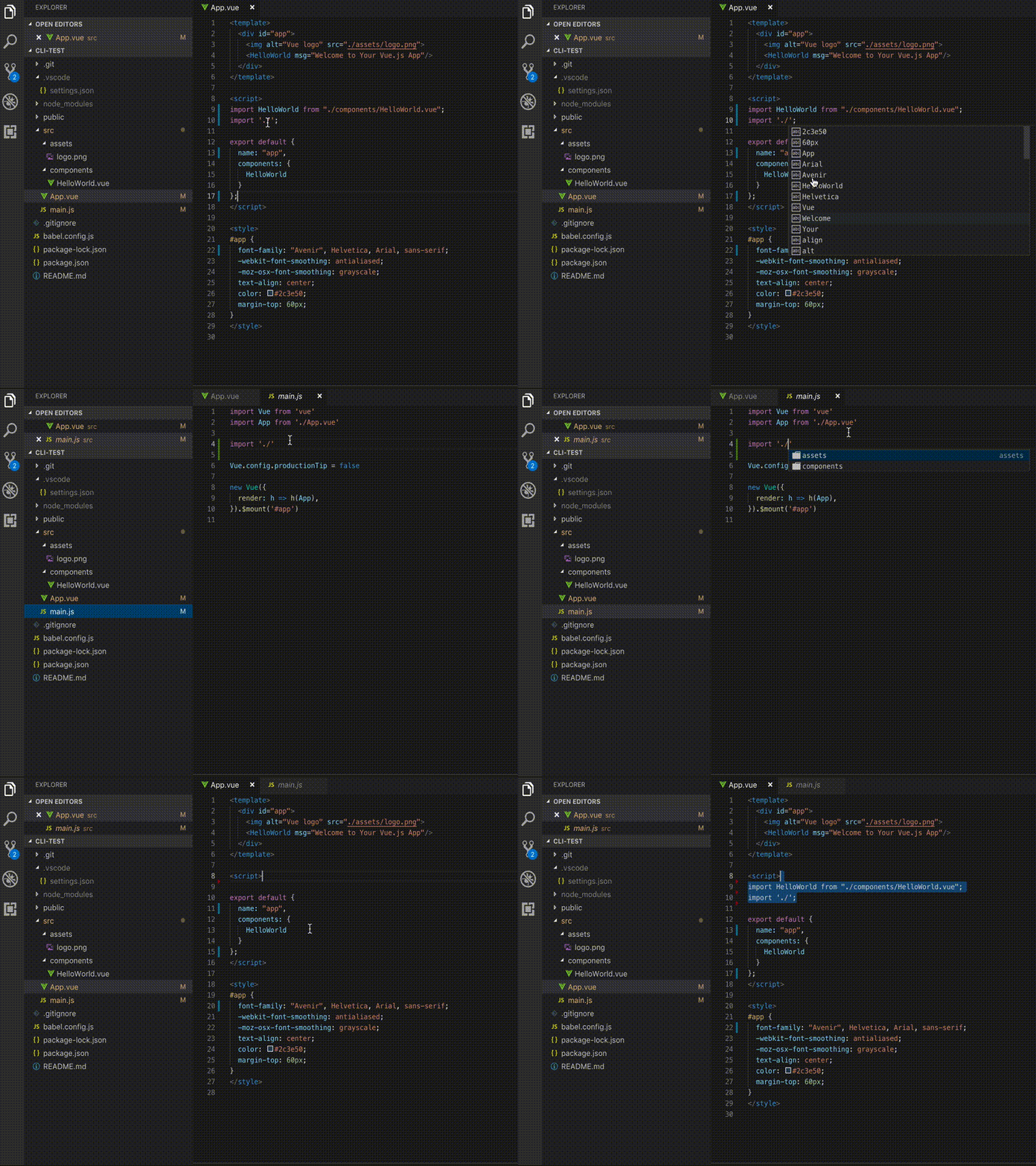
Reproducible Case
(vue-cli)
vue create testapp
in App.vue try import "./" - there will be no useful suggestions
same with autoimporting
 Hulkmaster
All 6 comments
its about auto import, but even autocomplete does not work
Hulkmaster
on 12 Jan 2019
The feature is 'autocomplete path' in vetur very bad. does not support alias of vscode. And has very slow performance
Don't support multiple sub-project levels
I have same issue. It work great with .js .jsx but .vue don't work !
 kytosai
on 18 Jan 2019
kytosai
on 18 Jan 2019
having the same issues here.
path autocomplete doesnt work at all.
and autoimport sometimes fails to work.
inside a object for example
 JohnDeved
on 6 Mar 2019
JohnDeved
on 6 Mar 2019
this page in the docs makes me think it will work
but I also cannot make it work
 thedamon
on 24 Apr 2019
thedamon
on 24 Apr 2019
I've had the same issue and for now I've found that the Path Intellisense plugin has been working for me to fill the void for path autocompletion.
Just wanted to post here in case anyone else was wondering about an alternative for this functionality.
 bschulte
on 9 May 2019
bschulte
on 9 May 2019
Duplicate of #822 which is fixed in #1290.
 octref
on 15 May 2019
octref
on 15 May 2019
Related issues
 deangoku
·
3Comments
deangoku
·
3Comments
 sacki5
·
3Comments
sacki5
·
3Comments
 13029852933
·
3Comments
13029852933
·
3Comments
 AnnAngela
·
3Comments
octref
·
3Comments
AnnAngela
·
3Comments
octref
·
3Comments
Most helpful comment
its about auto import, but even autocomplete does not work