Info
- Platform: OSX
- Vetur version: 0.12.7
- VS Code version: 1.27.2
Problem
I'm experiencing very high cpu usage when trying to use intellisense inside .vue files when using 0.12.7. Everything works correctly when I use the 0.12.1 vsix build directly from github.
Here's a gif with 0.12.1
As you can see everything works correctly, and intellisense always works as-you-type.
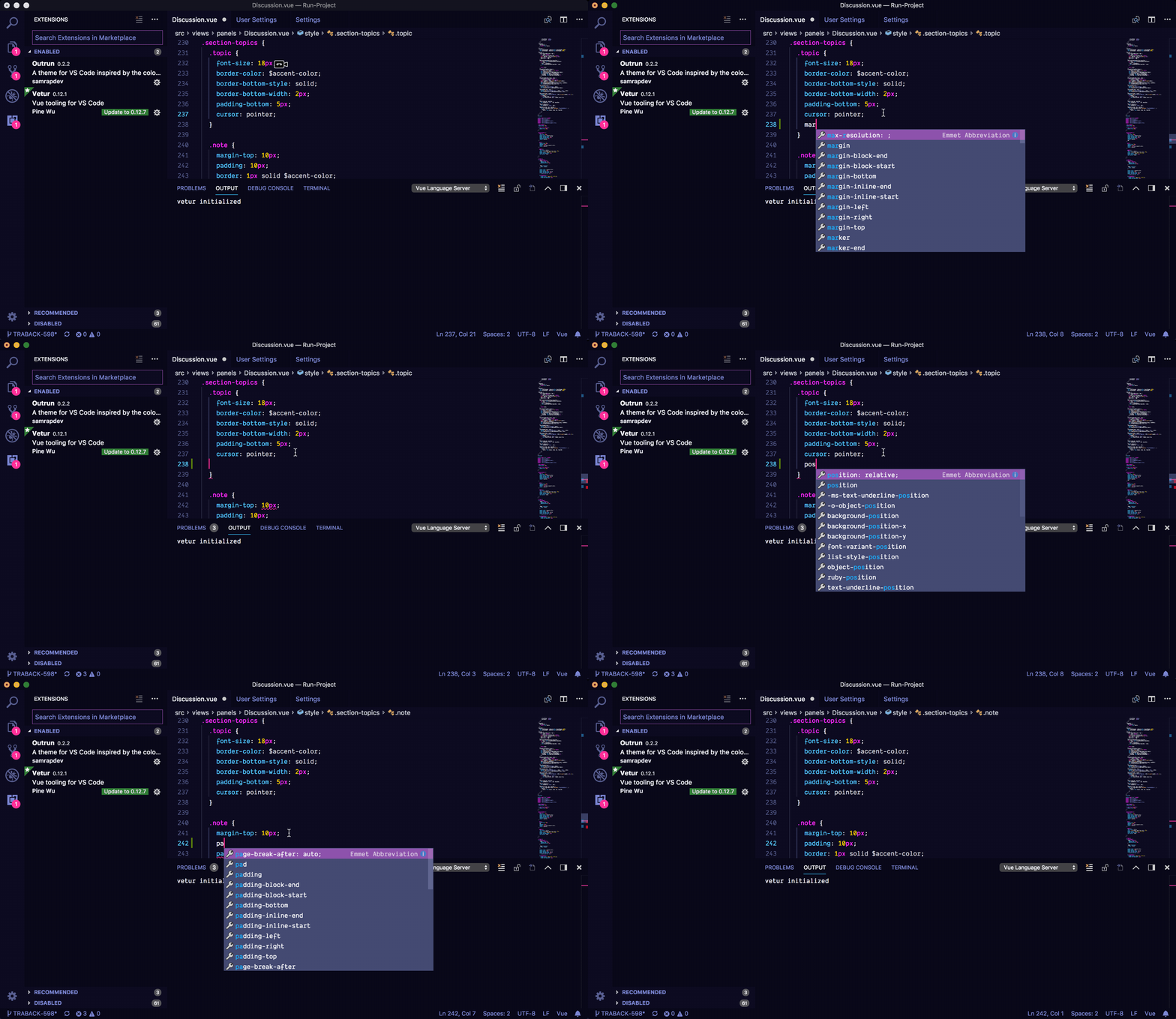
Here's a gif with 0.12.7
My cpu is pegged at 100%, intellisense as-you-type doesn't work(have to manually use ctrl+space) _and_ even with that it takes a long time to return results.

 Vorror
All 24 comments
I know 0.12.1 is pretty old, but it's the only vsix build available. Everything was fine up until today/yesterday, but I can't confirm what build I was on before vscode autoupdated to the latest(0.12.7).
If you give me a previous build that's not 0.12.7 I can test that. I'm going to assume that 0.12.6 was the previous build installed on my machine since auto-updating of extensions is turned on.
Vorror
on 26 Sep 2018
Current veutr settings
  "vetur.validation.template": false,
  "prettier.eslintIntegration": true,
  "vetur.format.defaultFormatter.js": "vscode-typescript",
  "vetur.format.defaultFormatter.html": "js-beautify-html",
  "vetur.format.defaultFormatterOptions": {
    "js-beautify-html": {
      "wrap_line_length": 120,
      "wrap_attributes": "force-aligned"
    }
  }
I made a 0.12.6 package for you. Can you install it and let me know if this causes problem for you? This way I can narrow down the causes.
This is likely caused by upgrading TypeScript to 3.0.3.
 octref
on 26 Sep 2018
octref
on 26 Sep 2018
@octref Yep that seems to be the issue
With 0.12.6 everything works correctly

I also upgraded again to 0.12.7 afterwards just to make doubly sure I wasn't crazy.
Vorror
on 26 Sep 2018
This happend to me too when I opened my Vue project today. Intellisense inside vue files is broken and while 'Loading...' CPU usage goes high.
 aszczepanek
on 26 Sep 2018
aszczepanek
on 26 Sep 2018
This definitely happens because of Typescript 3.0+ in the server. I manually changed TS version in Vue Language Server to 2.9.2 and it started working good.
 alwonder
on 28 Sep 2018
alwonder
on 28 Sep 2018
I have same isssue with 0.12.7 :( !!!!
- High cpui usage
- Autocomplete not work with vue file
My laptop
- Macbook 2018 15in
- MacOS Mojave
I try version 0.12.6, it work fine !
 kytosai
on 30 Sep 2018
kytosai
on 30 Sep 2018
Since the other issue (https://github.com/vuejs/vetur/issues/914, seems to me related to this one) is closed i write here. Same problem here, high CPU usage and no autocomplete with 0.12.7.
0.12.6 works fine.
What do you want to know more?
 geefix
on 1 Oct 2018
geefix
on 1 Oct 2018
I can confirm the problem as well: high CPU usage on mac osx, no autocomplete and prettier stopped working (just on .vue files).
Disabled all the extensions but vetur, cleared the cache and reinstalled the extension as well but without any luck.
Rolling back to 0.12.6 fixed the problem.
I'm not an expert about vscode extensions, but if you need any log / detail, feel free to ask for that.
 dwightjack
on 2 Oct 2018
dwightjack
on 2 Oct 2018
Sorry for the issue, but I'm having trouble reproducing it. Here are two things that you can do to help me figure out what's going on:
Install this release. It's Vetur 0.12.7 built with TS 2.9.2 (as opposed to the shipped version, TS 3.0.3). See if that makes a difference for you.
Use the current Vetur on these projects. Does Vetur become slow?
- https://github.com/octref/veturpack
- https://github.com/chrisvfritz/vue-enterprise-boilerplate
- https://github.com/vuejs/vue-hackernews-2.0
vue createwith vue-cli. Standard template.
None of the projects above could reproduce the problem for me. If it does for your project, and you cannot share your project with me, can you paste your tsconfig.json or jsconfig.json then? Thanks.
octref
on 2 Oct 2018
@octref
As I mentioned above, this is reproduced with TS 3.0+. Your version with TS 2.9.2 works well.
As for projects you listed, they work good on the new version because these projects aren't big enough. I have a working project with ~50k lines, and every typed character costs me 10-15 seconds of waiting. I can't share you my project repo, but I left a VLS log here. Hope it'll be helpful.
alwonder
on 2 Oct 2018
I tested with 'Vetur 0.12.7 built with TS 2.9.2' . It work fine !!! :)
Sorry, i'm haven't good english to more support you :( !!
kytosai
on 2 Oct 2018
@octref I can confirm that the build with TS 2.9.2 works for me as well.
With the repositories you provided everything works fine even with the TS3.0+ version. As @alwonder said I guess the issue arises on large projects. To prove that, I removed a bunch of files from the folder (about 400 files mostly unrelated to Vue like static images, JSON files and build scripts) and the issue disappeared.
Duplicating the same Vue file on a _blank_ project doesn't seem to generate the issue, but I guess there's some sort of cache involved.
Sadly I cannot share the repo I'm working on but here are some more details:
Mac OSX: 10.13.6
Node version in use: 8.11.2
VS Code: 1.27.2
I have this jsconfig.json file in the project root:
{
  "compilerOptions": {
    "baseUrl": "./",
    "paths": {
      "@/*": ["src/*"]
    }
  }
}
Let me know if I can provide any other information.
dwightjack
on 2 Oct 2018
For me 0.12.7 /w TS 2.9.2 works slightly better, but still not as good as 0.12.6.
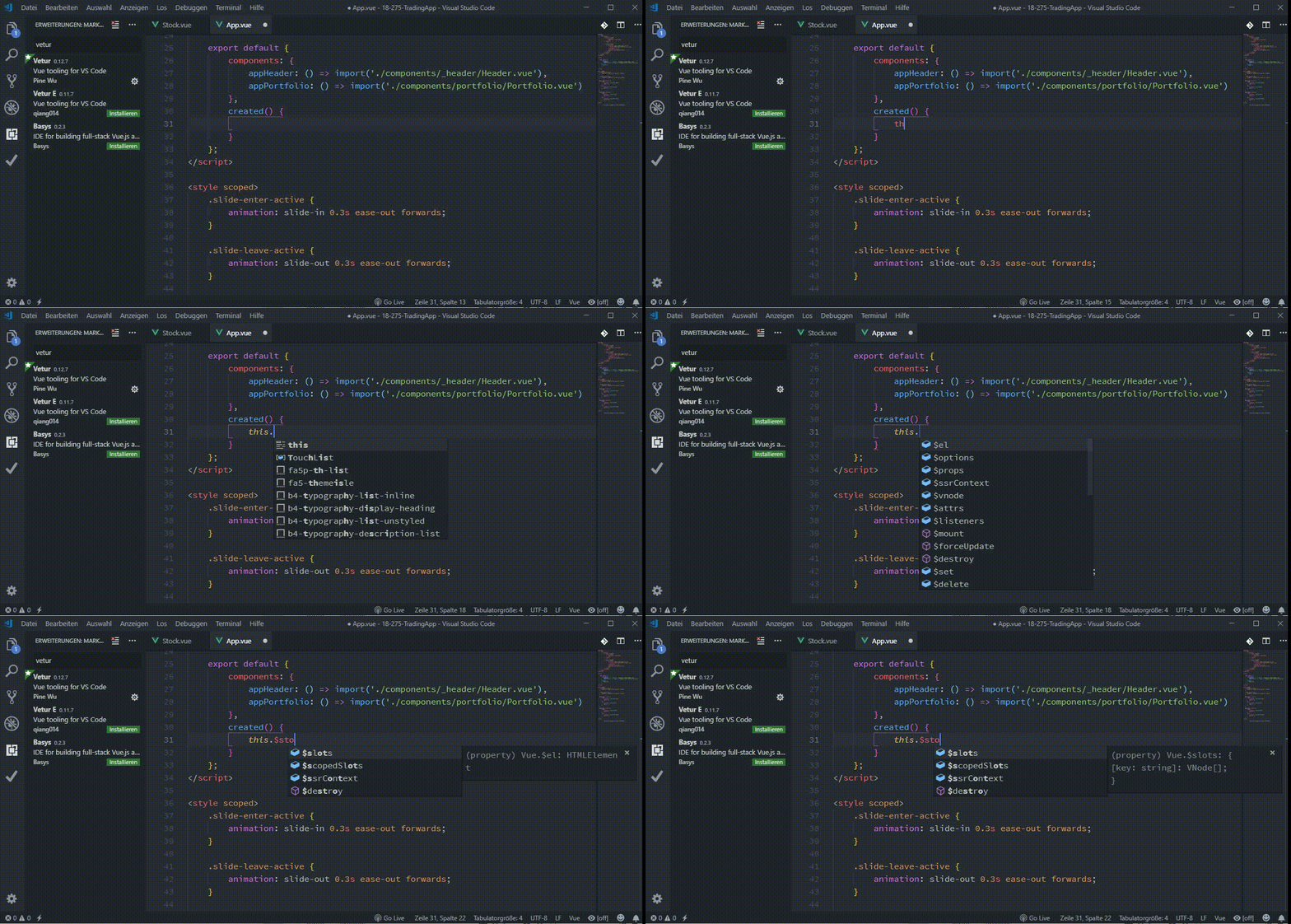
See the difference:
0.12.6 is faster and in this example _$store_ as a member of _this_ is listed.
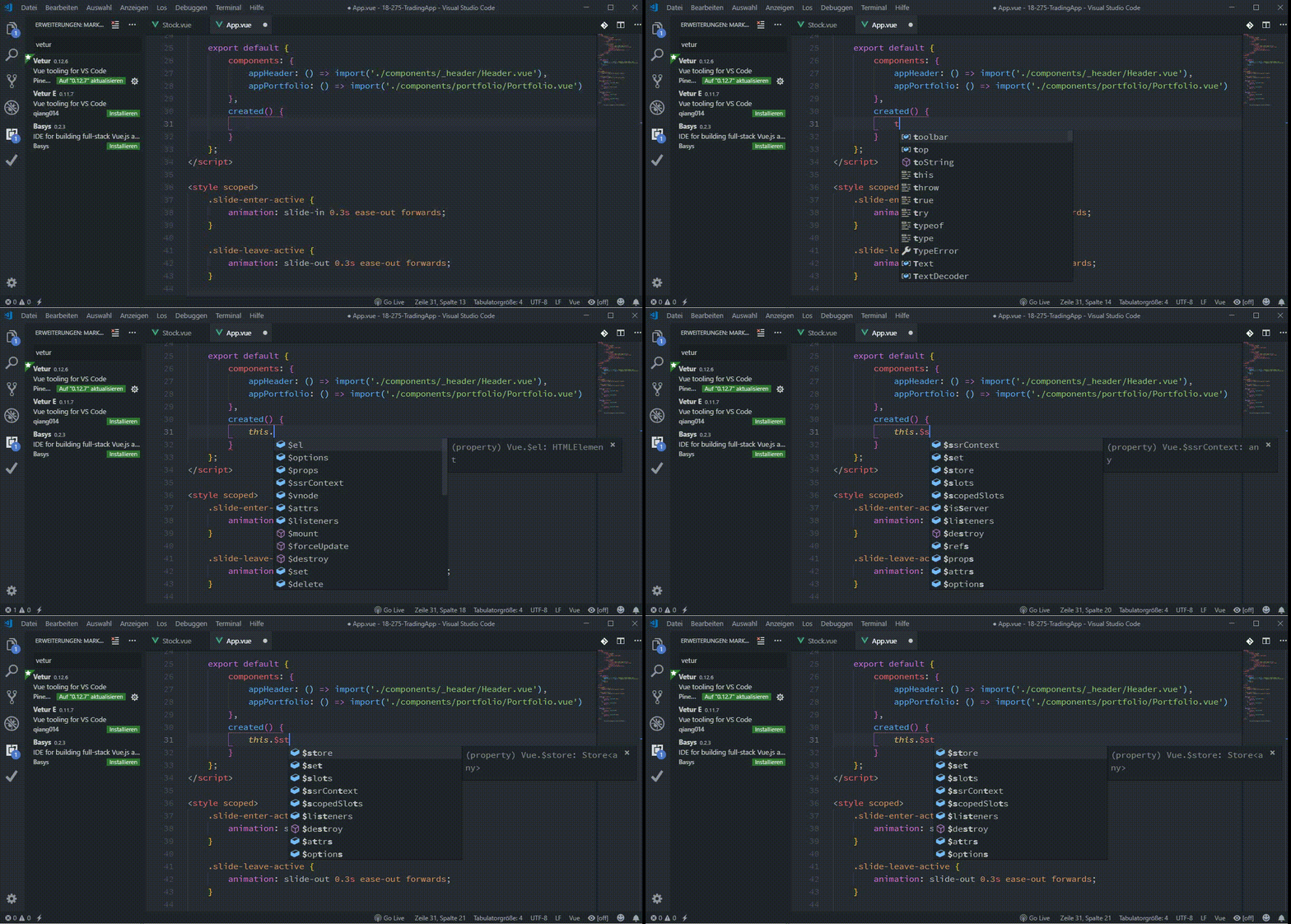
0.12.7 is a bit slower and the list is missing members of _this_
Platform: Win 10 x64
Version: 1.27.2 (user setup)
geefix
on 2 Oct 2018
my intelisense is stopping working when i open some large svgs
 numfin
on 4 Oct 2018
numfin
on 4 Oct 2018
for ppl don't know how to install old version extension on vs code, here is a SO question about it. https://stackoverflow.com/questions/37071388/how-to-install-vscode-extensions-offline
And don't forgot disable _auto updating extensions_
 axe-me
on 4 Oct 2018
axe-me
on 4 Oct 2018
For those of you who had the problem, can you also try this version which comes with TS 3.1.1?
https://github.com/vuejs/vetur/releases/tag/0.12.7-2
I talked a bit to TS team and there were some perf issues around file watching that is resolved between TS 3.0.3 & 3.1.1.
If this works, I'll update to 3.1.1. If it doesn't, I'll make a new release with TS 2.9.2.
octref
on 4 Oct 2018
@octref Nope, still laggy.
axe-me
on 4 Oct 2018
@ShaneXie Did you also try the TS 2.9.2 version? Was it also buggy so you are using 0.12.6?
octref
on 4 Oct 2018
@octref 0.12.6 works fine for me.
axe-me
on 4 Oct 2018
I've tried the different versions:
1.2.7 that is on marketplace: high cpu usage
1.2.6 relased couple of days ago: no problems
1.2.7 with TS 2.9: seems ok, no high cpu usage
1.2.7 with TS 3.1: high cpu usage
 disfracted
on 4 Oct 2018
disfracted
on 4 Oct 2018
Thanks again. Based on the feedback, I'll revert TS to 2.9 and make a new release.
octref
on 4 Oct 2018
I'm going back to 2.8.4 for now. Before upgrading TS versions again, I'll try to add some logs to TS Language Service so we can figure out what went wrong: https://github.com/vuejs/vetur/issues/922.
octref
on 4 Oct 2018
@octref Can I ask why not 2.9.2? I just had some troubles with my mixed js-ts project on 2.8.x, and I fixed it installing 2.9.x version on the server, so i'd be happy with 2.9.2.
Anyways, if you leave 2.8.4 eventually and I get some problems, I will create an issue with more details. Thanks a lot for your work!
alwonder
on 5 Oct 2018
Related issues
 muhajirdev
·
3Comments
muhajirdev
·
3Comments
 deangoku
·
3Comments
deangoku
·
3Comments
 KokoDoko
·
3Comments
KokoDoko
·
3Comments
 ghost
·
3Comments
ghost
·
3Comments
 thibautguedou3
·
3Comments
thibautguedou3
·
3Comments
Most helpful comment
I'm going back to 2.8.4 for now. Before upgrading TS versions again, I'll try to add some logs to TS Language Service so we can figure out what went wrong: https://github.com/vuejs/vetur/issues/922.