Vetur: Vetur Ignores .eslintrc settings when formatOnSave is true
Info
- Platform: Linux (Ubuntu 16.04)
- Vetur version: 0.11.7
- VS Code version: 1.22.2
- ESLint extension version: 1.4.8
Problem
When "editor.formatOnSave" is set to true in the VS Code settings, Vetur does not respect the settings in .eslintrc.
Reproducible Case
- Install Vetur VS Code Extension
- Install ESLint VS Code Extension
- Add the following to VS Code User Settings:
{ "editor.formatOnSave": true, "eslint.validate": [ "javascript", "javascriptreact", "vue" ], "eslint.autoFixOnSave": true, } - Reload VS Code
- Use the vue 3.0 cli (I used version
3.0.0-beta.6) to create a new project:vue create new-project - Choose
Manually select features - Choose
Linter / Formatter - Choose
ESLint + Airbnb config - Choose
Lint on save - Choose
In dedicated config files - Open the new project in VS Code
- Make a change to the App.vue file
- *Notice that it changed single quotes to double and removed trailing commas contrary to the .eslintrc config
 jmcooper
All 19 comments
Looks like I found a config to get this working. If I add the below configuration to VS Code it works although it seems a little glitchy. For example, if in addition to the config below, I also set "editor.formatOnSave": true, then I see the code flash with double quotes and then get correctly formatted with single quotes, so it seems like Vetur might be formatting it with quotes and then ESLint is fixing it afterwards. It would be good if whatever Vetur is doing would respect the .eslintrc config.
Here's the VSCode config that makes it work:
{
"eslint.validate": [
{
"language": "vue",
"autoFix": true
},
{
"language": "javascript",
"autoFix": true
},
],
"eslint.autoFixOnSave": true,
}
facing same issue
 hariprasadiit
on 20 Apr 2018
hariprasadiit
on 20 Apr 2018
Thanks @jmcooper, your config did the trick. I was having the same issue using vue-cli with ESLint + Prettier and the glitchy flash disappeared after adding "prettier.eslintIntegration": true.
 oddmouse
on 20 Jun 2018
oddmouse
on 20 Jun 2018
Facing this issue, to add to it the glitchy double format seems to be a little random. Some times it runs out of order and the double brackets are left. A quick second save fixes it.
 cokeeffekt
on 25 Jul 2018
cokeeffekt
on 25 Jul 2018
After solving the first issue with @jmcooper solution (thanks!), I fixed the flashing double quotes with the following:
According to Vetur's documentation you can disable the formatter with the following setting:
"vetur.format.defaultFormatter.js": "none"
This seems to solve the issue for me. Not yet sure what benefits of Vetur, if any, I'm losing by doing this.
Btw, using the vue cli 3 configuration with airbnb.
 joancc
on 26 Jul 2018
joancc
on 26 Jul 2018
@joancc ahh this has solved it for me at-least until i work out what i'm missing out on. Thankyou
cokeeffekt
on 26 Jul 2018
I solved this by adding the following to the default value for vetur.format.defaultFormatterOptions
"prettier": {
    "singleQuote": true,
    "trailingComma": "all"
}
So it looks like this:
"vetur.format.defaultFormatterOptions": {
    "js-beautify-html": {
        "wrap_attributes": "force-expand-multiline",
    },
    "prettyhtml": {
        "printWidth": 100,
        "singleQuote": false,
        "wrapAttributes": false,
        "sortAttributes": false
    },
    "prettier": {
        "singleQuote": true,
        "trailingComma": "all"
    }
}
 jeffhube
on 8 Jan 2019
jeffhube
on 8 Jan 2019
Thanks @jeffhube, it's work!
 StphamZ
on 19 Jan 2019
StphamZ
on 19 Jan 2019
This depends on what formatter you are using:
"vetur.format.defaultFormatter.js": "prettier": This is the default value and does not respect your ESLint setting"vetur.format.defaultFormatter.js": "prettier-eslint": This respects your ESLint setting
I suggest that you don't rely on ESLint autofix, if you are using eslint-plugin-vue. For example, in https://github.com/octref/veturpack, try to modify the eslint config:
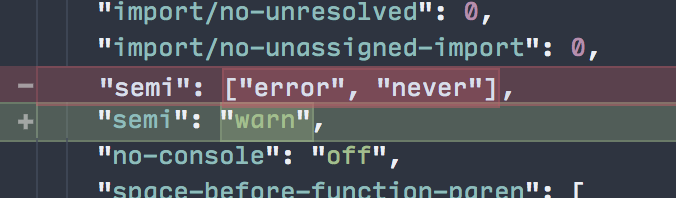
Autoformat fixes your JS code, but also messes up template code:

Whereas if you use "vetur.format.defaultFormatter.js": "prettier-eslint" and turn off eslint.autoFixOnSave, your JS code go through Prettier + ESLint, and your template code is not affected.
Does that make sense? I think it's mostly a documentation issue. I'll update the docs.
 octref
on 9 Feb 2019
octref
on 9 Feb 2019
According to Vetur's documentation you can disable the formatter with the following setting:
"vetur.format.defaultFormatter.js": "none"
This seems to solve the issue for me. Not yet sure what benefits of Vetur, if any, I'm losing by doing this.
The Eslint plugin doesn't support format on paste. The vscode/vetur Formatter does.
 franciscolourenco
on 13 Mar 2019
franciscolourenco
on 13 Mar 2019
I've disabled the eslint format on save, and enabled Vetur's with the prettier-eslint formatter for js, but it seems to be disregarding the vue-cli options set in package.json.
Is this supposed to be working?
"eslintConfig": {
    "root": true,
    "env": {
      "node": true
    },
    "extends": [
      "plugin:vue/essential",
      "@vue/prettier"
    ],
    "rules": {
      "prettier/prettier": [
        "error",
        {
          "#": "prettier config in here :)",
          "singleQuote": true,
          "semi": false,
          "trailingComma": "es5",
          "useTabs": true,
          "bracketSpacing": false
        }
      ]
    },
    "parserOptions": {
      "parser": "babel-eslint"
    }
  },
@franciscolourenco Do you have a sample generated from vue-cli or forked from https://github.com/octref/veturpack?
octref
on 14 Mar 2019
Oh I see you have ESLint settings from package.json from #1144. No we don't support that.
octref
on 14 Mar 2019
@octref do you support .eslintrc.*? thanks!
franciscolourenco
on 14 Mar 2019
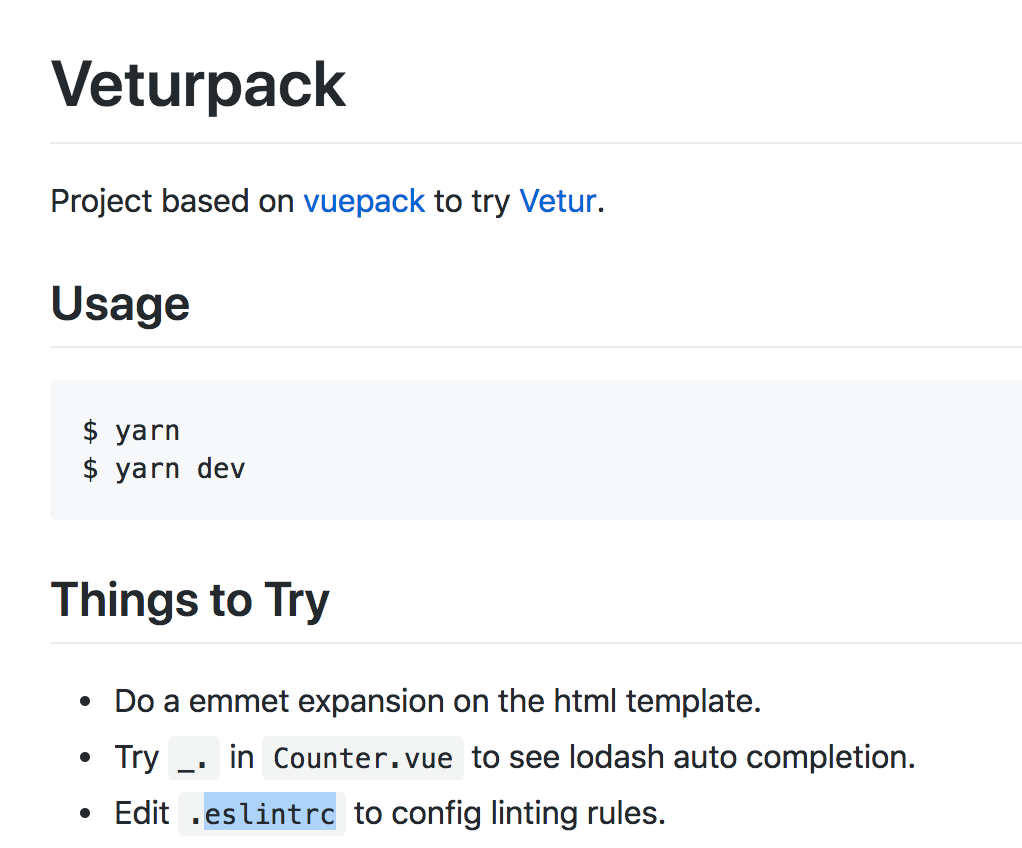 octref
on 22 Mar 2019
octref
on 22 Mar 2019
The following config works for me to get formatter + ESLint + AirBnb config working:
VSCode workspace settings (settings.json):
{
  "eslint.validate": [
    {
      "language": "vue",
      "autoFix": true
    },
    {
      "language": "html",
      "autoFix": true
    },
    {
      "language": "javascript",
      "autoFix": true
    },
    {
      "language": "javascriptreact",
      "autoFix": true
    }
  ],
  "editor.formatOnSave": true,
  "eslint.runtime": "node",
  "eslint.autoFixOnSave": true,
  "vetur.format.defaultFormatter.js": "none",
  "prettier.eslintIntegration": true
}
With the following .eslintrc.js file:
module.exports = {
  root: true,
  env: {
    node: true,
  },
  extends: ['plugin:vue/essential', '@vue/airbnb'],
  rules: {
    'no-console': process.env.NODE_ENV === 'production' ? 'error' : 'off',
    'no-debugger': process.env.NODE_ENV === 'production' ? 'error' : 'off',
    'import/no-unresolved': 'off', // Suppress errors caused by import '@/...'
    'max-len': 'off', // Allow lines longer than 100 characters
    'no-param-reassign': [
      'error', // Allow param reassigns required by Vuex
      {
        props: true,
        ignorePropertyModificationsFor: [
          'state',
          'acc',
          'e',
          'ctx',
          'req',
          'request',
          'res',
          'response',
          '$scope',
        ],
      },
    ],
  },
  plugins: ['vue'],
  parserOptions: {
    parser: 'babel-eslint',
  },
};
The "prettier.eslintIntegration": true line seems to be required when you have the Prettier VSCode plugin installed (in order to prevent the flashing double quotes).
With this config, although ESLint autoFixOnSave is turned on, it doesn't mess up the Vue template markup.
1038 looks related. prettier-eslint is not working for me either. Maybe it's because of the Prettier VSCode plugin?
 jos-
on 4 Apr 2019
jos-
on 4 Apr 2019
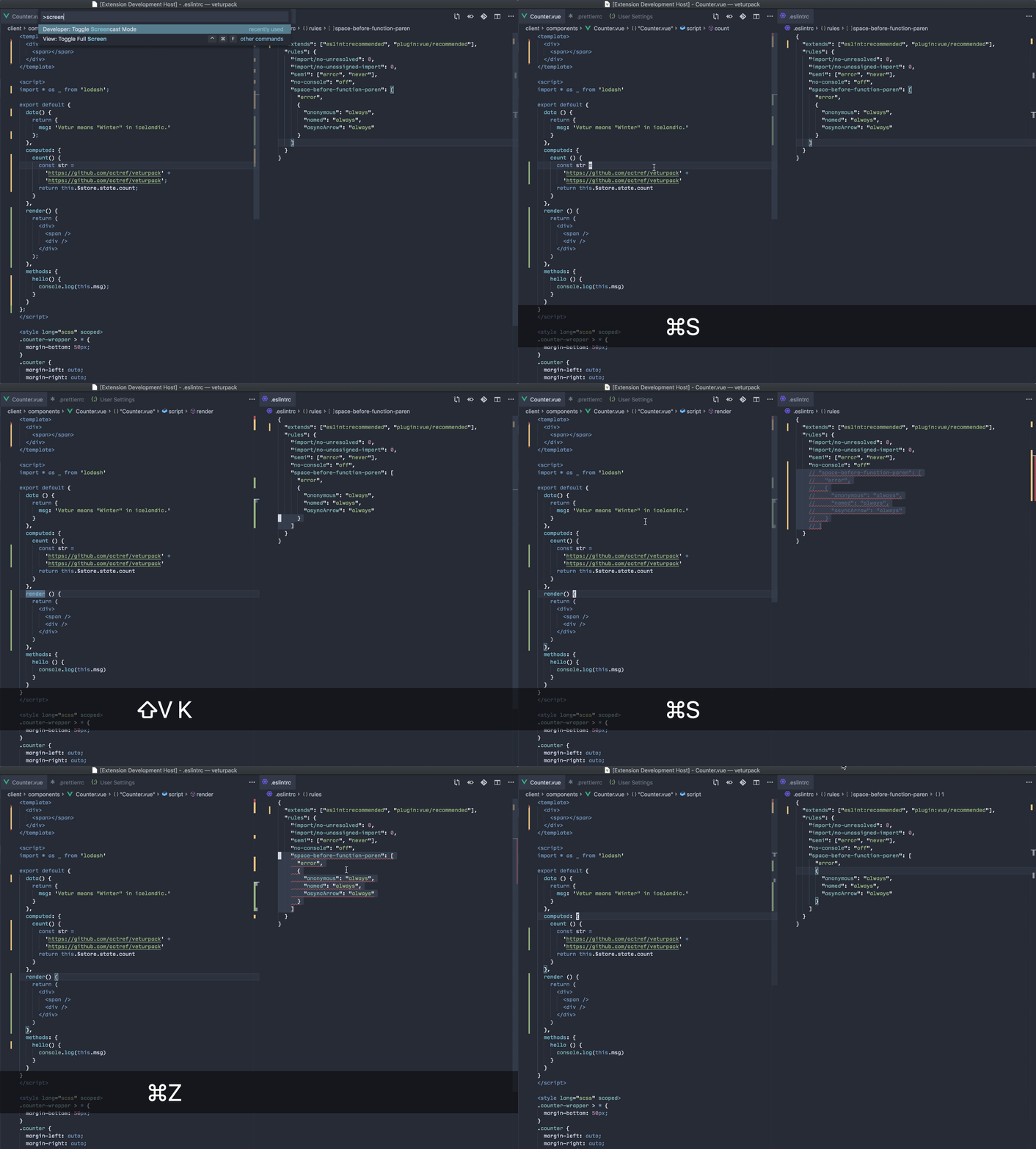
With "vetur.format.defaultFormatter.js": "prettier-eslint" set, in https://github.com/octref/veturpack I can no longer reproduce this:
octref
on 10 May 2019
I can reproduce this. Please reopen this issue or have a look at my new issue #1942
 Dealerpriest
on 27 May 2020
Dealerpriest
on 27 May 2020
I figured out how to get Vetur auto-formatting to work with the Airbnb ESLint config. It's pretty difficult to write down all the details so I made a video going over them:
Vue Setup Guide in VS Code with Vetur and the Airbnb ESLint Config
TL;DW
- Open a directory in VS Code (e.g.
/Users/suboptimaleng/Desktop/dev) - Get Vetur extension
- Create Vue project with the Vue CLI in the directory you opened like so:
Manually select features- Choose
Linter / Formatter - Choose
ESLint + Airbnb config - Choose
Lint on save - Choose
In dedicated config files - Add these configs to your
settings.json:
    // ignore random errors with vetur
    "vetur.ignoreProjectWarning": true,
    "vetur.validation.template": false,

    // THE MAIN SETTINGS YOU SHOULD ADD
    "editor.formatOnSave": true,
    "vetur.format.defaultFormatterOptions": {
        "prettier": {
            "singleQuote": true
        }
    },
 SuboptimalEng
on 17 Feb 2021
SuboptimalEng
on 17 Feb 2021
Related issues
 deangoku
·
3Comments
deangoku
·
3Comments
 KokoDoko
·
3Comments
KokoDoko
·
3Comments
 tczhangzhi
·
3Comments
octref
·
3Comments
tczhangzhi
·
3Comments
octref
·
3Comments
 pdanpdan
·
3Comments
pdanpdan
·
3Comments
Most helpful comment
I solved this by adding the following to the default value for
vetur.format.defaultFormatterOptionsSo it looks like this: