Info
- Platform: Linux
- Vetur version: 0.11.7
- VS Code version: 1.19.2
Problem
VS code already has settings for line wrapping, and those work fine:
    "editor.wordWrap": "wordWrapColumn",
    "editor.wordWrapColumn": 120,
When vetur is enabled, it wraps lines around column 80. Please, let VS code handle that. Focus on areas not handled by VS code.
Reproducible Case
            if (typeof ar.applicability === "object" && ar.applicability) {
              if (typeof ar.applicability.when === "object" && ar.applicability.when) {
                if (typeof ar.applicability.when.months_since_last === "number"
                && moment().diff(al.done_date, "months")  > ar.applicability.when.months_since_last) {
                  l("ar.applicability.when.months_since_last2", ar.applicability.when.months_since_last,
                    moment().diff(al.done_date, "months")
                  )
                }
              }
            }
 mariusa
All 12 comments
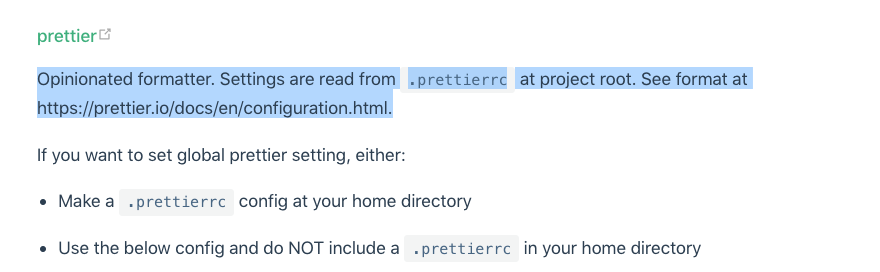
Vetur uses prettier for <script> section, so you need to set its printWidth accordingly.
 octref
on 1 Feb 2018
octref
on 1 Feb 2018
However, It doesn't seem to follow my "printWidth" under vscode's extension settings. I tested by setting it to 30, which affects all .js file but none of the .vue files.
 kazzit
on 28 Nov 2018
kazzit
on 28 Nov 2018
Yeah, this issue should not have been closed so quickly. The provided solution does not fix it at all.
 SandyGifford
on 7 May 2019
SandyGifford
on 7 May 2019
 octref
on 7 May 2019
octref
on 7 May 2019
from my config
    "vetur.format.defaultFormatterOptions": {
        "prettier": {
            "tabWidth": 4,    // works
            "printWidth": 400 // does not work
        }
    },
Yeah - it doesn't seem to make a difference. I've tried both in .prettierrc and in the VSCode settings file.
SandyGifford
on 9 May 2019
@SandyGifford Please give a repro by forking https://github.com/octref/veturpack.

octref
on 9 May 2019
I have the same issue.
 bcreeves
on 5 Aug 2019
bcreeves
on 5 Aug 2019
Having the same issue. I have code like this:
watch(() => Screen.width, () => setMiniState(undefined))
That gets formatted to this:
watch(
   () => Screen.width,
   () => setMiniState(undefined)
)
Even when adding printWidth to .prettierrc.js:
module.exports = {
    singleQuote: true,
    semi: false,
    trailingComma: "es5",
    arrowParens: "always",
    printWidth: 120
}
Although I know that the settings from the .prettierrc.js file are respected. Because semicolons are added/removed based on these settings. So I would expect Vetur to respect the printWidth line too.
 DarkLite1
on 8 May 2020
DarkLite1
on 8 May 2020
I have the same ISSUE. This is such a weird and ugly behavior.
 kalimulhaq
on 11 Aug 2020
kalimulhaq
on 11 Aug 2020
Please provide reproducible case and open a new issue.
https://github.com/vuejs/vetur/blob/master/.github/NO_REPRO_CASE.md
 yoyo930021
on 11 Aug 2020
yoyo930021
on 11 Aug 2020
I'd like to thank this issue page and contributors here. I needed this:
"vetur.format.defaultFormatterOptions": {
        "prettier": {
            "tabWidth": 4,    // works
            "printWidth": 100 // does not work
        }
    },
I had an issue where Vetur would format in a way that it combines 2-6 lines into one line and that would cause me the max-len error of eslint. After setting the printWidth to 100 or less, everything becomes simple to solve eslint errors. Vetur will not deny Insertion of new lines any more upon formatting.
(I actually like to format my codes)
 tenzint
on 10 Sep 2020
tenzint
on 10 Sep 2020
"vetur.format.defaultFormatterOptions": {
    "js-beautify-html": {
      "wrap_attributes": "auto"
    },
    "prettyhtml": {
      "wrapAttributes": false,
      "printWidth": 80
    },
    "prettier": {
      "semi": false,
      "singleQuote": true,
      "eslintIntegration": true,
      "trailingComma": "none",
      "printWidth": 80
    }
  },
 Mater1996
on 10 Nov 2020
Mater1996
on 10 Nov 2020
Related issues
 KokoDoko
·
3Comments
KokoDoko
·
3Comments
 gabrielboliveira
·
3Comments
gabrielboliveira
·
3Comments
 pdanpdan
·
3Comments
pdanpdan
·
3Comments
 ghost
·
3Comments
ghost
·
3Comments
 OsterHuang
·
3Comments
OsterHuang
·
3Comments
Most helpful comment
@SandyGifford Please give a repro by forking https://github.com/octref/veturpack.