- [done ] I have searched through existing issues
- [done ] I have read through docs
- [done] I have read FAQ
Info
- Platform:
- Vetur version: 0.11.4
- VS Code version: 1.19.0
版本 1.19.0
提交 816be6780ca8bd0ab80314e11478c48c70d09383
日期 2017-12-14T12:06:43.492Z
Shell 1.7.9
渲染器 58.0.3029.110
Node 7.9.0
架构 x64
Problem
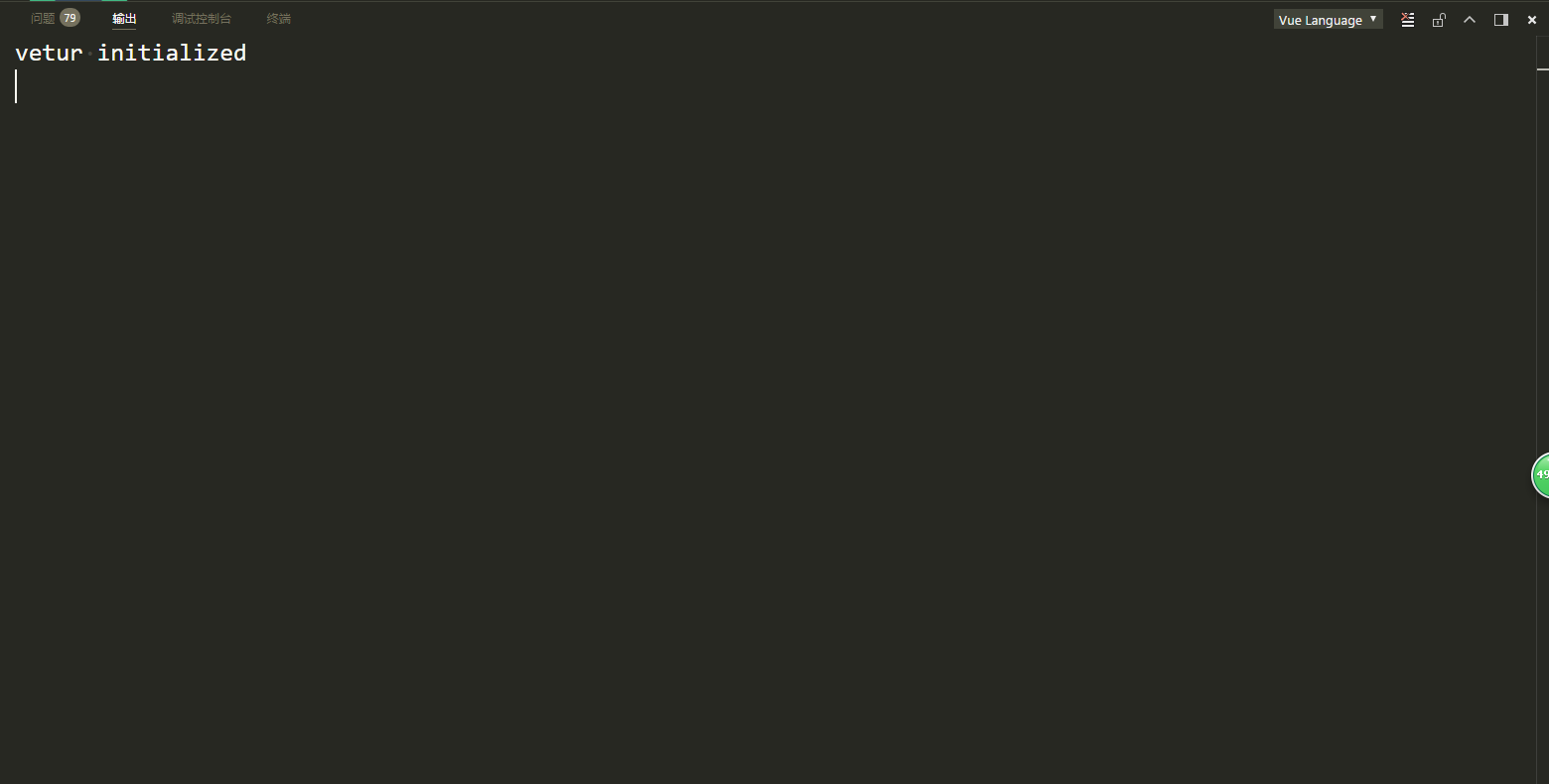
vscode version,updating plug-in vetur error!
"vetur initialized"
my email:[email protected]/[email protected]
Reproducible Case
 SunOfHomeBoy
All 21 comments
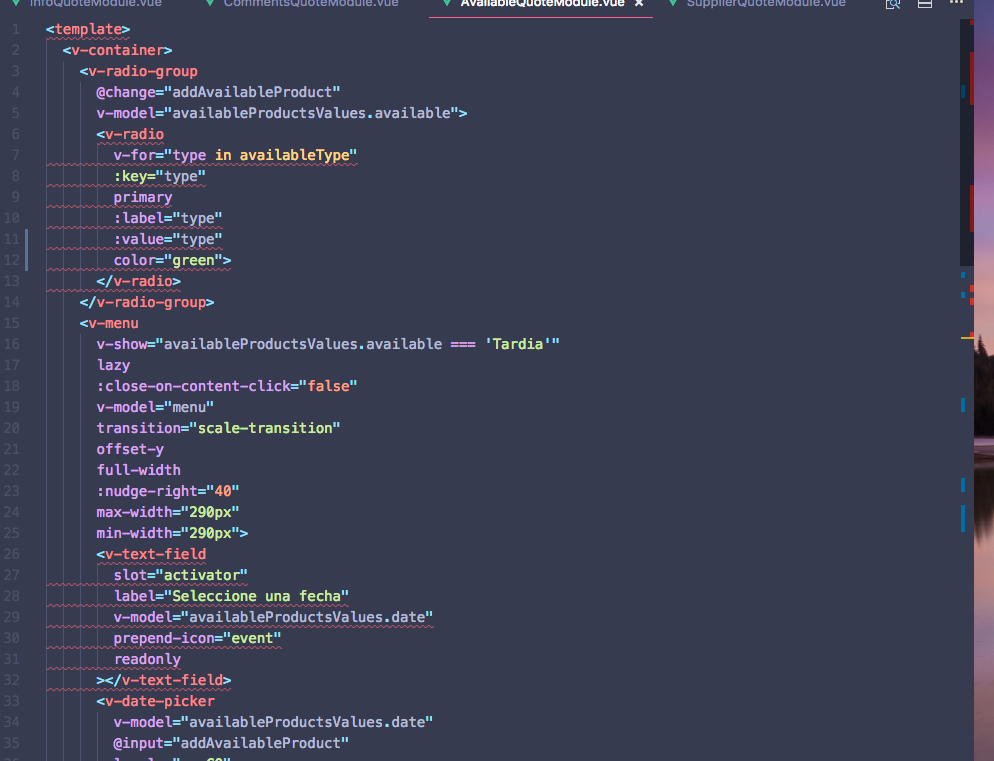
I just updated to the same versions of Vetur and VS Code and start to get highlighted some part of my code with this:
[vue-language-server] Require self-closing on Vue.js custom components (<v-text-field>).
<v-text-field> is an tag used in Vuetify, and before the update everything was ok
[vue-language-server] '<template>' should have end tag.
The end tag </template> exist.
 ysk8
on 15 Dec 2017
ysk8
on 15 Dec 2017
same error too.
 ruxf
on 15 Dec 2017
ruxf
on 15 Dec 2017
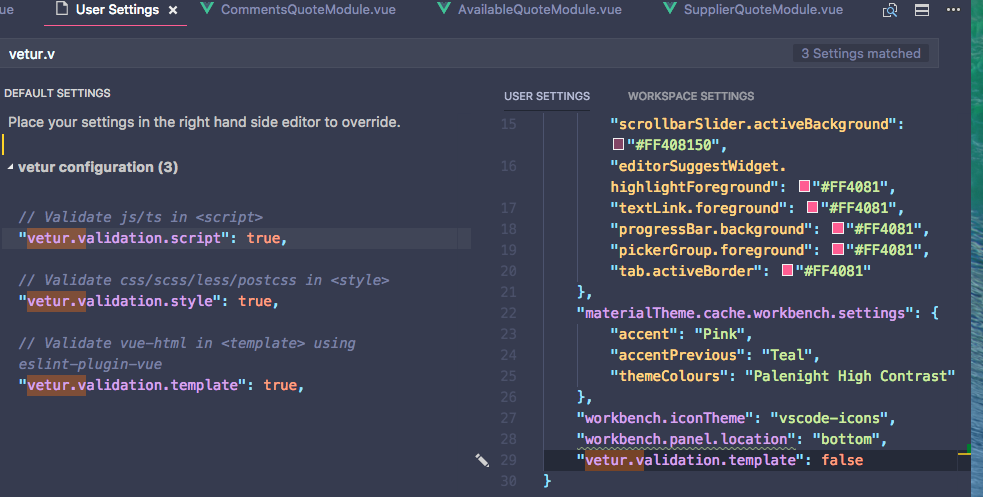
@ysk8 you can set the config to except the template valide: vetur.validation.template: false.
ruxf
on 15 Dec 2017
@ysk8 me too
SunOfHomeBoy
on 15 Dec 2017
@mrmengjun How to operate it?
SunOfHomeBoy
on 15 Dec 2017
but @mrmengjun doing that, maybe the issue is related to the eslint-plugin-vue And of course the highlighted has been disappeared.
ysk8
on 15 Dec 2017
@SunOfHomeBoy if you are in macOS you can activate User Settings with cmd + , maybe for WIN ctrl + , regularly. Then search for vetur.validation.template and edit it.
ysk8
on 15 Dec 2017

这样竟然也可以~
 icytailu
on 15 Dec 2017
icytailu
on 15 Dec 2017
@ReZhangxin please speak english :p
SunOfHomeBoy
on 15 Dec 2017
same error .
why?
 minzhang2020
on 15 Dec 2017
minzhang2020
on 15 Dec 2017
same error
 vsona
on 15 Dec 2017
vsona
on 15 Dec 2017
same error too. so disappointed about 0.11.4 changelog
 MiduoWiki
on 15 Dec 2017
MiduoWiki
on 15 Dec 2017
@ysk8 same too. 😞
 NickeyLin
on 15 Dec 2017
NickeyLin
on 15 Dec 2017
me too
 wzc0x0
on 15 Dec 2017
wzc0x0
on 15 Dec 2017
so how to solve
 Itarn
on 15 Dec 2017
Itarn
on 15 Dec 2017
same error .
 yoyo837
on 15 Dec 2017
yoyo837
on 15 Dec 2017
<template>should have end tag.
This is a bug that has been fixed.
[vue-language-server] Require self-closing on Vue.js custom components (
).
This is html-self-closing rule from eslint-plugin-vue: https://github.com/vuejs/eslint-plugin-vue/blob/master/docs/rules/html-self-closing.md
In 0.11.4, I used the recommended set from eslint-plugin-vue. And it seems it's too strict. I've changed that to essential.
After upgrading to 0.11.5, you can
- Leave
vetur.validate.templateon, which uses theessentialrule set fromeslint-plugin-vueto lint template - Configure
.eslintrcto use your own rule set, see: https://vuejs.github.io/vetur/linting-error.html
 octref
on 15 Dec 2017
octref
on 15 Dec 2017
vue报错但能正常运行,怎么解决啊
 corala
on 15 Dec 2017
corala
on 15 Dec 2017
@corala Update extension 0.11.5, the latest
yoyo837
on 15 Dec 2017
@corala use sublime like to change boy friend;hahahhaha
MiduoWiki
on 15 Dec 2017
@octref
Leave _vetur.validate.template_ on, which uses the essential rule set from eslint-plugin-vue to lint template
typo: vetur.validation.template
yoyo837
on 15 Dec 2017
Related issues
 sacki5
·
3Comments
sacki5
·
3Comments
 tczhangzhi
·
3Comments
tczhangzhi
·
3Comments
 gabrielboliveira
·
3Comments
gabrielboliveira
·
3Comments
 LukeLin
·
3Comments
octref
·
3Comments
LukeLin
·
3Comments
octref
·
3Comments
Most helpful comment
I just updated to the same versions of Vetur and VS Code and start to get highlighted some part of my code with this:
[vue-language-server] Require self-closing on Vue.js custom components (<v-text-field>).<v-text-field>is an tag used in Vuetify, and before the update everything was ok[vue-language-server] '<template>' should have end tag.The end tag
</template>exist.