Vetur: Vetur plugins auto delete a space after the operator.
- Platform: macOS
- Vetur version: 0.7.0 | 2017-06-01
- VSCode version: 1.13.1 (1.13.1)
Hi, I meet an unfriendly problem that when I start a newline and typing a function name, and select it by press enter, then editor will delete the space after =:
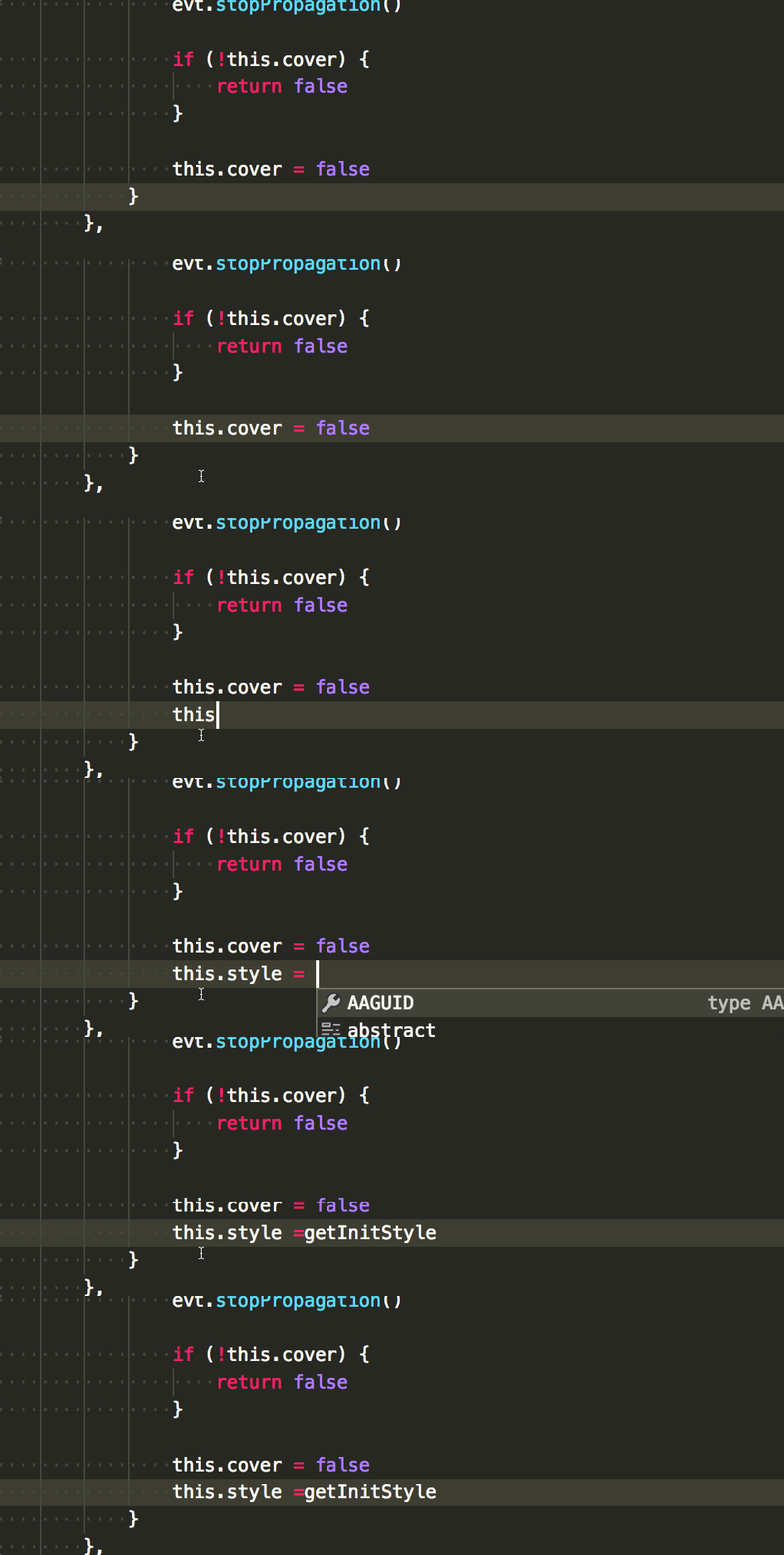
And I try to disable vetur plugin, this problem is not appear again.
Looking forward to solving this problem ~
 tangbc
All 6 comments
Supplement: it just appear when edit a .vue file.
tangbc
on 21 Jun 2017
I have also encountered this problem.
 xiguaxigua
on 23 Jun 2017
xiguaxigua
on 23 Jun 2017
I can confirm it.
 octref
on 23 Jun 2017
octref
on 23 Jun 2017
The problem is we have = as trigger for IntelliSense. I guess this was mainly for html attributes because Vetur was based on VSCode's html extension, but it doesn't make sense for vue.
The fix will be available in the next release.
octref
on 23 Jun 2017
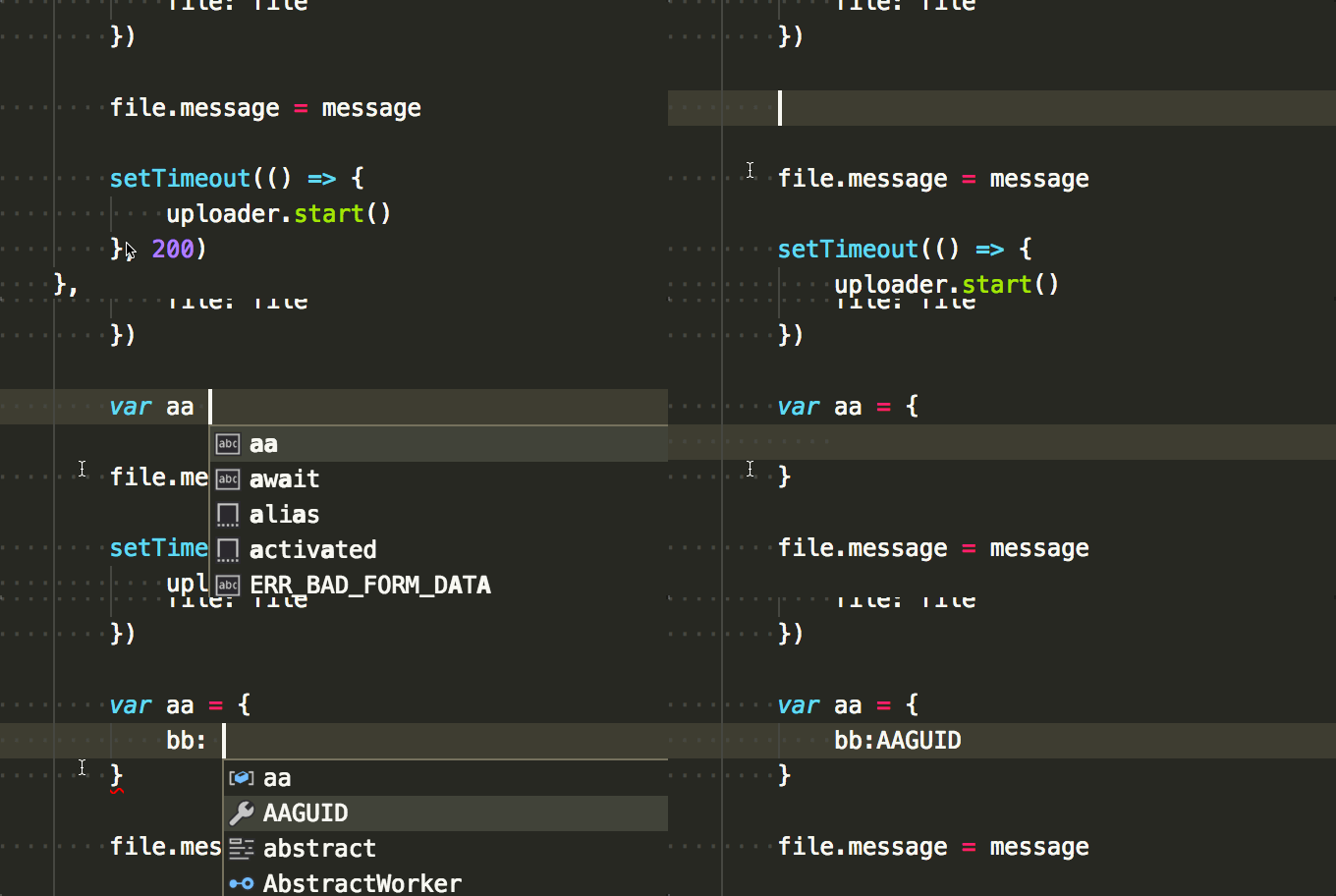
@octref This problem with = is ok in version 0.8.6 , but I found the other problem case by : in object.
It looks like:
tangbc
on 27 Jun 2017
The same bug will also be triggered by < and /
xiguaxigua
on 27 Jun 2017
Related issues
 13029852933
·
3Comments
13029852933
·
3Comments
 shaunc
·
3Comments
shaunc
·
3Comments
 KokoDoko
·
3Comments
octref
·
3Comments
KokoDoko
·
3Comments
octref
·
3Comments
 muhajirdev
·
3Comments
muhajirdev
·
3Comments