Velero: How to backup and restore data in pvc through Velero
As far as I know, backup restores the data of the persistent volume.
First back up the cluster resource objects such as: deployment, service, pvc.
Then restore in the new cluster:velero restore restorename --from-backup backupname .
Then copy the persistent data of the original cluster to the new cluster's persistent volume.
I want to know how to directly use Velero to restore the data under the persistent volume during backup and restore?
 fei922
All 11 comments
@fei922 if you're on a supported platform (AWS, Azure, GCP out of the box), you'll automatically get volume snapshots created during a Velero backup. When you restore that backup, the snapshot data will be restored into a new PV. You can also use Velero's restic integration to back up the data if you're not on a supported platform.
We don't currently support restoring only the data - you'll need to restore the PV object as well, and typically the "app" that uses it.
Hope that helps.
 skriss
on 10 Sep 2019
skriss
on 10 Sep 2019
@skriss Thank you very much for your reply. I mean to back up the local cluster of the restored data while backing up and restoring the pvc. I know that I can use Velero's restic integration to back up the data from your reply.
fei922
on 11 Sep 2019
If I want to backup and restore multiple deployments, do I need to execute commands kubectl -n YOUR_POD_NAMESPACE annotate pod/YOUR_POD_NAME backup.velero.io/backup-volumes=YOUR_VOLUME_NAME_1,YOUR_VOLUME_NAME_2 for each pod with volume ?
Is there an easy way to perform a command backup to restore all pvc data?
fei922
on 11 Sep 2019
Right now, yes, you need to annotate each pod+volume that you want to back up. We're thinking about alternate ways of doing this, including backing up all PVCs by default when restic is enabled (with the option to opt out individual ones).
skriss
on 11 Sep 2019
Closing this out, but feel free to reach out again as needed.
skriss
on 12 Sep 2019
@fei922 Hey, I gotta ask. Did you get this to work?
Im using a local minio deployment, I annotated the pods but no PVs were backed up.
Did you have restic enabled and set --use-volume-snapshots to true while installing Velero in the cluster?
 yacinelazaar
on 11 Nov 2019
yacinelazaar
on 11 Nov 2019
@yacinelazaar Sorry for replying so late. Yes, I can use restic to successfully backup and restore pvs.
Here is my install command
velero install --provider aws --image velero/velero:v1.1.0 --bucket bucketName --secret-file ./credentials-velero --use-volume-snapshots=false --backup-location-config region=us-east-1,s3ForcePathStyle="true",s3Url=http://minioUrl --use-restic --wait
@fei922 Hey, I was able to do backups/restore also on minio and aws but not without restic.
had to use --use-restic flag just like you did. Without restic the pv did not backup (only the state was backed up)
yacinelazaar
on 25 Nov 2019
Using --use-restic flag when installing velero will create a daemonset restic
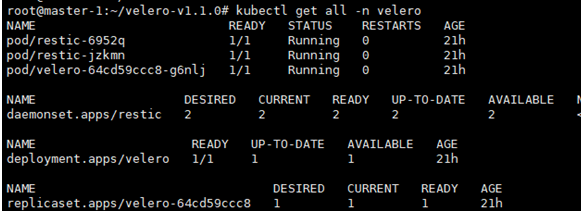
The current Velero/restic integration relies on using pod names to associate restic backups with their parents. If a pod is restarted, such as with a Deployment, the next restic backup taken will be treated as a completely new backup, not an incremental one.
https://velero.io/docs/v1.1.0/restic/#troubleshooting
fei922
on 27 Nov 2019
@fei922 Im debating whether it is mandatory to use restic for backups because my pv were not part of the backup when restic pods are not running (no --use-restic flag).
yacinelazaar
on 27 Nov 2019
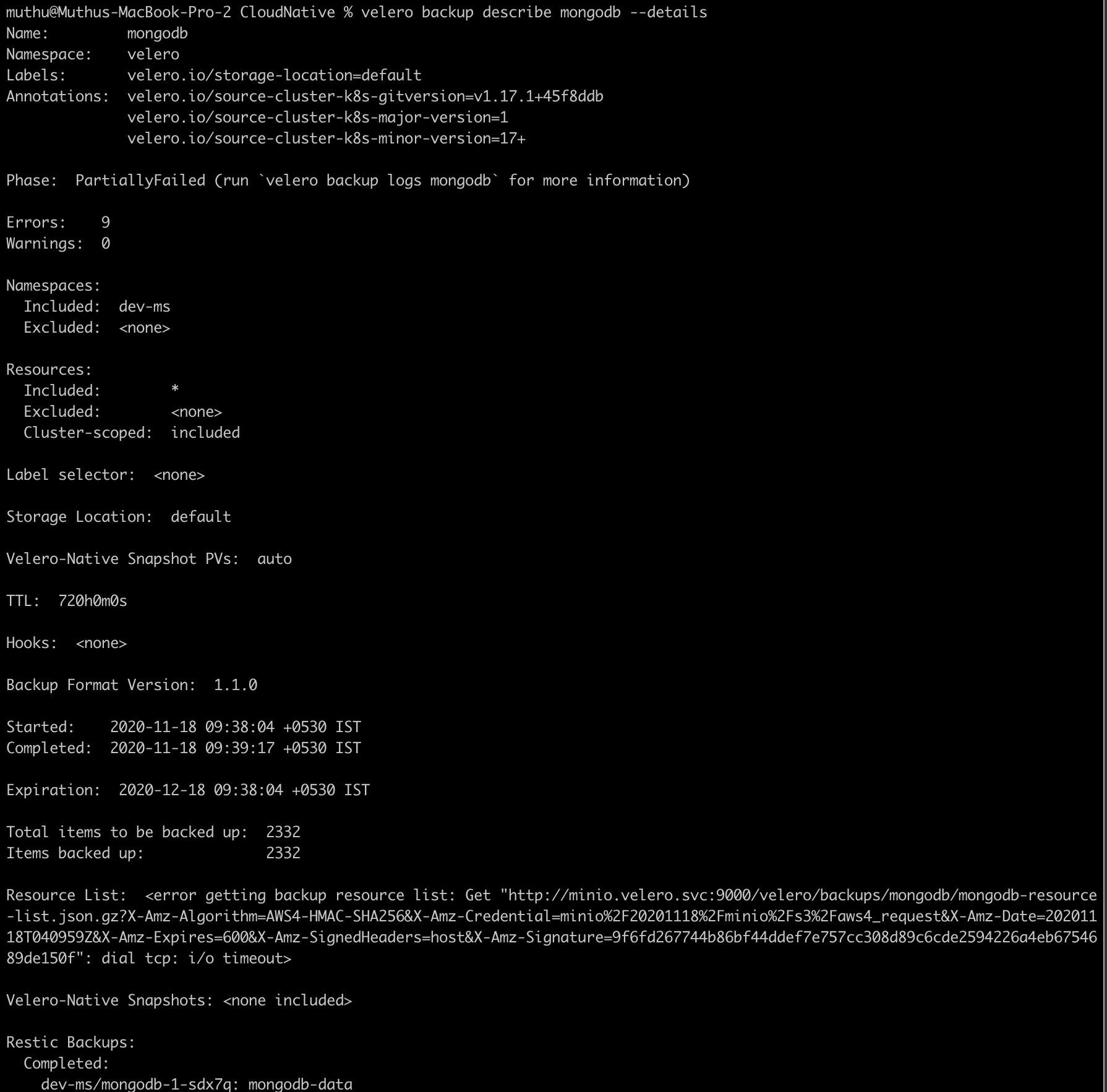
@skriss I am trying to take the backup of PVC in openshift cluster using minio and velero but the backup and restore not happening properly. Can you please help me resolve the issue
Velero Installation:
velero install \
--provider aws \
--plugins velero/velero-plugin-for-aws:v1.0.0 \
--bucket velero \
--secret-file ./credentials-velero \
--use-volume-snapshots=true \
--use-restic —wait\
--default-volumes-to-restic \
--backup-location-config region=minio,s3ForcePathStyle="true",s3Url=http://minio.velero.svc:9000
POD Annotation:
oc -n dev-ms annotate pod/mongodb-1-dqkd6 backup.velero.io/backup-volumes=mongodb-data,default-token-npk2z
Backup:
velero backup create mongodb --include-cluster-resources=true --include-namespaces=dev-ms
Restore:
velero restore create mongodb --from-backup mongodbackup

 MuthuSundaravadivel
on 18 Nov 2020
MuthuSundaravadivel
on 18 Nov 2020
Related issues
skriss
·
4Comments
 Berndinox
·
3Comments
Berndinox
·
3Comments
 Marki4711
·
3Comments
Berndinox
·
3Comments
Marki4711
·
3Comments
Berndinox
·
3Comments
 vitobotta
·
3Comments
vitobotta
·
3Comments
Most helpful comment
Right now, yes, you need to annotate each pod+volume that you want to back up. We're thinking about alternate ways of doing this, including backing up all PVCs by default when restic is enabled (with the option to opt out individual ones).