Vcpkg: Having a problem with vckpg: installing the Azure IoT SDK for C
Describe the bug
I am following the MS docs quickstart on creating an IoT Plug and Play device for Windows i.e Quickstart: Use a device capability model to create an IoT Plug and Play Preview device (Windows) and I'm having issues preparing the development environment.
When I get to installing the SDK with vcpkg (step 2 in preparing the dev environment section) running this command gives me an error:
.\vcpkg.exe install azure-iot-sdk-c[public-preview,use_prov_client]

Environment
- OS: [e.g. Windows 10]
- Compiler: revision
To Reproduce
Steps to reproduce the behavior:
- .\vcpkg.exe install azure-iot-sdk-c[public-preview,use_prov_client]
- Error:
:1:47: invalid character in feature name (must be lowercase, digits, '-')
on expression: azure-iot-sdk-c[public-preview,use_prov_client]
^
Example:
vcpkg install zlib zlib:x64-windows curl boost
Repro code when trying the Step2 on quickstart
Expected behavior
Install Azure IoT C device SDK Vcpkg: should be succesful.
Failure logs
-Error:
on expression: azure-iot-sdk-c[public-preview,use_prov_client]
Additional context
Similar issue reported on Stackoverflow as well.
 SatishBoddu-MSFT
All 6 comments
Hello @ericmitt , Could you please help us in this matter.
SatishBoddu-MSFT
on 1 Jul 2020
Hi @SatishBoddu-MSFT
Thanks for posting this issue.
It seems that the feature name contains some invalid characters. You can update use_prov_client as use-prov-client in both CONTROL file and portfile.cmake. Then try to rebuild this.
 NancyLi1013
on 2 Jul 2020
NancyLi1013
on 2 Jul 2020
@NancyLi1013 Worked like a PRO!!!! Thanks a lot.
@ericmitt , How should we proceed further with the documentation?, do we have to include this workaround or will there be any changes from SDK side or VCPKG side ?
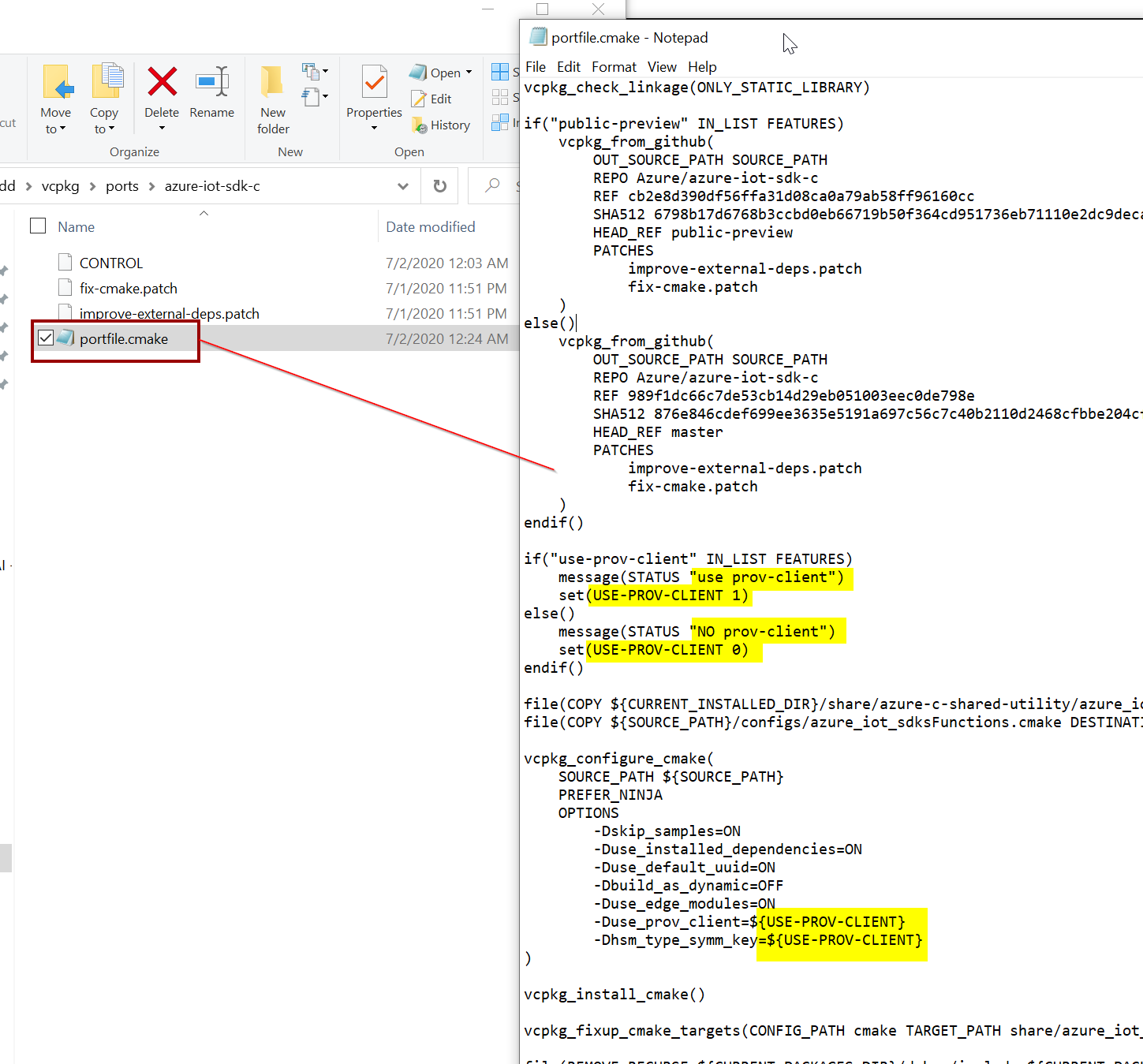
Go to the Folder : C:\Users\satish\vcpkg\portsazure-iot-sdk-c
1) Edit the CONTROL file in any file editor, update _use_prov_client_ as use-prov-client

2) Edit the portfile.cmake file : update _use_prov_client_ as use-prov-client
3) run
.\bootstrap-vcpkg.bat
4) run
.\vcpkg.exe install azure-iot-sdk-c[public-preview,use-prov-client]

SatishBoddu-MSFT
on 2 Jul 2020
@SatishBoddu-MSFT
I have submitted a PR to fix this.
Could you please help if it can work for you?
NancyLi1013
on 2 Jul 2020
@SatishBoddu-MSFT
I have submitted a PR to fix this.
Could you please help if it can work for you?
@NancyLi1013 I did a fresh pull from github, used the updated command , it is Now Working!!!
.\vcpkg.exe install azure-iot-sdk-c[public-preview,use-prov-client]
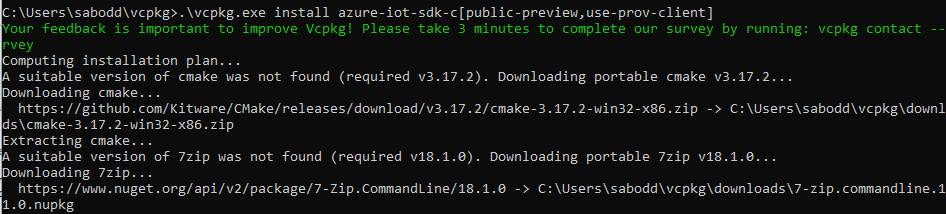
I have to update the documentation to reflect the updated command, below is the command which needs to be updated.

Thanks again !
SatishBoddu-MSFT
on 3 Jul 2020
Yes, the feature name should be the same as that in CONTROL file. Thanks for your update.
NancyLi1013
on 6 Jul 2020
Related issues
 F0I0l0I0P
·
3Comments
F0I0l0I0P
·
3Comments
 grandprixgp
·
3Comments
grandprixgp
·
3Comments
 spindensity
·
3Comments
spindensity
·
3Comments
 LilyWangL
·
3Comments
LilyWangL
·
3Comments
 cjvaijo
·
3Comments
cjvaijo
·
3Comments