Vcpkg: How to fix libCGAL-vc140-mt-4.14-l-900.lib Link error ( VCPKG CGAL update 4.14 )
I'm getting the error message "Linker Tools Error LNK1104" can't find libCGAL-vc140-mt-4.14-I-900.lib"
I'm using VCPKG with Visual Studio and linker flag /MD or /MDd. The same setup worked with CGAL 4.13. The error came after the update to 4.14 with VCPKG.
Even a small new CGAL program will not be translated. I tried debug/release mode with x64.
 JoelMontana
All 5 comments
Question one:
Do you use CMake or the Visual Studio integration?
Question two:
Which triplet are you using? x64-windows? Is cgal:x64-windows installed (and not maybe the x86-windows triplet)?
 Neumann-A
on 9 Apr 2019
Neumann-A
on 9 Apr 2019
I use the Visual Studio integration.
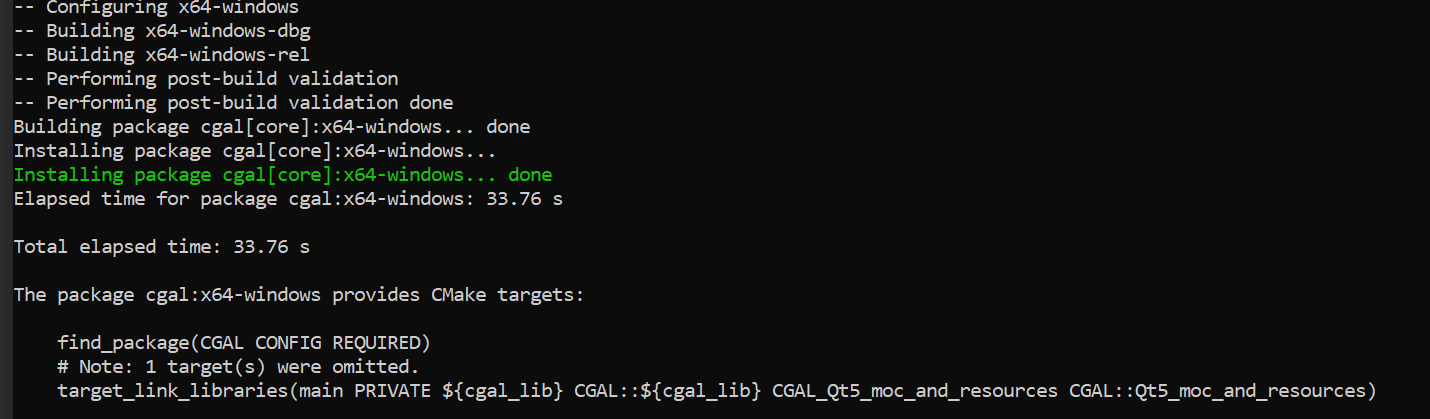
I installed cgal:x64-windows 4.14-1 and cgal:x86-windows 4.14-1 and boost:x64 /booxt:x86
The error message is: cannot open source file "CGAL/compiler_config.h" config.h
Do I have to do anything after the installation (vcpkg install cgal:x64-windows)?
JoelMontana
on 10 Apr 2019
Vcpkg will install CGAL as "header only".
I found that I have to add the CGAL_HEADER_ONLY preprocessor definition in Visual Studio: "Properties - C/C++ - Preprocessor", then it should be built correctly.
 mengfan1102
on 2 May 2019
mengfan1102
on 2 May 2019
Hi @JoelMontana, thanks for posting this issue.
Here is vcpkg integrate function usage:
- If you use it in a solution project, you need to use command
vcpkg integrate project, and then restart Visual Studio. - If you use it in a cmake project, you need to use command
vcpkg integrate install, and then set CMAKE_TOOLCHAIN_FILE=vcpkg_pathvcpkgscriptsbuildsystemsvcpkg.cmake by CMake command. - Due to vcpkg install cgal as header-only library, we need to define macro CGAL_HEADER_ONLY to use it. You can add
CGAL_HEADER_ONLYto Preprocessor Definitions or define this macro before include cgal headers.
 NancyLi1013
on 20 Jun 2019
NancyLi1013
on 20 Jun 2019
Thanks for posting this issue. Please open a new issue if this is still a problem for you.
 LilyWangL
on 12 Jul 2019
LilyWangL
on 12 Jul 2019
Related issues
 angelmixu
·
3Comments
angelmixu
·
3Comments
 madkoala
·
3Comments
madkoala
·
3Comments
 ghost
·
3Comments
ghost
·
3Comments
 ThinkalVB
·
3Comments
ThinkalVB
·
3Comments
 jack17529
·
3Comments
jack17529
·
3Comments
Most helpful comment
Vcpkg will install CGAL as "header only".
I found that I have to add the
CGAL_HEADER_ONLYpreprocessor definition in Visual Studio: "Properties - C/C++ - Preprocessor", then it should be built correctly.