Vanilla-lazyload: Issue with loading images on Chrome browser v 75.0.3770.80 (Official Build) (64-bit)
With lazy loading some images were loading some were not on Chrome browser Version 75.0.3770.80 (Official Build) (64-bit).
The code was -
<img class="card-img-top lazy" data-src="/Path to image">
And in script -
new LazyLoad();
I have upgraded the plugin from 11.0.3 to 12.0.0, but it did not help.
Currently I have disabled Lazy loading on our site. Can any one tell me what could be the issue?
 sougatabose07
All 34 comments
I am facing the same issue as well.
 pratikt
on 6 Jun 2019
pratikt
on 6 Jun 2019
We're facing the same issue and trying to figure out what is wrong. We lazyload all images, but some don't work on Chrome 75.
On Chrome 74:
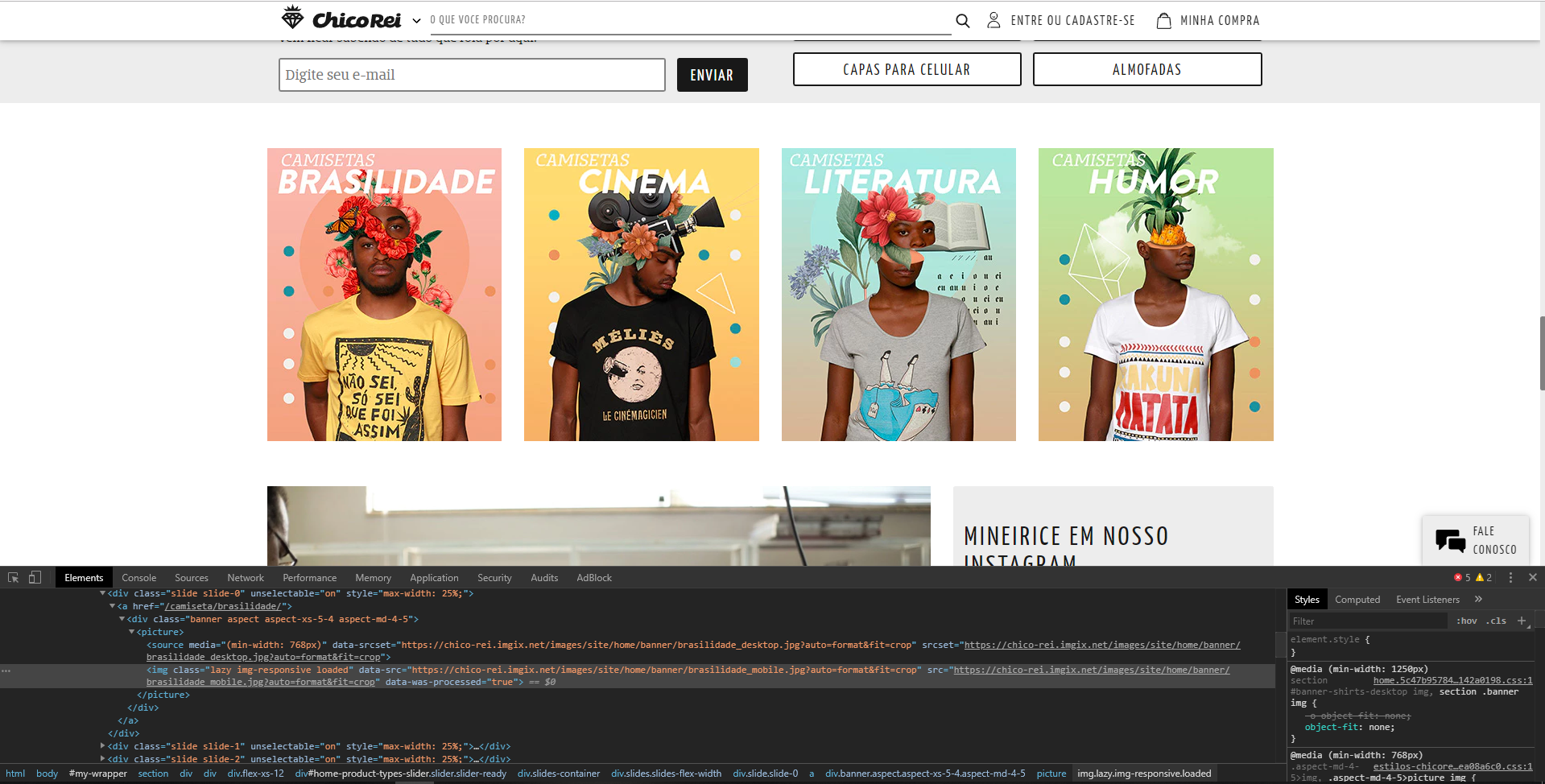
On Chrome 75:

Live here: https://chicorei.com/
The lazyload instance is on window.LLInstance
LazyLoad version: 12.0.0
 mathmarques
on 6 Jun 2019
mathmarques
on 6 Jun 2019
Facing the same issue. Looks like
entry.isIntersecting returns false, as well
entry.intersectionRatio being 0. On two different pages I'm facing two different results. Both pages contain an image being part of the viewport (on initial request of these pages). One loads just fine, one not.
Workaround which seems to work for me, is using a placeholder image in the src attribute:
<img class="lazy" src="data:image/gif;base64,R0lGODlhAQABAAAAACH5BAEKAAEALAAAAAABAAEAAAICTAEAOw==" data-srcset="some image url 2x" data-src="some image url">
 rricson
on 6 Jun 2019
rricson
on 6 Jun 2019
The Microsoft Edge's workaround solved the problem on Chrome 75:
img[data-src],
img[data-srcset] {
display: block;
min-height: 1px;
}
For me the fix from mathmarques didn't solve the issue, but I have a
 czomer
on 11 Jun 2019
czomer
on 11 Jun 2019
I am also experiencing the same issue on iOS 11.4 – some images don't load and some partially. Wonder what the connection is?
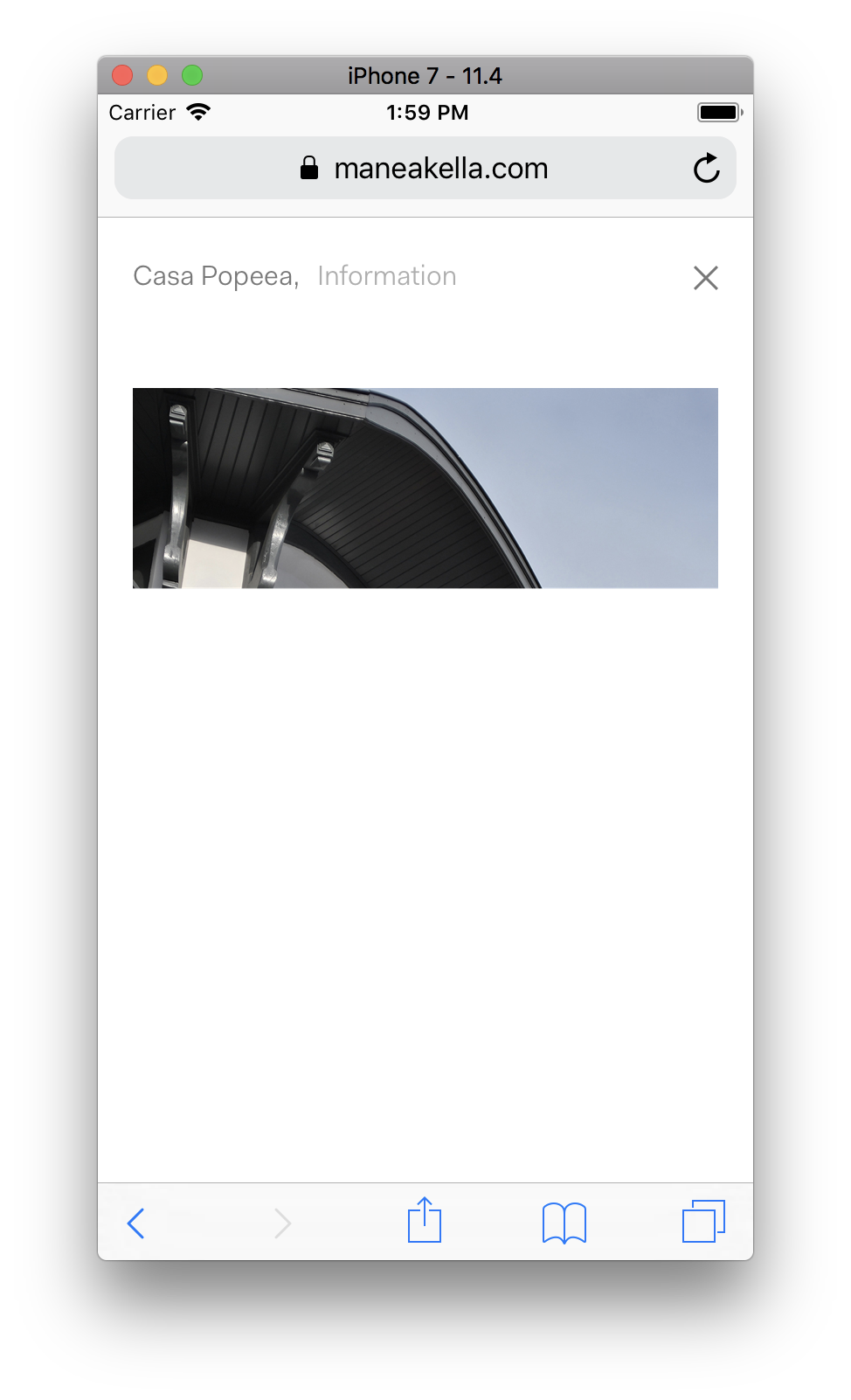
I actually don't think this is necessarily the plugin's issue as I noticed it when using flickity combined with their lazyload init.
 richgcook
on 13 Jun 2019
richgcook
on 13 Jun 2019
I hear you guys.
I've read this issue report, but I didn't have time to look into it (family issues).
Now I'm here.
Will get back to you soon.
 verlok
on 14 Jun 2019
verlok
on 14 Jun 2019
As you can see in the following image, I'm testing in the EXACT SAME VERSION you reported the problem (using browserstack, windows 10), and I can't reproduce the bug.
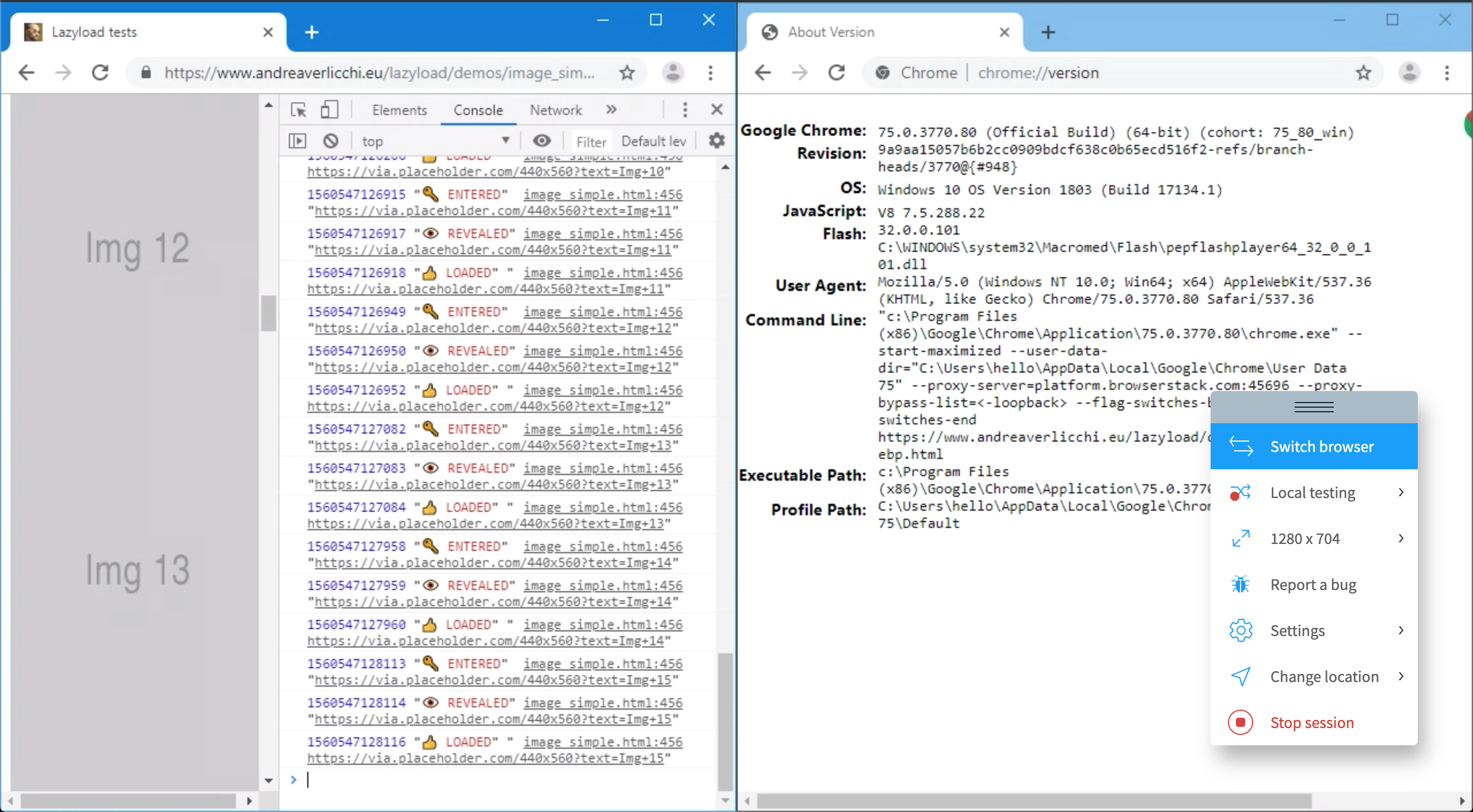
Also I've checked on other demos and nothing wrong was happening.
Can you provide me with a link where the problem is still happening on that Chrome version?
verlok
on 14 Jun 2019
Also I couldn't reproduce the problem on Safari 11, iPhone 6S.
verlok
on 14 Jun 2019
I'm not sure what happened here.
I'm sure the bug was real, but I can't find a way to reproduce it.
I'm not sure the bug was from my script though, maybe it was on a specific browser / OS configuration.
verlok
on 14 Jun 2019
It seems completely random. Sometimes happens, sometimes not. It’s so frustrating. I’m not 100% sure it’s from your script either; will need to check with it turned off and try to replicate.
richgcook
on 14 Jun 2019
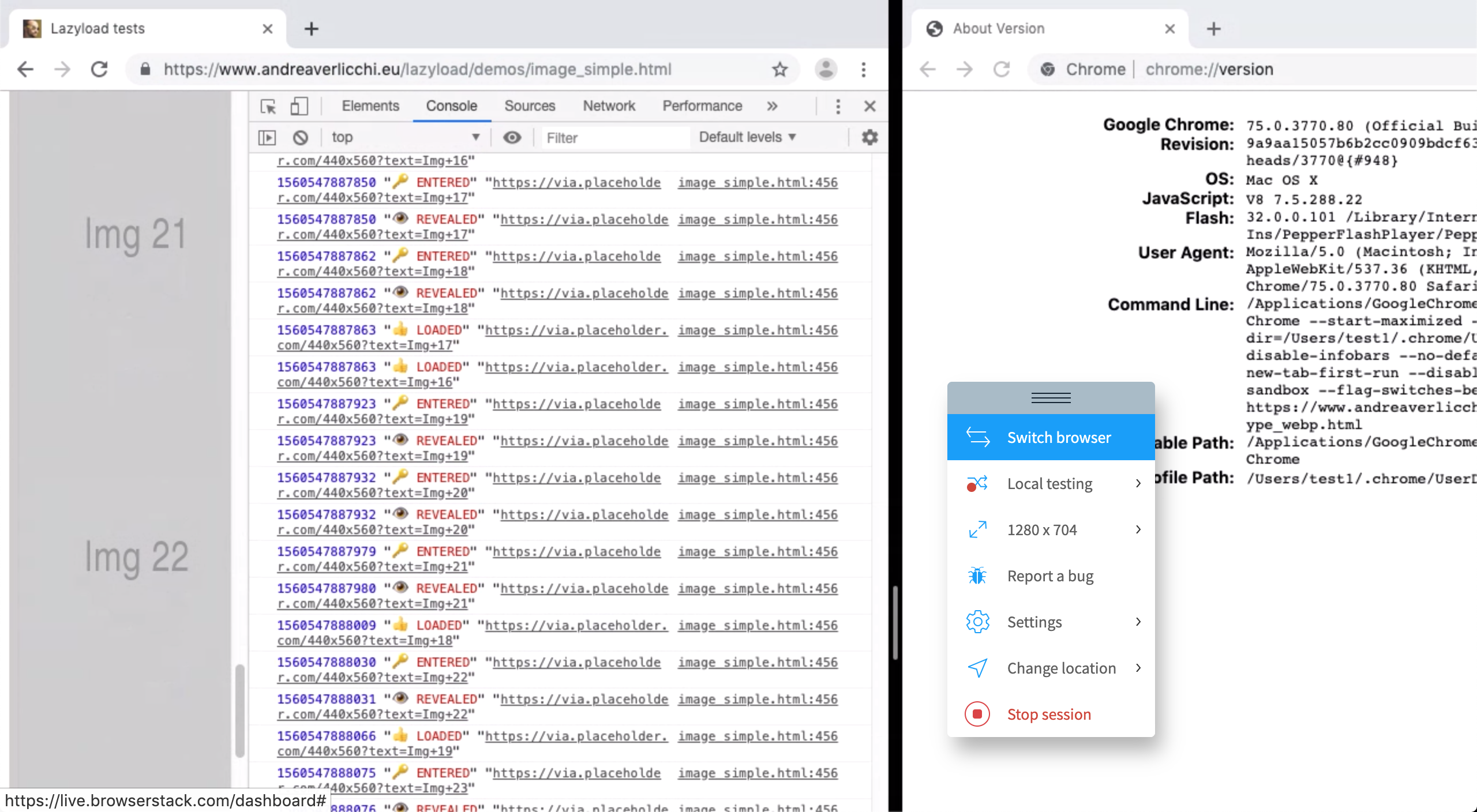
I've also tried on the same browser version, different OS. On Mac OS Mojave, same version of Chrome, nothing wrong. Screenshot follows.
verlok
on 14 Jun 2019
Thank you @richgcook for your reply.
In the meantime, I'll remove the "bug" label from this issue.
When you feel like it's been solved somehow, please close it.
verlok
on 14 Jun 2019
I haven’t come across this issue when using your plugin before... only since I started using srcset and your plugin (maneakella.com) but like I said it’s random.
richgcook
on 14 Jun 2019
I have the same issue (Version 75.0.3770.90 (Official Build) (64-bit)) with following code.
Second image not loaded (with or without _use_native_ option).
<figure>
<div class="responsive-container">
<img class="lazy" data-src="/im/2.jpg" alt="">
</div>
<div class="responsive-container">
<img class="lazy" data-src="/im/2.jpg" alt="">
</div>
</figure>
<.responsive-container> has
{
position: relative;
width: 100%;
height: 0;
overflow: hidden;
padding-bottom: 15%;
box-sizing: border-box;
}
<img> has
{
position: absolute;
top: 0;
left: 0;
width: 100%;
height: auto;
border: none;
box-sizing: border-box;
}
But: min-height: 1px for <img> is solving the issue.
 vatavale
on 22 Jun 2019
vatavale
on 22 Jun 2019
One of our customers today reported the same issue: Chrome + iOS (we were not able to obtain the version). She also had issues with Safari and in her iPad. On a friend's phone in the same network there were no issues.
We could not replicate the issue in any of our devices trying multiple Browser/OS combinations. The various workarounds mentioned in this topic did not work for our customer.
I was reading recently that Chrome 75 would include a lazy loading mechanism for images by default. Perhaps it's something related to that? I tried enabling the setting in chrome://flags but I still could not replicate the issue.
 rvelhote
on 26 Jun 2019
rvelhote
on 26 Jun 2019
@rvelhote Chrome for iOS use Apple's Webkit, so it's basically Safari. You should get the user's iOS version and/or Safari version.
And the Intersection Observer on Safari is pretty new
mathmarques
on 26 Jun 2019
I found a possible solution (or at least a workaround) 🐳
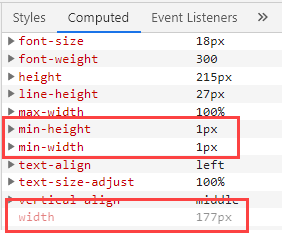
The simple trick: add min-width: 1px; to your CSS:
img[data-src],
img[data-srcset] {
    min-height: 1px;
    min-width: 1px;
}
(I cannot use the suggested display: block; on all images, but this seems to work anyway)
What I detected:
The computed width is initially 0, I think this is causing this strange behaviour (but I still have no idea why this happens only on the first visible image on my site).
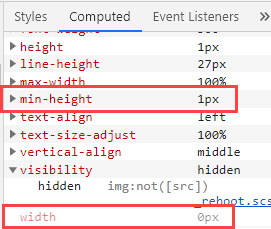
The min-width: 1px; will make Chrome (75.0.3770.100) to load the image:
 sevenflip
on 1 Jul 2019
sevenflip
on 1 Jul 2019
We are having the same problem. Our investigation into the behaviour showed that the IntersectionObserver does not trigger for some images, while it would have no problem with other images.
We dug up this post [1] on the google dev blog talking about their new IntersectionObserver implementation and came up with the idea, that the images might not be detected as visible due to an empty src attribute. The new implementation allows false negatives but does not allow false positives, which might be an explanation, though the isVisible flag should be false by default, according to their own spec.
As a POC we just set the src attribute to # on all lazy loaded elements (see script below, element_selector is .lazy) which seems to circumvent the observed behaviour.
Array.prototype.filter.call(
document.querySelectorAll('.lazy'),
(element) => !element.classList.contains('loaded')
).forEach(el => el.src = '#');
Setting the src attribute server-side to # fixed the behaviour, though it's more of a workaround than a proper fix imho.
So far it seems to be unexpected behaviour within the Chromium IntersectionObserver Implementation, introduced in v75 🤷♂
[1] = https://developers.google.com/web/updates/2019/02/intersectionobserver-v2
// Edit: This seems to mesh with the fix above, which also changes the visibility of the element.
 grunertmarc
on 1 Jul 2019
grunertmarc
on 1 Jul 2019
For some reason, the picture element that was not lazyloading on our page had the computed width & height initially 0. So the Edge's workaround worked for us.
I was not able to reproduce that initial state anywhere else.
mathmarques
on 1 Jul 2019
We've had lazy loading disable since I noticed this issue. I tried all the workarounds that were presented an none of them worked. Our customer is having this issue with Chrome 74.0.3729.155 on iOS so it might not be specific to Chrome 75.
rvelhote
on 2 Jul 2019
@rvelhote Chrome on iOS is a wrapper of Safari, so it shouldn’t act differently than Safari itself. Have you checked that?
verlok
on 3 Jul 2019
I am facing the same issue. I have been facing an issue since upgraded to Chrome V75. The bug should be related to the Intersection Observer. I have reported this to Google since the very first day of the new Chrome release. My particular case is as the following:
1- I am using Lozad library for lazy loading images. This library utilizes intersection observer api.
2- I have my website in two languages. The English version is all ok. All images are loaded as should be.
3- For the other language, no images are loading. The src attribute is not being replaced by data-src attribute as it should work. Instead, all images are using the static placeholder that I am using as src.
4- By the time I trigger any Ajax call on the affected pages, all images are loaded instantly.
5- I can confirm that the issue is specific to Chrome V 75 as I have rolled back to an earlier version and found no issues.
Hope that helps.
 alaahariri
on 21 Jul 2019
alaahariri
on 21 Jul 2019
It also happens to me, randomly, on iOS (mostly iPad but also iPhone) and Chrome.
I am using threshold also.
One hint I have is that resizing the viewport loads the image instantly.
 saropatzi
on 26 Jul 2019
saropatzi
on 26 Jul 2019
It's August 2019 now and the problem is still here. Some images don't load, randomly.
see #366
 baszero
on 28 Aug 2019
baszero
on 28 Aug 2019
Hello guys! You’re right, I haven’t been very active on this open source project due to family issues and deep focus on my job (extra hours).
Have you tried to debug the code of LazyLoad and see whether or not the problem is there? Or maybe it’s in the implementation of IntersectionObserver in that specific version of Chrome?
verlok
on 29 Aug 2019
Another question, does the bug still exist on current Chrome version, which is 76.0.3809.132?
verlok
on 29 Aug 2019
Hi @verlok , i just tested it.
I upgraded to Google Chrome Version 76.0.3809.132:
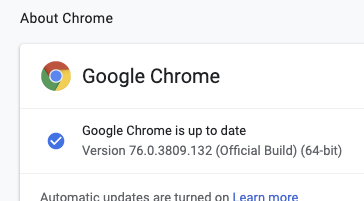
Then I deleted the CSS fix and tested again. Some images didn't load anymore. So the bug is still here.
But with the following workaround there are no issues I think:
img[data-src],
img[data-srcset] {
    min-height: 1px;
    min-width: 1px;
}
baszero
on 29 Aug 2019
In fact, the bug is still there. I implemented it this way. So only the images that are really lazy-loaded are affected. I will also not change the display attribute here.
.js-lazy:not(.loaded) {
  min-height: 1px;
  min-width: 1px;
}
 internetztube
on 24 Sep 2019
internetztube
on 24 Sep 2019
Same strange and annoying problem.
My contribution on the topic is that seem there is a pattern on the problem. I'm working on catalog, in grid with 3 column In my browser the third image on each row is not loaded, always the third. In another pc happen on the first row, but always the firts.

 apomili
on 26 Sep 2019
apomili
on 26 Sep 2019
I'm sorry guys, the problem here seems to sit in the browsers implementation of IntersectionObserver and the CSS layout. There's nothing I can do here. I'll leave this bug open for reference.
verlok
on 21 Oct 2019
Did the next versions of Chrome solve this issue?
If not, I suggest you to report this bug to Chromium (the open source project behind chrome, opera and MS Edge).
https://bugs.chromium.org/p/chromium/issues/list
verlok
on 22 Oct 2019
Issue fixed in the latest Chrome version.
alaahariri
on 22 Oct 2019
Thanks
verlok
on 22 Oct 2019
Related issues
 brycewray
·
5Comments
brycewray
·
5Comments
 givsta
·
7Comments
givsta
·
7Comments
 mihail-minkov
·
7Comments
mihail-minkov
·
7Comments
 Cyriltra
·
4Comments
Cyriltra
·
4Comments
 sendmenas
·
6Comments
sendmenas
·
6Comments
Most helpful comment
I found a possible solution (or at least a workaround) 🐳
The simple trick: add
min-width: 1px;to your CSS:img[data-src], img[data-srcset] { min-height: 1px; min-width: 1px; }(I cannot use the suggested
display: block;on all images, but this seems to work anyway)What I detected:

The computed width is initially 0, I think this is causing this strange behaviour (but I still have no idea why this happens only on the first visible image on my site).
The

min-width: 1px;will make Chrome (75.0.3770.100) to load the image: