Vanilla-lazyload: V8 with Safari re requesting same images multiple times.
So running v8.2.1 looking at network tab same images are being requested multiple times as user scrolls down the page.
Verlok i sent you an email with the url, private can not share here.
Thank you.
 mercuryyy
All 19 comments
I’ve tested my script on the demo page and it works good. So you’ll need to share the HTML code and the JS code you’re using for the images.
I won’t go debugging on your website, sorry. Just post the code here so everyone can benefit.
Thanks
 verlok
on 16 Nov 2017
verlok
on 16 Nov 2017
im not sure what there is to post? the code is implemented correctly images are rendering on safari but get called multiple times while scrolling. perhaps there is something else that is causing the liseners to reload the images multiple times, i know my way around js, i tried debuging but not familiar with your script i'd have to add console logs to each step to start debuging i thought maybe you'd be able to spot it.
I guess i'll disable safari for now until they decide to update their stuff.
Thanks again great script very helpfull for jquery hatters.
mercuryyy
on 16 Nov 2017
Don’t take it that bad, I just wanted you to post the HTML code you’re using for one of your images, and the JS code you’re using to initialize LazyLoad.
Can you do that?
verlok
on 16 Nov 2017
@mercuryyy did you solve the problem?
verlok
on 18 Nov 2017
I've had the same problem since upgrading my macOS/OSX to High Sierra 10.13.6.
It occurs on Safari 11.1.2 and the most recent Safari Technology Preview 12.0 (Release 61).
It can easily be recreated with the demo files, just replace the lazyload.js to v8.10.0.
I can confirm Chrome 67, FireFox 61.0.1, Opera 54.0 work fine.
Video preview - http://sendvid.com/bfghr40h
 clementduncan
on 19 Jul 2018
clementduncan
on 19 Jul 2018
Hey @clementduncan,
I've just tested it on this demo page which is one of the LazyLoad's demos that conditionally loads version 8 or 10 depending on the browser support to IntersectionObserver.
It's loading version 8.11.0 and I can't see any double image loading. I'm testing on Safari 11.1.2.
Could you please check too?
Thanks
verlok
on 26 Jul 2018
Hi @verlok,
The conditional load demo works fine.
I haven't vigorously tested this, but it appears to happen with the following:
If the image is setup as srcset demo, regardless of how many images are in the srcset, it always loads the required image twice.
If image is setup as picture demo, the required image will load to the frequency of
<source>and<img>tags. In the demo, this results in three requests for the required image.
Again, the demos lazyload.js must be modified to v8 for it to work, I tested it with 8.11.0.
clementduncan
on 26 Jul 2018
Interesting... It seems that Safari downloads a new image every time that LazyLoad makes a single edit to the DOM. If it is so, it must be an internal rendering thing and I'm afraid it will continue to do so even when Safari will implement IntersectionObserver. I will continue investigating on this to find a solution. Thanks for you help.
verlok
on 26 Jul 2018
@clementduncan, @mercuryyy I think this is a hard issue to fix on the script's side, for the reason I mentioned in the previous comment.
To speak by examples: if an image is initially marked up like the following:
<img data-src="img1.jpg" data-srcset="img1_1.jpg 1x, img1_2.jpg 2x">
Lazyload currently copies the data-srcset value into srcset first, then the data-src value into src. Making it like that:
<img src="img1.jpg" srcset="img1_1.jpg 1x, img1_2.jpg 2x" data-src="..." data-srcset="...">
The src value should be ignored by browsers that understand the srcset attribute, but it seems that Safari re-evaluates the img tag entirely.
The only way to fix this would be to create a new img tag with all the attributes set, then replace it with the lazy one, but this would be an ugly, bad, breaking change.
I'll do some more verifications but I think we'll need to consider this as a Safari "bug".
Anyway it wouldn't be a big deal if the 2nd network request is identical to the 1st one, because the image would be loaded from the browser's memory cache.
Stay tuned for updates.
verlok
on 26 Jul 2018
Hello @clementduncan,
I'm not able to reproduce the bug on Safari 11.1.2.
On this branch I modified the demos you pointed out downloading v. 8.11.0 from CDNJS.
verlok
on 26 Jul 2018
Hello @verlok,
Thanks for getting back to me. I've tested it on another Mac that matches the macOS and Safari, but I'm also unable to replicate the bug.
I'll look into it next week and see if I find a reason why it's not working on my computer.
clementduncan
on 27 Jul 2018
Good to know.
I’ll close this for now, if you find the reason feel free to reopen.
verlok
on 27 Jul 2018
Did anybody find out what this was and how to fix it? We are now having the same problem with Safari Version 11.1.2 (13605.3.8) on Mac.
Only seems to happen on images yet to be downloaded.
We have a test site page up here:
https://aap.netlify.com/food
I've moved the loading JS into the page so you can see more easily.
'lazyload-old.js' is 8.14.0 and 'lazyload-observer.js' is 10.15.0.
Anyone any ideas?
 shoesforindustry
on 8 Aug 2018
shoesforindustry
on 8 Aug 2018
I'm not able to reproduce the problem.
Chrome and Safari are loading the same amount of images and the same amount of times.
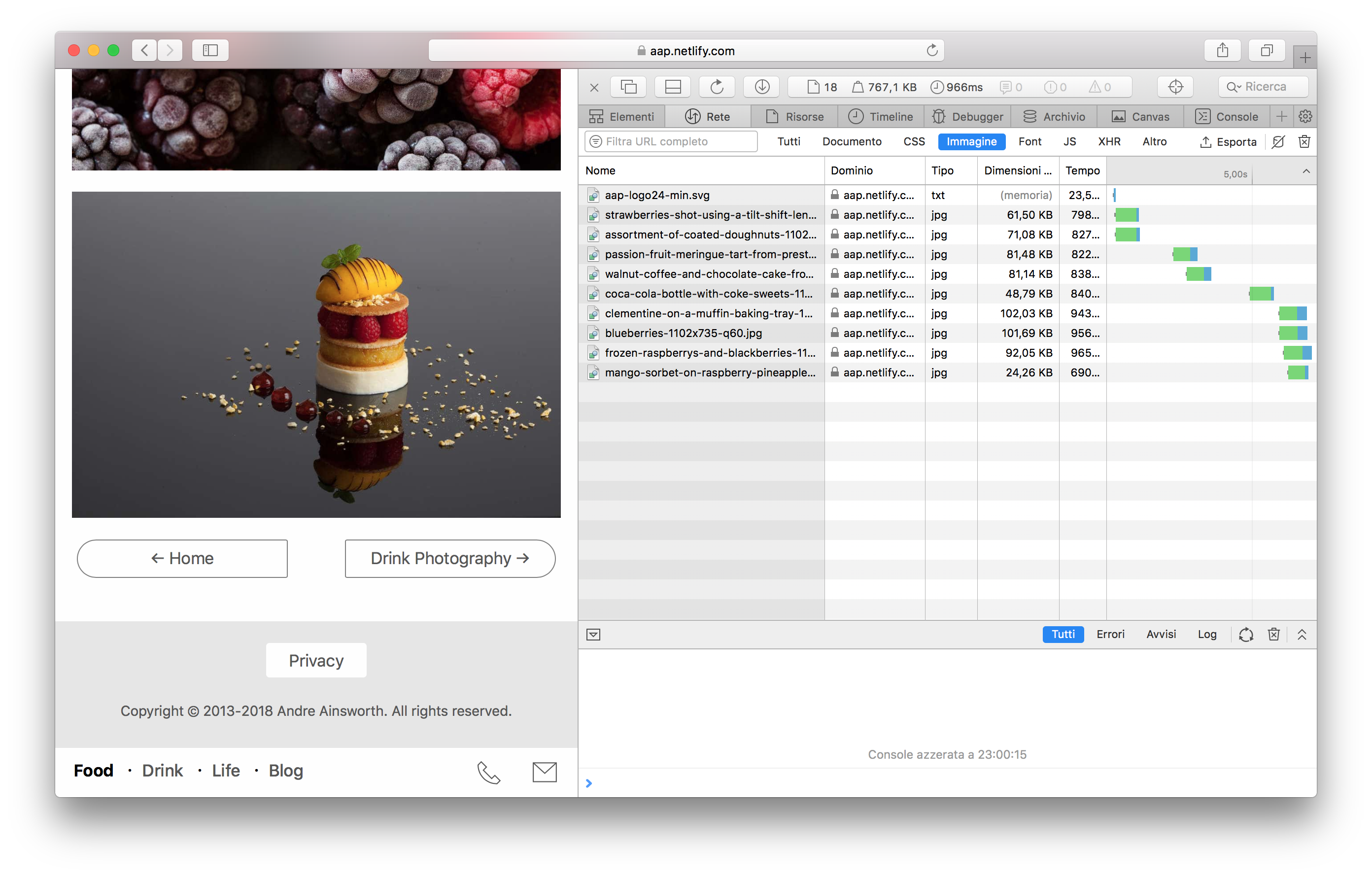
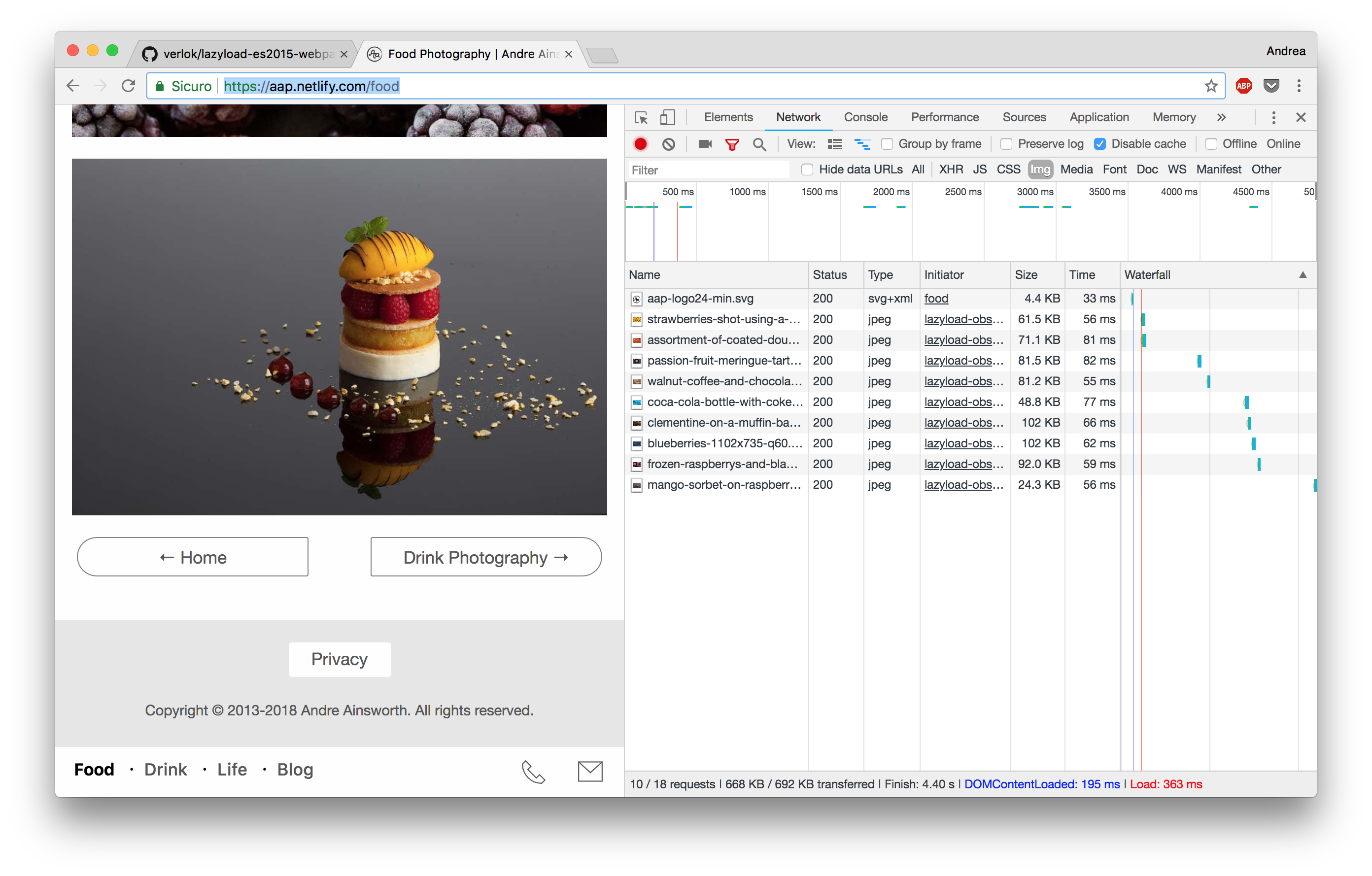
verlok
on 8 Aug 2018
Thanks for Looking Andrea, I could reproduce this this morning, but then I could not. I think it maybe something odd either in the Apple Inspector, or me not using the inspector correctly as I usually use Firefox/Chrome inspector. Maybe it is a bit different? I say this because right after when I did it again, no problem, see images below. Apologies for what appears to be a fake problem.
First thing this morning same problem:
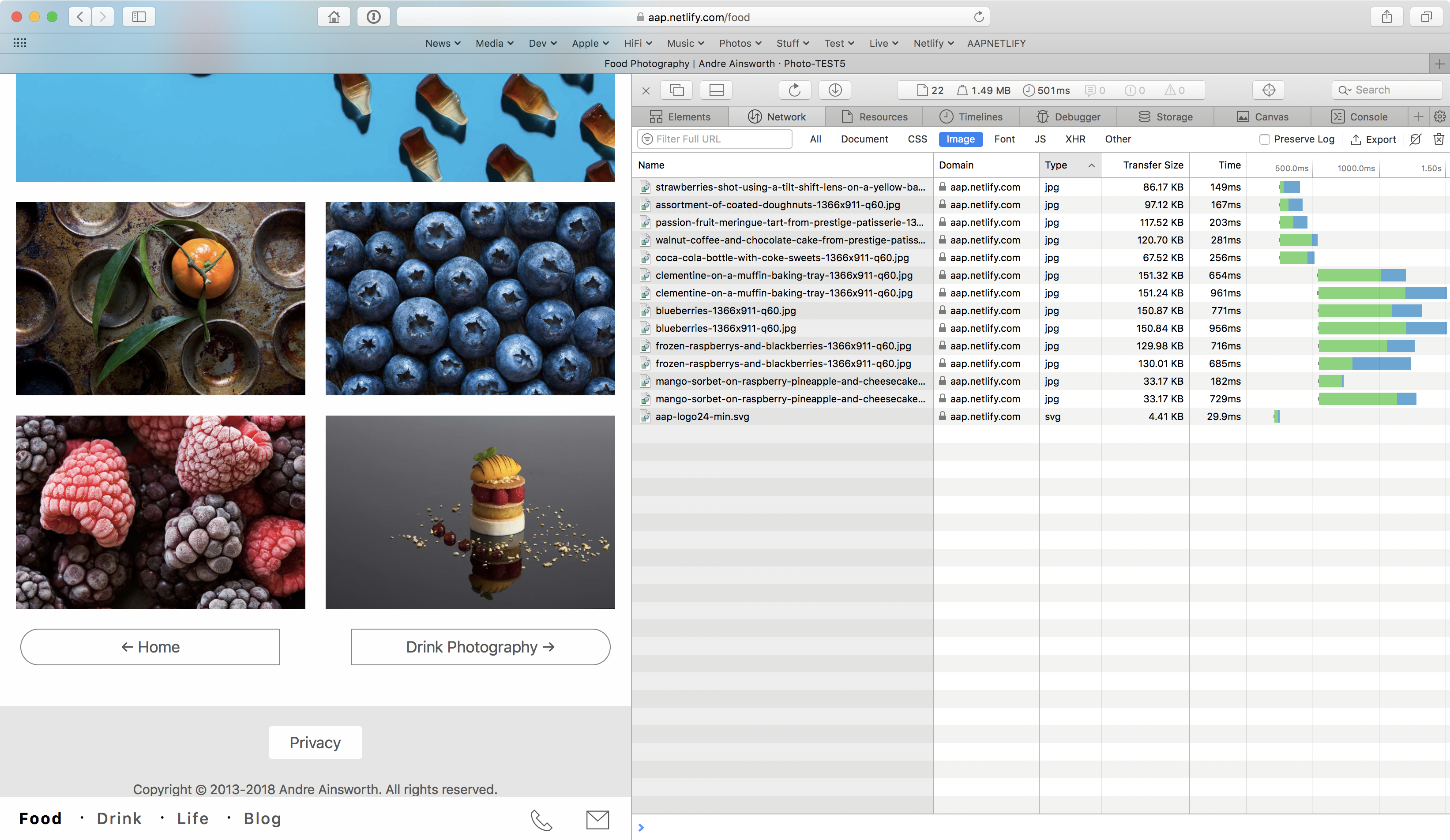
Now mysteriously gone...
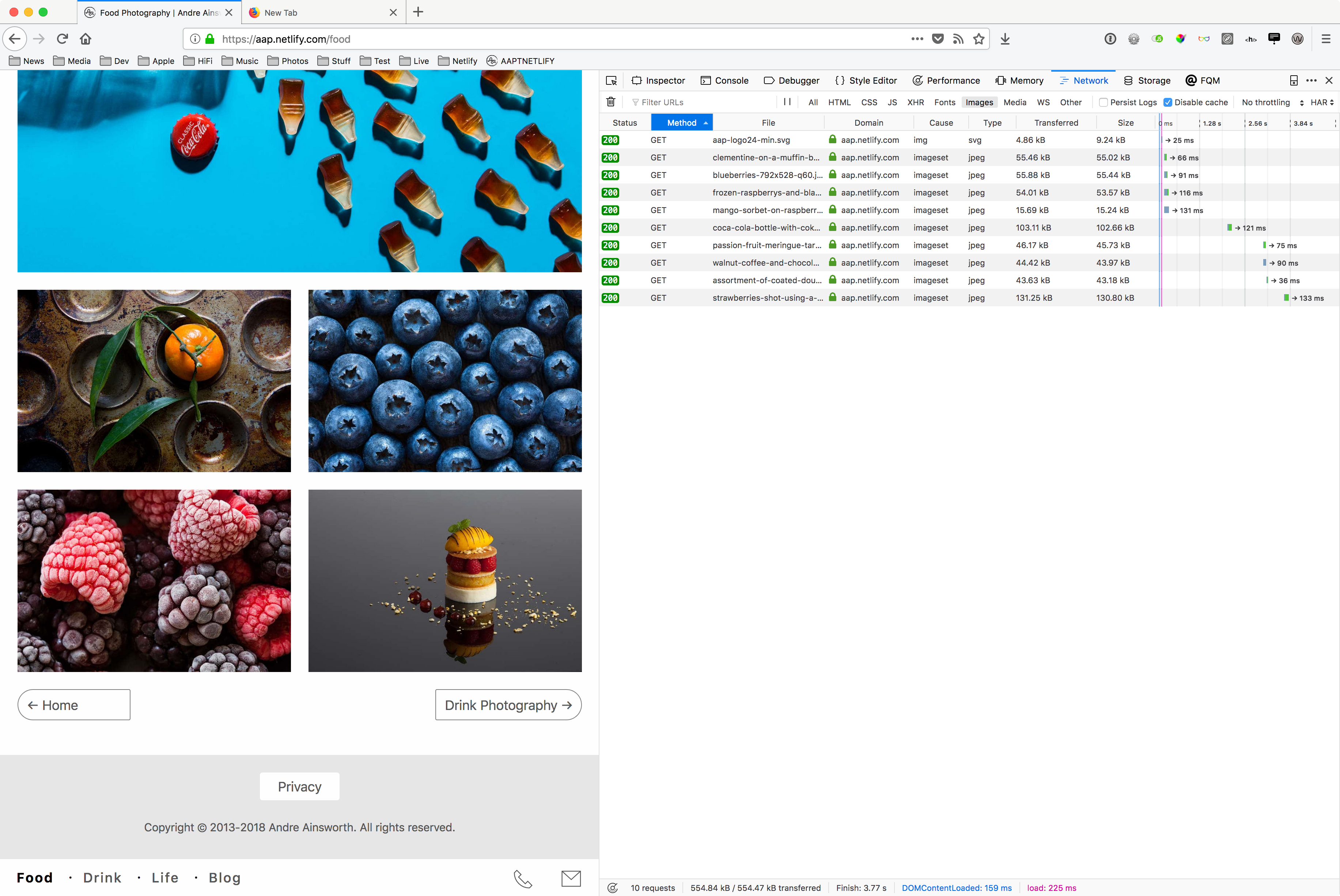
shoesforindustry
on 9 Aug 2018
Same problem with image duplication on the test site.
I've only ever had this problem on Safari, and if I remember correctly, only Safari on macOS 10.13.
FF, Chrome, Opera always seem to work correctly for me.
clementduncan
on 9 Aug 2018
Interesting, maybe not just me, I'm on 10.13.6 (17G65). It does not do it on any other browser I have tried.
shoesforindustry
on 9 Aug 2018
I’m on the same Safari version as you guys.
Maybe it’s depending on the fact you are using responsive images (srcset + sizes on img, or picture tag) and you resized the browser window? This could have triggered a weird behavior of Safari.
verlok
on 12 Aug 2018
Yes Andrea, I'd close this for now and if I can find a way to duplicate how or why it happens, I will post here. Many thanks for all your help.
shoesforindustry
on 12 Aug 2018
Related issues
 tristanbes
·
3Comments
tristanbes
·
3Comments
 tfrere
·
8Comments
tfrere
·
8Comments
 Cyriltra
·
4Comments
Cyriltra
·
4Comments
 briwg
·
8Comments
briwg
·
8Comments
 zmrhaljiri
·
8Comments
zmrhaljiri
·
8Comments
Most helpful comment
I've had the same problem since upgrading my macOS/OSX to High Sierra 10.13.6.
It occurs on Safari 11.1.2 and the most recent Safari Technology Preview 12.0 (Release 61).
It can easily be recreated with the demo files, just replace the lazyload.js to v8.10.0.
I can confirm Chrome 67, FireFox 61.0.1, Opera 54.0 work fine.
Video preview - http://sendvid.com/bfghr40h