Vamiga: Free memory mismatch after loading Workbench
A500 8A (512 Chip + 512 Slow, no RTC): 🥰
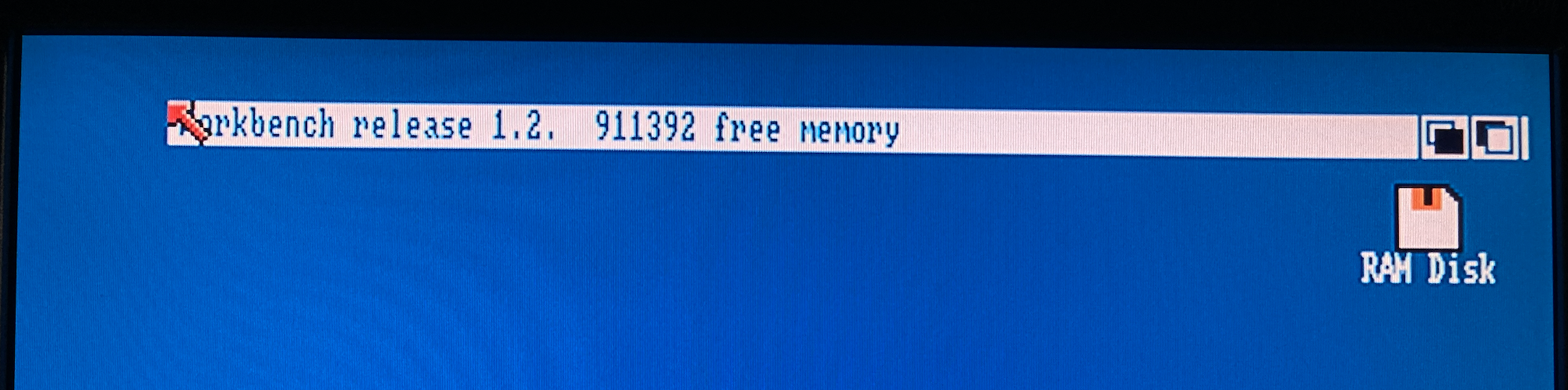
UAE: 👍
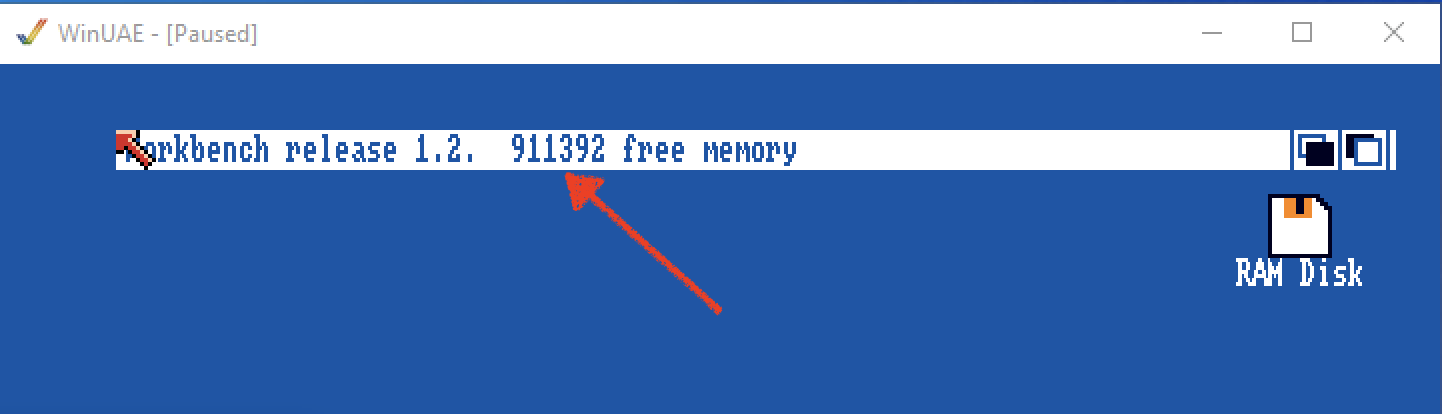
vAmiga: 🙈
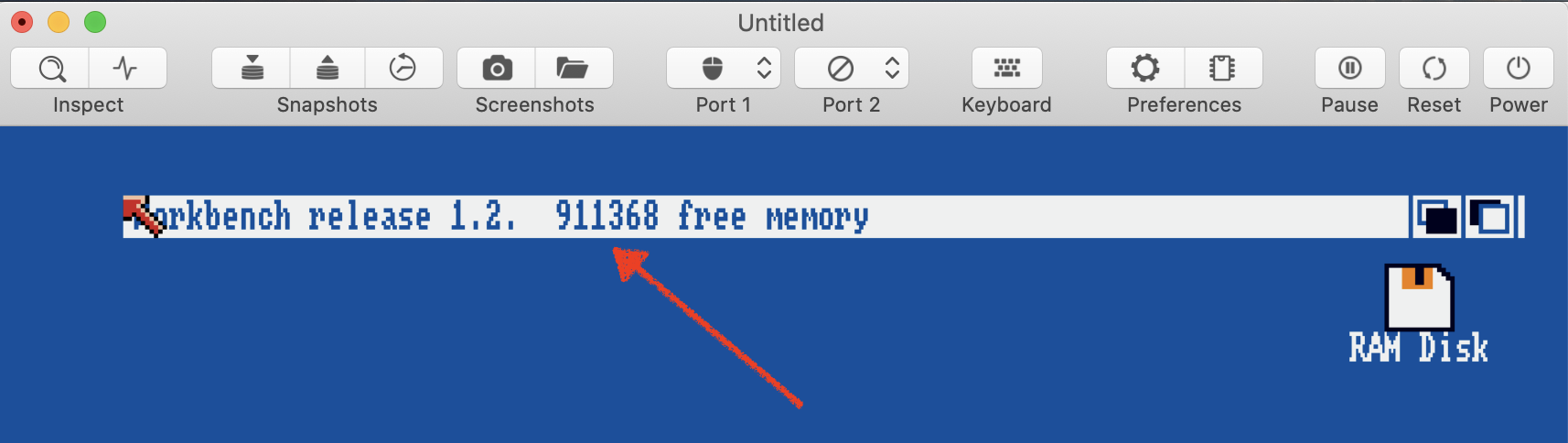
SAE is off, because it emulates an RTC. I haven't found an option to disable it:
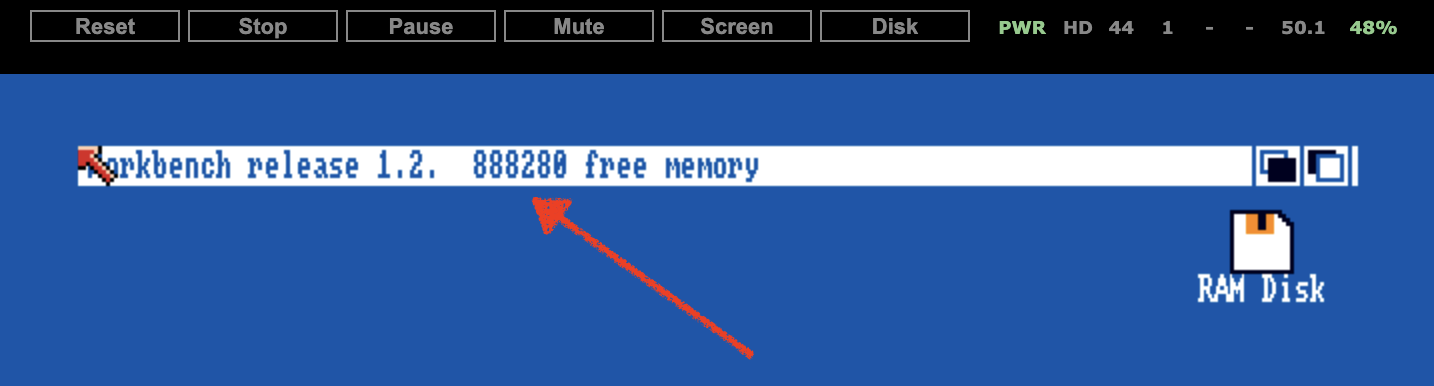
I need to come up with an idea how to debug this... I have no idea at the moment, but I have the strong feeling that this bug is an important one.
Update: In UAE, enabling or disabling the RTC doesn't influence the amount of free memory.
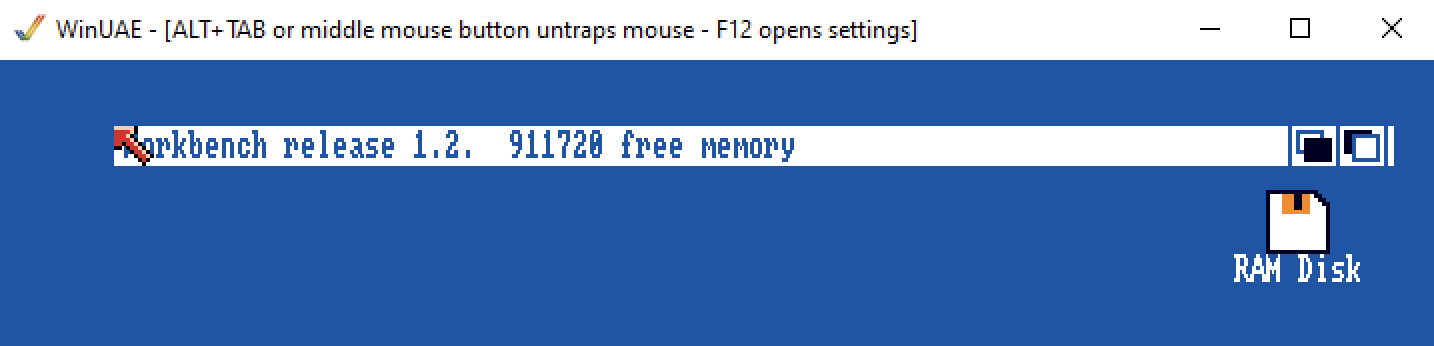
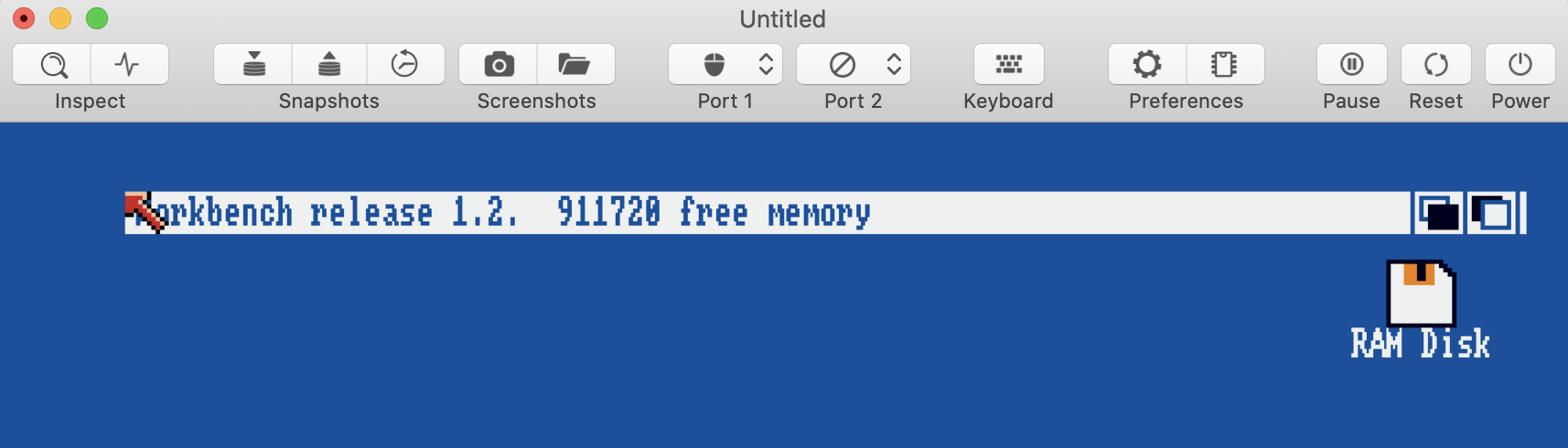
Update 2: UAE and vAmiga match for Kick 1.2:
 dirkwhoffmann
All 19 comments
This is a real crime story ... I am super excited about the reason of the mismatch ... who has stolen the 24 Bytes.
Is it only stolen in kick1.3 ? That means you loaded wb1.2 on kick1.3 and then you end up with 24 Bytes off? When using wb12 with kick12 it matches?
 mithrendal
on 20 Aug 2020
mithrendal
on 20 Aug 2020
Fire up the sysinfo app and select memory details ... perhaps it gives us a hint...
On this site you find a link to the ADF
https://sysinfo.d0.se/
mithrendal
on 20 Aug 2020
What I would do:
- First make 100% sure all settings are identical running testing both case.
- Use regular memory tools to see ranges and see where it differs.
- Start dumping memory from UAE and compare with vAmiga, see where it differs
- Start dumping memory from startup with CPU writes to memory from UAE, do the same for vAmiga, try to match up.
 emoon
on 21 Aug 2020
emoon
on 21 Aug 2020
For reference: Booting A500WB1.2D.adf in fsuae and vAmiga:
./fs-uae --console_debugger=1 --uae_chipset=ocs --uae_rtc=none --kickstart-file=~/Desktop/Testing/kick13.rom --uae_immediate_blits=true --floppy_drive_speed=0 --slow_memory=0 --floppy_drive_0=~/Desktop/Testing/A2000WB1.2D.adf --floppy_drive_count=1
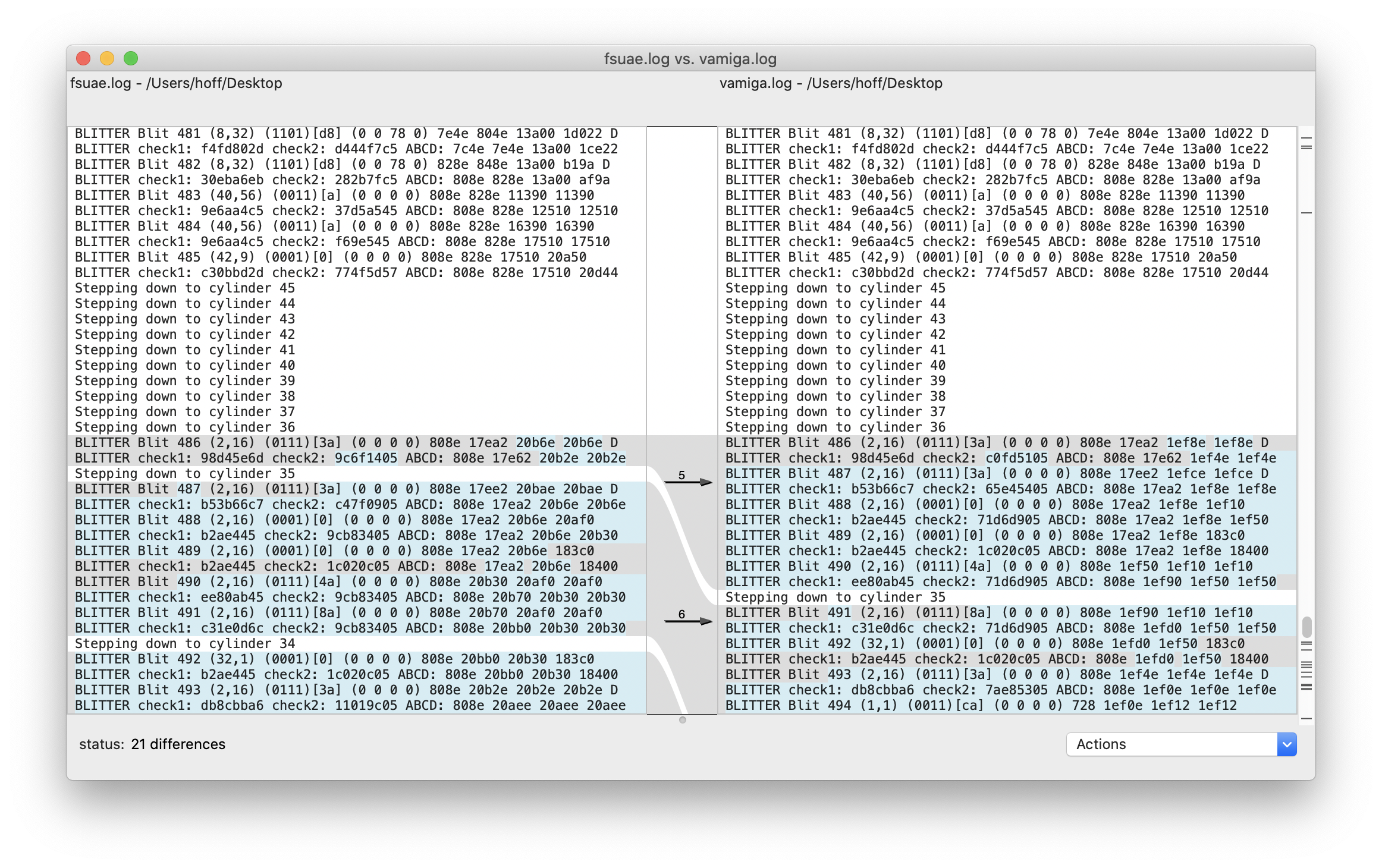
The first discrepancy occurs pretty late, beyond the RTC check which happens after blit 431.
dirkwhoffmann
on 21 Aug 2020
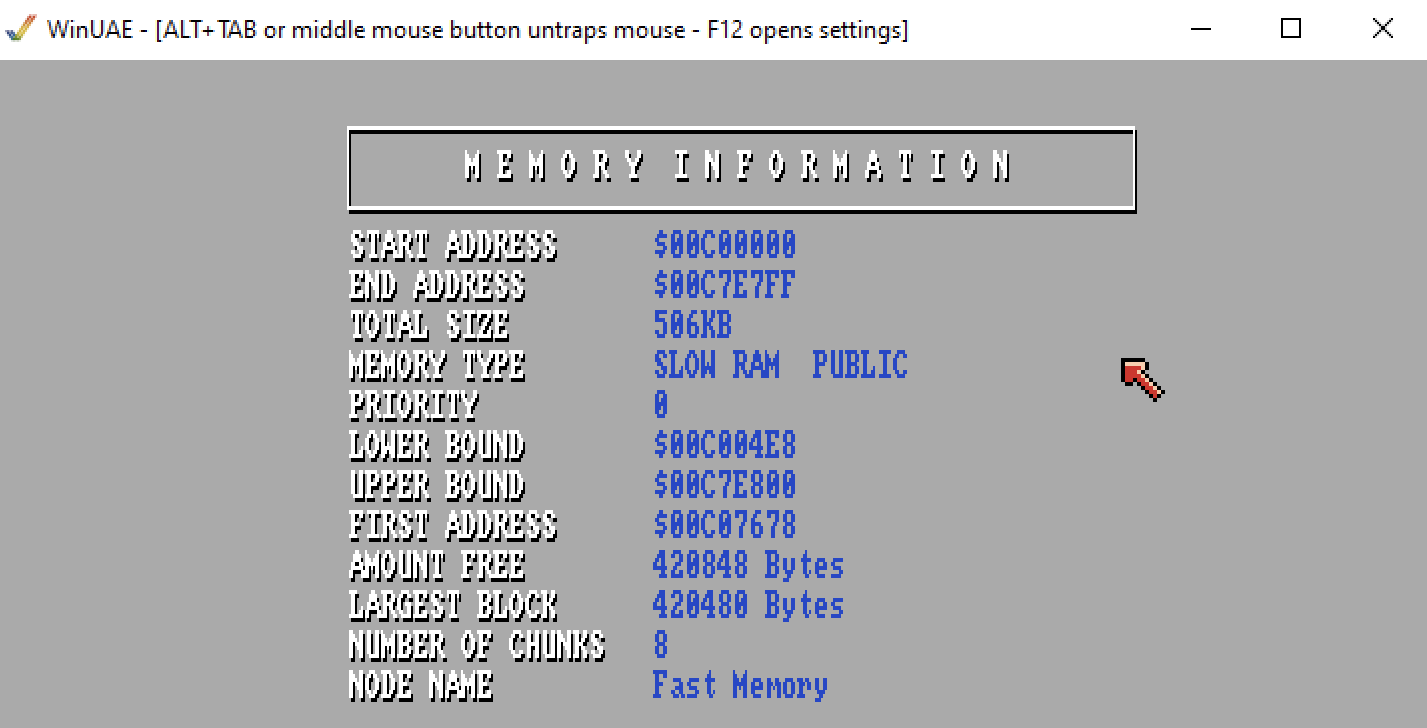
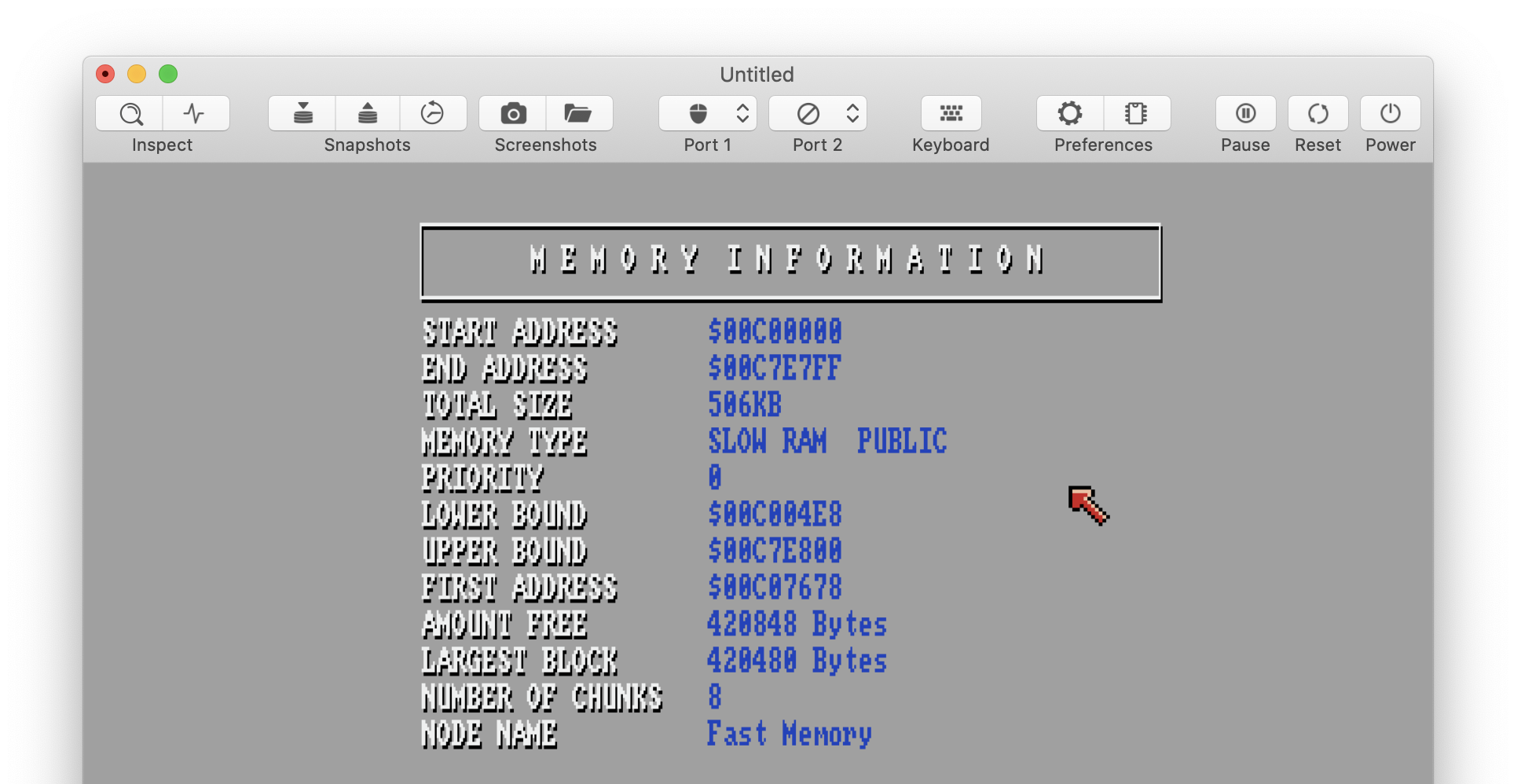
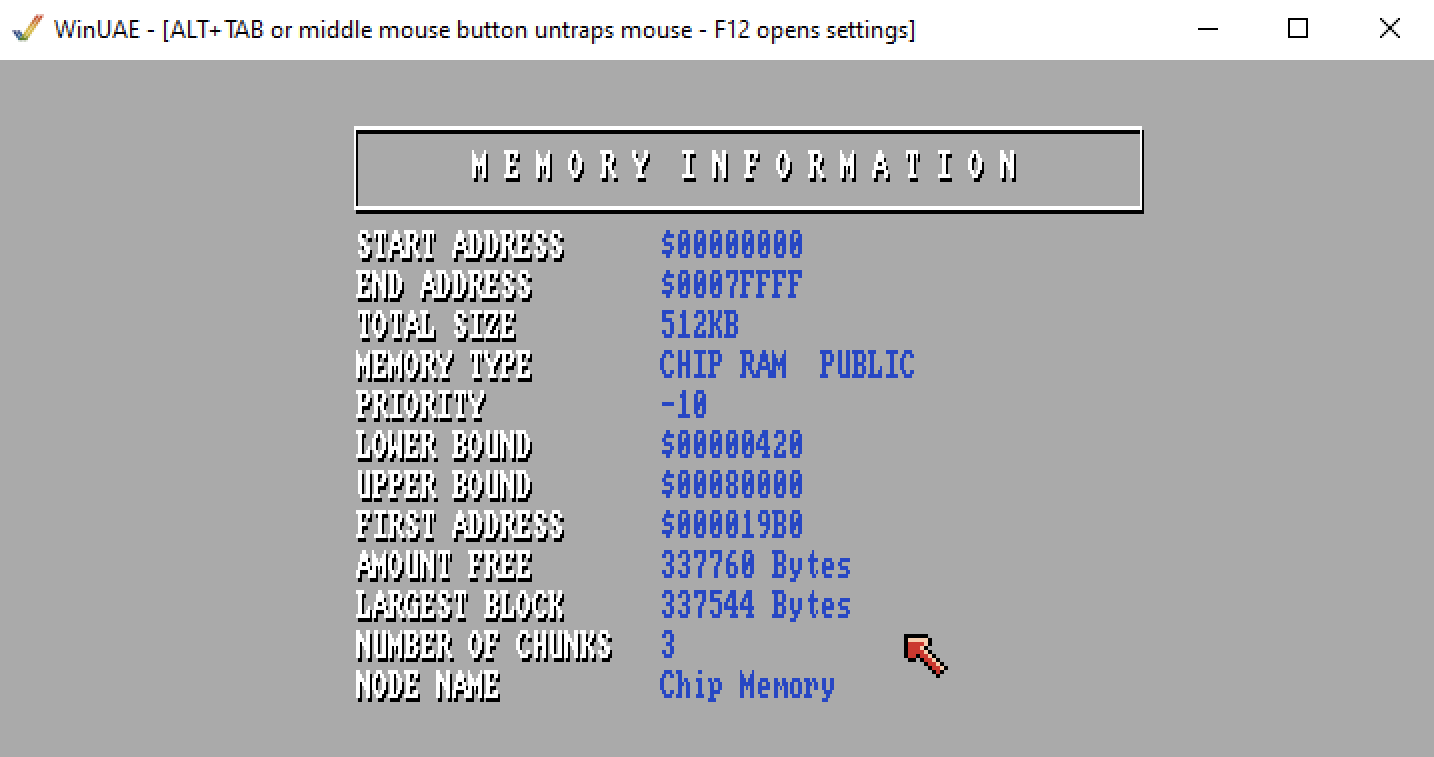
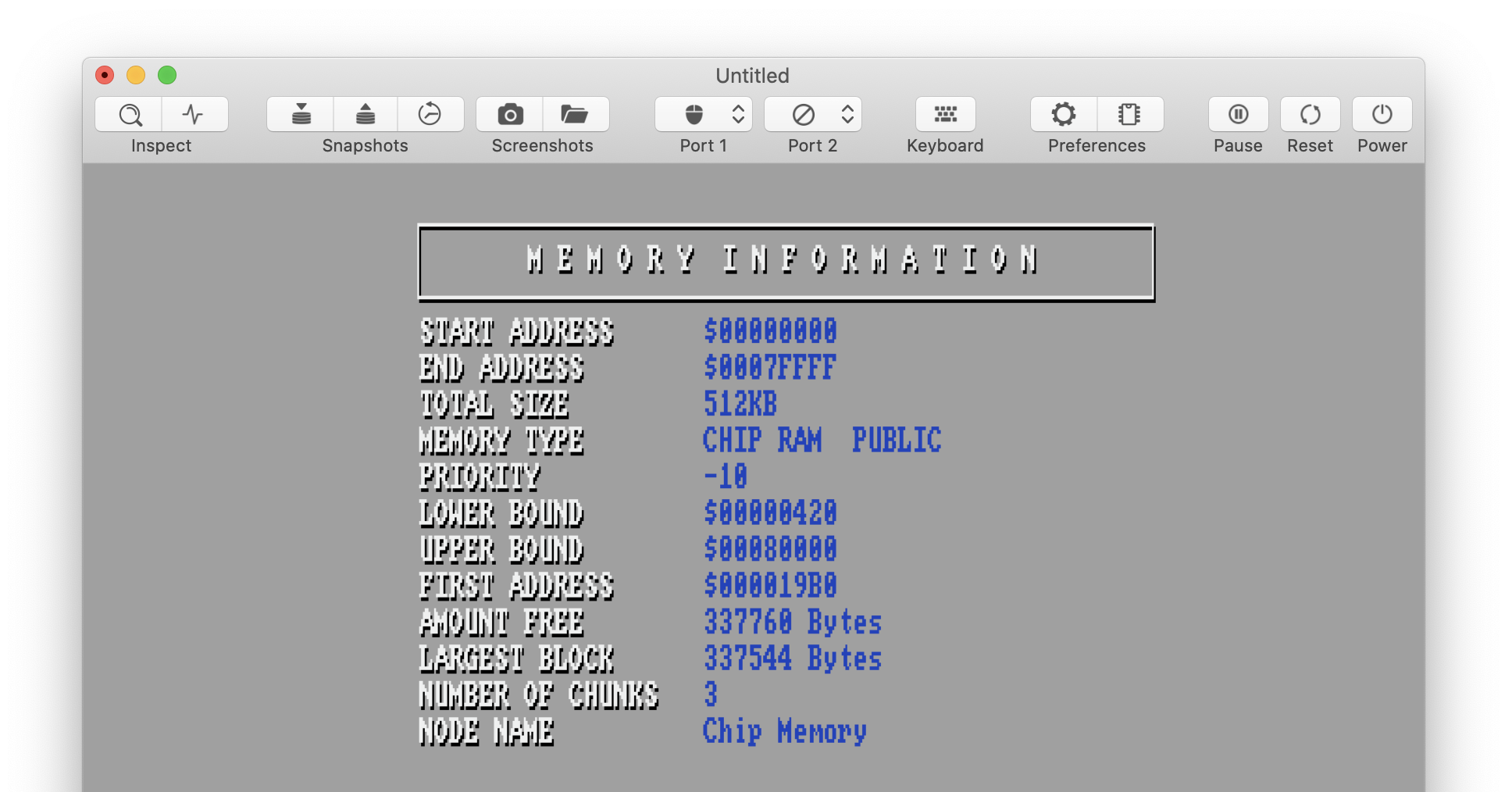
Fire up the sysinfo app and select memory details ... perhaps it gives us a hint...
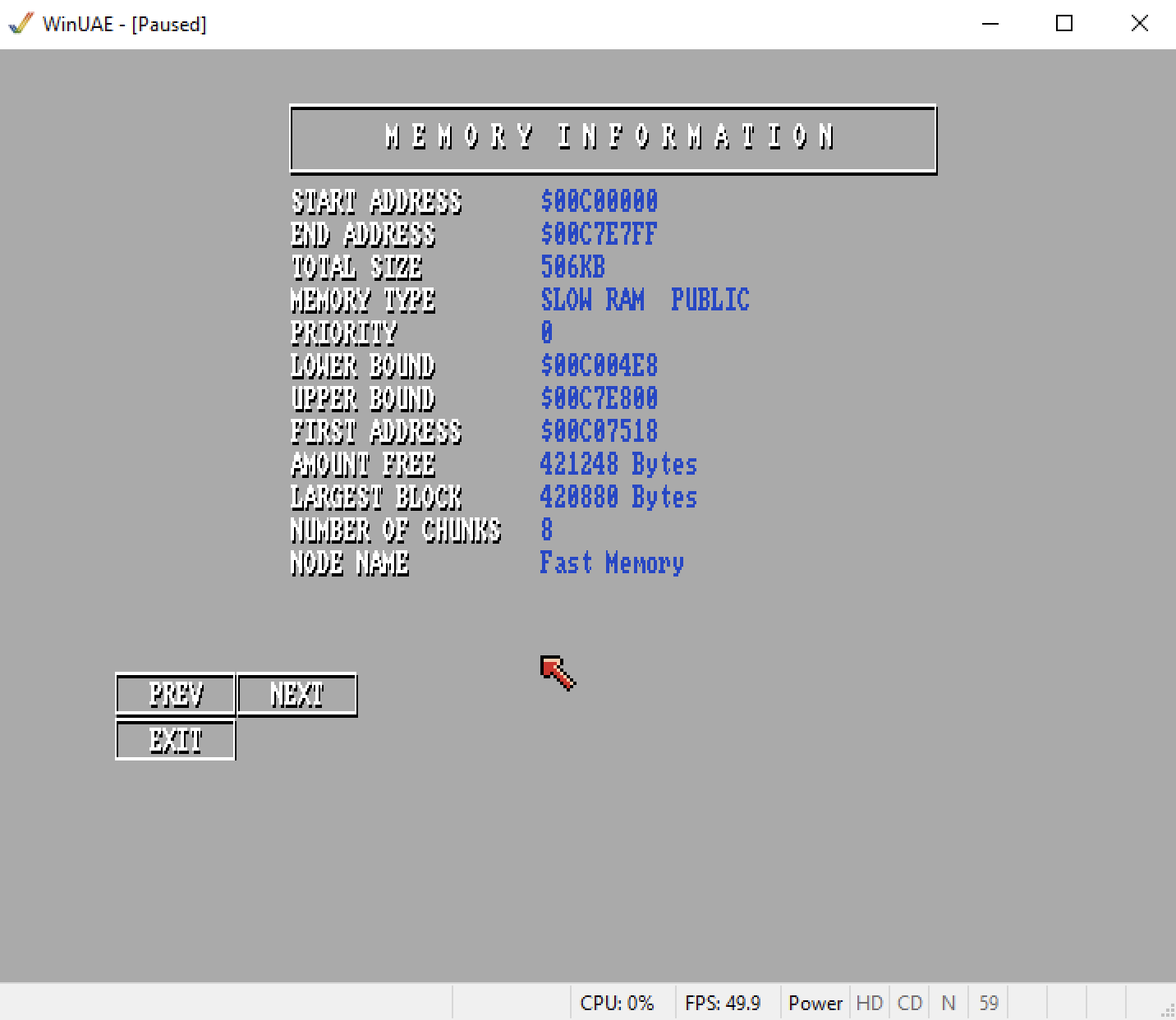
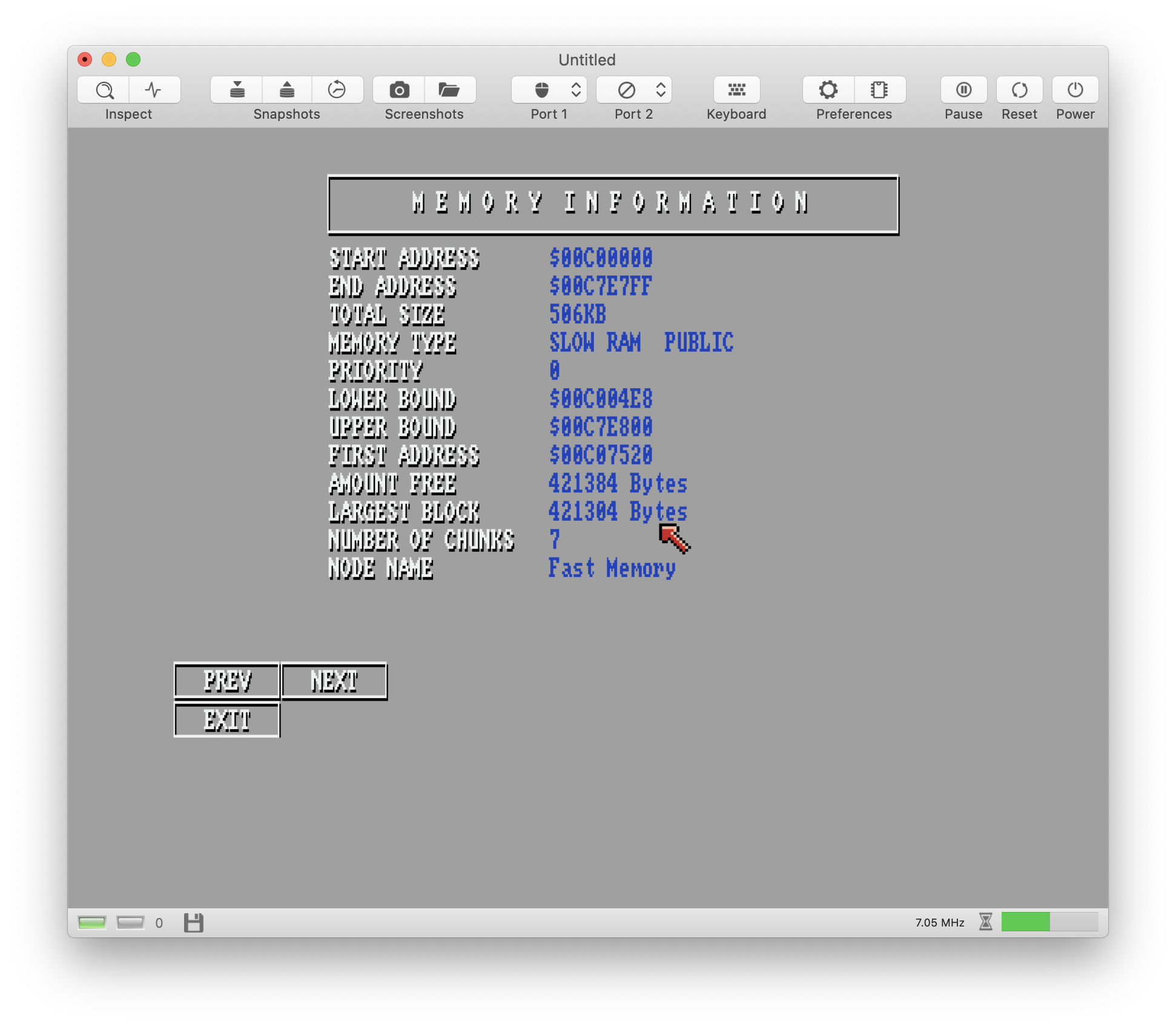
All similar except memory usage:
dirkwhoffmann
on 21 Aug 2020
Number of chunks: 7 vs 8
First adress: different too
🤔don’t ask me what to do with this information. What is a chunk?
Also curious ... this time its vice versa. vAmiga has more free memory 😳
mithrendal
on 21 Aug 2020
Start dumping memory from startup with CPU writes to memory from UAE
Sounds easy, but I have no glue where memory is accessed inside UAE. There are a million memory access functions such as
extern uae_u32 get_word_icache030(uaecptr addr);
extern uae_u32 get_word_cache_040(uaecptr);
extern uae_u32 get_word_icache040(uaecptr addr);
etc. etc. Most of them call a function named get_word(), but I did not even find the place where this function is implemented.
dirkwhoffmann
on 21 Aug 2020
vAmiga has more free memory 😳
This is because it only shows SlowRam. There is also a page for ChipRam. I wouldn't be surprised if this is related to the Jetsons issue.
dirkwhoffmann
on 21 Aug 2020
etc. etc. Most of them call a function named get_word(), but I did not even find the place where this function is implemented.
it's a static inline function in include/uae/memory.h
emoon
on 21 Aug 2020
t's a static inline function in include/uae/memory.h
Thanks! Got it:
#define longget(addr) (call_mem_get_func(get_mem_bank(addr).lget, addr))
#define wordget(addr) (call_mem_get_func(get_mem_bank(addr).wget, addr))
#define byteget(addr) (call_mem_get_func(get_mem_bank(addr).bget, addr))
#define longgeti(addr) (call_mem_get_func(get_mem_bank(addr).lgeti, addr))
#define wordgeti(addr) (call_mem_get_func(get_mem_bank(addr).wgeti, addr))
#define longput(addr,l) (call_mem_put_func(get_mem_bank(addr).lput, addr, l))
#define wordput(addr,w) (call_mem_put_func(get_mem_bank(addr).wput, addr, w))
#define byteput(addr,b) (call_mem_put_func(get_mem_bank(addr).bput, addr, b))

STATIC_INLINE uae_u32 get_long (uaecptr addr)
{
    return longget (addr);
}
STATIC_INLINE uae_u32 get_word (uaecptr addr)
{
    if (addr >= )
    return wordget (addr);
}
STATIC_INLINE uae_u32 get_byte (uaecptr addr)
{
    return byteget (addr);
}
np, I have been digging around in the UAE code before :)
emoon
on 21 Aug 2020
Strange: 512 + 512, kick1.3:
OCS Agnus:
- UAE: 911368
- FSUAE: 911368
- vAmiga: 911368
ECS Agnus:
- UAE: 911392 (matches the original machine)
- FSUAE: 911368
- vAmiga: 911368
Bottom line: No difference for OCS Agnus. For ECS Agnus, UAE matches the original machine, FSUAE does not. This is most likely a configuration option issue.
dirkwhoffmann
on 23 Aug 2020
Can it be that you have df1 (or more) enabled and the OS reserves some extra mem for it?
emoon
on 23 Aug 2020
df1 is disconnected (because it does change the amount of allocated memory).
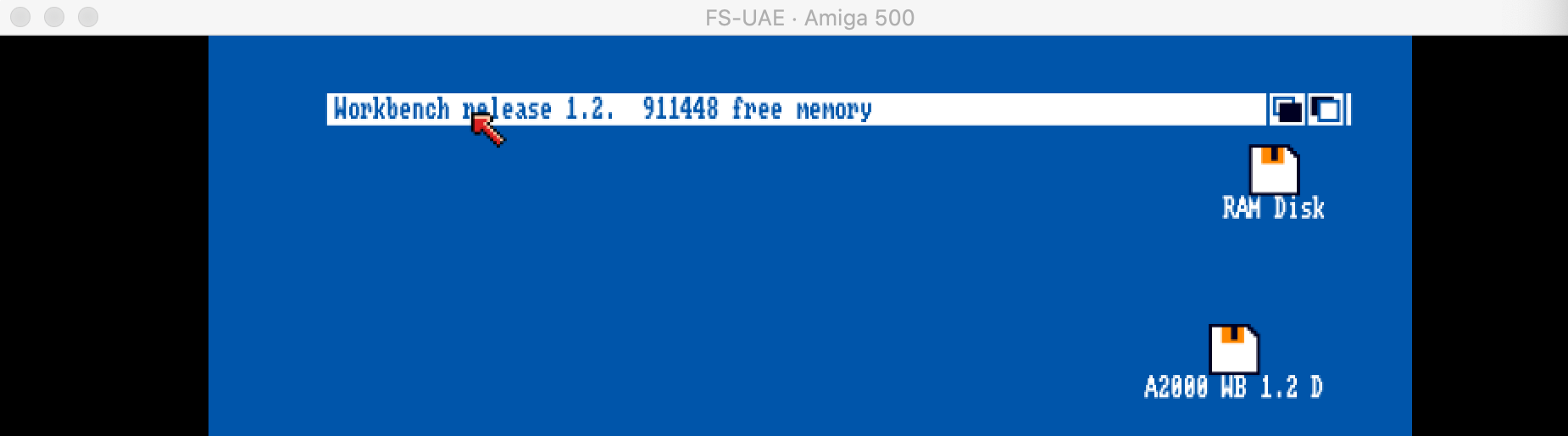
I've done more experiments with FSUAE. This time, I launched it via the "FSUAE launcher" and configured an A500. It shows 911392 (which is the correct value and different from what I see when I start FSUAE from the command line). Now, I've closed the window and simply restarted the emulator (without changing the configuration, at least not intentionally). This time, I got the following: 😳
I've also notices that FSUAE seems to ignore command line option "-uae_rtc none". It always starts with an RTC enabled. 😖
dirkwhoffmann
on 23 Aug 2020
just double check that you have two dashes for the commandline opts for FS-UAE afaik
emoon
on 23 Aug 2020
Yes, two dashed:
./fs-uae --console_debugger=1 --uae_chipset=ecs_agnus --uae_rtc=none --kickstart-file=~/Desktop/Testing/kick13.rom --uae_immediate_blits=true --floppy_drive_speed=0 --slow_memory=512 --floppy_drive_count=1 --floppy_drive_0=~/Desktop/Testing/A2000WB1.2D.adf > ~/Desktop/fsuae.log
In the meantime, I've disabled the RTC manually by patching the source code 🙄.
dirkwhoffmann
on 23 Aug 2020
I’ve continued to patch FSUAE and printed out the bank mapping for the used configuration (see below). The following pages are different compared to vAmiga:
bank[224]: kickmem_bank
bank[225]: kickmem_bank
bank[226]: kickmem_bank
bank[227]: kickmem_bank
bank[228]: kickmem_bank
bank[229]: kickmem_bank
bank[230]: kickmem_bank
bank[231]: kickmem_bank
bank[232]: expamem_bank
FSUAE has a Kickstart mirror in pages $E0 - $E7 and it always maps autoconfig (Zorro) to page $E8.
TODO:
- Check if Kickstart is mirrored on the real machine (FSUAE might be misconfigured).
- Check how autoconfig interacts with Kickstart if no Zorro devices are present. In vAmiga, I treat autocondig space as unmapped memory if no Zorro devices (FastMem) are present. This might be wrong.
bank[0]: chipmem_bank
...
bank[31]: chipmem_bank
bank[32]: dummy_bank
...
bank[159]: dummy_bank
bank[160]: cia_bank
...
bank[191]: cia_bank
bank[192]: bogomem_bank
...
bank[199]: bogomem_bank
bank[200]: custom_bank
...
bank[215]: custom_bank
bank[216]: dummy_bank
...
bank[219]: dummy_bank
bank[220]: clock_bank
bank[221]: dummy_bank
bank[222]: custom_bank
bank[223]: custom_bank
bank[224]: kickmem_bank
...
bank[231]: kickmem_bank
bank[232]: expamem_bank
bank[233]: dummy_bank
...
bank[247]: dummy_bank
bank[248]: kickmem_bank
...
bank[255]: kickmem_bank
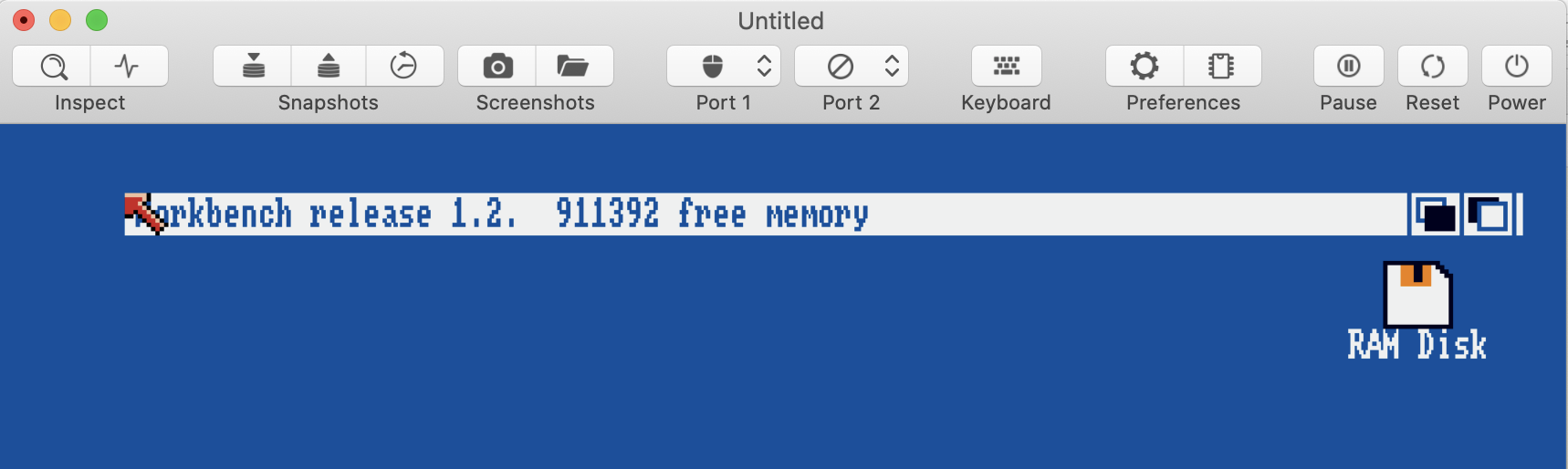
Adjusting the bank map seems to do the trick:
If I disable the RTC, I get this:
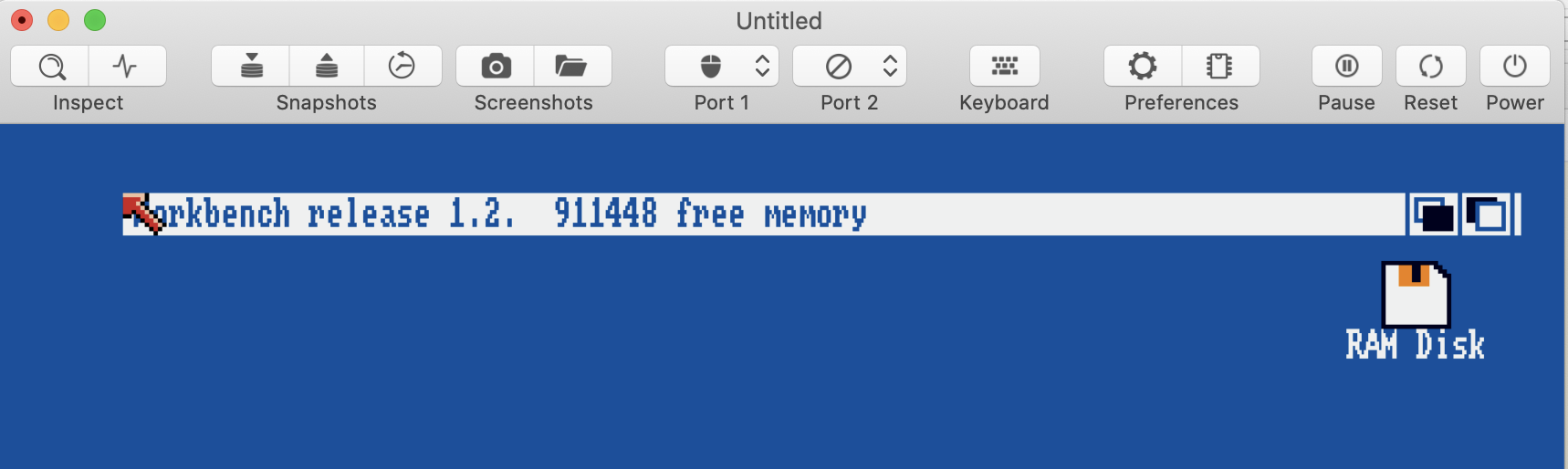
On the one hand, this doesn't seem to be correct, because my original A500 has no RTC. On the other hand, I've seen this exact value in FSUA before. This needs closer investigation. Maybe I have to return special values when reading the clock bank even if no clock is present.
BTW, sysinfo is happy now, too:
Unfortunately, it doesn't fix the Jetsons issue which I hoped for. 😢
dirkwhoffmann
on 24 Aug 2020
Fixed in v0.9.11
dirkwhoffmann
on 9 Sep 2020
Related issues
 bnice
·
4Comments
dirkwhoffmann
·
3Comments
bnice
·
4Comments
dirkwhoffmann
·
3Comments
 KenDFish
·
3Comments
KenDFish
·
3Comments
 Alessandro1970
·
4Comments
dirkwhoffmann
·
3Comments
Alessandro1970
·
4Comments
dirkwhoffmann
·
3Comments