Vamiga: Oil Imperium drills way too fast
When trying to drill a well in Oil Imperium, the game is like 10x to fast.
(FS-UAE works fine)
Here is the game: oilimp.zip
 sy2002
All 7 comments
I am having trouble to reproduce the bug, because the game doesn't let me drill 😫:
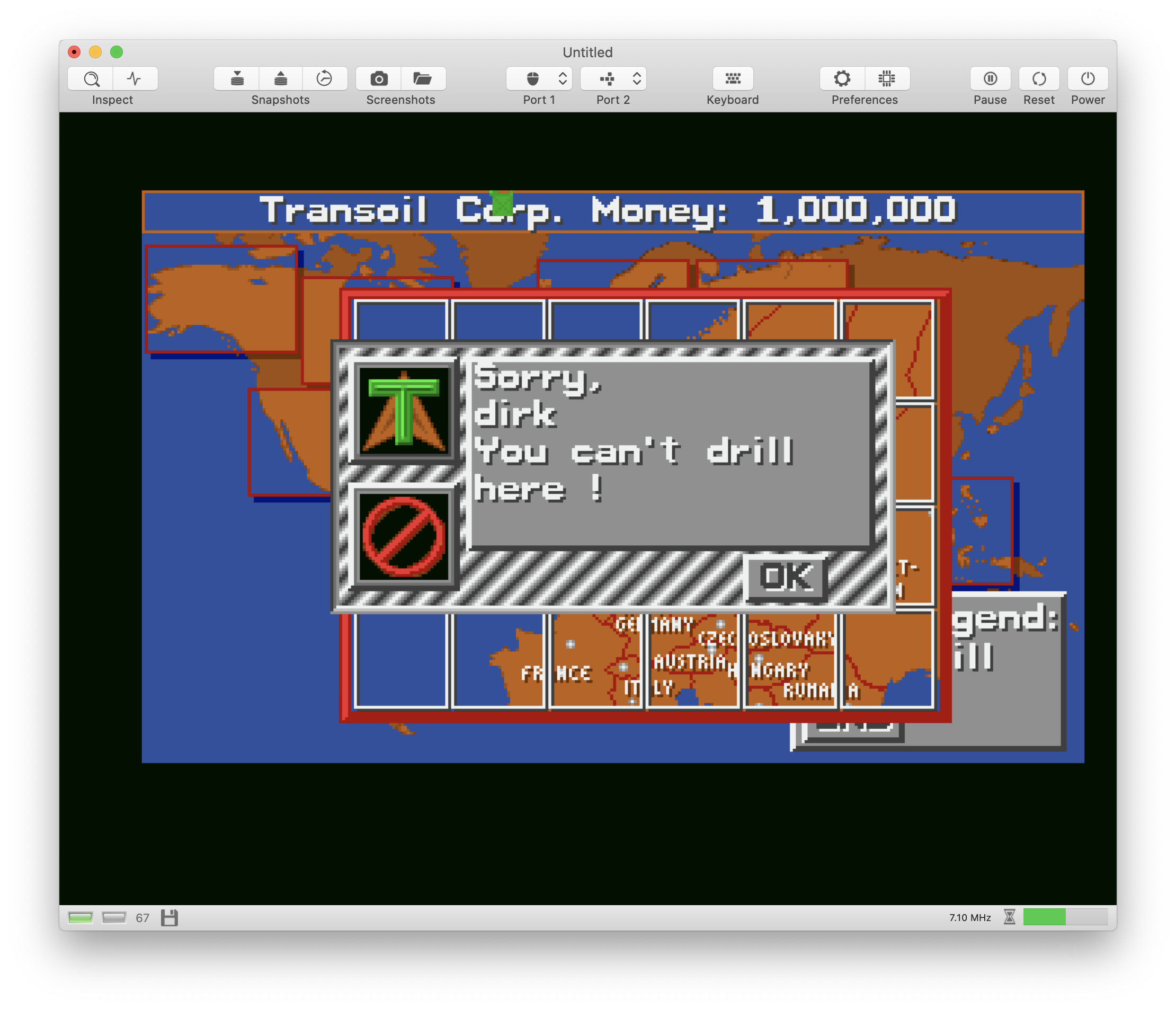
I am the proud owner of an oil field in Iran and Ireland, and I also bought a tank. But neither the Irish nor the Iranians let me drill. Do I need a drilling license or maybe a visa? 😬 Hmmm, I shouldn't need a visa for Ireland, should I? But wait... the game is from the 80s... 🤔 Don't really remember how it was back then...
 dirkwhoffmann
on 3 Jul 2020
dirkwhoffmann
on 3 Jul 2020
@sy2002 in which country is your oil field?
What about when we cheat and @sy2002 posts a saved snapshot from his oil field here? 😎🤞
 mithrendal
on 3 Jul 2020
mithrendal
on 3 Jul 2020
:-)
I think you have to little money left. Try this sequence:
- Start a new game
- Choose "Buy"
- Choose "Oil field"
- Choose "Middle East"
- Choose e.g. "Jemen"
- Answer "yes" when it asks you if you'd like to buy a concession
- Choose e.g. "Jemen" again <== maybe you did not do this?
- Answer "yes" when it asks you if you'd like to buy an oil field
- Answer "yes" when it asks you if you'd like to drill
- Choose "own" (!) when it asks you if you'd like to drill on your own (or use a specialist)
- Experience way too fast drilling (it will be over in ~2 sec; you can compare to FS-UAE)
Side note for testing the "drilling":
I never had an Amiga when I was a kid (even though it was my dream computer. I "only" had a C64.). Therefore I need to admit that I do not know the Amiga well enough to really understand, how for example this Oil Imperium specific setup was solved on real hardware:
Oil imperium needs a mouse AND a joystick: Mouse for buying the well etc. and joystik for drilling.
As a layman I would assume: Put the mouse in port #1 and the joystick in port #2.
When I played the game yesterday on FS-UAE, FS-UAE did somehow auto-magically take care for me (**) and therefore I am not sure, how the game expects the configuration to be. Mouse in #1 / Joystick in #2 - or the other way round? or maybe even manually toggling?
re (**) What I mean by that: When drilling was to be done on FS-UAE, I used the cursor keys of my MacBook on FS-UAE and when done, I continued using my trackball. It somehow got it right auto-magically.
@mithrendal: I did not fully understand how vAmiga's Snapshot and "Save Machine" Feature works. Although I saved a snapshot file directly before drilling (attached to this comment as a ZIP), I am not able to load it properly: When I load it, I still need to insert the Kickstart again, insert all disks again and boot the virtual Amiga and when booting, the game starts from the beginning and not that the place when I did the snap shot. The Snapshots (and "Save Machine" on VirtualC64 are easier indeed: Save => Load => Play :-) )
Here is the Oil-Drill-Snapshot:
sy2002
on 3 Jul 2020
When I played the game yesterday on FS-UAE, FS-UAE did somehow auto-magically take care for me
🙋🏿🙋🏿🙋🏼🙋🏻🙋🏻 me me me ... I know why .... thats the automatique mouse/joystick switcher which active by default in FSUAE ...I am so proud of the concept 😍... because I proposed it once to Frode ... and he was so kind to implement that for us... that was already years ago ...
here is the parameter description from the FSUAE site...
Summary: "Automatic mouse/joystick mode for mouse port"
Default: 1
Example: 0
Since: 2.1.33
Type: boolean

When this option is enabled, and joystick mode is selected for port 0,
the port will automatically switch between mouse and joystick mode when
you perform joystick or mouse movement.

This is especially useful when you want to play a two-player game with
two joysticks, but need the mouse to get past cracktros or trainers. With
this option enabled, you can use both the mouse and the second joystick
seamlessly.
when it switches automatically it tells you with a nice text overlay which disappears some second later ...
mithrendal
on 3 Jul 2020
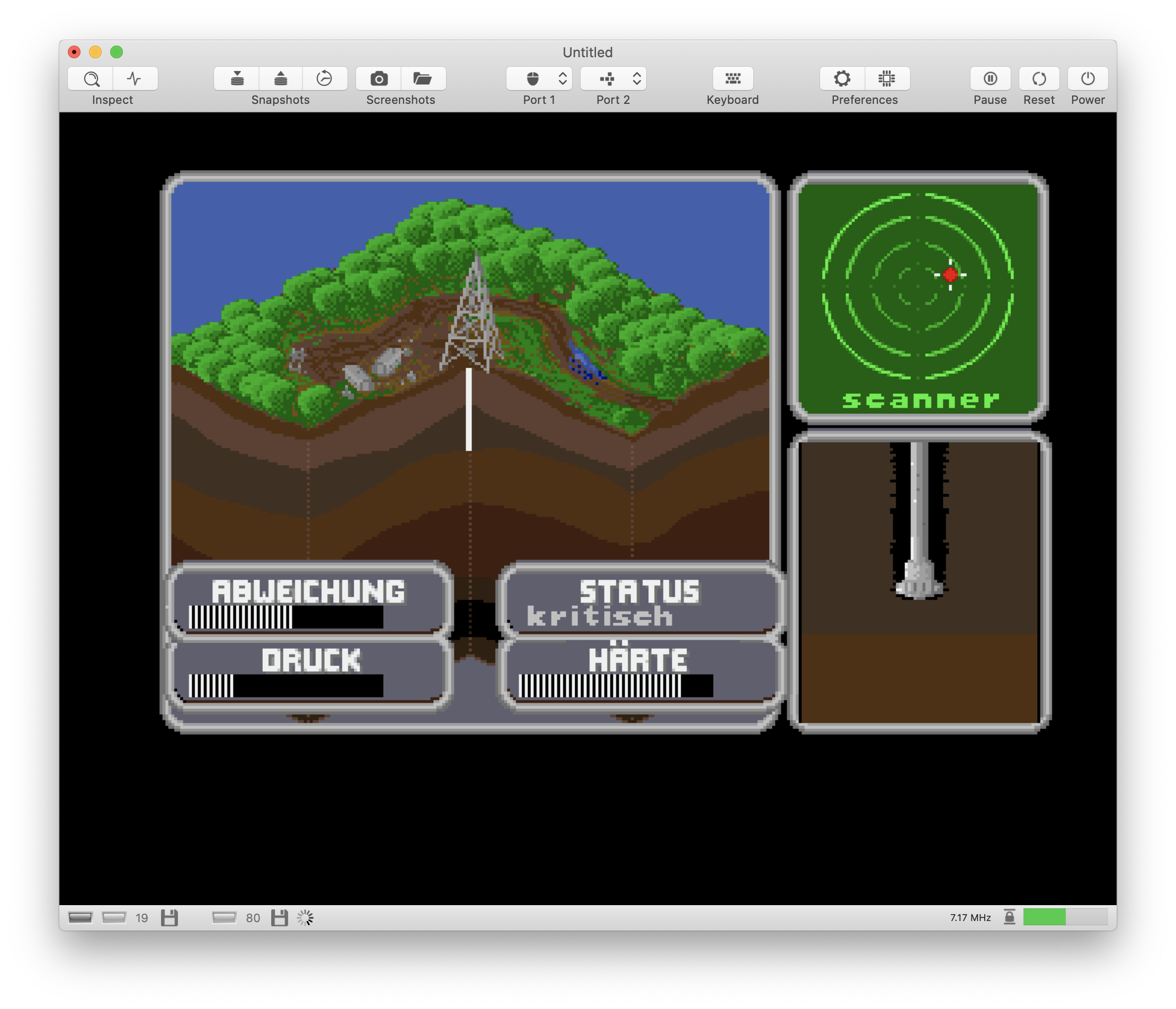
I had no problems with the snapshot. I dragged it into the emulator window and I was ready to drill in no time 😎.
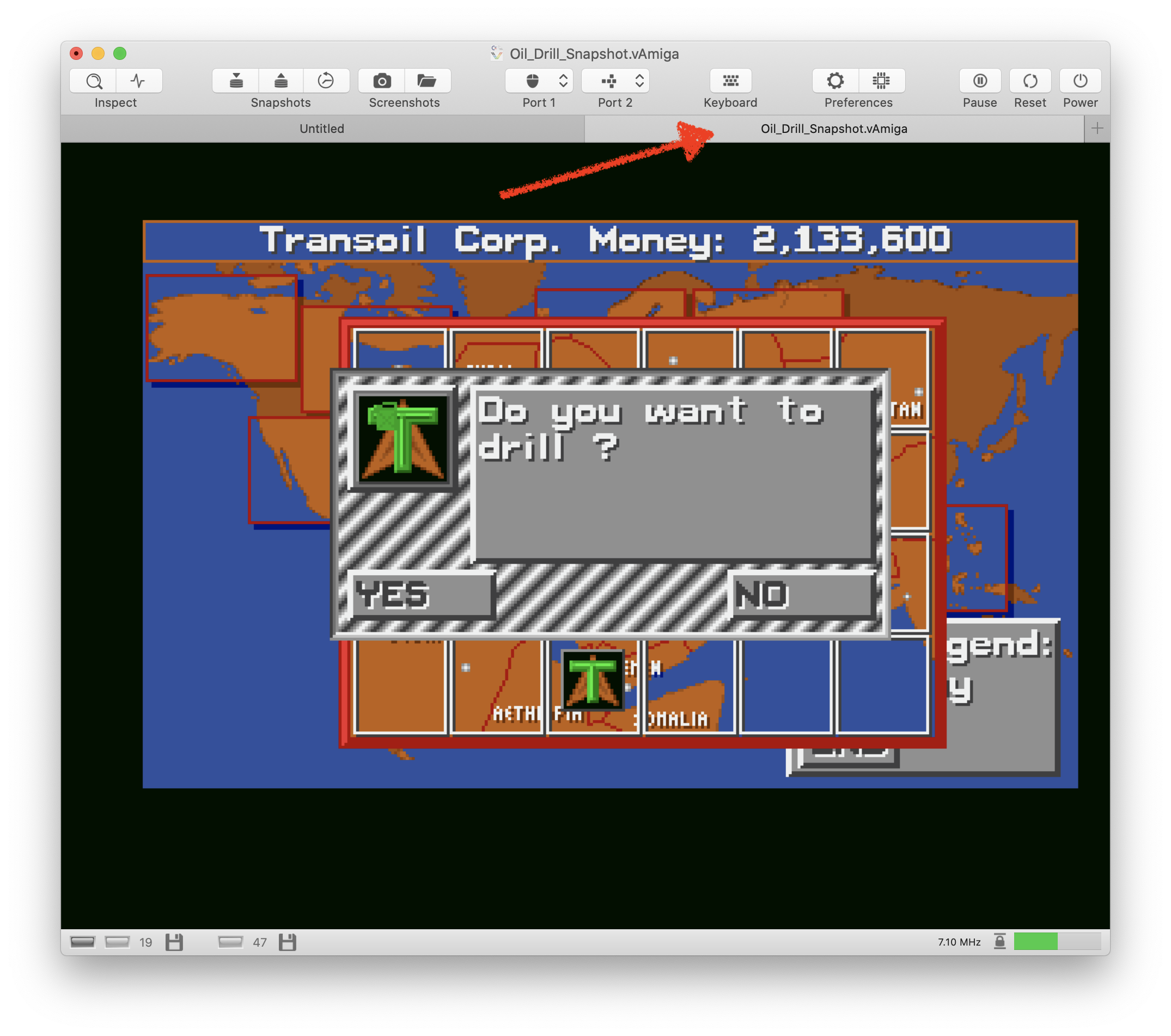
I also tried "Open..." from the file menu. As expected, another emulator instance was created and I was ready to drill:
The games expects the mouse in port 1 (this is where the mouse is usually plugged in) and the joystick in port 2.
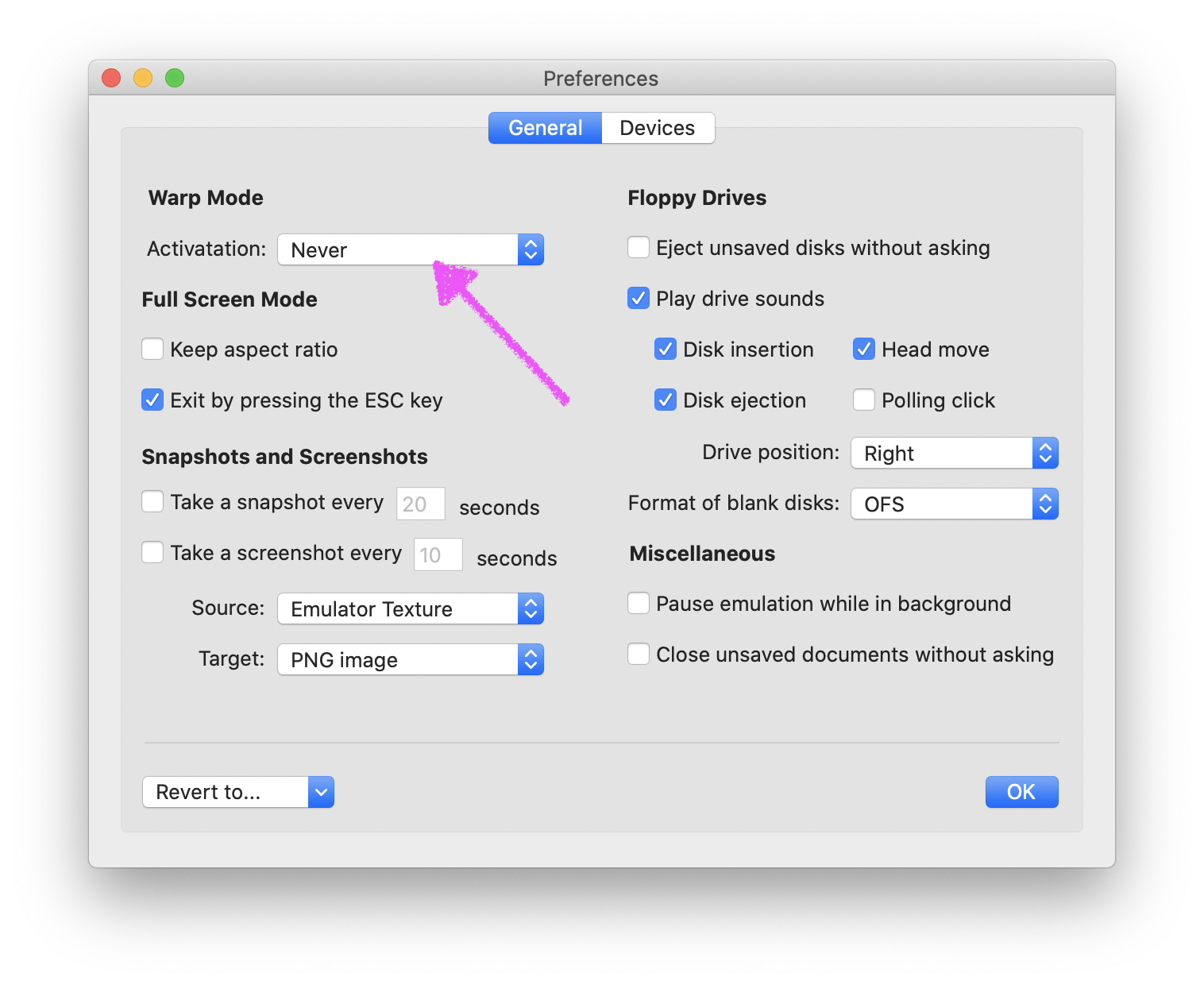
The drilling speed issue is due to "auto warping". When the drill sequence has been loaded, the game does not turn off the drive motor and vAmiga runs at full speed. You can either turn it off in the preferences or you can click the small hourglass symbol in the status bar next to the frequency display.
dirkwhoffmann
on 3 Jul 2020
@mithrendal Thank you! This is very impressive and a great feature that you invented! Superb usability.
@dirkwhoffmann Thank you for your detailed feedback! It works great for me: I switch the warp mode on for the normal game flow (because otherwise loading takes waaay too long - I am not used to that any more :-) ) and then, when the drilling comes up, I use the hourglass to slow down. After drilling, I switch warp back on again.
A small inconvenience if playing full screen is of course that I need to leave fullscreen to temporarily switch off the warp mode. A key-combo would be awesome ;-)
About the snapshots: It is great, that the snapshot I made worked for you :-)
For me it does not. I made a small screen capture film (which is unfortunatelly too large for being a GitHub attachment), so I used WeSendIt, which will delete it in 7 days from today on: https://wsi.li/dl/mhq4RWhbsqqGBtehT/
sy2002
on 3 Jul 2020
@sy2002 Thanks a lot for the screen recording. I think I know what the problem is. There is a bug that causes the emulator to refuse a snapshot if no Rom is specified in the default virtual machine settings. The emulator should not complain in this situation, because Rom data is part of the snapshot. I guess the emulator does the "readyToPowerUp()" check before the snapshot data is read in (which would install the Roms).
375 is a follow-up for the issue.
dirkwhoffmann
on 4 Jul 2020
Related issues
 Alessandro1970
·
4Comments
dirkwhoffmann
·
4Comments
dirkwhoffmann
·
3Comments
dirkwhoffmann
·
3Comments
dirkwhoffmann
·
3Comments
Alessandro1970
·
4Comments
dirkwhoffmann
·
4Comments
dirkwhoffmann
·
3Comments
dirkwhoffmann
·
3Comments
dirkwhoffmann
·
3Comments
Most helpful comment
I had no problems with the snapshot. I dragged it into the emulator window and I was ready to drill in no time 😎.
I also tried "Open..." from the file menu. As expected, another emulator instance was created and I was ready to drill:
The games expects the mouse in port 1 (this is where the mouse is usually plugged in) and the joystick in port 2.
The drilling speed issue is due to "auto warping". When the drill sequence has been loaded, the game does not turn off the drive motor and vAmiga runs at full speed. You can either turn it off in the preferences or you can click the small hourglass symbol in the status bar next to the frequency display.