I've added UART emulation to vAmiga in order to make DiagROM boot. To test the UART implementation, I need to emulate a device that is connected to the serial port.
Does anyone remember a simple device that got attached to the Amiga's serial port? A modem would be far too complicated.
 dirkwhoffmann
All 26 comments
As I understand you want in Amiga-CLI to do something like ?
type "hello outside world!" > ser:
and then you want to display the written sentence in a textbox inside your vAmiga inspector panel?
 mithrendal
on 11 Jun 2019
mithrendal
on 11 Jun 2019
The best thing to have would be an already existing (emulated) device that can be talked to via a (emulated) serial port (via a file, some API or something).
Currently, vAmiga emulates the UART shift register and some interrupts. Unfortunately, I cannot test the implementation thoroughly, because to outputted bits are not read by any other device. DiagROM is happy with the current implementation, but I'm sure my code is still full of bugs. Serial input is not implemented at all. I need some piece of software that acts as a data provider (i.e., some device that delivers data to the Amiga's serial port) and an Amiga program that reads from that device.
dirkwhoffmann
on 11 Jun 2019
Game "B.A.T II" uses a hardware dongle that is connected to the serial port. This could be a perfect test case.
dirkwhoffmann
on 11 Jun 2019
Flight II uses nullmodem to connect two amigas for multiplayer. Maybe a more fun testcase? I remember playing this on my Amiga1000 coupled to a friends Amiga 500 via null modem.
But I bet you are looking for somewhat simpler. Can you not couple two virtual vAmigas instances ? Then you might in CLI on one side
type ser: to con:
and on the other side
type con: to ser:
(after this command start typing into the CLI-console, what you type should then be mirrored on the first side)
mithrendal
on 11 Jun 2019
type ser: > con:
Yes, that might be doable. I could probably pipe the serial data to some Unix stream for communication ...
dirkwhoffmann
on 12 Jun 2019
I just searched the correct syntax
the syntax in CLI goes like this
type con: to ser:
type ser: to con:
you could also pipe the stream into an file
with
type ser: to ram:mystream
or let it speak on the other side
type ser: to speak:
My first contact with networking in 1986 ;-)
mithrendal
on 12 Jun 2019
An even simper approach: Emulate a loopback cable and test with DiagROM:
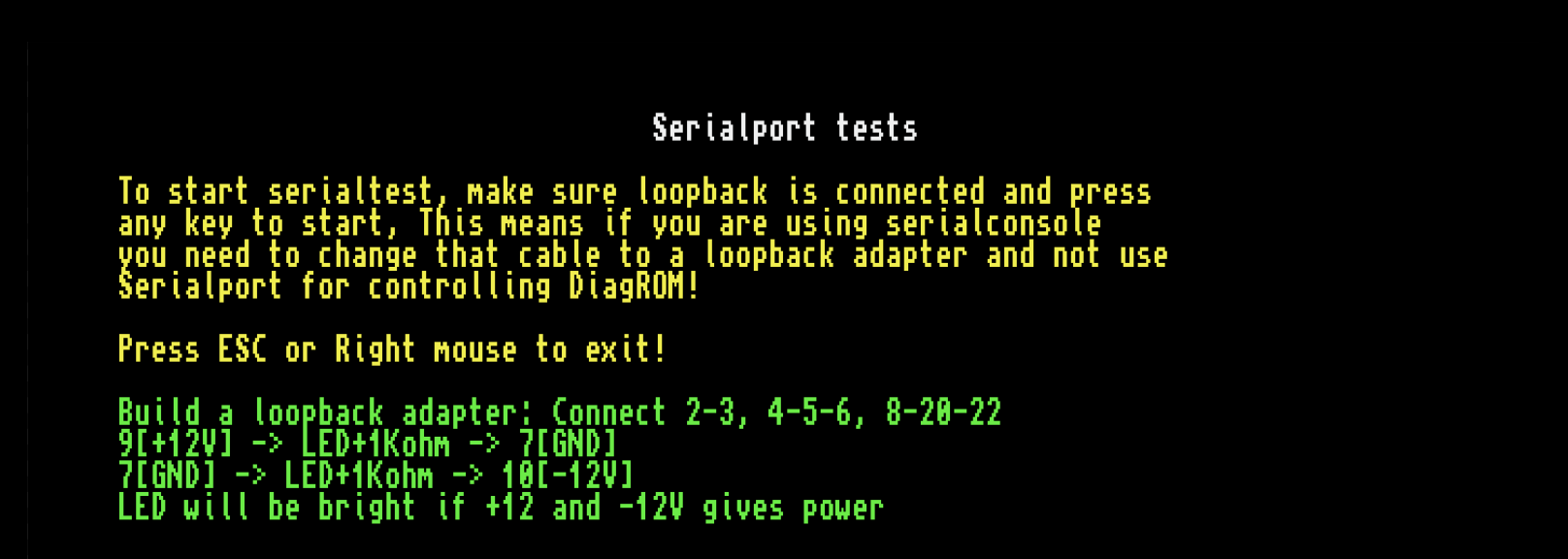
I guess Connect 4-5-6 means wiring all three together 🤔.
dirkwhoffmann
on 12 Jun 2019
https://www.amigaforever.com/kb/13-105
4-5-6 = ready to send - clear to send - data set ready
https://wiki.amigaos.net/wiki/Advanced_Serial_Debugging_Guide
mithrendal
on 12 Jun 2019
2-3: Connects TXD and RXD (Transmitted Data and Received Data). The actual loopback.
4-5-6 = ready to send - clear to send - data set ready
Makes sense: RTS is driven by the Amiga side (to request something from the peripheral device). DSR and CTS are driven by the peripheral device to signal their readiness. Hence, the bit written to RTS needs to be reflected on CTS and DSR.
8-20-22: Data Carrier Detect, Data Terminal Ready, Ring Indicator
DTR (20) is connected to PA7 of CIA B (driven by the Amiga side).
I'm unsure about DCD (8) and Ring Indicator (22). As far as I can see, they are not accessible inside the Amiga by software. Therefore I guess, the 8-20-22 can be ignored for emulating the loopback cable.
dirkwhoffmann
on 13 Jun 2019
type con: to ser:
I get an error when I try to open con: 🙁
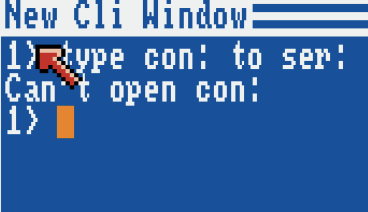
This command is intended to automatically push the keyboard input to the serial port, right?
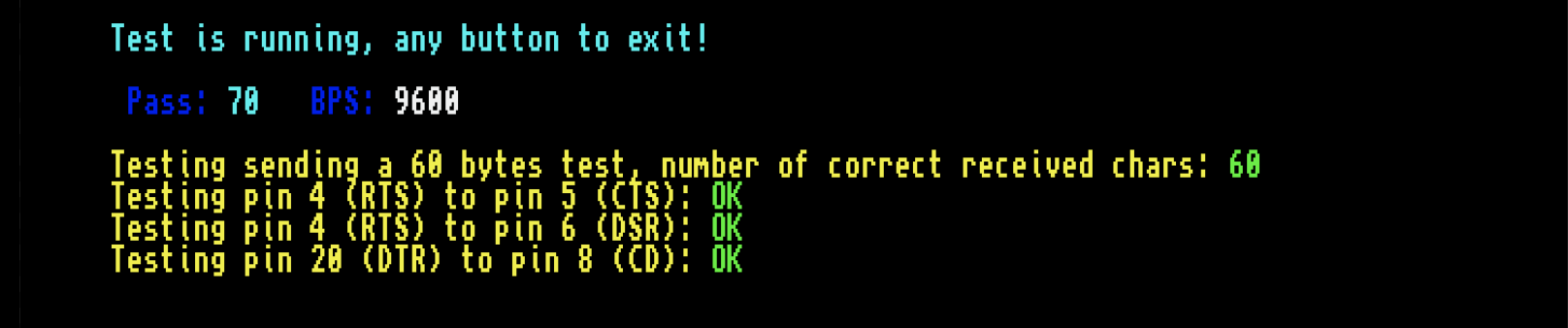
Background: DiagROM is now happy with vAmiga's serial port. So my plan was to plug in my super cool virtual loopback cable into the serial port of my not yet so cool virtual computer and do some experiments in CLI.
dirkwhoffmann
on 14 Jun 2019
hmm. Maybe con: is write only or maybe a device is missing ?
to troubleshoot try:
1.with notepad write a short text 'Hello world' into df0:mytestfile
2.from workbench open two CLI windows
3.in the lower CLI: type ser: to con:
4.in the upper CLI type df0:mytestfile to ser:
mithrendal
on 14 Jun 2019
type ser: to con:
Same error. Maybe an emulator bug. Unfortunately, I can't try this is SAE, because it requires ':' be typed.
dirkwhoffmann
on 14 Jun 2019
Ok try without con:
In the lower cli:
type ser: to ram:testfile
mithrendal
on 14 Jun 2019
I tried the following in UAE:
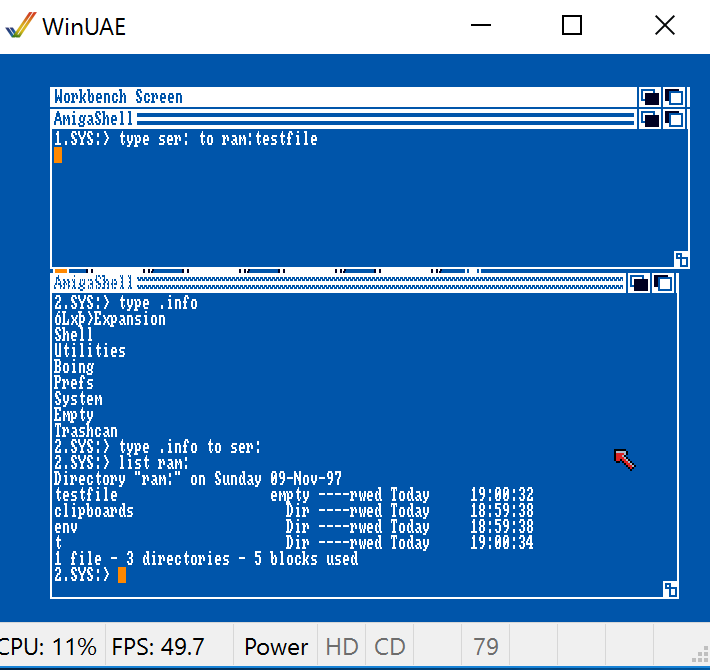
testfile appears in the RAM disk, but it is empty (same in vAmiga). I would have expected the file to contain data.
Maybe, I have to terminate the type ser: to ... before the file size changes. Unfortunately, I have forgotten how to do this in AmigaDOS. Cntrl-C and Cntrl-D do not work.
dirkwhoffmann
on 14 Jun 2019
Current situation:
When I issue type .info to ser:, vAmiga writes to the serial port as expected. If my new cutting edge loopback cable is connected, all data bytes also appear in the UART receive buffer as expected.
The missing piece is type ser: to ram:testfile which creates an empty file ram:testfile. We need to find out how I can tell this command to stop reading from ser:
dirkwhoffmann
on 14 Jun 2019
wait I am just pulling your super cool cable version. I will try to get it working...
mithrendal
on 14 Jun 2019
It's on the ExRom branch.
dirkwhoffmann
on 14 Jun 2019
I pulled the ExRom Branch. And enabled the serial loopback cable. But I also did not success.
But according to this instruction at point 10. It must be possible...
They transfer a file from PC to Amiga via "type ser: to ram:file" on Amiga side. When done they press Ctrl-C on Amiga side (nothing happens there after pressing Ctrl-C that's normal) and after that they press stop on sending side (which is the PC).
from the definition of cmd type:
...
To pause output, press the Space bar. To resume output, press Backspace, Return, or Ctrl-X. To stop output, press Ctrl-C (***BREAK is displayed).
...
I guess we must some how on the sending side after the Ctrl-C on the receiving side indicate an EOF. Have a look at this article about EOF in general which also mentions EOF on Amiga. https://en.wikipedia.org/wiki/End-of-file they say in Unix it is Ctrl-D but in Amiga DOS it is Ctrl-
Maybe the file must end with Ctrl Backslash but where is the backslash in vAmiga ? It should be next to the backspace key?
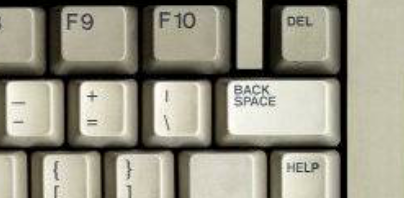
But it is missing...
mithrendal
on 14 Jun 2019
and after that they press stop on sending side (which is the PC).
You stumbled across the exact same sentence as I did. The PC must signal EOF in some way. Before reading your post, I thought it might be done by a software interrupt (IRQ line 2 can be driven manually by a serial port pin). It turned out to be not the case. As a positive side effect, INTREQ and INTENA are now user-editable in the Paula inspector panel.
Ctrl- might be a smoking gun.
If an English keyboard is selected in the hardware prefs, ' ' key can be pressed on the virtual keyboard.
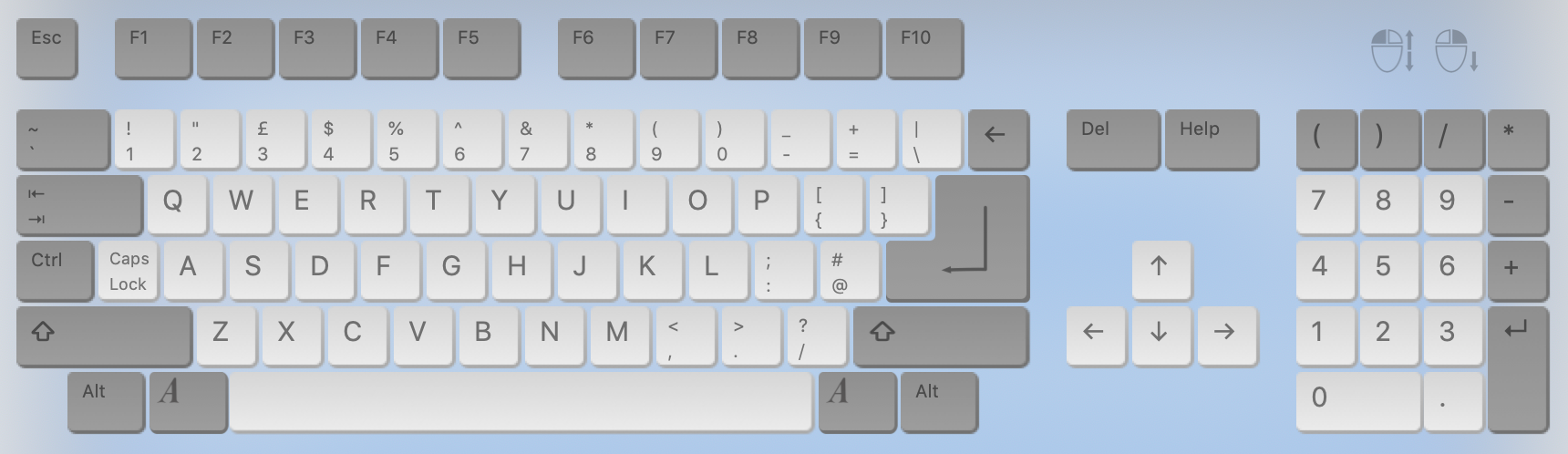
dirkwhoffmann
on 15 Jun 2019
From the German Wiki site:
"AmigaDOS benutzt Strg+\, das entspricht dem ASCII-Steuerzeichen File Separator 0x1C."
I hacked the code such that 0x1C is transmitted after 10 normal characters, but it had no effect. I guess, end of transmission is signalled by the peripheral device by changing some pins at the RS232 port.
In PA register of CIA-B, the following pins show up: DTR, RTS, CD, CTS, DSR. Hence, they must be among those.
dirkwhoffmann
on 15 Jun 2019
Thought1: Maybe the 0x1C must be send after CTRL-C the receiving type command.
Thought2: Then 0x1C is the same as ^ ?
It must be then possibly in the following order:
CLI1> type ser: to ram:testfile
CLI2>type .info to ser:
CLI1>CTRL-C
CLI2>type filewithEOF to ser:
CLI1>*break (is displayed)
where the filewithEOF must contain only ^ which should be 0x1C
PS: maybe we have to play with the serial settings in the workbench preferences? In the link above they say serial connection must be set to RTS/CTS...
mithrendal
on 15 Jun 2019
I also found this:
http://ltxfaq.custhelp.com/app/answers/detail/a_id/736/~/what-is-a-serial-break%3F
A serial break is not a character. It is a signal that can be sent
using the TX line of the device sending the break.

When a serial port is idle and no data is being sent the TX line
is in a logical 1 state. While data is being send the TX line rapidly
transitions between logical 0 and logical 1. Each frame of data
takes a certain period of time to send, depending on the bit rate
of the connection. This is called the "frame time" or "word time".

A break occurs when the TX line is held to a logical 0 for longer
than one frame time.
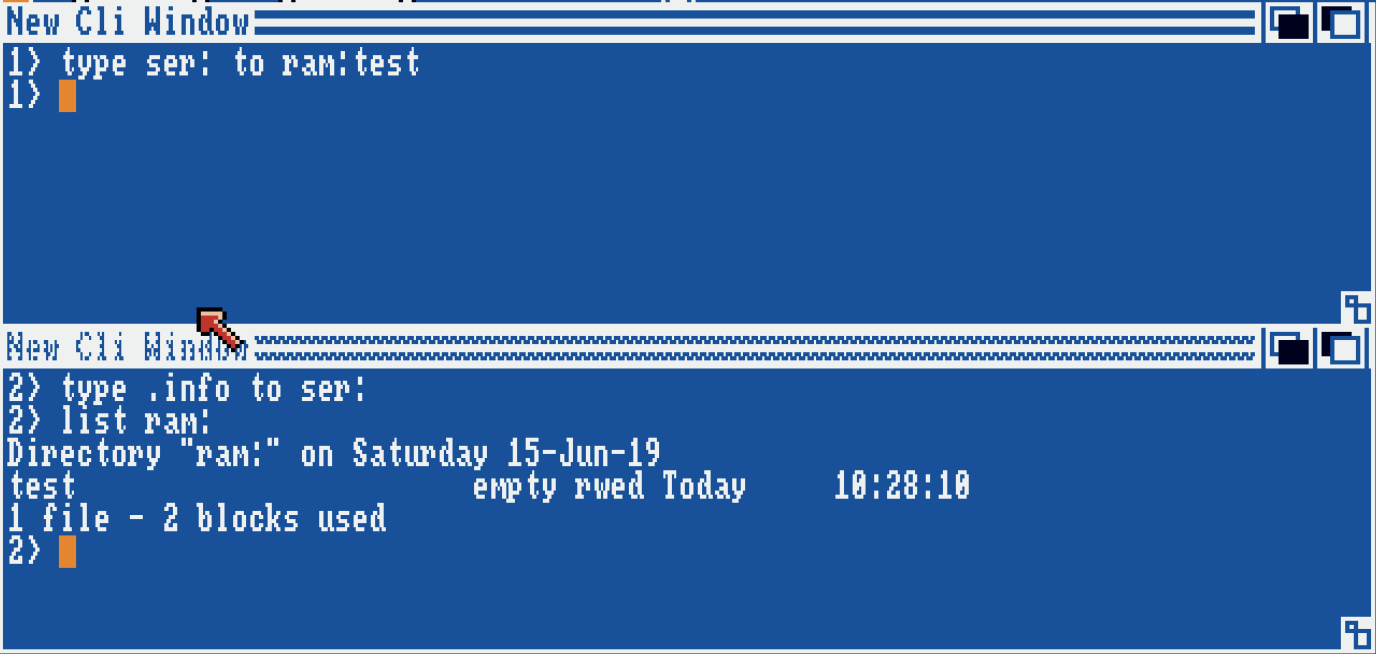
Interesting: When I emulate a faked break (holding down TXD for a longer time), the first CLI shows a prompt again. Seems like it really received a break (although "BREAK" is not displayed in text).
However, the created file in the RAM disk is still empty.
dirkwhoffmann
on 15 Jun 2019
I've done some experiments with A-Talk III:
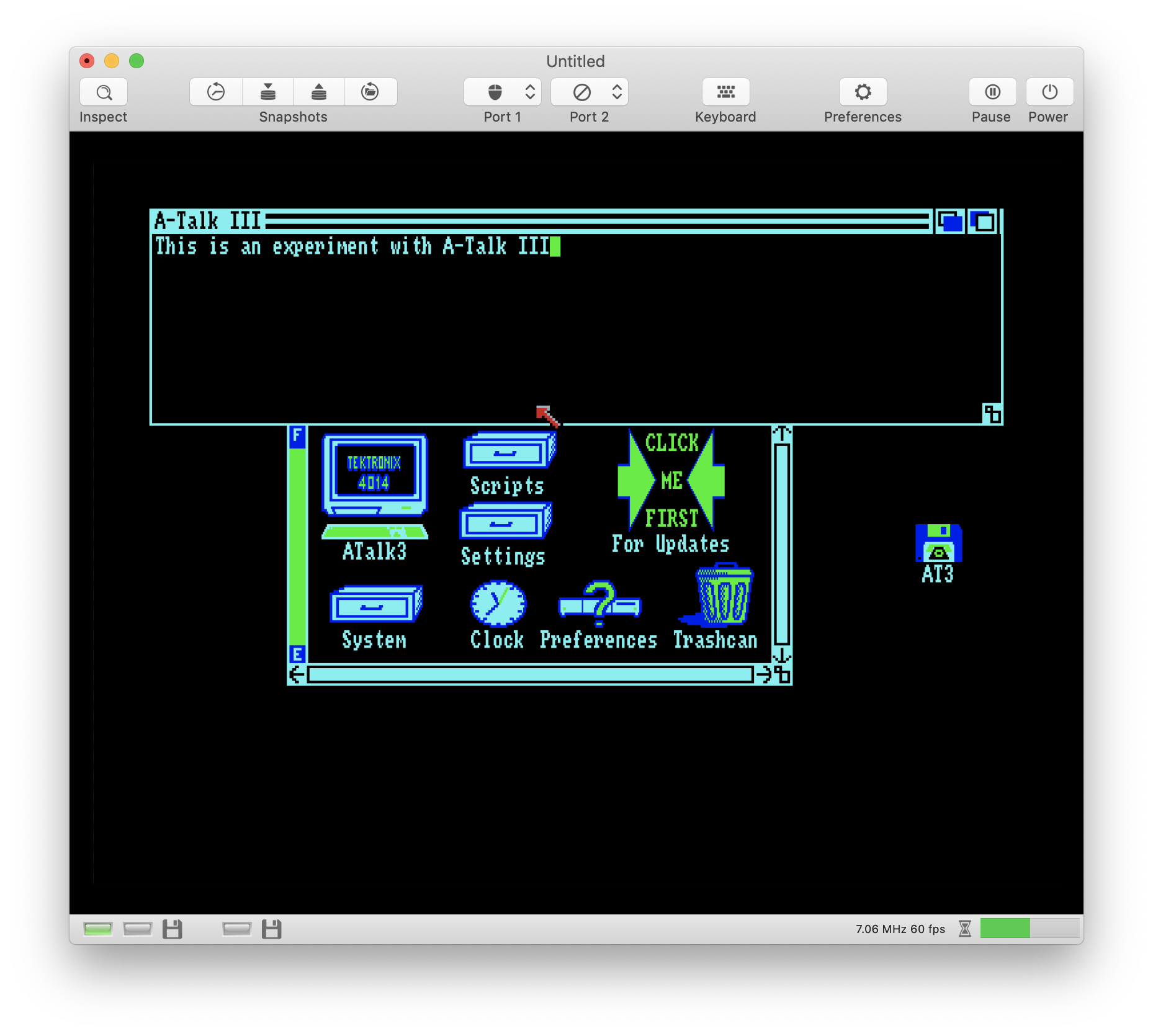
When I type in text, the characters are sent out to the serial port. If the loopback cable is plugged in (hardware preferences panel), the data is fed back and shows up in the receive buffer.
...
[10996] ( 99,201)  C110A0 GCBD 682D 1040 UART: pokeSERDAT(154)
receiveBuffer: 54: T
[11009] ( 80,122)  C110A0 GCBD 682D 1040 UART: pokeSERDAT(161)
receiveBuffer: 61: a
[11014] ( 78, 32)  C110A0 GCBD 682D 1040 UART: pokeSERDAT(16C)
receiveBuffer: 6C: l
[11024] ( 77, 10)  C110A0 GCBD 682D 1040 UART: pokeSERDAT(16B)
receiveBuffer: 6B: k
[11054] ( 80,100)  C110A0 GCBD 682D 1040 UART: pokeSERDAT(120)
receiveBuffer: 20:
What we need is a terminal program, that can send and receive at the same time. Don't know if this is possible with A-Talk...
dirkwhoffmann
on 15 Jun 2019
Update:
- AmigaTestKit uses the UARTBRK bit in ADKCON to ground TXD which was not yet implemented.
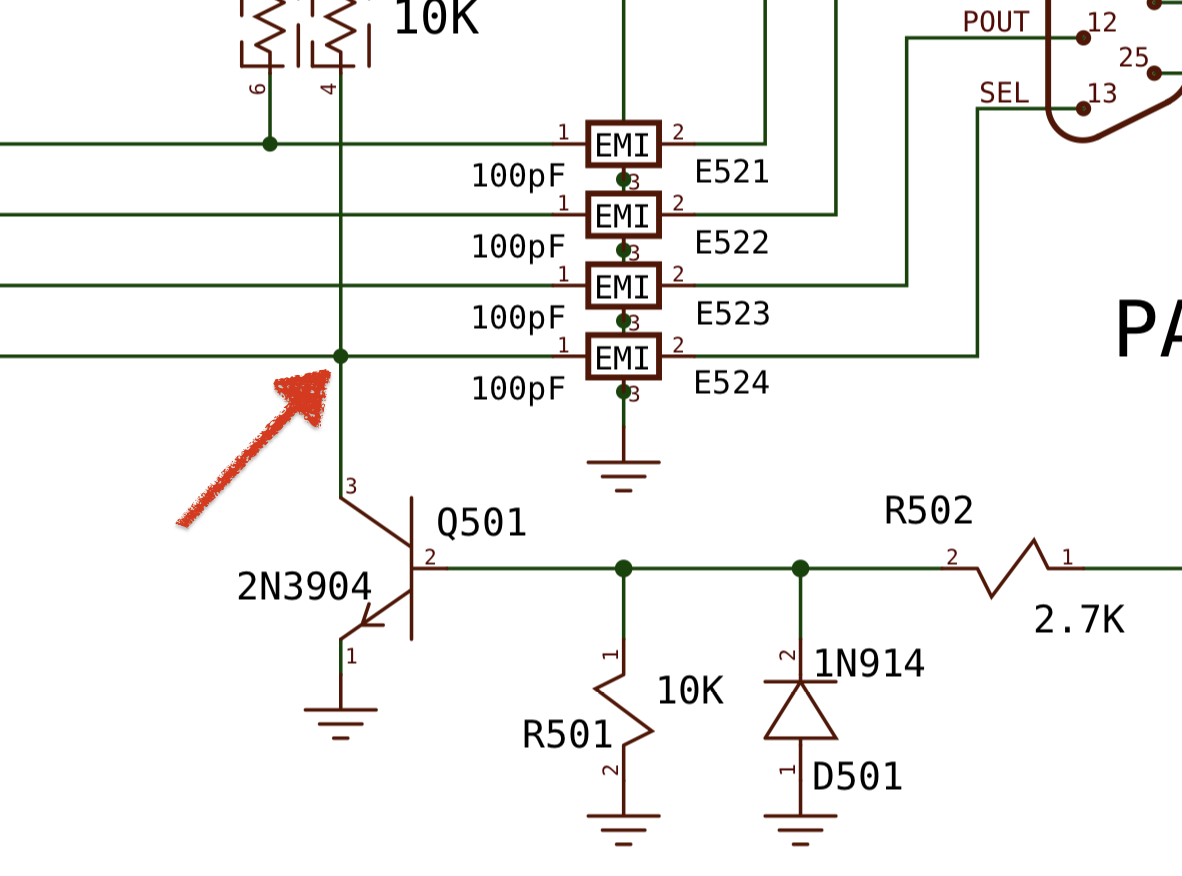
- It is possible to access RI (Ring Indicator) via software. It shows up on CIAB::PA2. In fact, it is hard-wired to the SELECT pin coming from the parallel port which can be seen in the (A500) schematics:
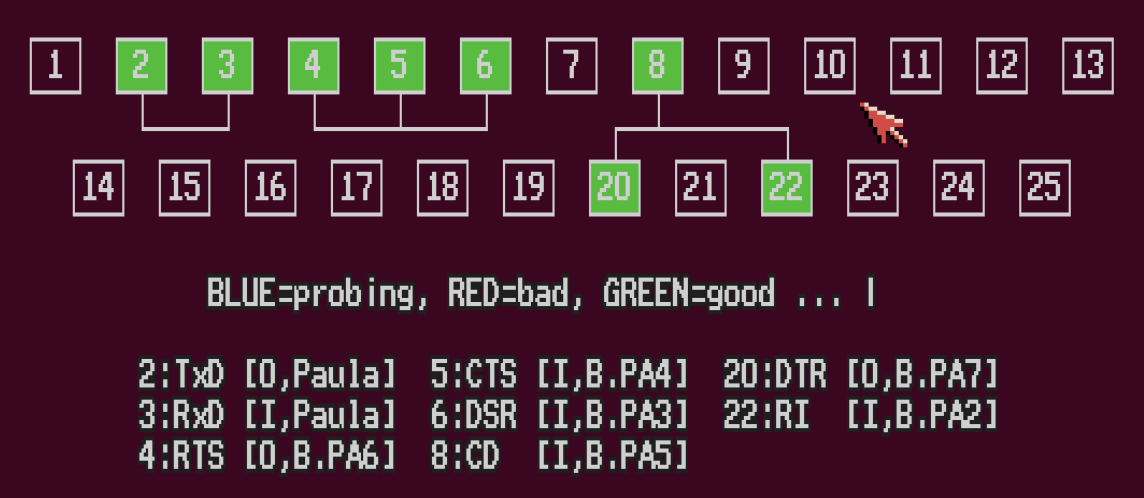
AmigaTestKit is happy now:
dirkwhoffmann
on 16 Jun 2019
I'm closing this for now. Unless we don't know that the "type
dirkwhoffmann
on 16 Jun 2019
Related issues
dirkwhoffmann
·
3Comments
dirkwhoffmann
·
3Comments
dirkwhoffmann
·
3Comments
dirkwhoffmann
·
3Comments
 emoon
·
4Comments
emoon
·
4Comments
Most helpful comment
wait I am just pulling your super cool cable version. I will try to get it working...