Valkyrie: 2.4.07a Pre-Release. Android blank screen
Description of Problem or Question
When loading Valkyrie it prompt for storage permissions the first time, then goes to a blank screen.
Subsequent times it's run it shows the unity splash and then goes to a blank screen.
I am on a Samsung Galaxy S9+
Valkyrie Version
2.4.0.7a Pre-Release
Attach Save, Quest or Scenario
 scrubbless
All 32 comments
Have you allowed Storage Permissions? You can also set them under Settings > Apps > Valyrie
 redwolf2
on 13 Feb 2020
redwolf2
on 13 Feb 2020
Yes, I said the exact same thing to someone on discord with the same issue haha.
It has permissions, it prompted and I check the app settings too.
scrubbless
on 13 Feb 2020
I still could not reproduce this. The release works fine for me on Lenovo Viva Tab Tablet and Lenovo Z Smartphone.
 Quantumrunner
on 15 Feb 2020
Quantumrunner
on 15 Feb 2020
Galaxy S9+ here not working.
Unity logo appears
Then goes to a black screen

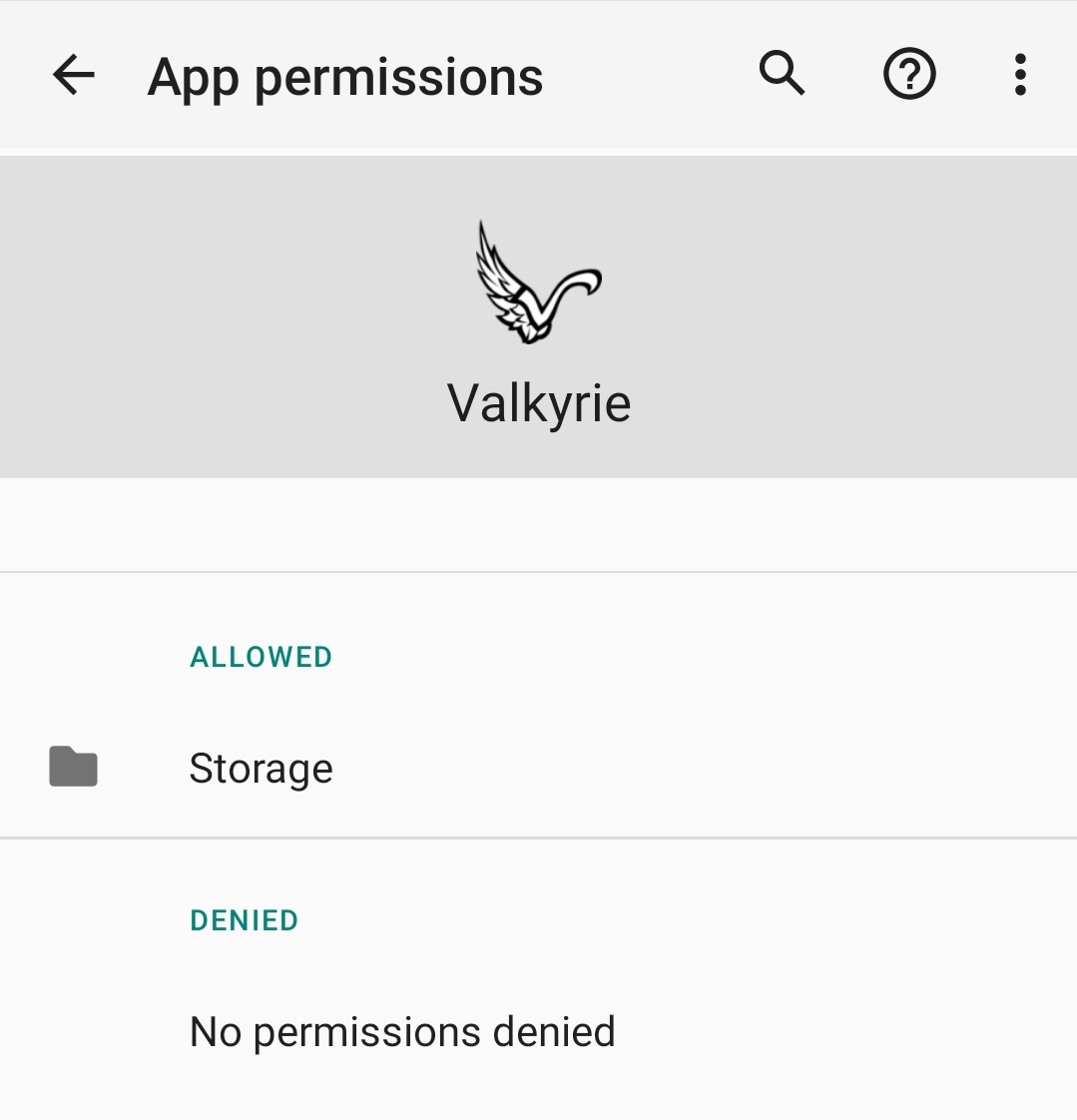
Someone else reported the same issue and it spontaneously cleared up. The app has storage permissions.
scrubbless
on 15 Feb 2020
scrubbless
on 15 Feb 2020
Could anything have been missed on the build? I remember reading that android required a module or a plug in?
scrubbless
on 15 Feb 2020
Nope. The wiki does not mention anything special except for:
- Android Studio
- Android build tools 28.0.3
- Open JDK 1.8.0 212-3
And this is installed on my build machine.
But I'm gonna check the build logs again if I can find anything.
Quantumrunner
on 15 Feb 2020
Just tossing around ideas :)
scrubbless
on 15 Feb 2020
Could be a signing problem:
>>> Signer
      X.509, O=Valkyrie Project, CN=Valkyrie Project
      [certificate is valid from 10/22/18 10:09 PM to 2/22/18 11:09 PM]
      [Invalid certificate chain: PKIX path building failed: sun.security.provider.certpath.SunCertPathBuilderException: unable to find valid certification path to requested target]
@BenRQ gave me access to the Valkyrie Crashyltics logs (which are now part of firebase) which contain this error:
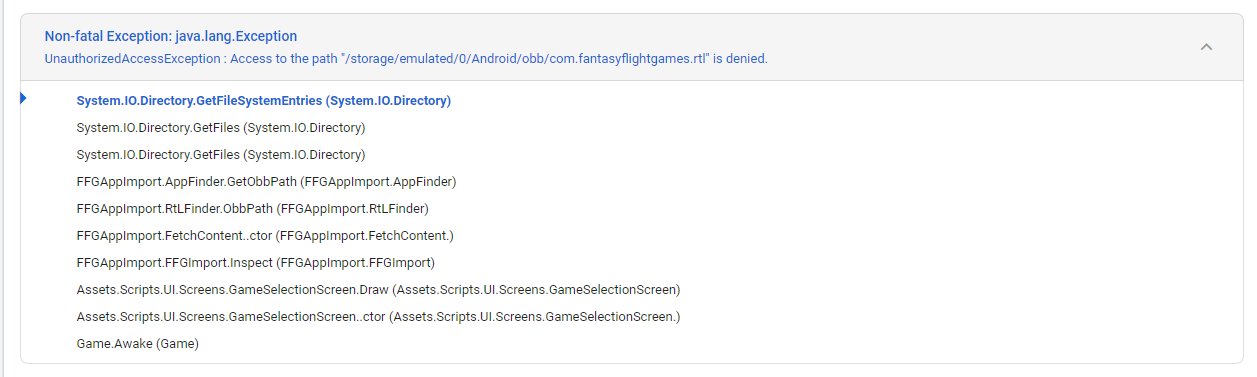
Non-fatal Exception: java.lang.Exception
UnauthorizedAccessException : Access to the path "/storage/emulated/0/Android/obb/com.fantasyflightgames.rtl" is denied.
For some reason the app is not able to read the data from the other apps.
Quantumrunner
on 15 Feb 2020
Same problem. But I have build 2.4.06. The screen just goest blank. Tried uninstalling and reinstalling and it doesn't fix the issue.
I have been using valkyrie for over a year without problems.
 dewinduvae
on 19 Mar 2020
dewinduvae
on 19 Mar 2020
Did you open the official apps at least once?
Do you have both apps installed?
Did you try checking the storage permission settings(https://github.com/NPBruce/valkyrie/issues/1250#issuecomment-586632118)?
Quantumrunner
on 19 Mar 2020
I'm going to go through the list of what I've tried to see if anything would fix the black issue. I am not a programer and I'm not sure what might be helpful but I'm hoping that something in this list does help
I have a galaxy S10+
1) valkyrie open without any other app open that I can see (black)
2) valkyrie open at the same time as Madness2 app (black)
3) restart phone. Open Madness2. Close once I see no updates. Open Valkyrie (black)
4) start valkyrie and leave ipen for an hour, roughly (black)
5) double check storage permission. (Matches image on the github thread exactly aside from language)
6) reinstall the app using latest saved apk on my phone (Valkyrie-android-2.4.06.apk) (black)
7) go through steps 1-3 again incase something changed (black)
8) backup and delete editor scenarios and open valkyrie (black)
9) reinstall and open valkyrie at this point (black)
---update---
10) downloaded and installed earlier version (Valkyrie-android-2.4.05a.apk) (success, it works!)
11) click the little green button to install latest version (Valkyrie-android-2.4.06.apk) because I'm a masochist. (Surprisingly, it still works at this point)
dewinduvae
on 19 Mar 2020
Very weird.
I can find your errors in the firebase error logs:
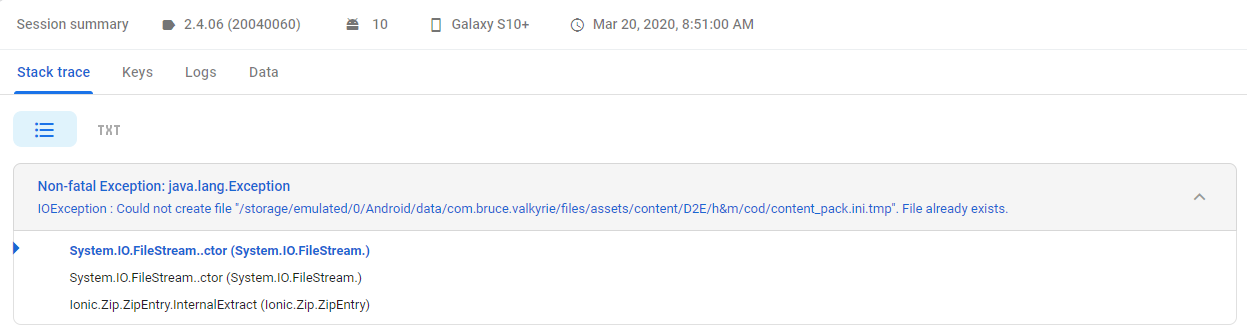
It was the same error all the time (13 times).
This definetely is something regarding the import step. Looks like it is trying to find files from Descent (content/D2E) which it does not find. @dewinduvae You did not have the descent app installed at all did you?
@NPBruce Did anything from 2.4.05 to 2.4.06 change in the import logic?
Quantumrunner
on 20 Mar 2020
@Quantumrunner no, I've never had the descent app installed on this device.
dewinduvae
on 20 Mar 2020
Just an FYI seems to work fine on Windows for me.
Just android that goes to a blank screen when opening.
I have noticed a similar issue with apps that try to load "Google Play Games" when there is intermitant internet connectivity (for example Clash of Clans). But I have a solid and stable WiFi connection when opening this Valkyrie.
To reproduce, I would recommend. Uninstalling Valkyrie, then delete the Valkyrie Directory from the root of internal storage (this will clear all content etc).
Then install from scratch.
I wonder if its an issue accessing the internal memory to create the Valkyrie folder and content?
scrubbless
on 20 Mar 2020
I have now tried to reproduce the error without success.
I have:
1) deleted valkyrie at root level.
2)installed the alpha 2.4.06.apk
3)deleted at root level an installed 2.4.07.apk
4)installed path to glory and imported
5)deleted the Descent folder in valkyrie
I have not yet gotten a blank screen while starting up.
I can say that I deleted valkyrie at root level between steps 9&10 in my earlier list and that I've never done that as a part of updating valkyrie before.
Also, I'm fairly sure I've updated valkyrie while on the train (atrocious WiFi) at some point earlier in the year
dewinduvae
on 21 Mar 2020
Have you got MoM2 installed.
Edit: Actually that won't make a difference, as no content would have been imported at that stage.
I'll see if I can reproduce the issue on an android emulator, since the issue doesn't seem to occur on your phone
scrubbless
on 21 Mar 2020
Yes, MoM2 was refered to as Madness2 in the list.
dewinduvae
on 21 Mar 2020
Ok this seems to be just the S9+ or maybe an OS version.
I installed it on BlueStacks (an android emulator) and it works fine.
Very strange, i'll dig out some old phones and see if I can reproduce the error on them.
scrubbless
on 25 Mar 2020
HTC One M8 works fine
Samsung Galaxy S7 works fine too
Samsung Galaxy S9+ comes up with a black screen instead of 'import' screen and doesn't change when left for 5 minutes.
I am wonder if it's a resolution thing? With the larger screen?
scrubbless
on 26 Mar 2020
I think this is because on the newer android version checking for the data of other apps somehow fails.
The error from your tries I have found in the logs where quite clear:
https://github.com/NPBruce/valkyrie/issues/1250#issuecomment-586645057
Quantumrunner
on 26 Mar 2020
Odd I'll try reinstalling it.
scrubbless
on 26 Mar 2020
Uninstalled MoM2 it loaded fine. Reinstalled MoM2 from play store, black screen again.
Not really sure where to go from here.
scrubbless
on 26 Mar 2020
Me neither. :(
I can see the error in the logs again (if this was your device this afternoon?):
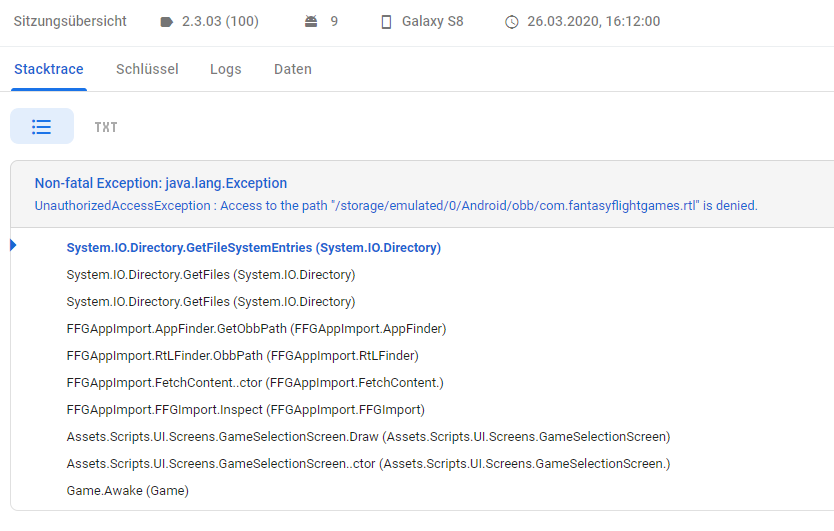
The current error will take some time until it is visible in the logs.
Quantumrunner
on 26 Mar 2020
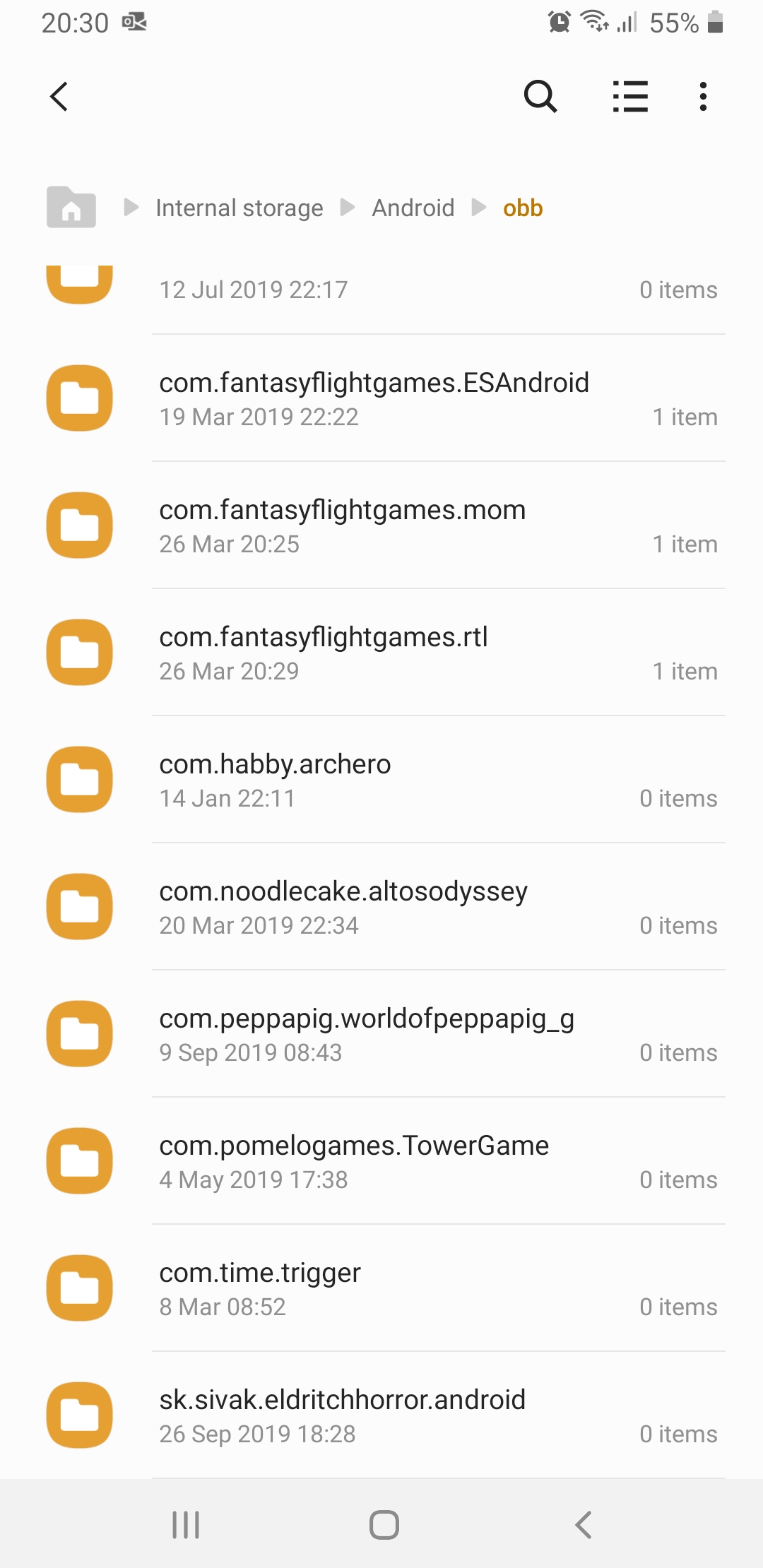
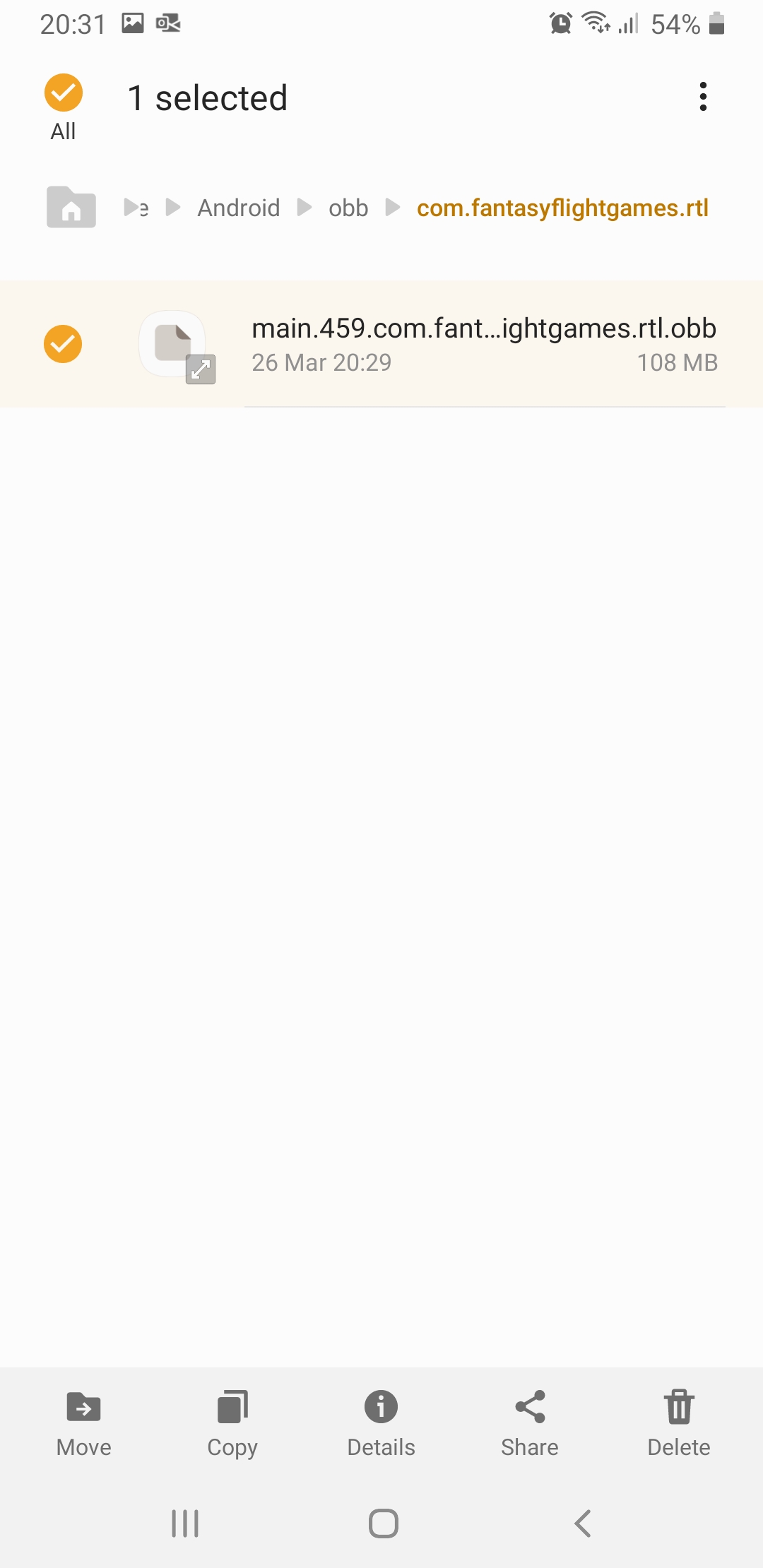
The app has full storage permissions read and write.
I can see and open the folder referenced.
scrubbless
on 26 Mar 2020
Any thoughts @NPBruce @redwolf2 @BenRQ ?
scrubbless
on 27 Mar 2020
Yes I think this is thanks to this new feature in Android 10: "Scoped storage"
There is an easy workaround though but it requires a new build.
https://forum.unity.com/threads/android-10-and-scoped-storage-missed-features-in-unity-2019.749333/
I don't have a android 10 phone device at home to test this though.
 BenRQ
on 27 Mar 2020
BenRQ
on 27 Mar 2020
I'll try to add this to the manifest of the 2.4.07a version.
Quantumrunner
on 28 Mar 2020
Cheers @BenRQ
Happy to test whenever a test release is available.
scrubbless
on 28 Mar 2020
I have added the workaround property to the manifest file. I hope this was the correct one because there are multiple manifest files in the solution. Looks like one for each plugin used?
@scrubbless Please give it a try. I have overwritten the files in the release:
https://github.com/Quantumrunner/valkyrie/releases/tag/prerelease%2F2.4%2Fv2.4.07a
Quantumrunner
on 28 Mar 2020
Well down guys, you cracked it. It's working on the new build!
@BenRQ @Quantumrunner
scrubbless
on 28 Mar 2020
Related issues
BenRQ
·
8Comments
 EMILIPULIDO
·
8Comments
EMILIPULIDO
·
8Comments
 antontimmermans
·
8Comments
antontimmermans
·
8Comments
 Rass1968
·
8Comments
BenRQ
·
3Comments
Rass1968
·
8Comments
BenRQ
·
3Comments
Most helpful comment
Well down guys, you cracked it. It's working on the new build!
@BenRQ @Quantumrunner