Valkyrie: Content of expansions is listed even though they are not activated
Steps to reproduce:
1) start the app, launch a scenario : The list of investigator is normal, no issue
2) Go to the editor, and edit a quest : OK
3) go back to the scenario explorer and show the list of investigator : KO all investigators are now available.
Initial description :
Although I don't have any additional content selected, when I start the scenario 'A Strain on Reality' I have a list of characters from expansions instead of just a basic MoM.
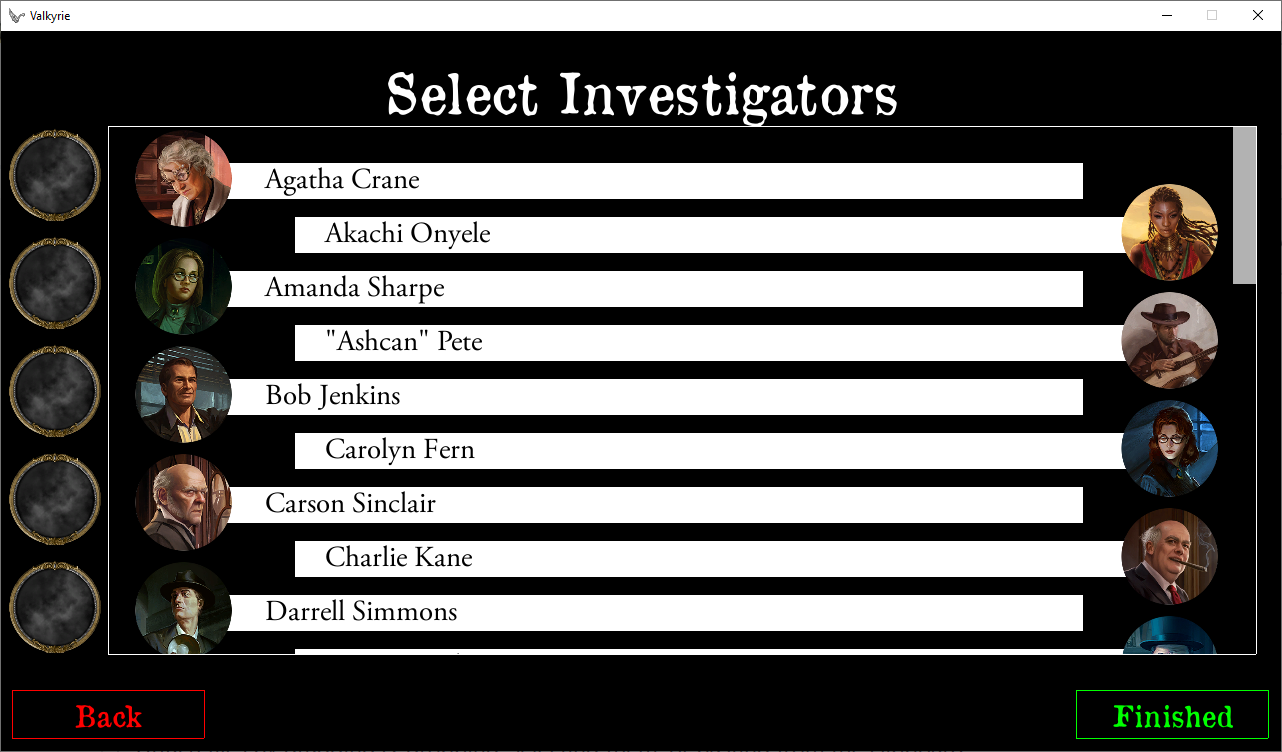
Even worse, the problem reaches the items that are given to users:
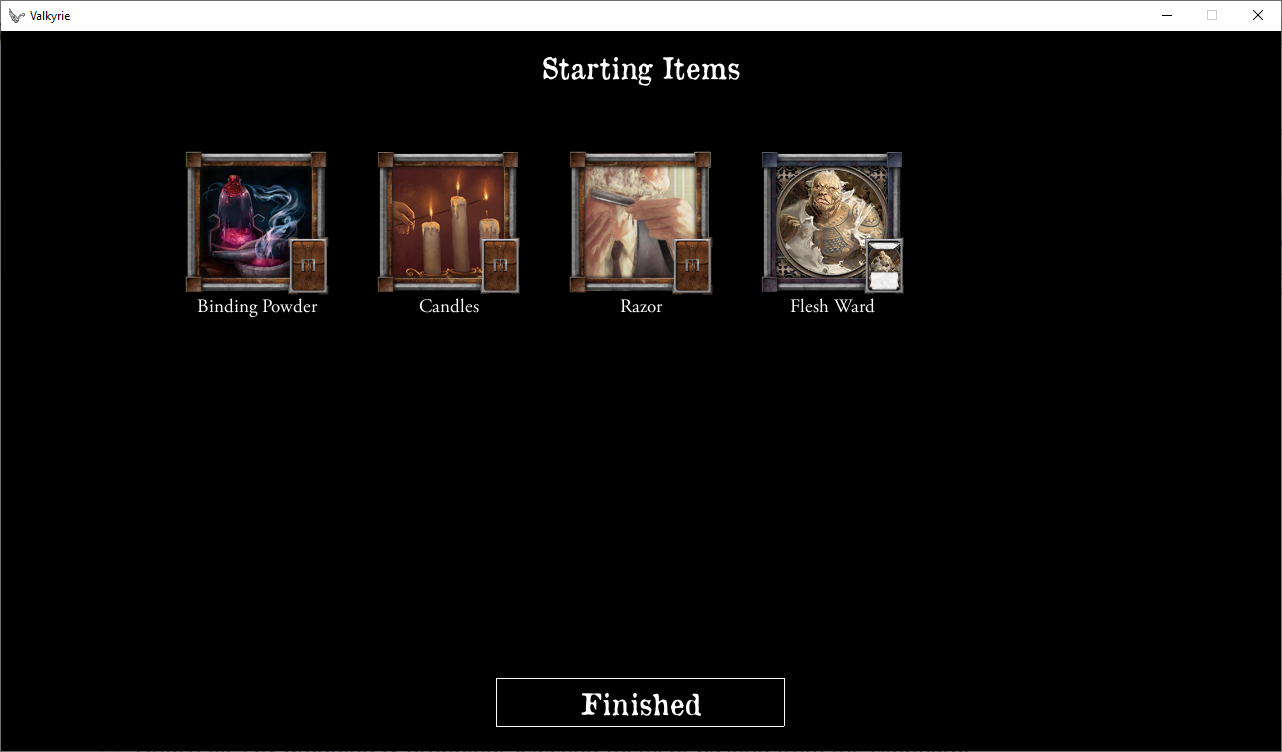
Basic game doesn't have the 'Binding Powder', I checked.
UPDATE: I've just updated the official MoM app and imported the content again. Valkyrie doesn't have the problem anymore.
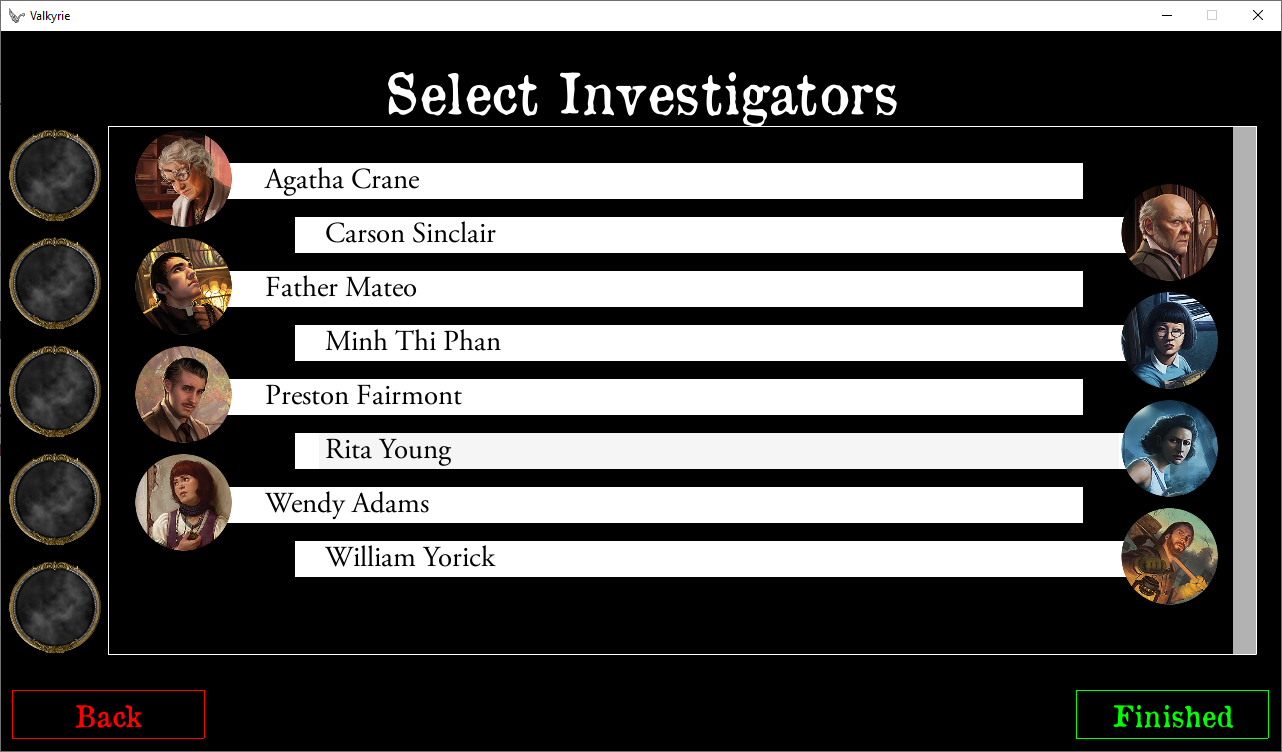
It seems the issue is with the newest Valkyrie and previous version of the content!
To prevent the issue from happening in the future, I'd advise creating a variable storing a version of the official app with which Valkyrie works fine. The variable could be downloaded by a lazy load to keep it up-to-date.
Additionally, if:
A. a user wants to import content from the official app (he/she doesn't have any at the moment) but the app's version is too fresh, the user should be informed that the Valkyrie app may not work properly and to contact the team if something is wrong,
B. a user want to reimport the content but its version is too fresh, confirm with a user if he/she wants to download it as the version of may create problems with the Valkyrie app.
I think the changes should be included in the v2.3, not now.
_Originally posted by @chrismaliszewski in https://github.com/NPBruce/valkyrie/issues/1046#issuecomment-460394932_
 chrismaliszewski
All 27 comments
@redwolf2 wrote:
It seems the issue is with the newest Valkyrie and previous version of the content!
To prevent the issue from happening in the future, I'd advise creating a variable storing a version of the official app with which Valkyrie works fine. The variable could be downloaded by a lazy load to keep it up-to-date.
@BenRQ We already have that functionality. We should upgrade the min version to 1.7.1. Then the user is required to reimport.
@chrismaliszewski We don't specify a fixed version, to be able to profit from later versions, that are still compatible. Otherwise we would have to create a release everytime a ffg app gets an update.
chrismaliszewski
on 4 Feb 2019
@chrismaliszewski wrote:
@redwolf2, but the problem is, with a new release of the ffg app, there might be issues like the #1045 issue.
It'd be good to inform a user that the new content hasn't been checked yet and there is a risk that the update may cause problems. It'd be just a hint for a user not to update the content or if he/she updates it and there are problems, he/she should inform the community about the issues regarding the new update. That's all.
Just in case, you should create a "kill-switch" when the place where the data is stored is offline which... would be a hardcoded version in the app.
That's why hardcoding a compatible version in the Valkyrie app is not the best solution in terms of proper app's work and user safety. That's why the above functionality is better.
chrismaliszewski
on 4 Feb 2019
@scrubbless wrote:
Every time I install a new test version. I make a point of deleting my Valkyrie folder (especially in android). This means I have to import from scratch.
It's always best to test as a noob would experience it. Because ultimatly if a newbie downloads a 'stable release' and it doesn't work for them, they are unlikely to come back.
chrismaliszewski
on 4 Feb 2019
@chrismaliszewski wrote:
@scrubbless, I agree with you. That's why I suggest changing UI (3.) to make it clearer and extend a process updating the app (6.) so that a user will know that new things need testing and may not work properly until than. So there will be fewer situations when a newbie will say "meh, the app doesn't work" but rather "hmm, what should I do? Maybe click this button?" or "ok, it doesn't work but they are working on it".
chrismaliszewski
on 4 Feb 2019
@redwolf2 wrote:
We could add a "latest news" feature.
chrismaliszewski
on 4 Feb 2019
Where the feature would be placed? Before clicking 'import content'? Or in the main menu?
If in the main menu, it'll be a problem since a user has already updated the content which may not work, right?
If 'before', where would you put it and will the news be regarding both games (MoM & )?
Finally, I think it'll again create more problems (someone will need to write news) and not many people will be interested (not many people will read news).
The crucial info that is needed is the version that is compatible with the current Valkyrie app, nothing else.
The feature would be great if the app had a strong community which would create more scenarios, organize contests, polls etc.. In the current state, I think it'd be not time worthy thing to create.
chrismaliszewski
on 4 Feb 2019
It seems the issue is with the newest Valkyrie and previous version of the content!
If this is correct, I don't think setting the minimum version of the official app is enough.
It should not display other content anyway with the old or with the latest version of the app.
I don't understand why the new version would fix that issue, except if expansions have not been properly imported.
It would be interesting to know if it can be reproduced somehow with the latest version of MoM.
 BenRQ
on 6 Feb 2019
BenRQ
on 6 Feb 2019
I'm changing the title of the issue as it is currently describing one of the possible solution, and not the problem.
BenRQ
on 6 Feb 2019
Maybe the issue was not related to the import content but something else.
I'm stating that now as I took the old Valkyrie's MoM catalogue from the Bin with the 'problematic' import files and run it again but this time w/o the issue. So maybe the problem was in the settings of the app.
I won't be able to reproduce the problem anymore, I think.
chrismaliszewski
on 6 Feb 2019
Still, the question is, should there be a message to a user informing him/her that a possible import of a new version which hasn't been officially tested yet may cause problems.
chrismaliszewski
on 6 Feb 2019
OK, just please don't mix the topics
If the issue described here is not reproducable, this one should be closed.
Another issue can be created to discuss the need for an information message at startup.
BenRQ
on 6 Feb 2019
Just to clarify: the topic was created to discuss a message at startup although it began with an issue. That's why @redwolf2 marked it as an enhancement. We agreed that there is no issue that can be reproduced so the topic is now just about the enhancement.
chrismaliszewski
on 6 Feb 2019
It's currently hard to find the relevant information in this issue.
It would be better to have all relevant information in the description.
Also it would be good to document the first issue anyway in the case we have it again.
Issue usually don't disappear, so I would not be surprised that it comes back.
That's why I recommend closing this one and opening a new one.
BenRQ
on 6 Feb 2019
Ok, I'll close the issue and open a new one regarding the enhancement.
chrismaliszewski
on 6 Feb 2019
RESOLVEMENT SO FAR: the issue hasn't been reproduced.
chrismaliszewski
on 6 Feb 2019
Thanks !
BenRQ
on 6 Feb 2019
I was able to reproduced, I updated the description.
BenRQ
on 6 Feb 2019
Fixed
@scrubbless FYI the "save & test" from Editor is now using user configuration for activated packs
BenRQ
on 6 Feb 2019
Hi @benrq, what do you mean by that? Can you select what expansions you want active when you save and test?
Or does it just default to the required expansions that you configure for the scenario (the second of these wouldn't be good)
 scrubbless
on 7 Feb 2019
scrubbless
on 7 Feb 2019
Next app version will activate only the expansions that you have selected in Valkyrie menu "select content", when you run your scenario with "Save & test".
So if you want to test different configuration, you can do it.
BenRQ
on 7 Feb 2019
A ticket with a new enhancement idea regarding the issue https://github.com/NPBruce/valkyrie/issues/1054.
chrismaliszewski
on 7 Feb 2019
Ok, that's going to confuse a few people, but will just have to remember to select all content when testing.
scrubbless
on 7 Feb 2019
That was my exact point in the ticket I created: 'Could you create a piece of code that would check whether the list of expansions selected by a user in the 'select content' corresponds with the 'required expansions' list in the editor and, if not, display a message box with a warning?' because, as @scrubbless said, it may be confusing for some people they won't see some things while testing.
chrismaliszewski
on 7 Feb 2019
@scrubbless @chrismaliszewski I'm almost sure it was already working like this in 2.1.5.
I changed the way the expansions are loaded in 2.2 because it was reloading everything at every screen change.
So this fix should provide the same behaviour as before.
BenRQ
on 7 Feb 2019
Required expansions shouldn't restrict anything.
I create scenarios that contain expansion content, but don't 'require' those expansions.
For example, i may use an event with SoA == 1 to put down a SoA tile, then another with no test below it to place a base tile. That way someone that does not own the expansion will see the base tile, but one with SoA will see the SoA tile.
This ensures my scenarios can be played by any and include a large amount of variety.
scrubbless
on 7 Feb 2019
Just to be clear, I'm not talking about required expansions configured in the scenario.
I'm talking about activated expansions selected in the app configuration.
BenRQ
on 7 Feb 2019
Thanks BenRQ, I figured as much. Was not sure if I got what you were saying wrong after reading chrismaliszewski's reply.
I'll be sure to test when the next test release is out.
scrubbless
on 7 Feb 2019
Related issues
chrismaliszewski
·
3Comments
BenRQ
·
8Comments
 Rass1968
·
8Comments
Rass1968
·
8Comments
 antontimmermans
·
7Comments
antontimmermans
·
8Comments
antontimmermans
·
7Comments
antontimmermans
·
8Comments