Valkyrie: Pre-Conditional Button texts
Description of Problem or Question
I'd like to request the addition of pre conditional button labels in a future version of Valkyrie.
Here is an example of what I have in mind:
Event.ini
[EventDialogue]
buttons=5
event1=EventGainEntryBribe
event2=EventGainEntryHero
event3=EventGainEntryClass
event4=EventGainEntryRelic
event5=EventGainEntryConvince
Localization.txt
EventDialogue.text,You approach the academy of Greyhaven, but a guard denies you entry.
EventDialogue.button1,[25 Gold] Bribe the guard {condition:$%Gold,>=,25}
EventDialogue.button2,[Leoric] Demand entry {condition:%HeroLeoricoftheBook,==,1}
EventDialogue.button3,[Runemaster] Demand entry {condition:%HeroClassRunemaster,==,1}
EventDialogue.button4,[Shadow Rune] Demand entry {condition:%RelicTheShadowRune,==,1}
EventDialogue.button5,Try to convince the guard
The idea is to have all buttons greyed out and unselectable if the specified condition isn't met.
This would allow for more complex Dialogues and mimic the system which is used in Road to Legend.
Edit: To get this working Valkyrie should also automatically write a % variable for each selected hero class at the start of the game. Example %HeroClassWildlander,==,1
 DelphiDie
All 17 comments
You can do this the long way, by having different events and some of them set the button colour. I've only ever seen one conditional option in RtL, so that wouldn't be hard, but yours would be a lot more involved.
I'll add this as a feature request.
 NPBruce
on 1 May 2018
NPBruce
on 1 May 2018
Thanks for considering this Bruce.
I think it would be possible to grey out entries by creating complex dialogues with multiple condition checks, but I'm not aware that there is a way to prevent the buttons from being clicked.
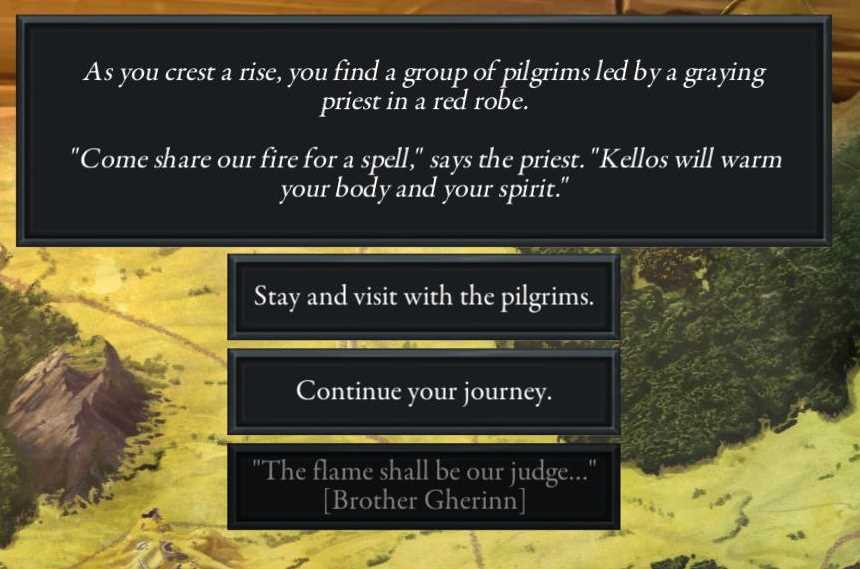
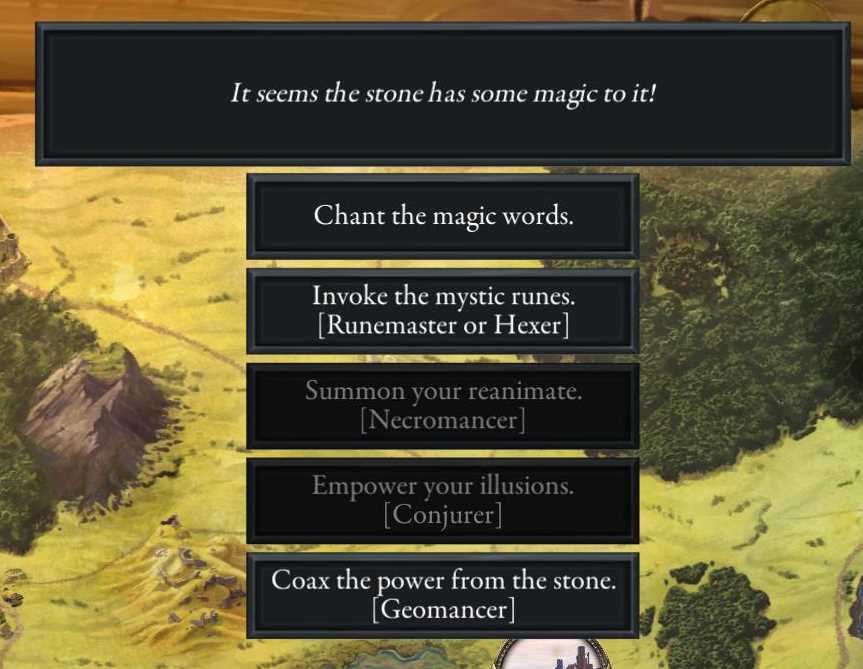
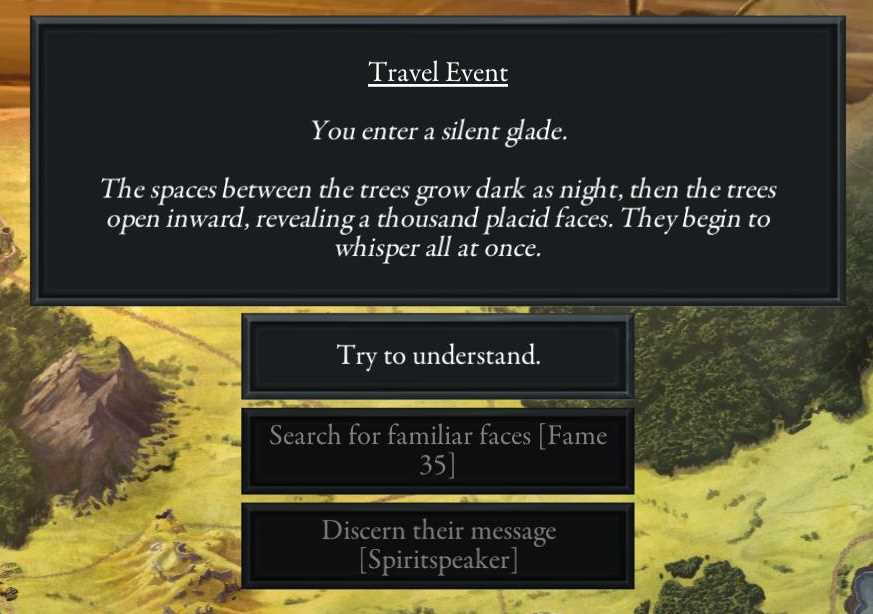
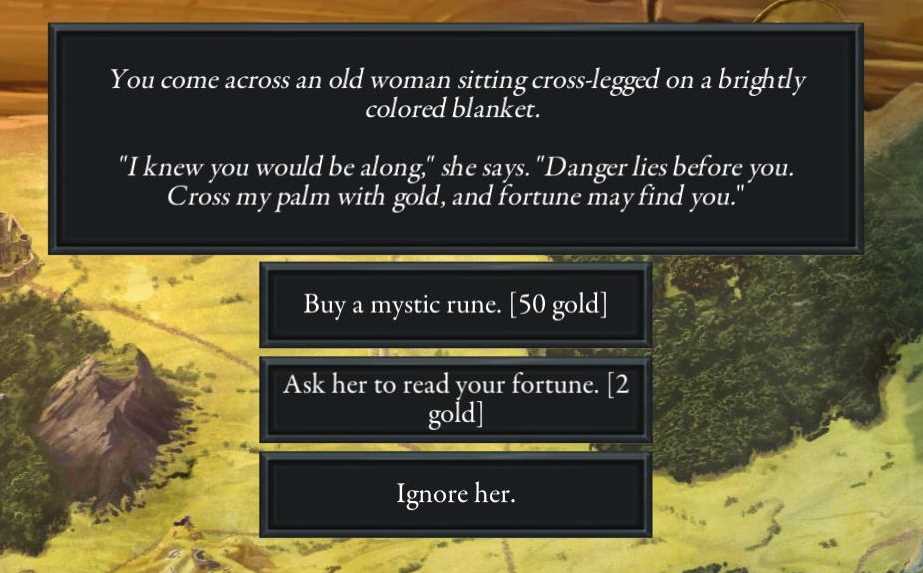
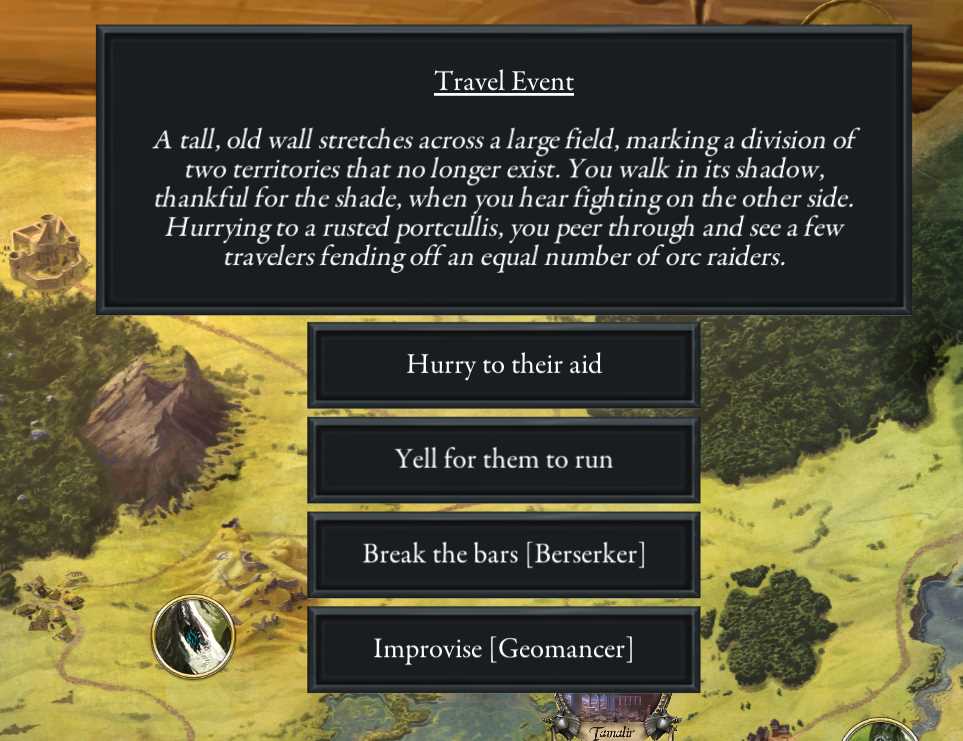
Btw. there are lots of these choices in Road to Legend. Here are just some examples:
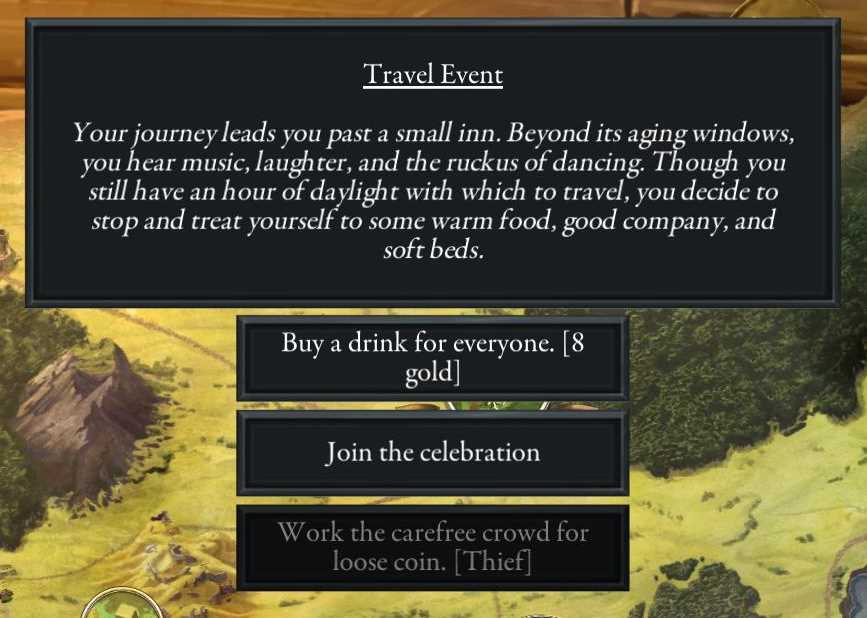
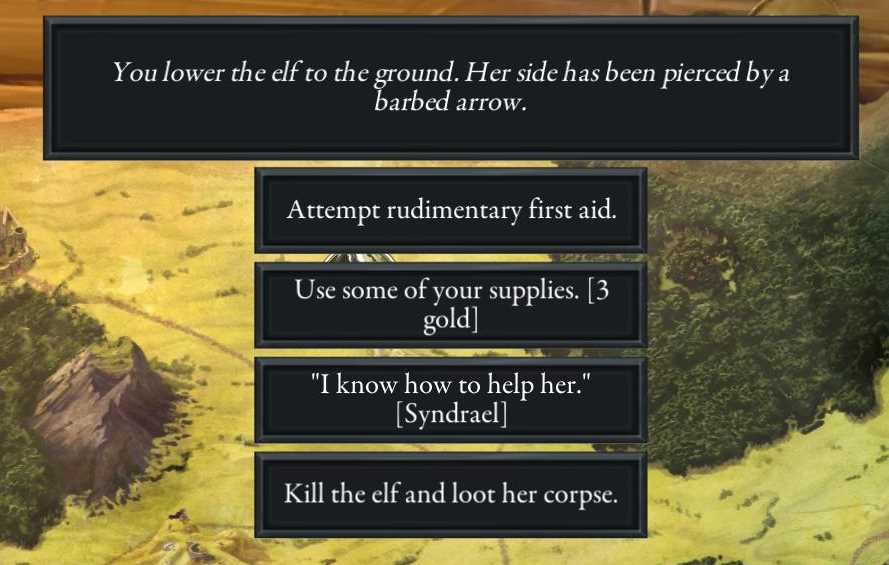
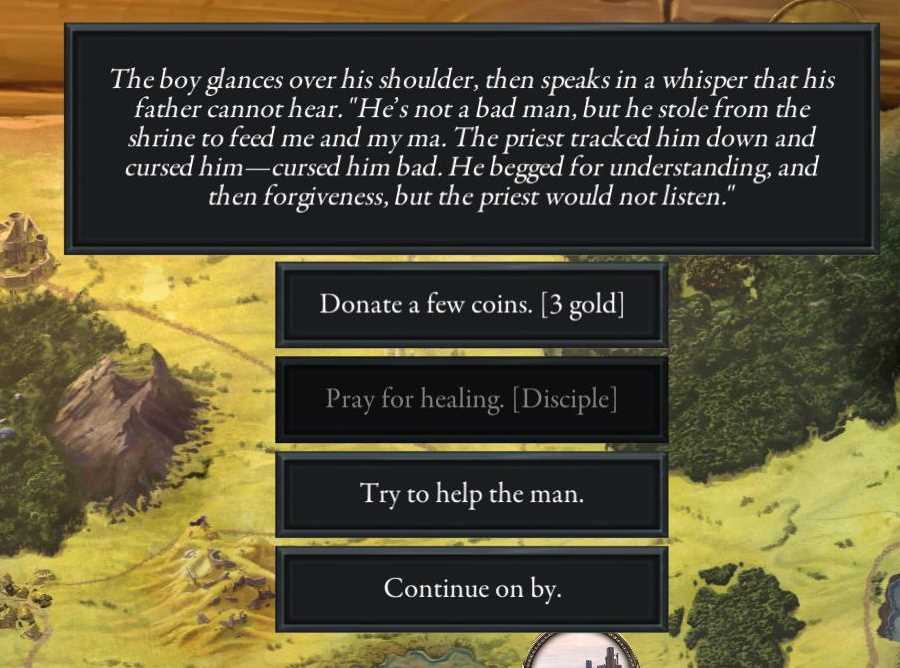
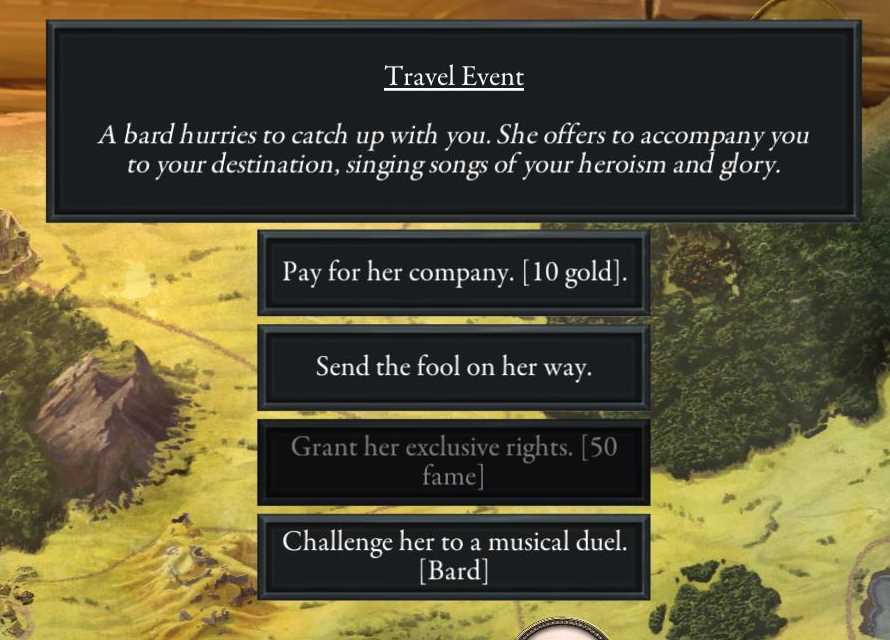
DelphiDie
on 1 May 2018
but I'm not aware that there is a way to prevent the buttons from being clicked.
A work around is to have the button lead to the same event.
NPBruce
on 2 May 2018
Maybe there is an easy way to do it without any code change.
@scrubbless don't you have dynamic choices for text in your scenario?
 BenRQ
on 5 Oct 2018
BenRQ
on 5 Oct 2018
There is no easy way to do dynamic choices with more than 3 choices without a code change.
To code dynamic choices it is currently necessary to code separate events for each separate combination of choices.
So if there are 3 choices there needs to be
Choice 3, Choice 2, Choice 1
Choice 3, Choice 1
Choice 3, Choice 2
Choice 2, Choice 1
etc.
In the example screenshot, there are 4 choices. Coding every combo of 4 choices is possible but not really practical. With 5 it becomes completely impractical.
In my scenario 'In the Dark' I get around this issue by just having the choices call up an event with the text; 'You've already asked me that question.'. This is clearly a bodge and there have been complaints about it.
Having the functionality to disable choices would be very useful for 'In the Dark'.
 NicolaZee
on 23 Oct 2018
NicolaZee
on 23 Oct 2018
@scrubbless has a good description of how to implement dynamic choices in his very well put together guide in the section: Person Token with Several questions.
There are 7 events to cope with 3 choices which works out as 3!+1
With 4 events, the events would be 4321 + 1 = 25
With 5 events, the events would be 5432*1 + 1 = 121
etc
https://docs.google.com/document/d/1Gi5gTwKkw84Px0Lvk-bJ3Aml_vF3ZoljjB6a8FjWGt8/edit
So in your example we need events for every possibility of:
Talk - How are you?
Cost - What is the cost?
Time - What is the time?
These are (forgive me if I get it wrong, its late!) 7 permutations, then we need another "catch all".
1 - Talk, Cost, Time
2 - Talk, Time
3 - Cost, Time
4- Talk, Cost
5 - Talk
6 - Cost
7 - Time
8 - No questions - catch all.
NicolaZee
on 23 Oct 2018
I recently thought about this again, and tried to come up with a better system which will cover all possible purposes to easily create choices in event options (mostly important for decisions and dialogues).
As NicolaZee pointed out the current way to handle complex dialogue trees quickly reaches it's limit if there are more than 3 options. So for the sake of an example of the current system let's keep a it at three.
[EventDialogueExample]
buttons=3
event1=EventDialogueChoice1
event2=EventDialogueChoice2
event3=EventDialogueChoice3
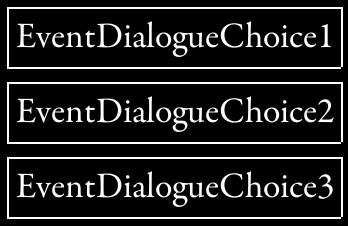
This event will allow to create an entry point into a dialogue. I won't repeat NicolaZees description about the needed choices to create followup events which do not repeat previously selected events. Instead I want to propose a better (and more scalable way) to handle this by adding 2 new options:
[EventDialogueExampleNew]
buttons=3
event1=EventDialogueChoice1
event1conditions=
event1interaction=Enabled
event2=EventDialogueChoice2
event2conditions=Variable1,==,1
event2interaction=Disabled
event3=EventDialogueChoice3
event3conditions=Variable2,==,1
event3interaction=Invisible
Using this one event, the dialouge options could be dynamically altered to completely eliminate the need for permutated callback events.
The option "eventXconditions" would contain regular conditions, which have to be tested before the respective button is created. The default value of this would be empty (no test needed) in case this option is not specified.
When the "EventXconditions" option is specified, there are 2 possible outcomes:
a) If the condition is met, the button is created in the usual way, and the following option is ignored or defaults.
b) If however the condition is not met, the button is modified by looking at the following option.
The next option is "eventXinteraction" and would have 3 possible values:
Enabled: The event button is always shown and clickable. This would be the default value if the option is not specified or "EventXconditions" are met.
Disabled: The event buttion is visible but the font color is altered (I'd recommend the color grey), and it is unclickable.
Invisible: The event button is invisible and thus unclickable.
This is how the buttons would look if you take the variables I created in the above example into consideration:
Variable1 = 0, Variable2 = 0:
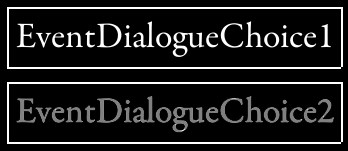
Variable1 = 1, Variable2 = 0:
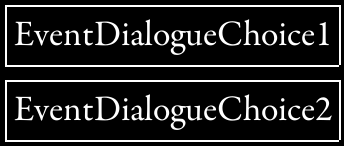
Variable1 = 0, Variable2 = 1:
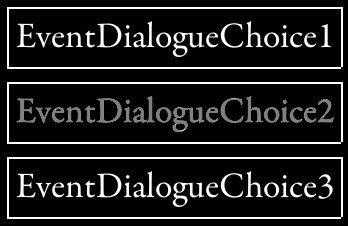
Variable1 = 1, Variable2 = 1:
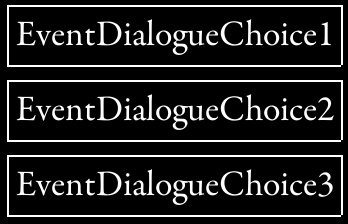
Being able to use these options would reduce the complexity of branching dialogues massively, as all choices could point back to the previous root event and could be dynamically altered by the use of variables.
DelphiDie
on 4 May 2019
I have been thinking a bit about what Bruce has said.
I've started to use a lot of events where every option sets a variable then links to the same follow on event. This may be a way to do it.
While we wont be able to grey out buttons it could make button presses 'null'.
For example:
 EventPick - Pick an option:

Button1 》 set b1=1
Button2 》set b2=1
Button3 》set b3=1

All button press chains lead to the same event:

In this event we have tests for all avaiable button events.

No text in event.

'Continue'
eventB1 - test b1==1 & b1available==1
eventB2 - test b2==1 & b2available==1
eventB3 - test b3==1 & b3available==1
EventRtrn - catch all, set all 'B' vars to 0 and return to pick event.
If a button is clicked but not 'available' (as set by var) the button press leads to the catch all which loops back to the original question.
If the buttons are available it will trigger the event.
 scrubbless
on 4 May 2019
scrubbless
on 4 May 2019
EventPick - Pick an option:
Button1 》 set b1=1
Button2 》set b2=1
Button3 》set b3=1
All button press chains lead to the same event:
In this event we have tests for all avaiable button events.
No text in event.
'Continue'
eventB1 - test b1==1 & b1available==1
eventB2 - test b2==1 & b2available==1
eventB3 - test b3==1 & b3available==1
EventRtrn - catch all, set all 'B' vars to 0 and return to pick event.
Instead of variables b1, b2. b3 and so on, I'd recommend one variable.
EventPick - Pick an option:
Button1 》 set button=1
Button2 》set button=2
Button3 》set button=3
I may have overlooked something but if the text on the button is along the lines of
{action} Button1
{action} Button2
etc
is it not the case you will have to give the player back their action if the button is clicked and not available?
So the instruction to spend an action would need to be added to the active events?
{Yet more edits :)]
Also if the button is in effect disabled but there is no change in the text or color and no text is displayed, won't this potentially confuse the user?
NicolaZee
on 4 May 2019
You're right, it was hasty. A single button variable makes more sense and yes the catch all would need to say something like.
'You already asked this question, do not spend an action {action}, you may ask a different question.'
A lot of the time it may be better to only use it to stop players asking the same questions. I'd probably still use a separate event with it's own unlocked buttons for 'disabled' questions as otherwise it would spoil the clue to have the leading question just telling you it's not available. However you could use the same follow on event so it would cut down time building the following chains.
As a work around it would limit the number of question permutation events youd need to create.
I still like Delphi's idea, its a lot more elegant.
Edit:
Yes the lack of colour change would make its use limited. But as a way to stop players asking the same questions over and over but avoiding those convoluted question permutations it may be worth it.
The way I did events with more than 3 options in a strain on reality was to nest a 'more...' button in the event. This meant I could treat the two separate.
I'd probably approach it differently in the future and just have topic buttons.
'Ask about residents...'
'Ask about Doctor Little...'
'Ask about Asylum...'
This way I could have three questions per topic and keep the combinations to a minimum for each.
scrubbless
on 4 May 2019
When all is said and done we still come back to the need to disable a dialogue button.
Anything less is just a bodge!
:)
NicolaZee
on 4 May 2019
Yeh I agree, just giving out work around while we wait for those developments.
scrubbless
on 4 May 2019
Hi everyone. Just wanted to ask whether someone might take a look at implementing the proposed system at some point. It would really improve the way dialogues are handled significantly.
DelphiDie
on 24 Oct 2020
@DelphiDie I'm looking into a few issues that are related to the class/hero variables. Once I get more familiar with the related codebase I am planning to tackle this ticket.
 mayjak
on 30 Oct 2020
mayjak
on 30 Oct 2020
@DelphiDie I would like to save it in the .ini, not the localization file. The localization file should ideally not be used for driving scenario logic.
Format like this:
event1=<EventName>[ <EventName>]*[,<Variable>,<Operator>,<Constant>[,<FailAction>]]
[] are optional parts so you can either have
event1=<EventName>
event1=<EventName>,<Variable>,<Operator>,<Constant>
event1=<EventName>,<Variable>,<Operator>,<Constant>,<FailAction>
Operators:
==
!=
>
>=
<
<=
FailAction:
none (default when no condition specified): No action, button always enabled.
disable (default when condition specified): The button is visible, but disabled if the condition is not met.
hide: The button is not visible if the condition is not met.
So in your example:
Event.ini
[EventDialogue]
buttons=5
event1=EventGainEntryBribe,%Gold,>=,25
event2=EventGainEntryHero,#HeroLeoricoftheBook,==,1,hide
event3=EventGainEntryClass,#HeroClassRunemaster,==,1,hide
event4=EventGainEntryRelic,#RelicTheShadowRune,==,1,hide
event5=EventGainEntryConvince
Localization.txt
EventDialogue.text,You approach the academy of Greyhaven, but a guard denies you entry.
EventDialogue.button1,[25 Gold] Bribe the guard
EventDialogue.button2,[Leoric] Demand entry
EventDialogue.button3,[Runemaster] Demand entry
EventDialogue.button4,[Shadow Rune] Demand entry
EventDialogue.button5,Try to convince the guard
In case of multiple events which seem to be supported:
event1=EventGainEntryBribe EventGainEntryAfterBribe,%Gold,>=,25
mayjak
on 1 Nov 2020
@mayjak
I like this approach. As you already mentioned this lets the localization files stay true to their purpose.
Formatting looks nice and is build on the already existing grammar that Valkyrie uses.
 Quantumrunner
on 1 Nov 2020
Quantumrunner
on 1 Nov 2020
Changed a few things in the original description:
- Changed
=to==to match the original test on VarManager. - Replaced
VisibilitywithFailAction, and the values fromdisabledtodisableandhiddentohide - Added default
noneaction when no condition is specified - Added last example for multiple events (I didn't realize we there can be multiple events on a single button before)
mayjak
on 1 Nov 2020
Related issues
 Hacai666
·
7Comments
Hacai666
·
7Comments
 Rass1968
·
8Comments
Rass1968
·
8Comments
 asn-d6
·
6Comments
scrubbless
·
3Comments
asn-d6
·
6Comments
scrubbless
·
3Comments
 chrismaliszewski
·
6Comments
chrismaliszewski
·
6Comments
Most helpful comment
I recently thought about this again, and tried to come up with a better system which will cover all possible purposes to easily create choices in event options (mostly important for decisions and dialogues).
As NicolaZee pointed out the current way to handle complex dialogue trees quickly reaches it's limit if there are more than 3 options. So for the sake of an example of the current system let's keep a it at three.
[EventDialogueExample]
buttons=3
event1=EventDialogueChoice1
event2=EventDialogueChoice2
event3=EventDialogueChoice3
This event will allow to create an entry point into a dialogue. I won't repeat NicolaZees description about the needed choices to create followup events which do not repeat previously selected events. Instead I want to propose a better (and more scalable way) to handle this by adding 2 new options:
[EventDialogueExampleNew]
buttons=3
event1=EventDialogueChoice1
event1conditions=
event1interaction=Enabled
event2=EventDialogueChoice2
event2conditions=Variable1,==,1
event2interaction=Disabled
event3=EventDialogueChoice3
event3conditions=Variable2,==,1
event3interaction=Invisible
Using this one event, the dialouge options could be dynamically altered to completely eliminate the need for permutated callback events.
The option "eventXconditions" would contain regular conditions, which have to be tested before the respective button is created. The default value of this would be empty (no test needed) in case this option is not specified.
When the "EventXconditions" option is specified, there are 2 possible outcomes:
a) If the condition is met, the button is created in the usual way, and the following option is ignored or defaults.
b) If however the condition is not met, the button is modified by looking at the following option.
The next option is "eventXinteraction" and would have 3 possible values:
Enabled: The event button is always shown and clickable. This would be the default value if the option is not specified or "EventXconditions" are met.
Disabled: The event buttion is visible but the font color is altered (I'd recommend the color grey), and it is unclickable.
Invisible: The event button is invisible and thus unclickable.
This is how the buttons would look if you take the variables I created in the above example into consideration:
Variable1 = 0, Variable2 = 0:
Variable1 = 1, Variable2 = 0:
Variable1 = 0, Variable2 = 1:
Variable1 = 1, Variable2 = 1:
Being able to use these options would reduce the complexity of branching dialogues massively, as all choices could point back to the previous root event and could be dynamically altered by the use of variables.